EN
EN DE
DE ES
ES FR
FR NL
NL PT
PT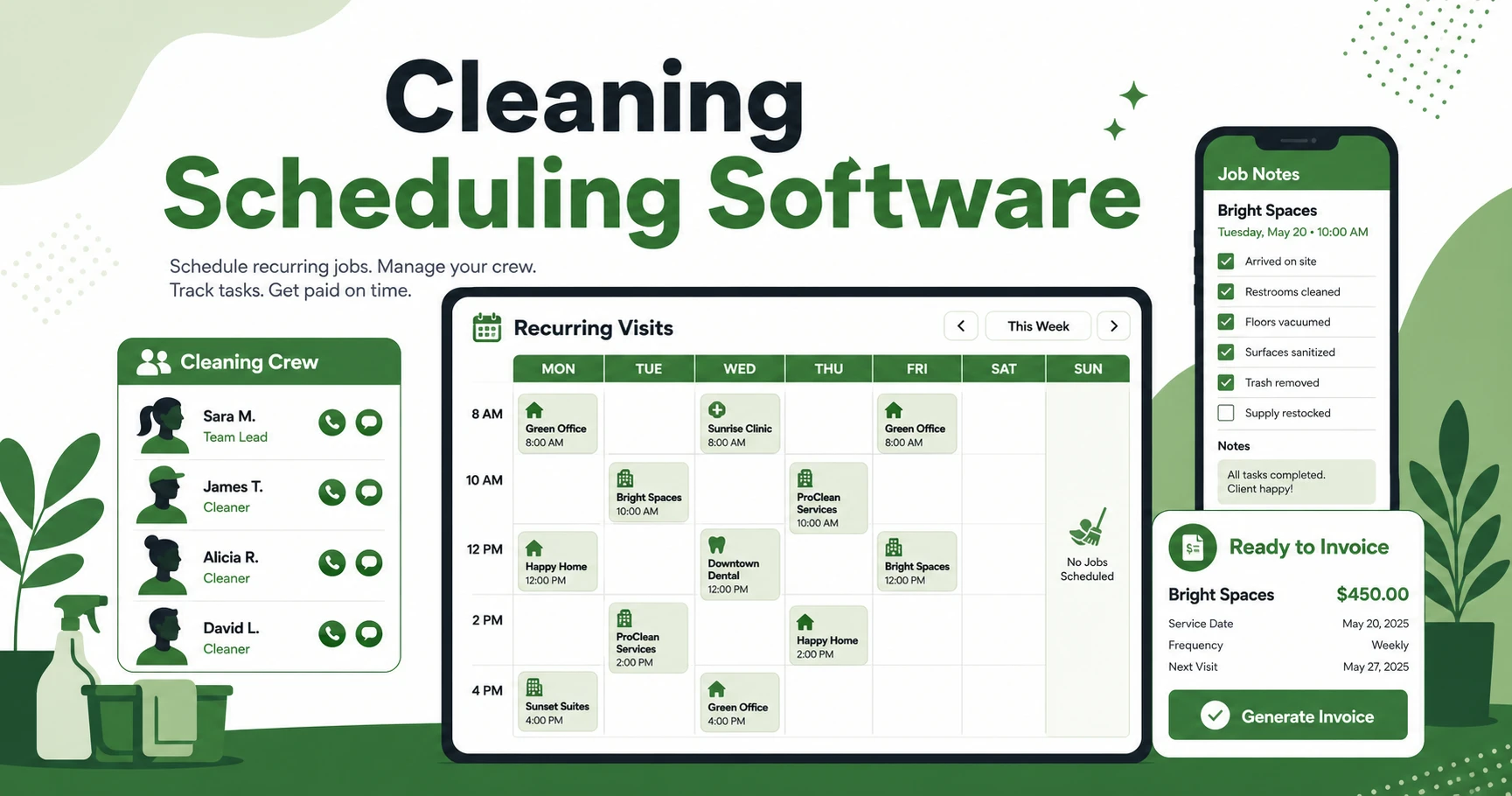





Quick Answer: Cleaning Scheduling Software
Cleaning service scheduling software helps cleaning businesses assign recurring and one-time jobs, dispatch the right crew, track access notes and checklists, notify clients, and keep schedule changes from turning into missed visits or unpaid work.
If you run a cleaning company from a shared calendar, you already know the weak spots. A recurring office clean moves from Thursday night to Friday morning. A house cleaning client asks for the same cleaner every other week. A team member calls out, and the replacement crew has no idea where the lockbox is.
That is where Fieldified fits into the day-to-day rhythm of a cleaning operation. It connects scheduling, dispatch, job details, client communication, invoices, and payments so the calendar is not floating by itself.
BLS reports that janitors and building cleaners held 2,447,700 jobs in 2024, and many schedules include evenings, nights, weekends, or holidays according to the U.S. Bureau of Labor Statistics. That explains why cleaning schedules get complicated fast. The work happens when clients are out, crews are moving, and job details have to be correct the first time.
Why Cleaning Schedules Get Messy So Fast
Cleaning businesses do not run on a simple appointment calendar. You might have recurring house cleaning in the morning, move-out cleans in the afternoon, and office cleaning after business hours. Each job has its own access instructions, supply needs, checklist, parking notes, and client preferences.
The work also depends on people who may be part time, split across routes, or assigned based on client fit. A cleaner who knows a medical office account may not be the right fit for a same-day deep clean. A crew that can handle a large commercial job may not be close enough to take a short residential visit without wasting drive time.
BLS lists “services to buildings and dwellings” under administrative and support services, and reports 934,590 janitors and cleaners employed in that wider sector in 2025 in its NAICS 561 industry data. At that scale, the lesson for small cleaning businesses is simple: cleaning is labor-heavy, schedule-heavy work.
When the schedule lives in one place and job notes live somewhere else, small changes create real risk. The crew shows up without the gate code. The client never gets the arrival update. The invoice waits because nobody marked the job complete.
What Cleaning Service Scheduling Software Should Actually Do
The primary job of this kind of scheduling system is to protect the visit from first booking to final payment. It should not just display time blocks. It should help you assign the right cleaner, keep the job details attached, notify the right people, and move completed work toward invoicing.
For a cleaning company, that means the schedule needs more than date and time. Each job should carry the service type, room count or facility scope, checklist, access notes, assigned crew, expected supplies, photos if needed, and billing status.
Good cleaning business software gives the office a clear view of who is booked, where they are going, and what each client expects. Your cleaners should see the same job details on mobile without calling the office for every missing note.
It should also reduce the admin loop after the job. Once a cleaner marks the visit complete, the owner should not have to rebuild the invoice from memory. Job status, photos, task completion, and payment follow-up should be part of the same workflow.
How to Manage Recurring Cleaning Jobs Without Rebuilding the Calendar
Recurring cleaning is where basic calendars start to bend. Weekly, biweekly, monthly, and custom schedules all sound easy until a client pauses for vacation, asks for a different cleaner, or adds an extra bathroom to the visit.
The scheduling system should let you set the repeat pattern once, then adjust individual visits without breaking the whole series. That matters for residential cleaning, office cleaning, apartment turnovers, and any client who expects the same level of work every visit.
A strong recurring cleaning schedule should track:
- Service frequency and preferred visit window
- Assigned cleaner or crew
- Access instructions and parking notes
- Standard checklist for that client
- Add-ons, skips, pauses, and rescheduled visits
- Client reminders before the appointment
- Completion notes for billing
This is also where reminders matter. If the owner has to remember every recurring visit manually, the system is not doing enough. The cleaner should know where to go, the client should know when the crew is coming, and the office should see exceptions before they become missed jobs.
How Crew Dispatch Works for Residential and Commercial Cleaning
Cleaning crew dispatch is the daily act of matching jobs to people. For residential cleaning, that might mean keeping a familiar cleaner with a repeat client. For commercial cleaning, it might mean sending the right team after-hours with the correct building access details.
The best scheduling and dispatch tools help you see availability, location, skill fit, and job status together. If a job runs long, you can spot the next appointment at risk before the client has to call you.
Dispatch should also help the crew avoid guesswork. A mobile job card should answer the practical questions: Who is the client? What is included? Where do we park? What products are approved? Are there pets, alarms, keys, or restricted rooms?
OSHA notes that cleaning employees may face hazards from chemicals, equipment, tasks that can cause injury, and the physical environment in its cleaning industry guidance. That makes clear job notes and checklists more than an admin convenience. They help crews understand what they are walking into.
What to Track on Every Cleaning Job
Every cleaning job should leave a trail. Not a complicated report, just enough detail to prove what happened, help the next crew, and make invoicing easier.
At minimum, track the service type, arrival status, completion status, checklist items, add-ons, photos where useful, client notes, and payment status. If a client asks why a room was skipped or why a deep-clean add-on was billed, you want the answer inside the job record.
Use a clear job-detail standard. A completed visit should show what was assigned, what was done, what changed, and what still needs attention.
This also protects future scheduling. If a cleaner notes that a client added a basement clean or changed the lockbox code, that information should carry forward instead of disappearing in a text thread.
Cleaning Scheduling Software Checklist: Features Worth Paying For
Use this checklist when comparing cleaning scheduling options. A pretty calendar is not enough if it leaves the office doing the hard work manually.
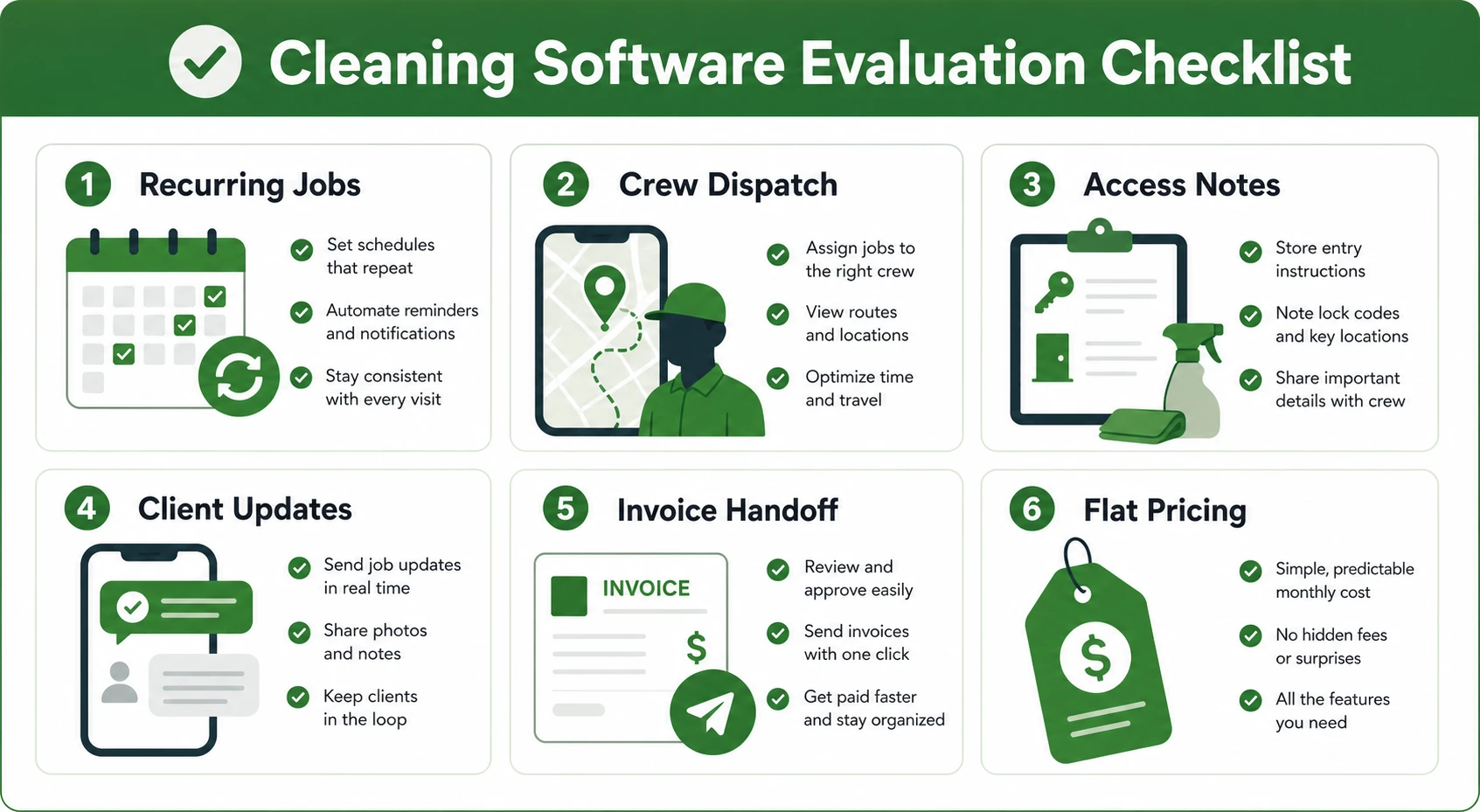
| Evaluation area | What to look for | Why it matters for cleaning teams |
|---|---|---|
| Recurring jobs | Repeat rules, skips, pauses, and one-off edits | Keeps repeat clients organized without rebuilding the calendar |
| Crew dispatch | Availability, route visibility, and mobile job cards | Helps owners reassign work without losing key details |
| Job details | Checklists, photos, access notes, and client preferences | Gives cleaners the right instructions before they arrive |
| Client updates | Appointment reminders and status notifications | Reduces “Are you still coming?” calls |
| Billing handoff | Completed jobs connected to invoices and payment reminders | Keeps finished work from sitting unpaid |
| Pricing model | Clear plan pricing that fits crew growth | Prevents software costs from jumping every time you hire |
If you are comparing Fieldified with Jobber, pay close attention to how each option handles crew growth and pricing. This flat-pricing comparison is useful if per-user pricing is starting to make your cleaning software feel expensive.
You can also review whether certain routes, neighborhoods, or commercial zones are actually worth the drive time. Scheduling is not only about filling the calendar. It is about putting the right jobs in the right places.
Book a demo and see how Fieldified keeps recurring cleaning jobs, crew dispatch, and invoices connected from one schedule.
Example: Reassigning a Sick Cleaner Without Losing the Job
Picture a recurring office clean scheduled for Thursday evening. The assigned cleaner calls out two hours before the job. The client expects the office cleaned before staff arrive the next morning, and the building access code changed last month.
Without a connected system, the owner checks the calendar, searches old texts for the access code, calls another cleaner, forwards partial notes, and hopes the replacement crew remembers to upload completion photos. The job might still get done, but the process is messy.
With a better setup, the owner opens the job, reassigns the crew, and the replacement cleaner gets the job card on mobile. The card includes address, access notes, checklist, client preferences, and the expected completion steps.
The client gets the update, the crew marks the job complete, and the invoice record is ready. That is the difference between a schedule that only stores appointments and a system that helps the business recover when the day changes.
How Fieldified Helps Cleaning Teams Schedule, Dispatch, and Invoice in One Place
Fieldified helps cleaning teams manage the job lifecycle from booking to payment. A cleaning owner can book the job, schedule the visit, assign the crew, track job details, send client updates, and invoice completed work without jumping between a calendar, spreadsheet, text thread, and payment tool.
For small teams, the biggest benefit is clarity. The office can see what is booked. The cleaner can see what to do. The client can get reminders. The owner can see which jobs are complete and which invoices still need attention.
Fieldified also helps connect scheduling to cleaning job tracking and payments. That matters because a job is not truly done when the floor is clean. It is done when the work is documented, the client is updated, and the payment process is moving.
If your cleaning company is outgrowing a shared calendar, the next step is not more color coding. It is a system that keeps the whole visit together.
Frequently Asked Questions
What is cleaning scheduling software?
A cleaning scheduling system helps cleaning businesses manage recurring visits, one-time jobs, crew assignments, access notes, reminders, and schedule changes. It gives the owner, office team, and cleaners one place to see what is booked and what needs to happen next.
What should scheduling software for cleaners include?
It should include recurring job rules, crew dispatch, mobile job cards, client reminders, job checklists, photos, notes, and invoice handoff. For cleaning teams, access instructions and client preferences are especially important because the crew often works when the customer is not there.
Can scheduling software help with recurring cleaning jobs?
Yes. A good system lets you create repeat visits once, then adjust single appointments when a client pauses, reschedules, or adds work. It should keep the checklist, assigned crew, and notes tied to each recurring visit.
How does scheduling software help commercial cleaning companies?
Commercial cleaning often happens after normal business hours, so dispatch details need to be clear. Scheduling software helps teams manage access notes, building instructions, night or weekend shifts, and completion records for each account.
When should a cleaning business stop using a shared calendar?
A shared calendar starts to break when job notes, client reminders, crew changes, and invoices are handled in separate places. If the owner spends too much time copying details between tools, it is time to consider a dedicated scheduling system.
Conclusion
Cleaning schedules get messy because the work is detailed, repeat-heavy, and people-dependent. A calendar can show when a job happens, but it cannot always protect the details that make the job go right.
The right scheduling setup helps your cleaning crew know where to go, what to do, who to update, and how the completed job moves toward payment. That is what keeps recurring work from becoming recurring admin.
Book a demo and see how Fieldified connects cleaning scheduling, dispatch, job tracking, and invoicing in one workflow.