EN
EN DE
DE ES
ES FR
FR NL
NL PT
PT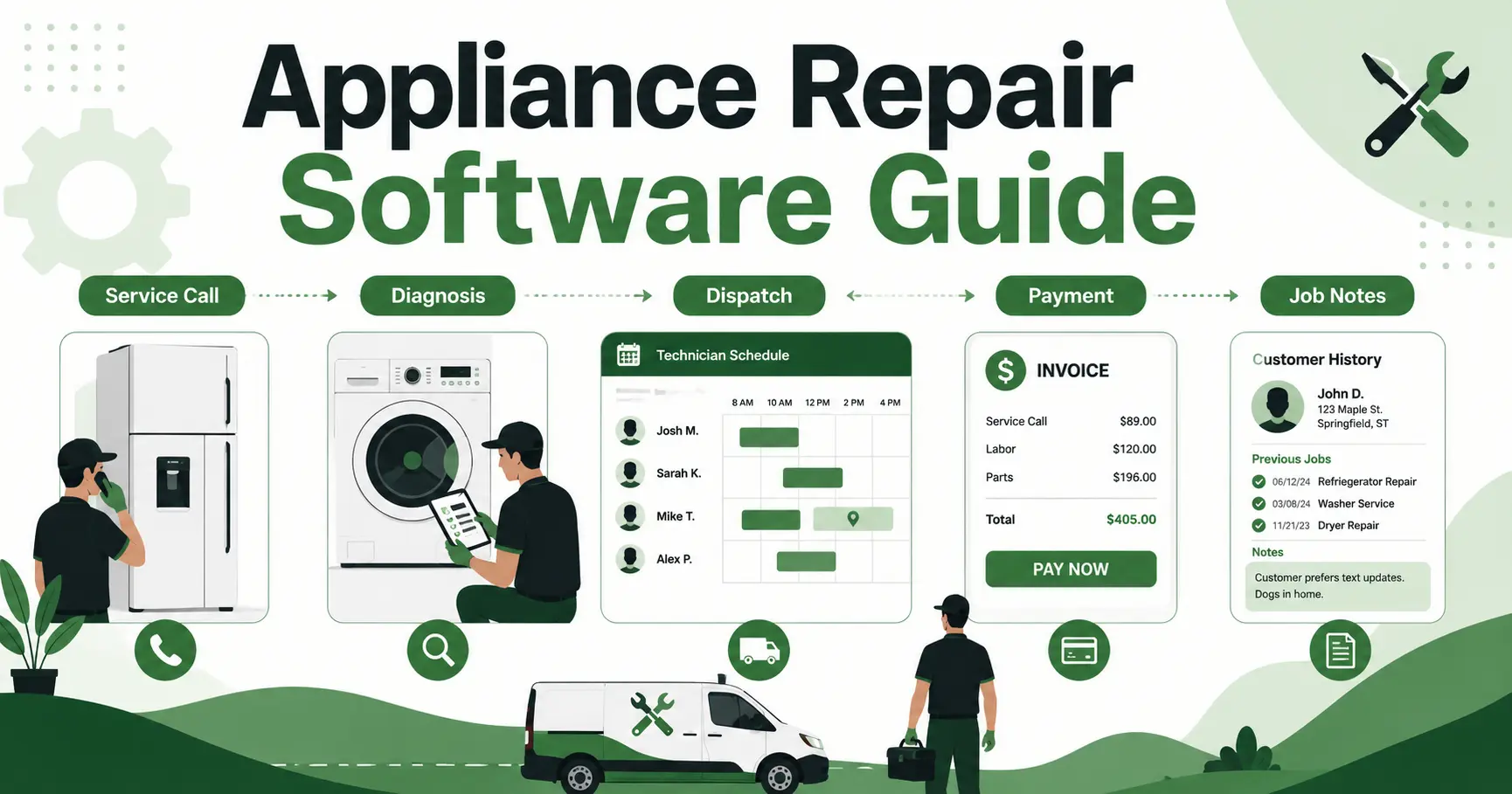





Quick Answer: Appliance repair business software The best appliance repair business software helps small repair teams book service calls, assign technicians, track appliance details, create estimates, send invoices, and collect payments from one place. For growing repair companies, the most important features are mobile job access, dispatch visibility, customer history, automated reminders, and simple quote-to-payment workflows.
Appliance repair is a practical business, but the office work can get messy fast. A refrigerator call needs a customer record, appliance symptoms, access notes, technician availability, possible parts, quote history, and payment status. If that information lives across texts, notebooks, calendars, and memory, jobs start slipping.
The market is not small, either. IBISWorld estimates the US appliance repair industry at $7.4bn in 2026 according to its appliance repair market size data. It also reports 37,453 appliance repair businesses in the US in 2026 in its appliance repair industry analysis.
That means small appliance repair companies are competing in a crowded market where speed, communication, and clean follow-through matter. The right system should help the office and technicians run the day, not just store customer names.
Why Appliance Repair Businesses Outgrow Spreadsheets Fast
Spreadsheets can work when the owner answers every call, handles every quote, and sends every invoice personally. Once the team grows, the gaps show up in ordinary moments.
A customer calls about a washer that stopped draining. The office takes the address and books a window. The technician arrives but cannot see the model number, past service history, photos, or notes from the last visit. After the diagnosis, the customer asks for a quote, the office has to build it later, and the invoice waits until the end of the day.
That is not a software problem on paper. It is an operations problem in the field.
Common spreadsheet failure points include:
- Calls get written down but never converted into scheduled jobs
- Technicians cannot see appliance symptoms before arrival
- Customer history stays in someone else’s inbox
- Quotes and invoices get delayed after diagnosis
- Payment follow-up depends on the office remembering to chase it
- Job notes are too thin to help on the next service call
Appliance repair also has more detail than a simple appointment calendar can handle. A dishwasher leak, a dryer no-heat call, and a commercial refrigerator issue all need different notes, parts context, and follow-up. The schedule is only one piece of the job.
What Appliance Repair Business Software Should Handle
The software should manage the full path from incoming request to paid invoice. At minimum, that means the office can book the job, assign the technician, keep appliance details on the work order, send updates, create the estimate, invoice the customer, and track payment without switching systems.
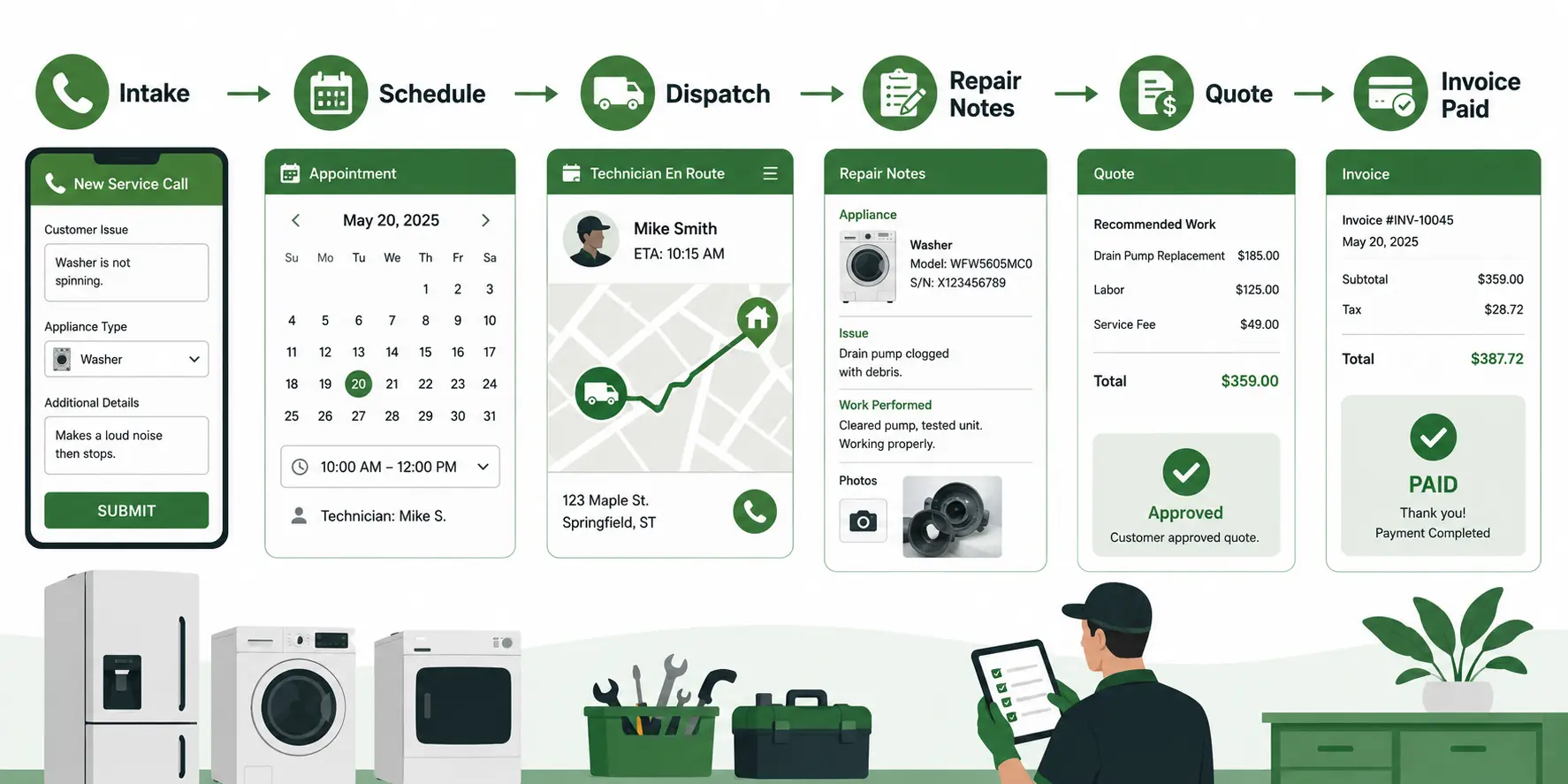
For a repair team, the core workflow looks like this:
| Workflow step | What the software should capture | Why it matters |
|---|---|---|
| Intake | Appliance type, symptoms, address, access notes, preferred timing | The technician starts with useful context |
| Scheduling | Technician availability, route timing, urgent calls | The office avoids guesswork and calendar conflicts |
| Field work | Job notes, photos, signatures, diagnosis, recommended repair | The repair record is clear for the customer and future visits |
| Quote and invoice | Estimate, approval, invoice, payment link, reminders | Finished work turns into collected revenue faster |
This is where appliance repair CRM and field service management overlap. A CRM keeps the customer relationship organized. Field service software connects that customer record to scheduling, dispatch, job tracking, invoicing, and payment collection.
For a deeper breakdown of how those systems fit together, see Fieldified’s guide to field service CRM.
The Features That Matter Most for Appliance Repair Teams
The best features are the ones your team uses during a normal repair day. A long feature list does not matter if the office still has to copy job details from one screen to another.
Online booking and better intake
Good intake reduces back-and-forth before the technician arrives. Booking forms should capture the appliance type, visible symptoms, access instructions, customer contact details, and preferred appointment window.
That helps the office ask better questions and gives the technician a cleaner starting point. It also reduces the chance that a repair call gets booked with missing information.
Scheduling and dispatch visibility
Appliance repair calls often move during the day. A technician gets delayed on a refrigerator compressor issue. A customer asks to reschedule. An urgent no-cooling call comes in.
The schedule needs to adjust without a phone chain. A good dispatch workflow lets the office see who is available, who is nearby, and which jobs are still waiting. Fieldified’s scheduling and dispatch tools are built around that daily crew visibility.
Mobile job access for technicians
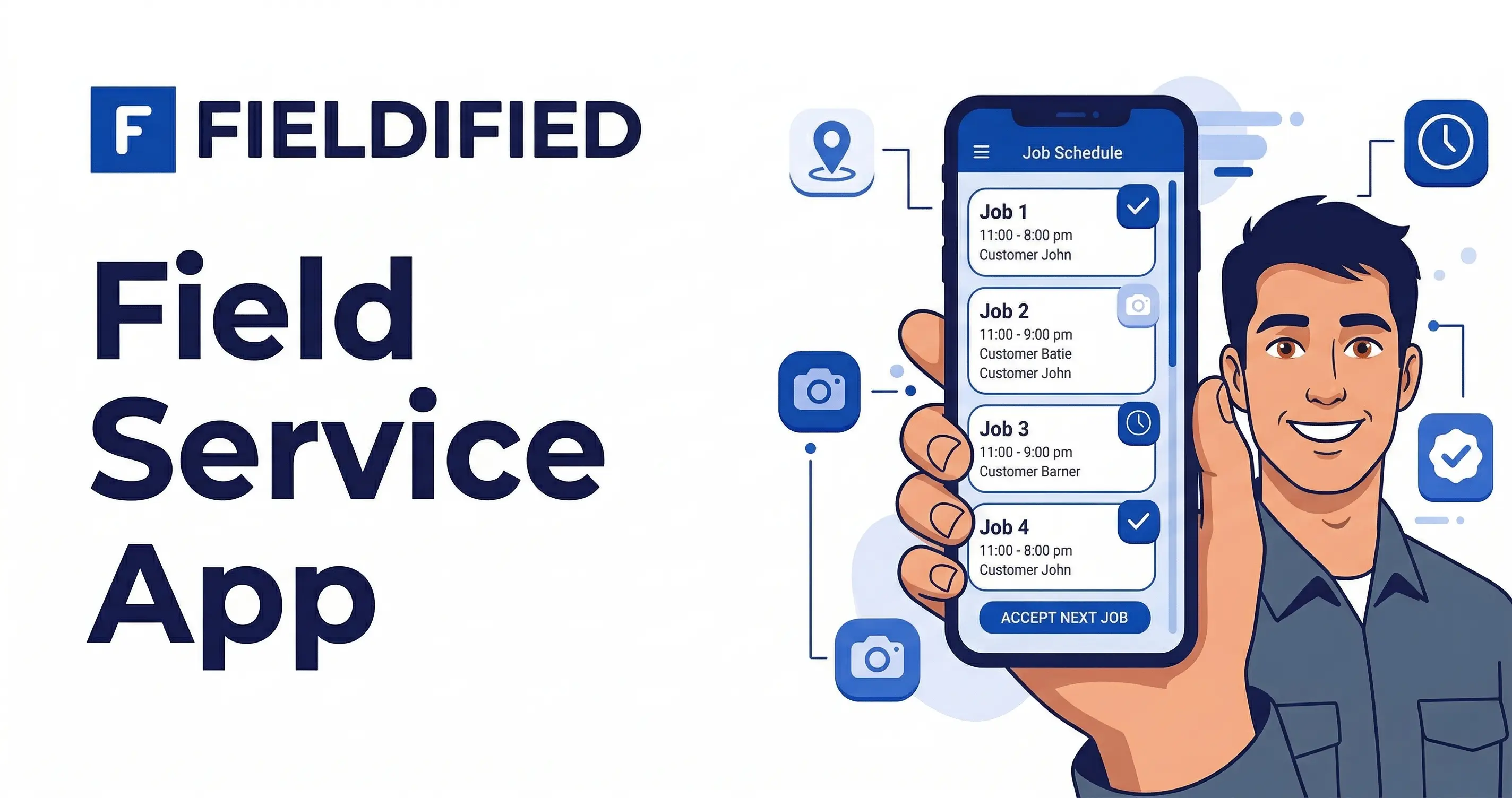
Technicians should not have to call the office for every address, note, or customer question. Mobile access should show the work order, customer history, photos, job notes, quote details, and invoice status from the field.
This matters when a technician is standing in a laundry room trying to confirm whether the same washer had a previous drain issue, or when a customer asks what was recommended on the last visit.
Job tracking, photos, and service history
Appliance repair work is detail-heavy. Model numbers, symptoms, access limitations, photos, and signatures all help protect the business and improve the next visit.
Fieldified’s job tracking tools help repair teams keep job details, forms, checklists, photos, signatures, and completion records tied to the work order.
Quotes, invoices, and payment follow-up
Diagnosis is only part of the business. The repair still has to be quoted, approved, invoiced, and paid.
The repair and maintenance sector is broad, with BLS reporting 249,617 private-industry establishments in the third quarter of 2025 preliminary data in its Repair and Maintenance industry profile. In a market that broad, small repair companies need clean back-office habits to protect cash flow.
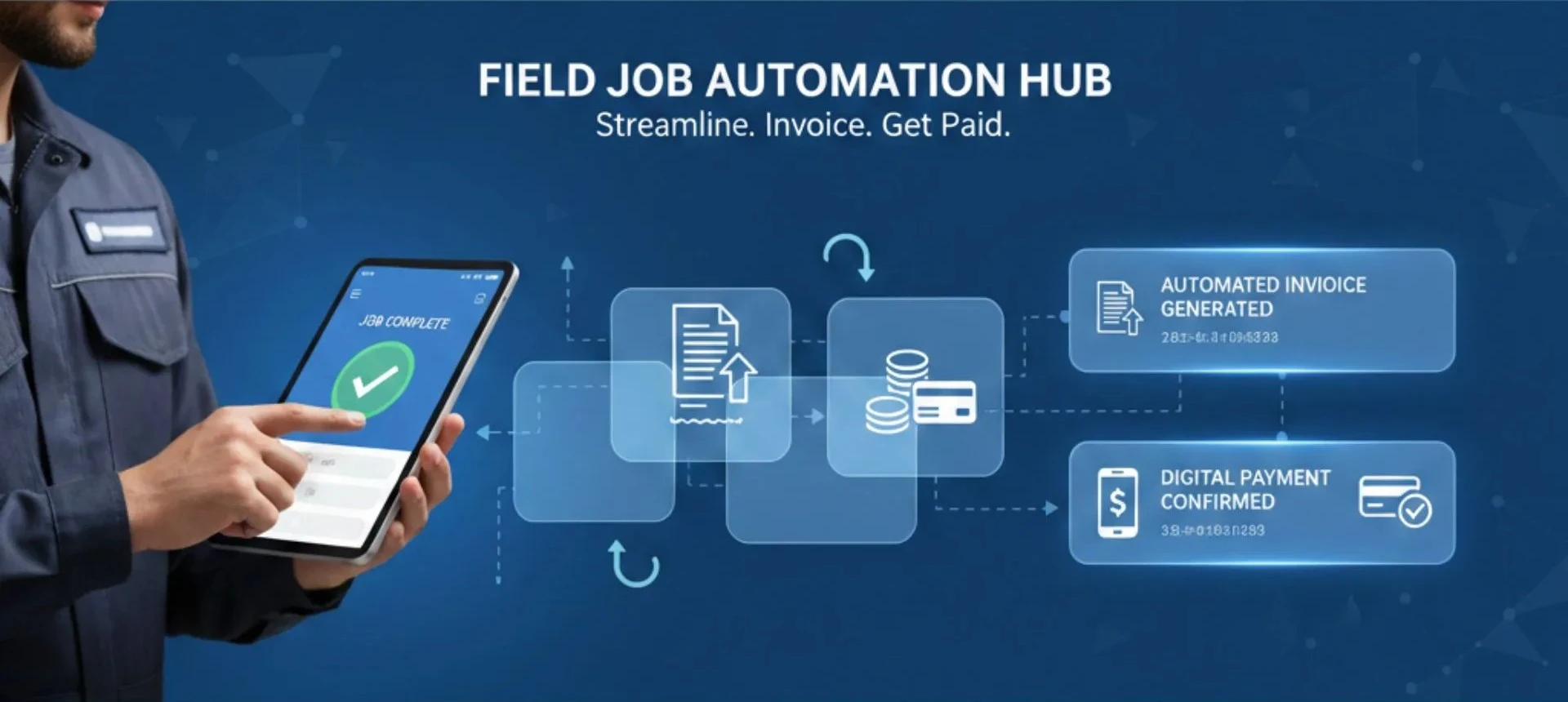
Fieldified’s invoicing workflow helps teams send invoices after work is complete and use reminders so the office is not manually chasing every unpaid job.
Request a demo to see how Fieldified keeps appliance repair jobs moving from first call to paid invoice.
How to Choose Appliance Repair Software Without Overbuying
The right choice is not always the system with the most settings. For a small appliance repair team, the right choice is the one that covers daily work without making the owner manage another full-time admin process.
Use this checklist before choosing:
- Can the system manage the full job lifecycle from request to payment?
- Can technicians use it easily from a phone in the field?
- Can the office see schedule changes without rebuilding the day by hand?
- Does it keep customer and appliance history attached to the job?
- Can it send quotes, invoices, payment links, and reminders?
- Does pricing still make sense as the team grows?
- Can it support both residential and light commercial repair work?
It also helps to separate generic CRM from field service workflow.
| Option | Good fit | Watch-out |
|---|---|---|
| Spreadsheet and calendar | Solo operators with low call volume | Easy to miss follow-ups and job history |
| Generic CRM | Teams that mainly need sales pipeline tracking | Usually weak on dispatch, mobile field work, and invoicing |
| Field service software | Repair teams managing calls, technicians, jobs, and payments | Needs to be simple enough for daily use |
If most of your problems happen between the first call and the paid invoice, choose software that manages that whole path. If you only buy a contact database, the office will still need separate tools for scheduling, technician updates, estimates, invoices, and payment reminders.
How Fieldified Fits Appliance Repair Businesses
Fieldified fits appliance repair businesses that want one place to manage the workday: customer intake, scheduling, dispatch, job tracking, client communication, invoices, payments, and follow-up.
For appliance repair teams, the useful parts are practical:
- AI Receptionist can help capture calls and booking details when the office is busy
- Scheduling and dispatch show which technician is handling each repair job
- Mobile access gives technicians job details from the field
- Client records keep repair history and communication in one place
- Quote and invoice follow-ups reduce manual chasing
- Flat per-plan pricing helps growing teams avoid paying more every time they add a user
That last point matters for small repair companies watching margins. If a business adds another technician or office helper, software pricing should not punish the team for growing.
Fieldified also has a real appliance repair business case study, which makes this workflow more concrete than a generic software checklist.
Frequently Asked Questions
What is appliance repair software for business operations?
This type of software helps repair companies manage service calls, technician schedules, customer records, estimates, invoices, and payments from one system. It gives the office and field technicians the same job details, so repair work does not depend on scattered notes or memory.
What features should appliance repair software include?
Good appliance repair software should include scheduling, dispatch, mobile job access, customer history, job notes, photos, estimates, invoices, payment links, and automated reminders. For small teams, the best system is usually the one that removes daily admin without adding a complicated setup.
Is appliance repair CRM different from field service software?
An appliance repair CRM focuses on customer records, communication history, and follow-up. Field service software goes further by connecting those records to scheduling, dispatch, job tracking, technician updates, invoices, and payments.
Can appliance repair software help collect payments faster?
Yes, if it connects completed jobs to invoices, payment links, and reminder workflows. The less time your office spends creating invoices by hand and chasing unpaid balances, the sooner finished repair work turns into cash.
When should an appliance repair business stop using spreadsheets?
Spreadsheets usually become risky when more than one technician, dispatcher, or office person needs the same job information. If calls are being missed, appointments are being double-booked, or invoices are going out late, it is time to move to appliance repair scheduling software.
Conclusion
Appliance repair companies do not need software for the sake of software. They need a cleaner way to handle calls, technician schedules, appliance details, job notes, quotes, invoices, and payments without depending on memory and manual follow-up.
The right system keeps the whole repair workflow visible. The office knows what is booked, technicians know what they are walking into, customers get clearer updates, and finished work gets invoiced faster.
Request a demo and see how Fieldified helps appliance repair teams manage jobs from first call to paid invoice.