EN
EN DE
DE ES
ES FR
FR NL
NL PT
PT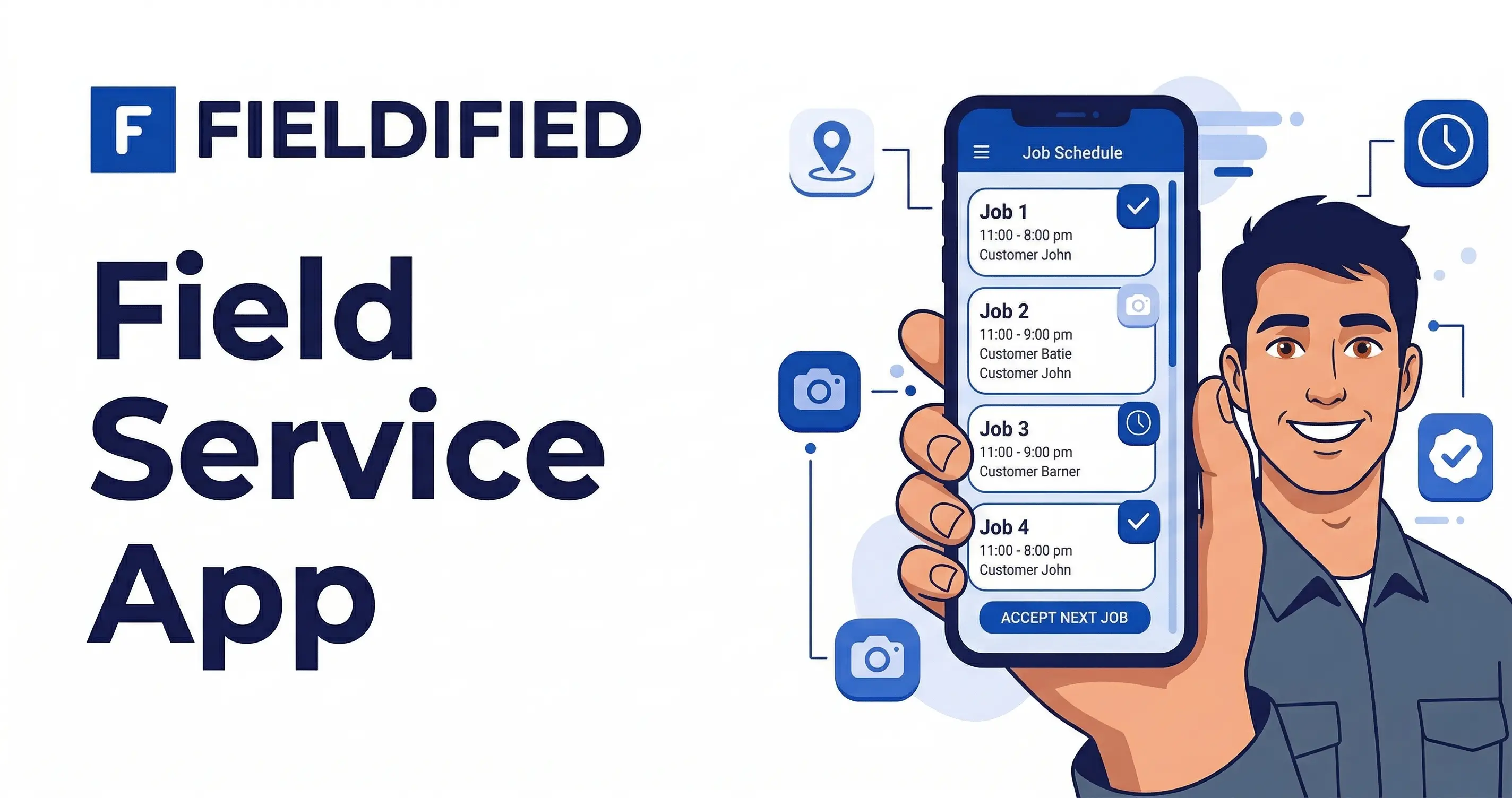





Quick Answer: Field Service Mobile App A field service mobile app lets your technicians view jobs, capture photos and signatures, clock in with GPS verification, and update job status in real time from their phone. Fieldified’s mobile app covers the complete job lifecycle from scheduling and dispatch through invoicing and payment, so neither your technicians nor your office needs a desktop to run the business day to day.
Most field service businesses run on a gap. The technician finishes a job, calls the office to report the status, and the dispatcher manually updates the schedule. The invoice waits until someone gets back to a laptop. The timesheet gets filled in from memory at the end of the week.
Every one of those steps is a point where information gets lost, delayed, or entered twice. Research from Atradius (2024) found that half of all US B2B invoices are currently overdue, with payments collected an average of 20 days past their due date. For field service businesses invoicing manually after a job, that delay starts the moment the tech drives away without sending the invoice.
A purpose-built field service mobile app closes that gap entirely, not by adding another communication tool, but by putting the whole job lifecycle in the technician’s pocket.
Why Most Field Service Businesses Are Still Tethered to a Desk
The problem is not that field service businesses resist technology. Most already use phones for calls, group chats for coordination, and maybe a spreadsheet for scheduling. The problem is that none of these tools connect to each other.
The job exists in one place, the client information in another, and the invoice in a third. Going back to a desktop to reconcile everything is not a deliberate choice. It just becomes the habit because no single tool has handled the whole workflow from the field.
The result: technicians spend time on admin that should take seconds. Office staff re-enter information the tech already captured on-site. And invoices that could go out the moment a job is marked complete sit waiting for someone at a keyboard. The Bureau of Labor Statistics (May 2024) reports over 2.2 million building and grounds cleaning workers employed in the US alone, and that is just one trade vertical. Across all field service trades, the scale of this daily admin problem is enormous.
What a Field Service Mobile App Needs to Actually Replace a Desktop
Not every mobile app marketed at field service businesses is a genuine desktop replacement. Many handle one part of the workflow (scheduling, or messaging, or invoicing) without connecting the rest.
A field service mobile app that actually replaces a desktop needs to handle all five of these without requiring a second tool:
- Full job visibility: Every scheduled job, customer detail, and job note accessible on the phone before the tech sets foot on-site
- On-site documentation: Photos, notes, checklists, and client signatures captured at the job and attached to the record automatically
- GPS-verified time tracking: Clock-in and clock-out tied to location, with no manual timesheets or memory-based hours
- Real-time alerts: Push notifications for new jobs, reschedules, and urgent updates without phone calls between the office and the field
- Built-in navigation: Job-by-job routing through the day in sequence, without switching between apps
Fieldified’s mobile app handles all five. That is what makes it a genuine field operation platform rather than a scheduling add-on.
Fieldified Mobile App: Every Feature Built for the Field
Here is how each capability works in practice across real field service scenarios.
See all scheduled jobs and customer details on-the-go A plumber heading to a second job at 2pm can pull up the full job history, the client’s previous service notes, and the site address on their phone in seconds. No call to the office, no digging through a clipboard, no trying to remember what the customer said on the initial booking call.
Capture before/after photos, signatures, and notes on-site A roofing crew documents the damage before work starts and the completed repair after, with photos timestamped and attached to the job record automatically. The client signs on the tech’s phone. The job is fully documented before the truck leaves the driveway.
Clock in/out with GPS-verified location tracking An HVAC technician clocks in on arrival. The office sees the exact time and location without a phone call. At the end of the day, all hours are logged and verified. No timesheet to fill in on Friday, no disputes about hours worked. See exactly how this works on the GPS and time tracking page.
Receive instant push alerts for new jobs or reschedules A window cleaner wraps up a job early and gets a push notification with a newly available job nearby, including the address, job details, and customer notes. Accepted and navigated to in under a minute, without a call from the dispatcher.
Navigate to every job with built-in routing The app routes technicians to each job in sequence. No switching between a maps app and the work app. The day’s route is set, the tech drives it. For the full picture of how every job detail gets tracked from start to finish, see the job tracking feature overview.
The Numbers: What Running on Mobile Actually Delivers
Fieldified tracks what the mobile-first workflow produces for field service teams. According to Fieldified, businesses running on the mobile app see these outcomes across their operations:
| Metric | Result |
|---|---|
| Time saved per technician, per day | 2+ hours |
| Reduction in back-office admin | 40% |
| Faster field-to-office updates | 3x |
| On-time arrival rate | 98% |
These results come directly from eliminating the manual hand-offs: the status call, the re-entered timesheet, the end-of-day debrief that turns into a 20-minute recap. When the app captures data in real time at the job site, the admin work largely disappears.
See the full platform in a live session. Book a free Fieldified demo and watch the entire mobile workflow from first job to final invoice.
A Day in the Field With the Fieldified App (No Laptop Required)
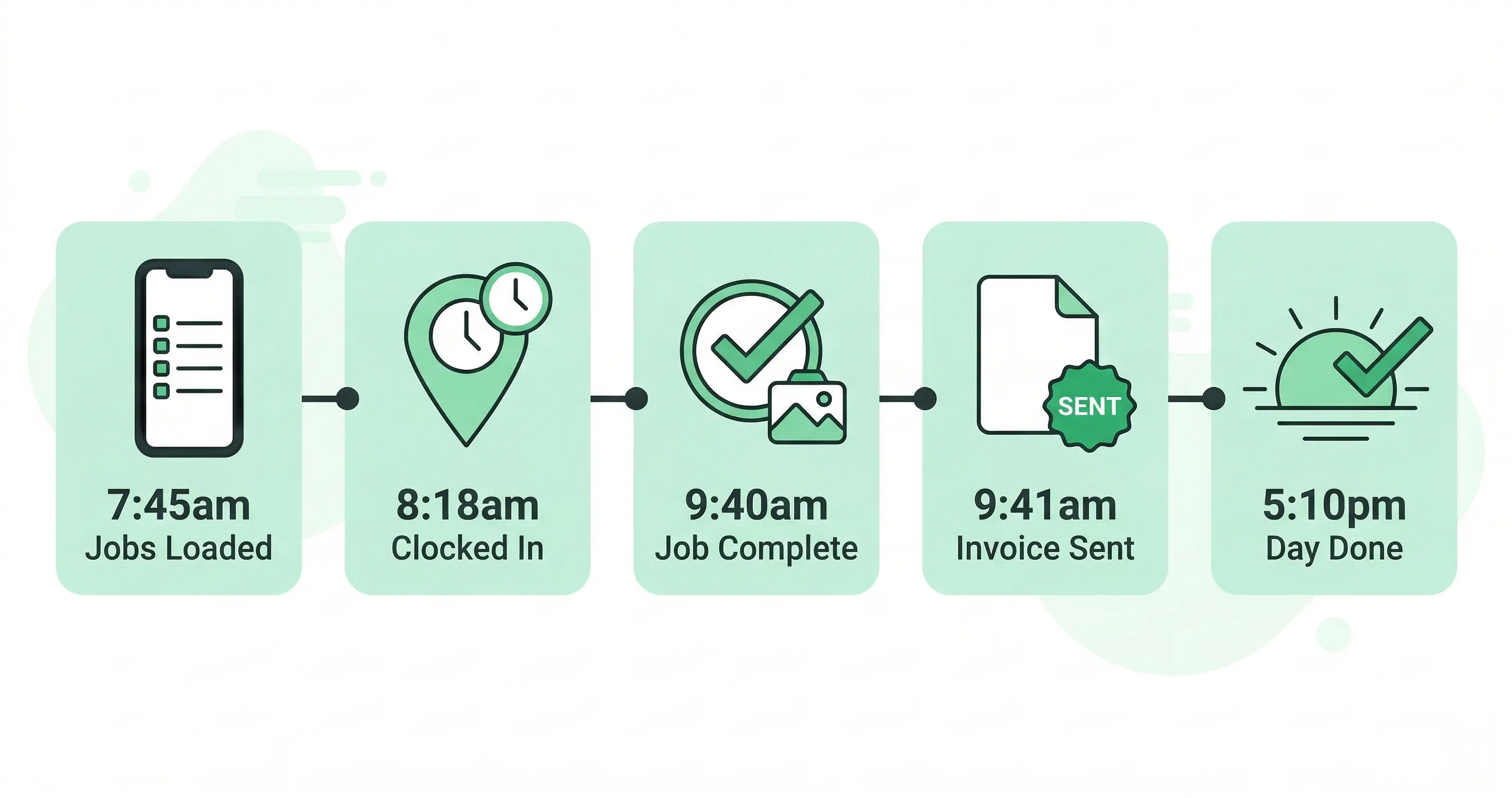
Here is what a full workday looks like for an HVAC technician running entirely on mobile.
7:45am: Opens the Fieldified app. Three jobs today. Each one shows the customer name, address, job type, and notes from the last visit. First job is a maintenance call on a commercial unit. The service history from six months ago is right there on screen.
8:03am: Taps navigate. The app routes directly to the site.
8:18am: Arrives on-site, clocks in. GPS records the timestamp. The office sees the tech is on location without a phone call or text.
8:20am: Works through the maintenance checklist in the app. Takes photos of the unit before and after the service. No paper forms to carry or lose.
9:40am: Job complete. The client reviews the checklist summary on the tech’s phone and signs. Tech marks the job done.
9:41am: Invoice generates automatically and goes to the client with an online payment link. The tech is already navigating to job two.
5:10pm: Third job marked complete. All hours logged and GPS-verified. All three invoices sent. The business ran entirely from a phone. Zero time at a desk required.
Is the Fieldified App Right for My Field Service Team?
Four concerns that come up most often, answered directly.
“My technicians are not technical.” The daily workflow in the Fieldified mobile app is four actions: clock in, work through the checklist, take photos, mark the job done. That covers the entire on-site process. Most technicians are comfortable with the app within their first shift. No IT support or training sessions needed.
“We still need someone in the office for scheduling.” Scheduling and dispatching work from the mobile app too. Business owners and admins have full scheduling and dispatch access from their phone. Assign jobs, reassign when plans change, and monitor the day’s progress, all without a desktop.
“We already use WhatsApp and phone calls to coordinate.” WhatsApp does not log arrival times, attach photos to client records, generate invoices, or track job profitability. Fieldified does all of these simultaneously and automatically. The coordination that happens in a message thread gets replaced by real-time job status visible to everyone with no back-and-forth required.
“We have a large team. Will this get expensive?” Fieldified uses flat per-plan pricing. Adding technicians does not add per-user fees the way competing apps charge. A team of 15 on the Standard plan costs the same as a team of 8. See the full breakdown on the Fieldified pricing page.
Frequently Asked Questions
Can I run my entire field service business from a mobile app?
Yes. A purpose-built field service mobile app like Fieldified gives both technicians and business owners full access to job scheduling, dispatching, time tracking, photo capture, invoicing, and payment collection from a smartphone. No desktop required for day-to-day operations.
Does Fieldified have a mobile app for field service technicians?
Yes. Fieldified’s mobile app gives technicians a full view of their scheduled jobs, customer details, and job notes on their phone. They can clock in with GPS verification, capture photos and signatures, complete checklists, and mark jobs done, all from the field.
What can technicians do in the Fieldified mobile app?
Technicians can view their full job schedule, access customer details and job history, navigate to each job with built-in routing, clock in and out with GPS verification, capture before/after photos, collect client signatures, complete site checklists, and receive instant push notifications for new jobs or schedule changes.
How does GPS clock-in work in a field service mobile app?
When a technician arrives at a job site, they clock in through the Fieldified mobile app. The app records the exact time and GPS location, creating a verified timestamp tied to the job record. This eliminates manual timesheets and gives the office real-time visibility into which technician is where.
Can I dispatch and schedule jobs from the Fieldified mobile app?
Yes. Business owners and operations managers can view the full schedule, assign jobs to technicians, and manage dispatching directly from the app. The entire Fieldified platform is accessible from a smartphone. The desktop is optional, not required.
Does the field service app work without an internet connection?
Fieldified is a cloud-based platform that requires an internet connection for real-time syncing. For areas with limited connectivity, technicians can complete on-site tasks and the data syncs automatically when the connection is restored.
Put the Whole Business in Your Technicians’ Pockets
The gap between what happens in the field and what the office knows about it costs time and margin on every single job. A field service mobile app that handles the full workflow from clock-in to invoice closes that gap for good.
Fieldified gives your technicians a complete job management tool in their pocket and gives you real-time visibility into every job, every hour, and every invoice, without anyone touching a desktop.
Try Fieldified free with no credit card required, or book a demo to see the mobile workflow live. For more on how the mobile platform works alongside client management, see the full guide on mobile CRM for contractors.