EN
EN DE
DE ES
ES FR
FR NL
NL PT
PT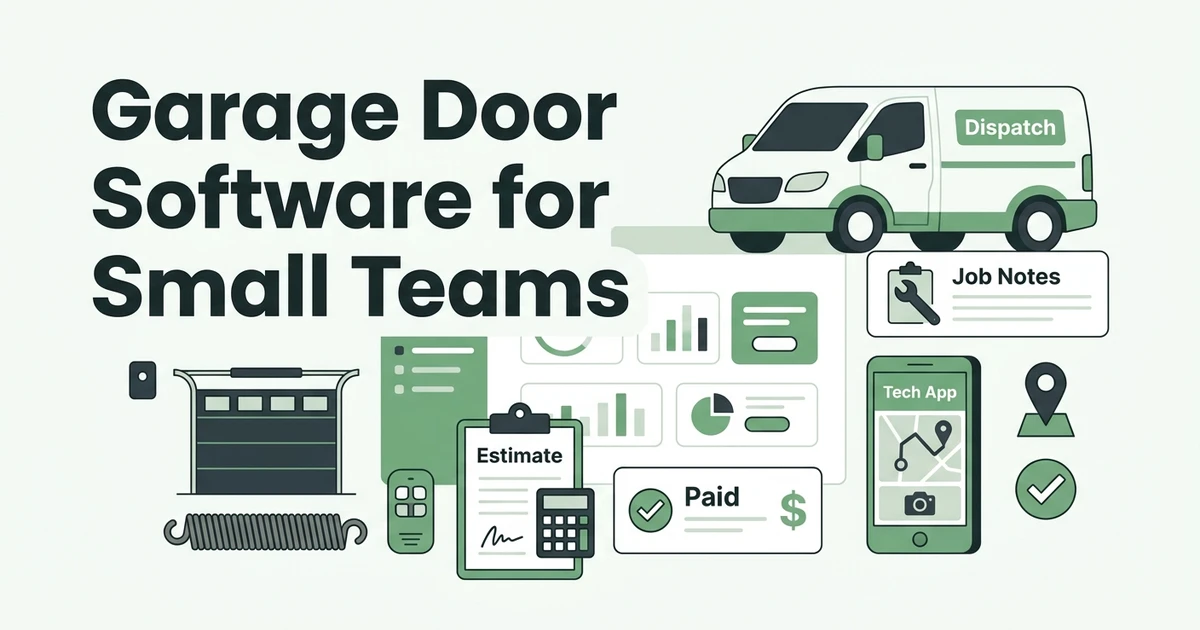





Quick Answer:
The best garage door software for small teams should connect service-call scheduling, dispatch, technician notes, customer service history, job costing, invoices, and payments in one workflow. Fieldified is a strong fit when a garage door company wants a technician-friendly system without moving into heavy ERP or stitching together separate tools.
If you run a small garage door company, the software question is not abstract. It shows up when a broken spring call comes in during an install, a technician needs opener history from the driveway, a quote sits unanswered, or the office needs to know whether a service call made money.
That is why the best garage door software should be judged by the full job lifecycle, not by a feature list that looks good on paper.
Why Garage Door Software Has to Do More Than Scheduling
Garage door work moves quickly. A morning might include a spring replacement, an opener repair, a panel estimate, and a commercial roll-up door service call. Each job needs the right technician, the right notes, and a clean path from quote to payment.
IBISWorld estimates the U.S. Garage Door Installation industry at $459.3 million in 2026 in its industry profile. The same category is full of small crews, and IBISWorld reports the average garage door installation business employs 5.4 people in its employment data.
That small-team reality matters. A five-person shop does not have room for slow handoffs. If the owner, dispatcher, technician, and bookkeeper all use different tools, job details leak out of the process.
A shared calendar can hold a time slot. It cannot reliably hold the door model, spring notes, access instructions, quote status, invoice balance, customer service history, and job profitability.
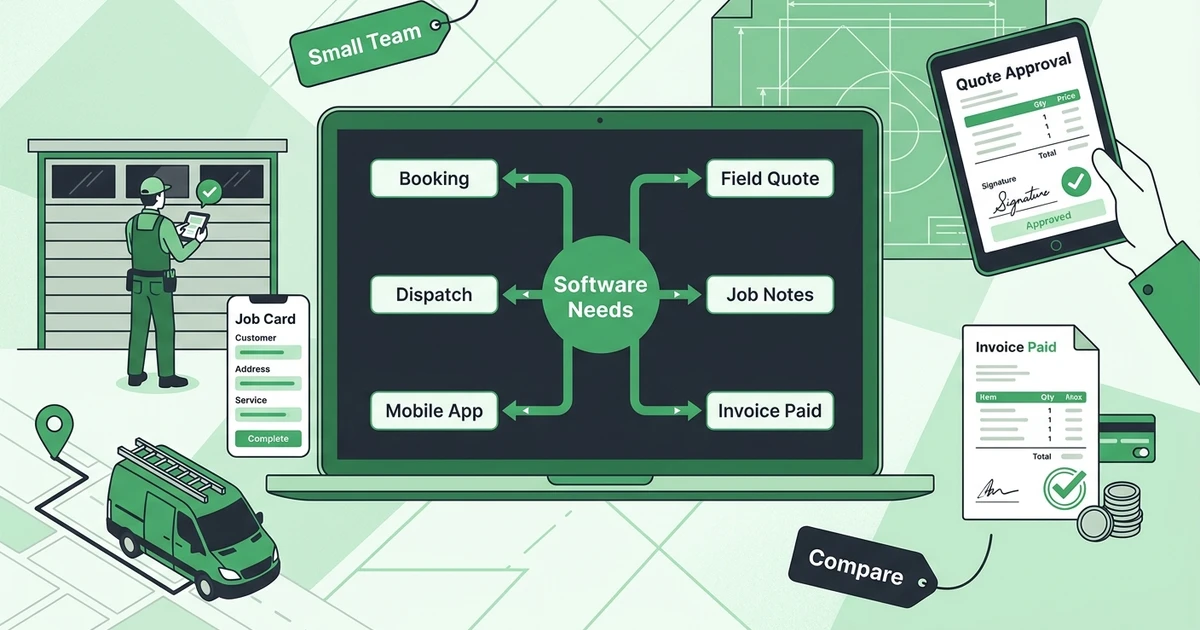
What Garage Door Software Should Include Before You Buy
Before comparing platforms, define the job you need the software to do. Garage door teams need a system that protects the work from first request to paid invoice.
Booking and Dispatch
Booking and dispatch should connect the customer request, service window, technician assignment, and job details.
Good dispatch also accounts for skill fit. A commercial door repair may need a different technician than a residential opener call.
Technician Mobile App
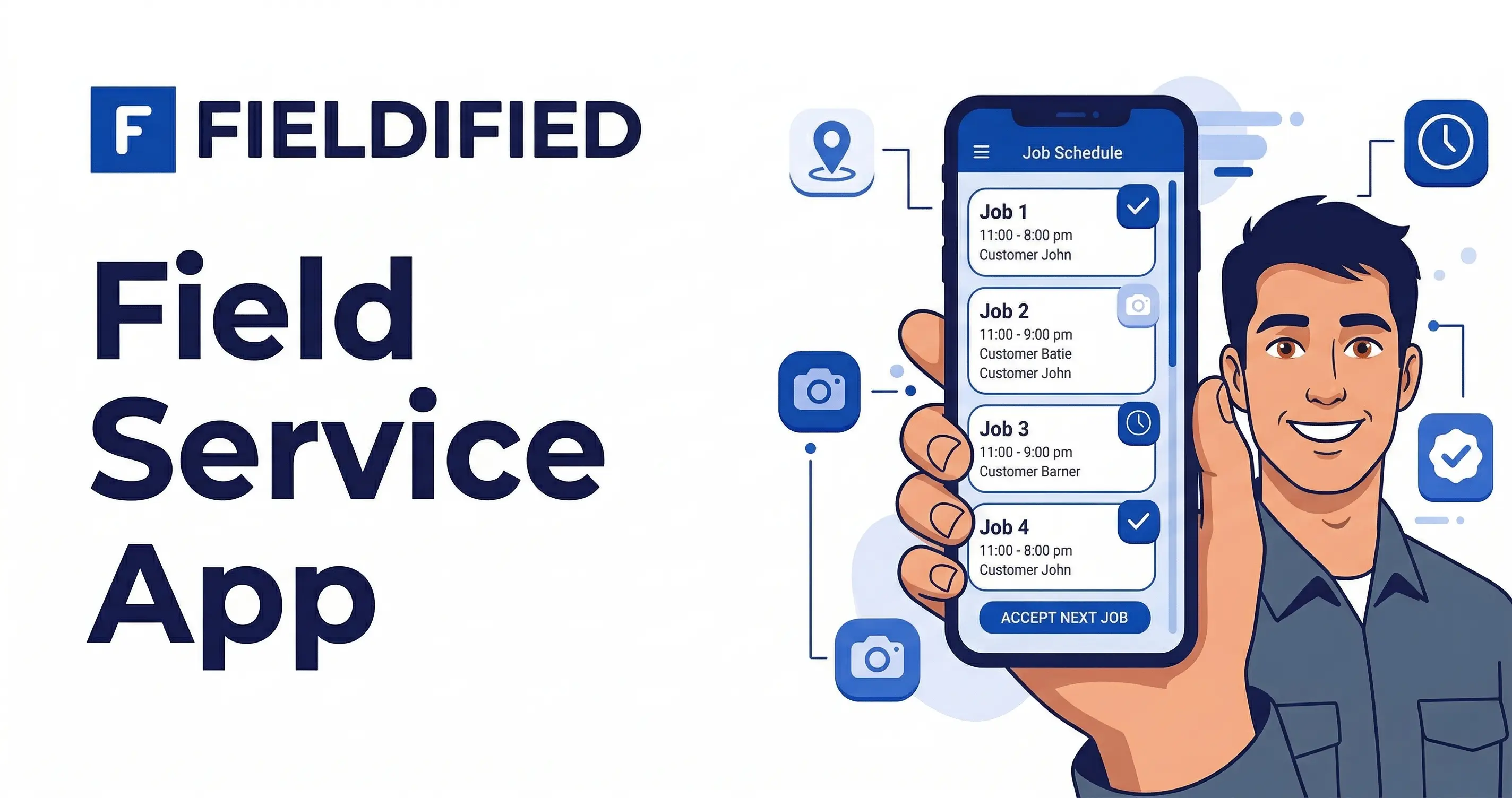
Technicians need a mobile job card they can actually use. It should show customer details, job scope, prior work, photos, estimate status, and invoice status without making the technician dig through five screens.
The learning curve matters. If field staff avoid the app, the office still ends up chasing notes, photos, and payment status manually.
Field Estimates and Quote Approvals
Garage door estimates often include labor, service fees, springs, panels, tracks, openers, and optional upgrades. The software should help the team build a clear quote and move approved work into a job without retyping the scope.
Field quoting also needs follow-up. A homeowner may approve the spring replacement today but wait on a new opener. Quote reminders help prevent that opportunity from disappearing.
Job Management and Documentation
Job management should track what was assigned, what changed on site, what the technician completed, and what the customer approved. Photos, notes, and completion status should stay tied to the customer record.
That record helps with callbacks, warranty questions, and repeat service. It also helps the next technician understand what happened last time.
Field Invoicing and Payments
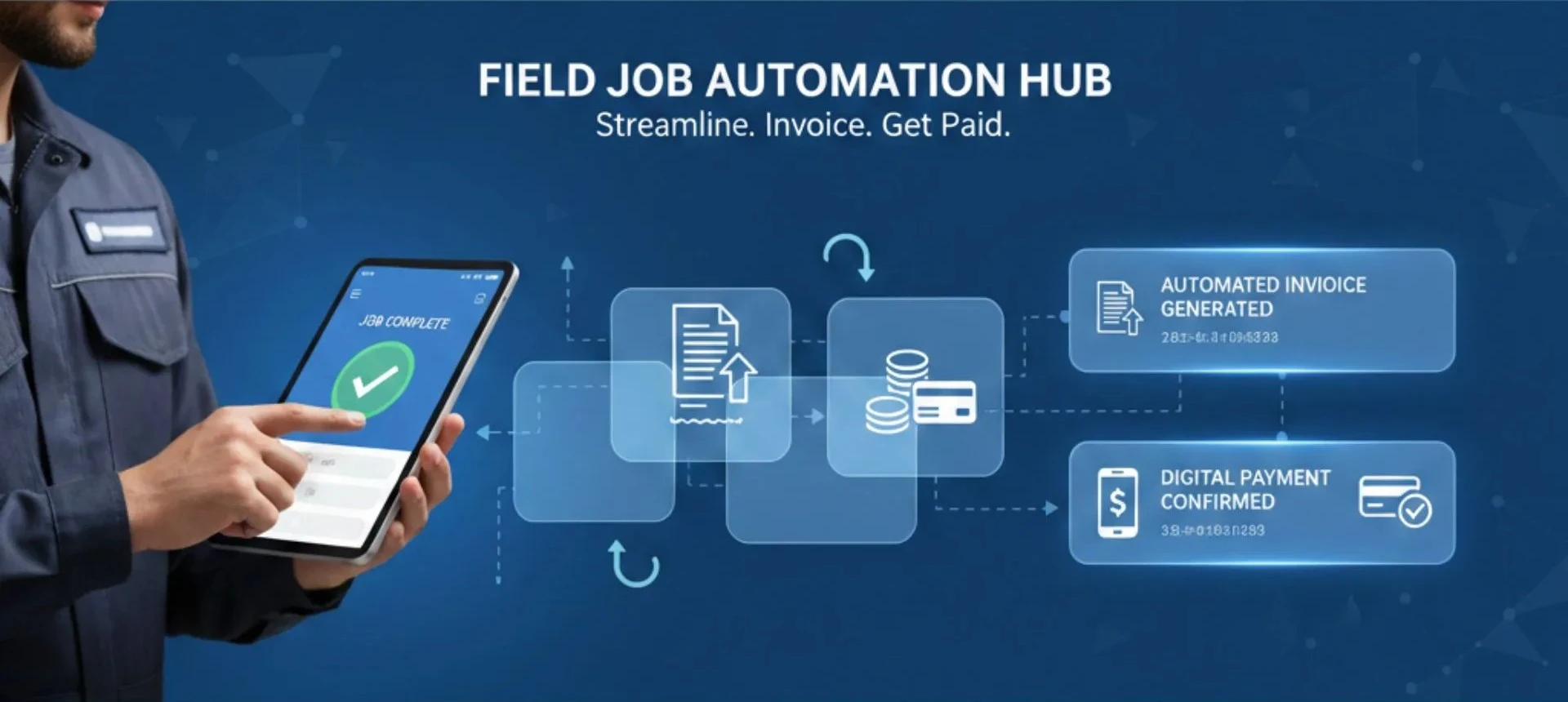
The invoice should not wait until Friday if the job finished Tuesday. Garage door invoicing software should create invoices from completed job details, send payment links, track payment status, and trigger reminders when needed.
Angi reported average emergency repair spending of $978 in 2024, down from $1,667 in 2023 in its State of Home Spending Report release. For garage door teams, urgent repair work can still carry meaningful invoice value, and payment should not depend on paperwork catching up.
Job Costing and Reporting
Small teams need to know which work is profitable. Job costing can connect labor, parts, travel, callbacks, and invoice value so the owner can see which job types produce margin.
Fieldified includes job costing in its Standard plan, while some other platforms handle profitability through higher tiers, integrations, or reporting add-ons.
Customer History and Follow-Ups
Customer history should include prior doors, opener notes, spring sizes, quote history, invoices, payment status, and communication. That makes repeat calls easier.
Best Garage Door Business Software Options to Compare
Here is the practical shortlist for small garage door installation and service companies.
| Software | Best fit | Strongest workflow | Small-team caution |
|---|---|---|---|
| Fieldified | Small and growing garage door teams | Full booking-to-payment workflow | Best when the team wants one connected system |
| Jobber | General home service teams | Scheduling, client communication, invoicing | Check which automations require higher tiers |
| Housecall Pro | Broad home service operations | Booking, dispatch, payments, financing ecosystem | May feel broader than garage door-specific needs |
| Workiz | Call-heavy service teams | Phone workflows and communication | Compare field invoicing and job management depth |
| QuoteIQ | Quote-led service businesses | Quoting, automation, documentation, job costing | Verify garage door fit and plan limits |
| ServiceTitan | Larger multi-location teams | Enterprise reporting and pricebook depth | Often heavier than small teams need |
Fieldified
Fieldified garage door business software is built for teams that want booking, scheduling, dispatch, quotes, job records, invoices, payments, and follow-ups in one place.
For a small garage door team, the biggest benefit is continuity. A request becomes a scheduled job, the technician sees the details on mobile, and the completed job can move into invoice and payment follow-up without rebuilding the same information.
Fieldified is especially strong when technician adoption matters because the workflow is built around the job lifecycle.
It also uses flat plan pricing. Basic is $49/month for up to 5 users, Standard is $119/month for up to 10 users, and Premium is $199/month for up to 15 users, with annual savings available on the Fieldified pricing page.
Use Fieldified when you want a practical operating system for a growing garage door company.
Jobber
Jobber is a polished field service platform used by many small service teams. It is a reasonable comparison point if you want scheduling, customer communication, quoting, invoicing, and a client portal in a mature general platform.
For garage door companies, check how it handles quote follow-ups, field documentation, mobile invoicing, and any features that may sit behind higher plans or integrations.
It can work well for teams that want broad field service software.
Housecall Pro
Housecall Pro is another broad home service platform for booking, dispatch, estimates, payments, customer communication, and financing workflows.
It is worth comparing if your garage door company also runs other home service lines. For a small team, make sure technician notes, quotes, invoices, payments, and follow-ups are available in the plan you would actually buy.
Workiz
Workiz often fits service businesses that handle a high volume of calls and want communication workflows tied closely to jobs. That matters because urgent garage door repair calls often start by phone.
The small-team question is whether the field workflow covers enough of the quote, job, invoice, and payment process.
QuoteIQ
QuoteIQ is relevant for garage door companies that care heavily about quoting, customer self-service, automation, documentation, reviews, and job costing.
The key questions are how fast the team can quote from the field, whether follow-ups are native, whether documentation stays attached to the job, and whether job costing connects to labor and expenses.
If quote speed and documentation are your biggest pain, it belongs on the shortlist.
ServiceTitan
ServiceTitan is usually a better fit for larger home service operations with more admin capacity, deeper reporting needs, and more complex process controls.
If you are managing multiple locations and advanced reporting needs, it may be worth evaluating. If you are trying to get five technicians using the system every day, a lighter workflow may fit better.
See how Fieldified connects booking, dispatch, quotes, invoices, payments, and follow-ups for garage door teams in one workflow. Request a demo and walk through a real service call.
Which Garage Door Software Is Best for Service Calls and Customer History?
The best garage door software for service calls starts before the technician is assigned. The office should capture the issue, service address, urgency, preferred time window, and known door or opener details.
From there, dispatch should match the job to the right technician based on availability, location, skill fit, and job type. The same record should keep prior repairs, warranty notes, quotes, invoices, photos, and payment history easy to find on a return visit.
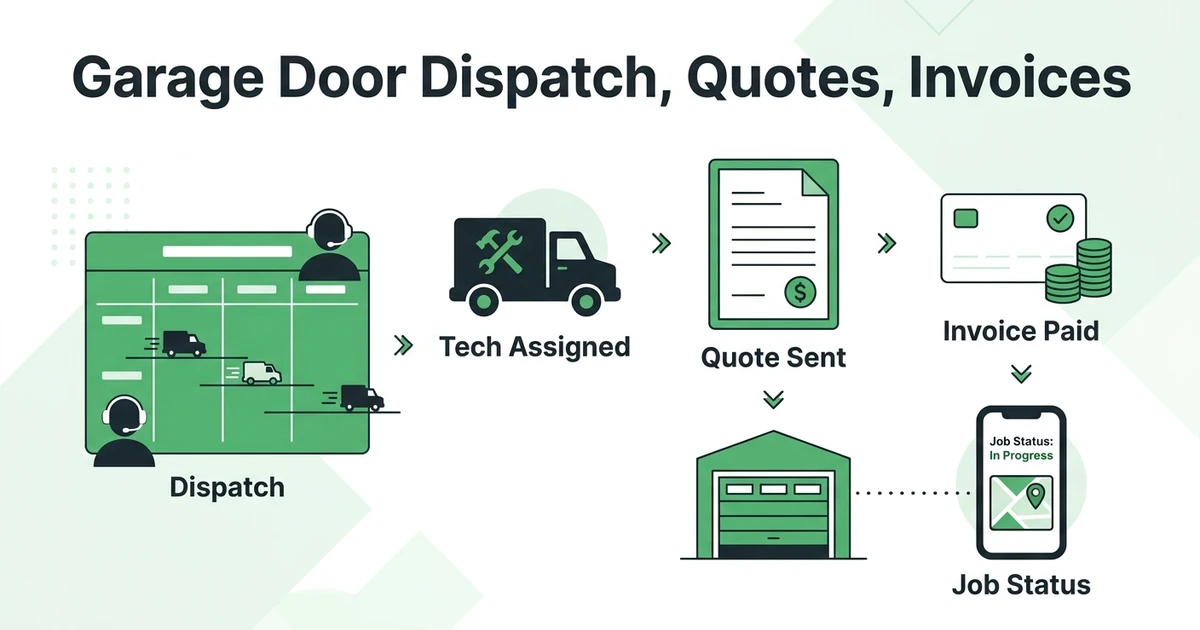
For a deeper breakdown of this workflow, see the guide to garage door dispatch, quote, and invoice workflow.
Which Garage Door Software Is Easiest for Technicians to Learn?
The easiest software for technicians is the one that respects how field work happens. A technician does not want to become an admin user in the driveway.
Look for:
- A simple mobile schedule
- Clear customer and job notes
- Fast status updates
- Photo and checklist capture
- Easy quote and invoice actions
- Payment status visibility
Feature-heavy tools can look impressive in a sales demo but still fail if technicians avoid using them.
Which Garage Door Platforms Support Mobile Field Invoicing?
Mobile field invoicing matters because garage door jobs often finish away from the office. If the invoice is created later, details can be missed.
Good field invoicing should create invoices from completed job details, include parts and labor, send a payment link, and track payment status.
Fieldified’s send invoices faster after completed jobs workflow is designed for this handoff. The goal is to reduce retyping and make sure completed work does not sit unpaid.
Which Garage Door Platforms Include Job Costing Alongside Scheduling?
Job costing matters once the owner wants to understand profit, not just revenue. A full calendar can hide low-margin work if labor, parts, travel, and callbacks are not tracked.
For garage door teams, job costing should answer questions like:
- Which opener installs are profitable?
- Are spring replacements priced correctly?
- Which jobs take longer than expected?
- Are callbacks eating margin?
- Are tech hours tied to the right job?
Some platforms include job costing natively. Others rely on reporting, integrations, or manual exports. Compare this carefully if your team is growing and you need more than a schedule.
What Is ERP Software for Garage Door Contractors?
ERP software for garage door contractors usually means a larger operational system for accounting, procurement, inventory, warehouse controls, reporting, and multi-branch management. Some larger garage door companies eventually need that depth.
Most small garage door companies do not need a heavy ERP system first. They need field service software that connects jobs, technicians, customers, quotes, invoices, payments, follow-ups, and job costing.
If by ERP you mean one place to run the day, garage door business software is usually the better category. It is easier for technicians to adopt and more directly tied to service calls.
ERP may become relevant if you need deep warehouse controls, procurement, multi-entity accounting, complex inventory across branches, or custom enterprise implementation.
How to Organize Garage Door Operations With Software
A connected garage door workflow should be simple:
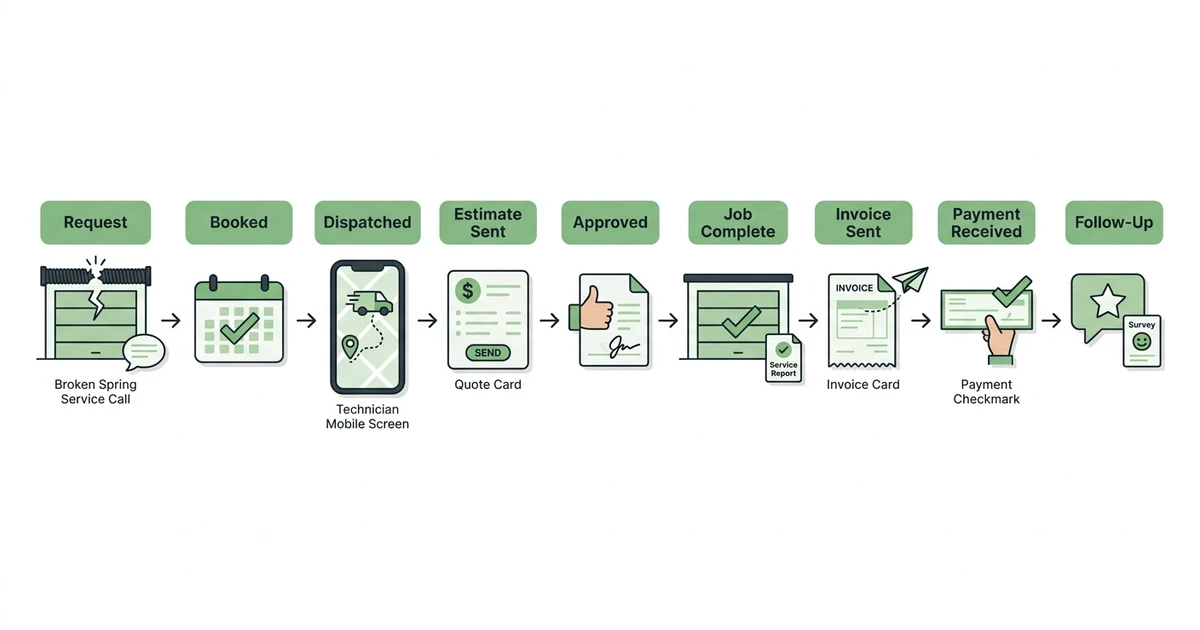
- Customer request is captured.
- The office books the right service window.
- Dispatch assigns the best technician.
- The technician sees the job details on mobile.
- The quote is sent and approved.
- The approved quote becomes the job scope.
- The technician documents completion.
- The invoice and payment request go out.
- Follow-ups and customer history stay attached.
That flow is the reason software matters. It keeps the work from splintering between a phone, a calendar, a spreadsheet, a photo roll, and an invoice template.
Fieldified’s quote management tools help keep the quote stage connected to the rest of the job, so approved work can keep moving instead of becoming another manual handoff.
Is Fieldified Right for Your Garage Door Business?
Fieldified is a strong fit if your garage door company is outgrowing manual coordination.
It makes sense if:
- You have 2-15 people using the system
- The owner or office still handles scheduling and billing manually
- Technicians need clearer job details on mobile
- Quotes are not followed up consistently
- Invoices are delayed after completed work
- Payment reminders are taking too much time
- Customer history is hard to find during repeat calls
It may be more than you need if you only handle a few jobs per month and can still manage everything with a calendar and invoice template.
It may also be too light if you need a full enterprise ERP with deep procurement, warehouse, and multi-branch accounting controls.
For most small garage door installation and service teams, the practical question is simpler: can the system help your team move from booking to dispatch to invoice without losing details?
Frequently Asked Questions
What is the best garage door business software for small teams?
The best garage door software for small teams connects booking, service-call scheduling, dispatch, estimates, job notes, invoices, payments, and customer service history. Fieldified is a strong fit for teams that want a technician-friendly workflow without stitching together multiple tools.
Which garage door software helps manage booking and dispatch?
Look for software that captures the request, assigns the technician, shares job details on mobile, and keeps the customer updated from the same record. Booking and dispatch work best when availability, location, skill fit, and service urgency are visible together.
Which garage door tools keep customer service history accessible for return visits?
The best garage door tools keep prior repairs, opener details, spring notes, photos, quote history, invoices, and communication attached to the customer record. That helps the next technician arrive with context instead of asking the customer to repeat the same information.
Which garage door invoicing software helps reduce paperwork?
Garage door invoicing software reduces paperwork when invoices pull from completed job details. The best setup lets the team send invoices quickly, include payment links, and track paid or unpaid status without rebuilding the job by hand.
Which garage door software gives technicians a manageable learning curve in the field?
Technicians usually learn faster when the mobile app focuses on the job card: customer notes, service scope, photos, status updates, quote actions, and invoice steps. A shorter field workflow is often better than a large feature set that technicians avoid.
Which garage door platforms include job costing alongside scheduling?
Some garage door platforms include job costing, time tracking, expense tracking, or profitability reporting alongside scheduling. Compare whether those features are native, connected to completed jobs, or handled through separate tools.
How do garage door companies manage scheduling and dispatch?
Garage door companies manage scheduling and dispatch by organizing jobs around urgency, technician skill, location, and service windows. Software improves that process by keeping notes, customer history, job status, quotes, invoices, and payments connected.
How do you choose ERP software for a garage door company?
Start by deciding whether you need true ERP or field service management software. If the main need is jobs, technicians, customers, quotes, invoices, payments, and follow-ups, garage door business software is usually the more practical choice for a small team.
Conclusion
Small garage door teams do not need more disconnected admin. They need one clear workflow for booking, dispatch, technician notes, quotes, invoices, payments, and follow-ups.
The right software should make the day easier for both the office and the field. If technicians can use it, invoices go out faster, job details stay cleaner, and customers get a more consistent experience.
See the garage door workflow in a Fieldified demo and walk through a real service call from first request to paid invoice.