




Imagine saving 10–15 hours every week simply by optimizing your daily task scheduling. Sounds surprising, right? But that’s exactly what many contractors experience when they shift from manual planning to smart contractor scheduling software.
Most delays, miscommunications, and last-minute changes don’t happen because teams are slow; they happen because schedules aren’t managed well. With the right tool, tasks are assigned instantly, technicians stay informed, and your entire workflow becomes smoother with minimal effort.
If you’re a contractor who wants to reduce chaos, avoid scheduling mistakes, and manage projects with more confidence, then this guide is for you.
In this guide, we’ll cover modern contractor scheduling, what contractor scheduling software is, why it’s needed, essential features, top benefits, and how to choose the right tool for your business.
Let’s first start with a basic question.
What Is Contractor Scheduling Software?
Contractor scheduling software is a digital tool that helps service-based businesses to plan, assign, track, and manage jobs efficiently. Whether you’re running a construction team, HVAC service, plumbing business, or electrical company, scheduling software ensures every technician knows where to go, what to do, and when to do it.
These tools automate repetitive tasks, minimize scheduling conflicts, and provide real-time workflow visibility unlike spreadsheets or manual planning.
Modern scheduling platforms often include:
- Drag-and-drop scheduling
- Staff and resource allocation
- Mobile access for field teams
- Real-time updates
- GPS tracking
- Automated reminders
- Integrations with invoicing, CRM, and other tools
Many businesses also refer to these platforms as a job scheduling app, especially when using mobile-first solutions.
Now, let’s understand that..
Why Your Business Needs Contractor Scheduling Software
Contractors often handle multiple jobs, workers, locations, and deadlines every day. Manual scheduling leads to mistakes, not because you’re not capable, but because the workload is too much to track manually. 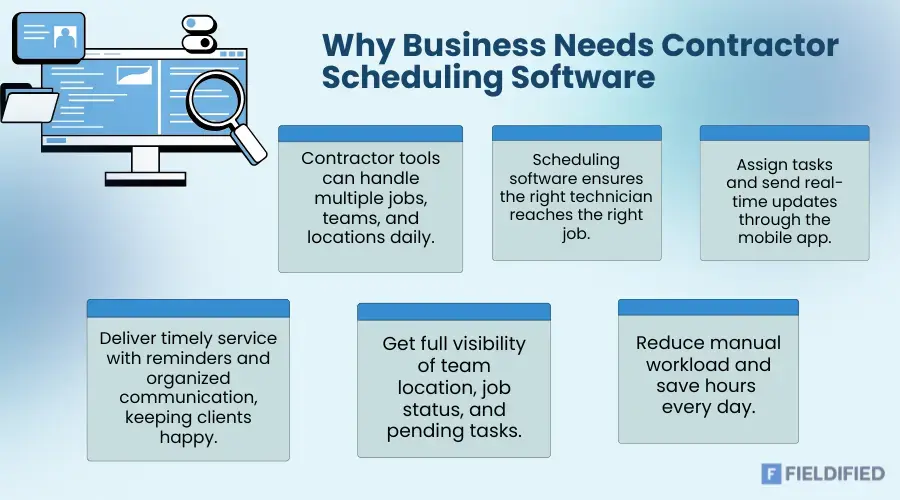
Here’s why contractor scheduling software makes sense:
1. You don’t need to double-book
It’s frustrating when two technicians show up at the same site, but no one shows up at all. Scheduling software prevents these mix-ups by giving you a clear view of everyone’s availability.
2. You Get Faster Jobs Assignment
You can assign work with just a click instead of calling or messaging workers individually. Technicians receive instant job updates through the mobile app.
3. Happy Clients
Clients appreciate timely service, automated reminders, and clear updates. With organized scheduling so your business looks more professional.
4. Visibility
You can see where your team is, what they’re working on, and what’s pending so that you can know what’s going on.
5. It Reduced Manual Effort
If you spend hours each day on admin tasks, scheduling software can reduce that time drastically and let you focus on growing your business.
Key Features You Should Look for
Not all scheduling tools are the same. To choose the best one, look for features that are actually made for your business. To choose the best one, here are the must-have components:
1. Drag-and-Drop Calendar
A simple, visual calendar helps you schedule jobs quickly. You should be able to move a task from morning to evening or assign it to another technician without starting from scratch.
2. On Time Technician Availability
Straightforward availability tracking helps avoid off-day booking or over-assigning tasks.
3. Mobile-Friendly Job Scheduling App
Your contractors can:
- Accept or reject jobs.
- Update job status
- Upload photos or notes.
- Navigate to job locations.
- Communicate directly
A mobile app ensures everything flows smoothly between the office and the field.
4. Auto Alerts & Reminders
You should receive reminders for upcoming jobs, schedule changes, delays, or urgent updates to prevent last-minute confusion.
5. GPS Tracking
Especially useful for businesses managing large field teams. Route optimization helps technicians reach sites faster and reduces travel costs.
6. Customer Management
Contractor scheduling tools can store customer details, job history, past invoices, and more. When customers call, you’ll have immediate access to their information.
7. Invoicing & Payment Integration
Some tools let you generate invoices right after job completion. Faster invoicing means faster payments.
8. Reporting & Analytics
Contractor scheduling tools can collect and store all the data that helps you to understand:
- Which technician performs the best
- Which jobs take the longest
- Your busiest days
- Revenue patterns
Benefits of Using Contractor Scheduling Software
Once you start using the software, the improvements become noticeable within a few days. Here’s what you can expect:
- Faster and more accurate team scheduling
- Quick responses that improve customer satisfaction
- More jobs completed, so you’ll get higher revenue.
- Less manual work that reduces stress- Clear, consistent communication for teams
- Modern tools can create a professional image.
How Contractor Scheduling Software Works
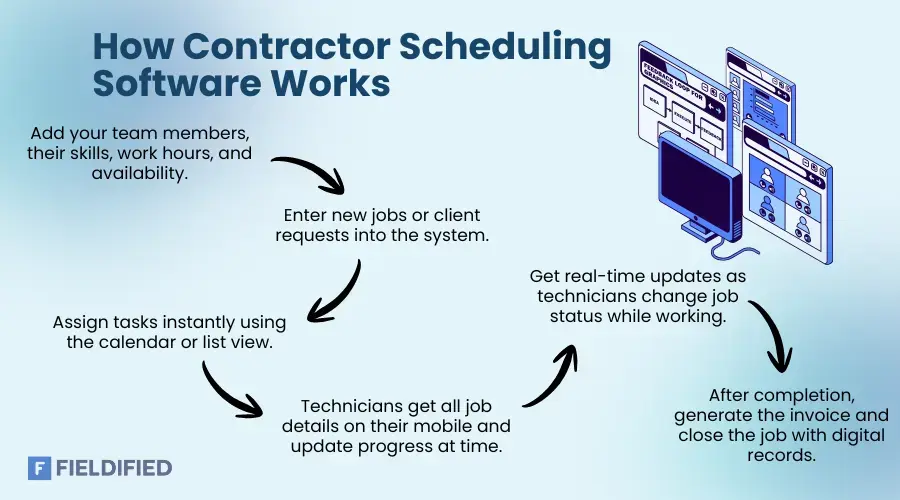 If you’re using the contractor scheduling software for the first time, here’s a simple step-by-step workflow of how the :construction scheduling software works:
Step 1: Add Your Technicians or Team
Enter their names, skills, work hours, and availability in the software.
Step 2: Then add Jobs or Requests
When a client calls or sends a request, you create a new job in the system.
Step 3: Assign Jobs with One Click
Use the calendar or list view to assign work to the right technician.
Step 4: Technician Receives Notifications
They’ll get all job details on the job scheduling app, including location, time, job notes, and customer information on their mobile.
Step 5: Get Updates on Work
As work progresses, technicians can update the status (in-progress, completed, etc.). The system stores all this data so you can review it anytime.
Step 6: Invoice and Close the Job
Once done, generate invoices, mark jobs completed, and maintain digital records of your work.
Industries That Benefit the Most
Contractor scheduling software is useful across many industries, like:
- Construction contractors
- HVAC & plumbing services
- Electrical contractors
- Landscaping and lawn care
- Pest control teams
- Cleaning services
- Appliance repair technicians
- Renovation companies
- Field service businesses
- Solar panel installers
No matter what service you provide, if your team moves from one job site to another, this software is essential.
Common Problems Solved by Contractor Scheduling Software
Contractor businesses often face issues like miscommunication between office and field teams, missed appointments, last-minute cancellations, and delayed job updates. Lost paper job sheets and scheduling conflicts add even more confusion to daily operations.
These challenges also lead to slow invoicing and no visibility of worker locations. A good scheduling software solves all these problems through automation and real-time updates, helping teams work smoothly and quickly.
Choose the Best Contractor Scheduling Software for Your Business
Finding the right tool can be confusing because there are many options in the market. Here’s how to pick the best one for your business:
1. Know Your Team Size
Small teams don’t need advanced features. Large teams require automation, GPS, and detailed reporting.
2. Check If It’s Mobile-friendly
A mobile-friendly job scheduling app is crucial for technicians. Without it, communication becomes difficult.
3. Test the User Interface
Choose a tool that’s easy to use for you and your team. Complicated systems slow you down.
4. Look for Customization Options
Every business is different, so choose according to your needs, and check what suits your business best.
5. Evaluate Costs
Avoid tools that charge heavy per-user fees if your team is large. Look for value, not just low pricing.
6. Ensure Customer Support Availability
You’ll need help during setup or when facing technical issues. Thus, ensure that customer service is available.
7. Read Reviews and Case Studies
Reviews help you understand real-life usage and performance of the software.
Is a Job Scheduling App Enough for Small Businesses?
If you run a small team of 3–5 technicians, at least one simple job scheduling app might be enough in the beginning. It helps with assigning tasks, sending updates, tracking job progress, and storing history.
But as your business grows, you’ll eventually need more advanced features like automated reminders, routing, reporting, and invoicing. That’s when switching to a contractor scheduling software becomes necessary.
Future of Contractor Scheduling
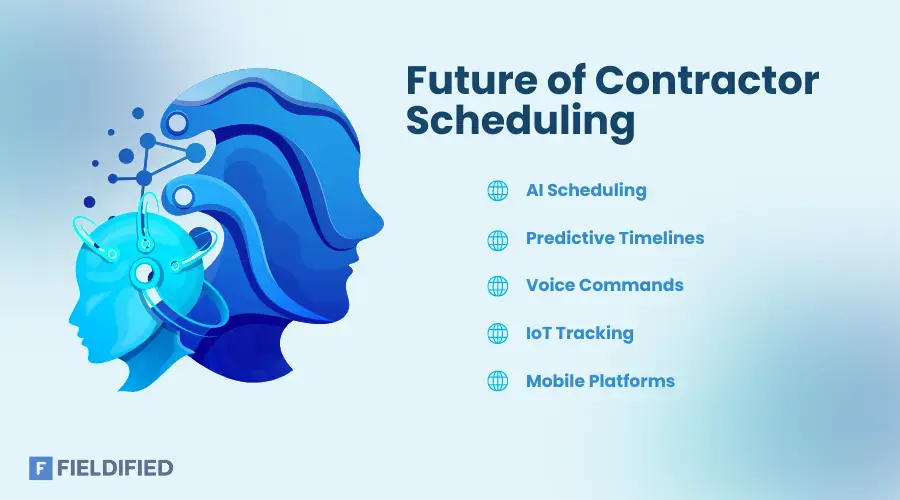
As technology evolves, contractor scheduling will become even smarter. Expect tools to include:
- AI-powered automated scheduling
- Predictive job duration estimates
- Voice-enabled scheduling
- IoT integrations for asset tracking
- More powerful mobile-first platforms
 The future is all about speed, accuracy, and effortless coordination. Contractors who adopt new technology early gain a competitive edge and scale faster.
Conclusion
Contractor scheduling software has moved beyond being a “nice-to-have” today; it’s a key driver of efficiency and professionalism for service businesses of all sizes. When you replace manual planning with a reliable scheduling system, you cut down on mistakes, boost communication, and deliver prompt, dependable service to your clients.
A good tool keeps jobs, technicians, invoicing, and client data neatly organized, giving you full visibility over your operations and helping you scale smoothly as your business grows. With ongoing advances in AI, automation, and mobile capabilities, early adopters of modern scheduling enjoy a real competitive edge.
Thanks for reading. If you’re ready to explore powerful scheduling solutions tailored for contractors, you might start with this helpful comparison guide from Software Advice.
FAQs
1. What is contractor scheduling software?
Contractor scheduling software is a digital tool that helps contractors plan, assign, track, and manage jobs efficiently. It ensures technicians know where to go, what to do, and when to do it.
2. How does contractor scheduling software help businesses?
It shows real-time technician availability, prevents double-booking, sends auto alerts, and updates schedules instantly so your team will always stay aligned.
3. Can small businesses use this scheduling software?
Yes. Small teams can start with a simple job scheduling app, and later upgrade to full contractor scheduling software as their business grows.
4. What features should I look for before choosing contractor scheduling?
Essential features include: Drag-and-drop calendar, Mobile app, Auto reminders, GPS tracking, Customer details Invoicing integration, Reporting.
5. For which industries is this contractor scheduling software benefits the most?
Construction, HVAC, plumbing, electrical work, lawn care, cleaning, appliance repair, pest control, solar installation, and other field service industries get a good benefit from this job scheduling tool.
Blog Summary
Contractor scheduling software helps businesses to plan, assign, and manage jobs easily that reduce delays, confusion, and manual workload.
It replaces spreadsheets and manual planning with automated scheduling, real-time updates, GPS tracking, and mobile access for field teams.
Businesses need it to avoid double-booking, assign jobs faster, improve customer satisfaction, and maintain complete visibility of field operations.
The best contractor scheduling tools include drag-and-drop calendars, mobile apps, alerts, customer management, invoicing, and reporting.
This software is highly useful for construction, HVAC, electrical, landscaping, cleaning, pest control, and all field service businesses.
The future of contractor scheduling will bring AI-powered automation, predictive job timing, IoT tracking, and advanced mobile-first features, giving early adopters a competitive advantage.