EN
EN DE
DE ES
ES FR
FR NL
NL PT
PT





Running a field service business is chaotic without the right systems. Missed appointments. Double bookings. Technicians are calling for directions. Customers are waiting with no updates. That’s why choosing the right Scheduling Software for Service Businesses is no longer optional. It’s the backbone of daily operations.
Whether you run HVAC, plumbing, landscaping, cleaning, pest control, or electrical services, the right service industry scheduling software helps you assign jobs faster, reduce errors, and improve customer experience. In this guide, we break down the 10 best tools in 2026, how they compare, and how to choose what fits your business.
What Is Scheduling Software for Service Businesses?
Scheduling software for service businesses is a digital system designed to manage field operations efficiently. It goes beyond basic calendar tools by helping service companies coordinate teams, appointments, and customer communication from one platform.
Scheduling software for service businesses helps you:
Assign jobs to field technicians
Managers can allocate tasks based on availability, skill set, and location, ensuring the right technician handles each job.
Track appointments in real time
Live dashboards show job status, delays, and completions, giving full operational visibility.
Optimize routes
Smart routing reduces travel time, fuel costs, and unnecessary backtracking.
Send reminders to customers
Automated SMS or email alerts reduce no-shows and improve communication.
Prevent double bookings
Real-time calendar syncing avoids scheduling conflicts.
Unlike basic calendar tools, modern job scheduling software integrates with invoicing, CRM, dispatch systems, and reporting tools, creating a complete operational ecosystem rather than just a booking calendar.
Why Do Service Businesses Need Dedicated Scheduling Software?
Manual scheduling works in the early days of a service business. But as job volume increases, small gaps turn into costly problems. Paper notes, phone calls, and scattered messages create confusion that slows operations and frustrates customers.
Here’s what usually happens:
Jobs get written in notebooks
Important details get misplaced or forgotten.
Technicians call for daily updates
Office teams spend hours coordinating instead of growing the business.
Changes aren’t communicated fast
Last-minute cancellations or emergencies create chaos.
Customers complain about delays
Lack of clarity damages trust and brand reputation.
Dedicated service industry scheduling software solves this by:
- Centralising all bookings
- Giving dispatchers drag-and-drop visibility
- Allowing technicians to access jobs via mobile
- Sending automatic reminders
- Tracking performance metrics
The result? Fewer errors. Faster service. Higher customer trust.
What Are the Top Scheduling Tools for Service Businesses in 2026?
Choosing the right scheduling software is not just about managing a calendar. It’s about controlling field operations, improving technician productivity, and protecting your margins. Below are ten leading scheduling platforms in 2026, explained clearly so you can understand where each one fits.
1. Fieldified
Best for: Growing service teams that want structured workflows and operational visibility
Fieldified is built specifically for field service businesses that need more than simple appointment booking. It connects scheduling, dispatch, invoicing, reporting, and technician updates into one centralised system.
The scheduling board provides real-time visibility into technician availability and job status. Dispatchers can assign or adjust jobs quickly without confusion. The mobile app allows technicians to update job progress, upload images, and communicate from the field.
Fieldified also integrates billing into the workflow. Once a job is completed, invoicing and payment tracking follow naturally, reducing delays in cash flow. Reporting dashboards give business owners insight into technician performance, job volume, and revenue trends.
It works well for HVAC, plumbing, electrical, cleaning, and maintenance businesses planning long-term growth. Instead of patching together multiple tools, Fieldified keeps operations structured and scalable.
2. Jobber
Best for: Small to mid-sized home service businesses
Jobber is known for its clean interface and ease of use. It covers core scheduling needs such as appointment booking, recurring jobs, and automated reminders.
The platform is simple to adopt, which makes it appealing for teams transitioning from spreadsheets. It supports online booking and client management while offering basic reporting features.
Jobber works well for cleaning companies, landscapers, and small repair teams that need reliable scheduling without heavy operational layers.
3. Housecall Pro
Best for: Residential service providers
Housecall Pro focuses strongly on customer communication and automation. It includes scheduling, dispatching, payment collection, and review management.
The drag-and-drop scheduling board is easy to navigate. Automated reminders reduce no-shows. GPS tracking allows businesses to monitor technician movement throughout the day.
It’s often used by plumbing, electrical, HVAC, and handyman businesses that value a mobile-first system.
4. ServiceTitan
Best for: Large service enterprises
ServiceTitan is designed for larger operations that require advanced reporting and deep analytics. It combines scheduling, call booking, sales tracking, and revenue reporting in one platform.
Its dispatch system is robust and built for high job volume. Managers can track technician efficiency, sales conversions, and service agreements in detail.
While it may be more than smaller teams need, it is powerful for large HVAC and plumbing companies handling significant daily workloads.
5. FieldEdge
Best for: Contractors focused on dispatch efficiency
FieldEdge emphasises scheduling and accounting integration. It integrates well with QuickBooks and provides real-time dispatch updates.
Technicians can access service history in the field, which helps with recurring maintenance jobs. Managers gain visibility into job performance and technician productivity.
It is commonly used by HVAC and electrical contractors who rely heavily on accounting accuracy and structured dispatch systems.
6. Workiz
Best for: On-demand service businesses
Workiz combines scheduling with communication tools like call tracking and SMS automation. It is particularly useful for industries where speed matters, such as locksmiths and emergency repair services.
The platform includes technician tracking and job assignment features. Automated messaging helps coordinate last-minute changes.
Workiz is suitable for service businesses that manage urgent calls and need fast dispatch control.
7. Service Fusion
Best for: Budget-conscious service teams
Service Fusion provides scheduling, dispatch, and invoicing tools at competitive pricing levels. It offers a centralised dashboard where businesses can track jobs, payments, and technician updates.
The system includes VoIP integration and recurring service management. It’s often selected by small plumbing, appliance repair, and contractor businesses seeking balanced functionality.
It provides steady performance without unnecessary complexity.
8. GorillaDesk
Best for: Pest control and recurring service businesses
GorillaDesk stands out for its recurring scheduling and route optimisation capabilities. Businesses that operate on subscription or maintenance contracts benefit from its recurring job automation.
The platform helps reduce travel time through route planning features. It also includes invoicing and customer communication tools.
Pest control, lawn care, and inspection businesses often choose GorillaDesk for its focused workflow.
9. Kickserv
Best for: Small teams transitioning from manual systems
Kickserv offers straightforward job scheduling software with CRM features and invoicing. It’s easy to set up and requires minimal technical training.
For businesses with fewer than 10 technicians, Kickserv covers basic scheduling needs efficiently. It allows teams to move away from paper-based coordination without overwhelming them.
As companies grow, they may eventually require deeper reporting or automation, but for startups, it provides a practical foundation.
10. Zoho Bookings
Best for: Appointment-based service businesses
Zoho Bookings works well for consultants, repair specialists, and appointment-driven service providers. It integrates with the broader Zoho ecosystem, which is helpful for businesses already using Zoho CRM or accounting tools.
The scheduling interface allows clients to book directly online. It syncs calendars and prevents double bookings.
However, it may require additional tools for advanced field service operations, such as dispatch boards or technician tracking.
How These Scheduling Tools Differ
While all ten platforms offer job scheduling software capabilities, they differ in structure and scalability.
- Smaller tools prioritise simplicity
- Mid-range systems balance scheduling and invoicing
- Advanced platforms integrate analytics and dispatch control
- Workflow-focused platforms like Fieldified centralise the entire job lifecycle
The best option depends on:
- Team size
- Industry
- Growth goals
- Operational complexity
- Budget
A two-technician cleaning business has different needs than a 25-technician HVAC company. The right scheduling software aligns with your current workflow while supporting future growth.
Choosing wisely reduces administrative stress, improves technician coordination, and strengthens customer trust.
Where Joblogic Fits
Joblogic approaches scheduling from the contract maintenance side of field service, where the calendar has to respect PPM agreements, SLAs, and compliance deadlines alongside reactive callouts. Used by 3,000+ service businesses across HVAC, plumbing, electrical, and facilities management, the platform is built around the reality that a missed planned visit can breach a contract, not just annoy a customer. Dispatchers work from a drag-and-drop board that shows engineer availability, skills, and location, while the mobile app gives engineers job details, asset history, and dynamic forms they can complete on site, including offline. Certificates, risk assessments, and photos attach to the job record automatically, so compliance evidence and invoicing flow from the same completed visit. For contractors running mixed workloads of ad-hoc jobs, PPM contracts, and subcontracted works, that structure keeps scheduling tied to the paperwork that actually gets the job signed off.
How to Choose the Right Scheduling Software for Service Businesses
Not every scheduling tool will match your operational needs. The right choice depends on how your business runs daily.
Start by evaluating how many technicians you manage. Small teams often need a clean, simple scheduling interface without too many advanced layers. Larger teams require dispatch boards, workload balancing, technician performance tracking, and detailed reporting to avoid confusion.
Next, consider whether you offer recurring services. Maintenance contracts, weekly cleaning, or seasonal landscaping require automated recurring scheduling. Without it, you’ll spend hours manually rebooking the same jobs.
If your technicians travel frequently, think about route optimisation. GPS tracking and smart route mapping reduce fuel costs, improve arrival accuracy, and allow more jobs per day.
Integration is also critical. Your scheduling software should connect with accounting systems like QuickBooks to prevent duplicate data entry and billing errors.
Finally, evaluate usability. If technicians struggle to use the mobile app, adoption will fail. The best scheduling software feels intuitive in the field and reduces, rather than adds, daily friction.
Related Read: How to Automate HVAC Job Scheduling and Invoicing
Features That Matter Most in 2026
Here’s what modern service industry scheduling software must include:
- Drag-and-drop calendar
- Real-time technician availability
- Automated customer notifications
- Mobile app access
- Reporting dashboard
- Route optimization
- Recurring job scheduling
Without these, your scheduling system will slow you down.
Benefits of Using Modern Job Scheduling Software
Modern job scheduling software does more than organise appointments. It directly improves how your business performs every day.
1. Fewer No-Shows
Automated email and SMS reminders keep customers informed about upcoming appointments. Confirmation messages reduce forgotten bookings and last-minute cancellations, protecting your daily revenue.
2. Better Technician Productivity
Clear, real-time schedules eliminate confusion. Technicians know exactly where to go, what to do, and when to arrive. This reduces idle time and unnecessary phone calls to the office.
3. Faster Dispatching
When emergencies or delays happen, dispatchers can adjust schedules instantly. Drag-and-drop tools and live updates make last-minute changes manageable without disrupting the entire day.
4. Improved Customer Experience
Accurate arrival windows and status updates build trust. Customers appreciate transparency and timely service.
5. Higher Revenue
Efficient scheduling reduces gaps between jobs, allowing you to complete more appointments daily without increasing overhead.
Related Read: How Arborist Job Scheduling Software Improves Crew Productivity
Is Free Scheduling Software Enough for Service Businesses?
Free tools often lack:
- Real-time dispatch boards
- Automated notifications
- Reporting
- Integrations
They work for freelancers. Not for growing service businesses.
If your team handles multiple daily jobs, investing in dedicated Scheduling Software for Service Businesses saves more money than it costs.
Related Read: The Complete Guide to Contractor Scheduling Software
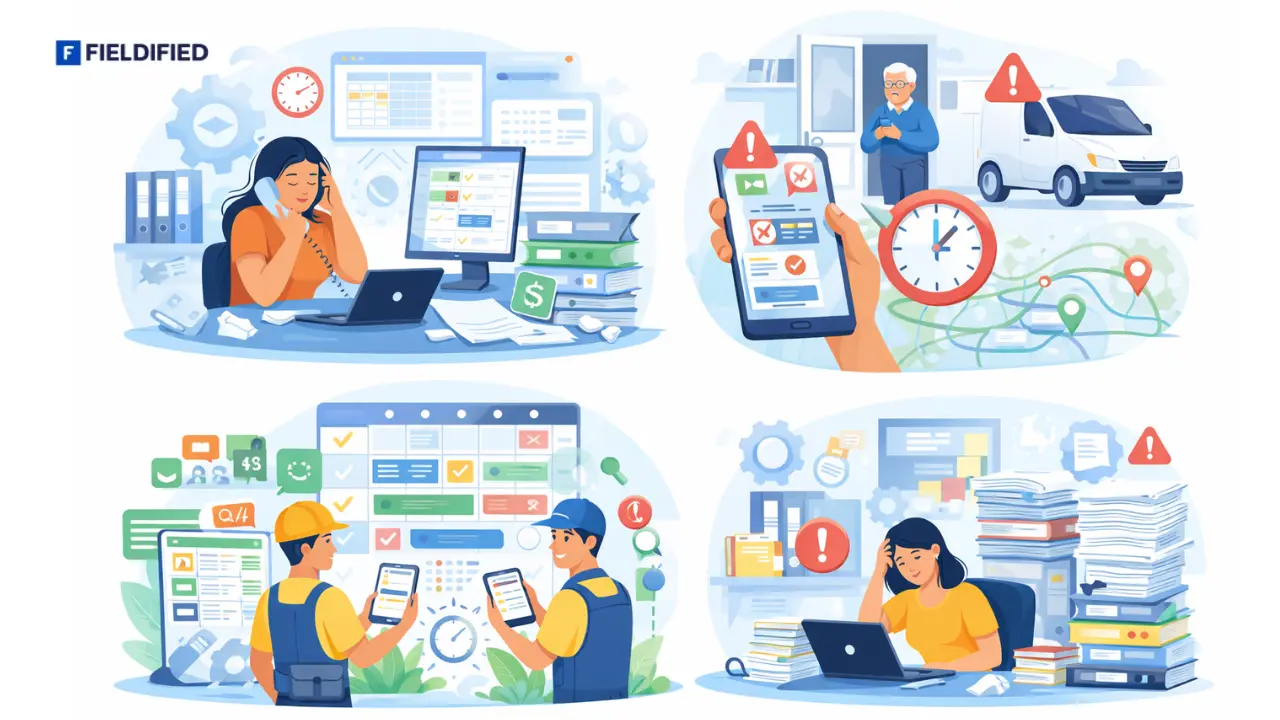
Why Growing Service Businesses Outgrow Basic Tools
As your service business grows, simple tools like spreadsheets and shared calendars quickly become limiting. Increased job volume exposes operational gaps and creates daily friction.
Manual coordination becomes stressful
Constant calls, WhatsApp messages, and last-minute adjustments overwhelm office staff and dispatchers.
Customer complaints rise
Missed updates and unclear arrival times frustrate customers and damage trust.
Scheduling errors increase
Double bookings, forgotten jobs, and route confusion become more common.
Admin workload doubles
More paperwork, follow-ups, and corrections reduce productivity.
At this stage, structured systems like Fieldified help centralise operations while keeping processes simple and scalable.
Related Read: How to Choose the Right CRM for Your Service Business
Choosing the Right System in 2026
The right Scheduling Software for Service Businesses brings structure to chaos. It improves communication. It boosts technician productivity. It builds customer trust.
If you are scaling your service company, tools like Fieldified offer the balance between simplicity and operational control. Take time to evaluate what your team truly needs. When ready, explore systems that help you grow without overwhelming your workflow.
FAQs
What is scheduling software for service businesses?
Scheduling software for service businesses helps assign jobs, manage technicians, prevent double bookings, and automate customer reminders through centralised digital systems.
How is job scheduling software different from regular calendar apps?
Job scheduling software includes dispatch boards, technician tracking, route optimisation, and customer notifications, unlike basic calendar tools that only track appointments.
Is scheduling software necessary for small service businesses?
Small teams benefit from reduced errors, better communication, and improved customer experience, even with fewer technicians and limited daily jobs.
What industries use service industry scheduling software?
HVAC, plumbing, cleaning, pest control, landscaping, electrical, and appliance repair businesses commonly use service industry scheduling software.
How much does scheduling software typically cost?
Pricing varies by features and team size, typically ranging from affordable monthly plans for small teams to higher-tier plans for large operations.