EN
EN DE
DE ES
ES FR
FR NL
NL PT
PT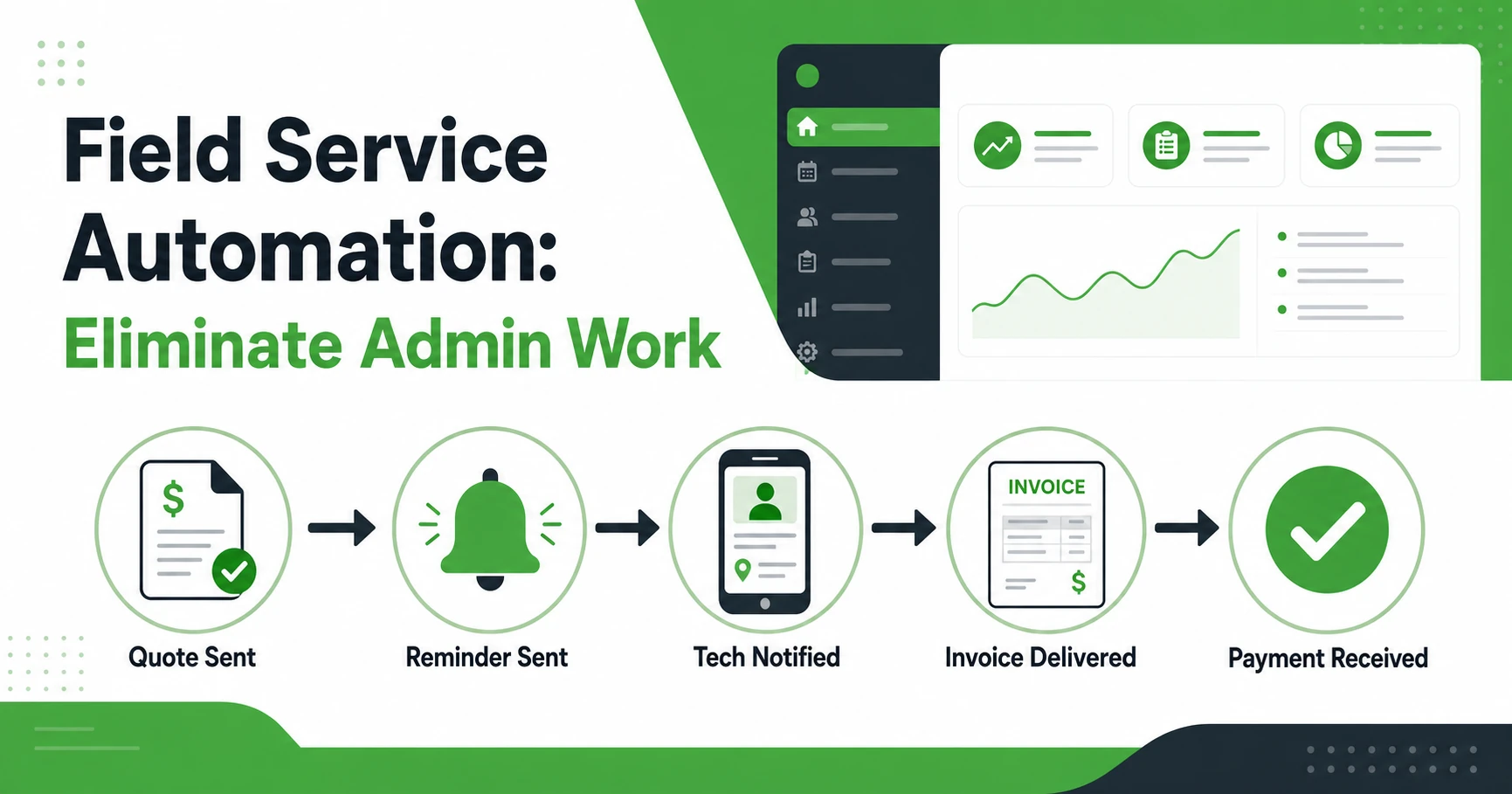





Quick Answer: What Is Field Service Automation? Field service automation means setting up software rules so routine admin tasks happen automatically without anyone triggering them manually. Sending quote reminders, notifying technicians of new jobs, following up on unpaid invoices: the system handles all of it once the rule is set. For a 5 to 10 technician business, a solid automation setup typically recovers 8 to 12 hours of admin work per week and removes the most common causes of missed follow-ups and slow payments.
If you finish a job at 5pm and still have two hours of admin ahead of you, field service automation is the part of your business you haven’t built yet.
It’s a concept that gets dismissed as an enterprise tool. It isn’t. Businesses with 5 technicians carry the same core admin overhead as businesses with 50. The dispatch texts, the invoice reminders, the quote follow-ups, the rebooking calls after a no-show: all of it piles up fast. When the owner is the one handling it, growth gets expensive before it even starts.
This guide covers exactly what field service automation includes, what it looks like inside a real contractor workday, and how to evaluate whether a tool actually delivers on the promise.
Why Admin Work Is the Hidden Growth Ceiling for Service Businesses
There’s a point most field service owners hit somewhere between 5 and 15 technicians. Jobs are coming in. Revenue is moving in the right direction. But so is the paperwork, the scheduling chaos, and the stack of invoices that went out a week late.
The business hasn’t outgrown its market. It’s outgrown the way it’s being run.
Asana’s Anatomy of Work report (2023) found that 62% of the workday is lost to repetitive, low-value tasks across organizations. That number tracks closely with what field service owners report when they actually account for where their hours go. Quote sent, no follow-up on the calendar. Invoice generated Friday afternoon for a job that finished Tuesday. Technician texted at 7am because the dispatcher forgot to push the update the night before.
None of those tasks need skill. They need time. And they take the time that should be going into the next hire, the next service area, or the next conversation with a client who could become a regular.
The businesses that scale past 20 technicians without adding a full back-office team almost always have one thing in common: they stopped running admin by hand well before they needed to.
The 5 Field Service Tasks That Should Never Be Done Manually
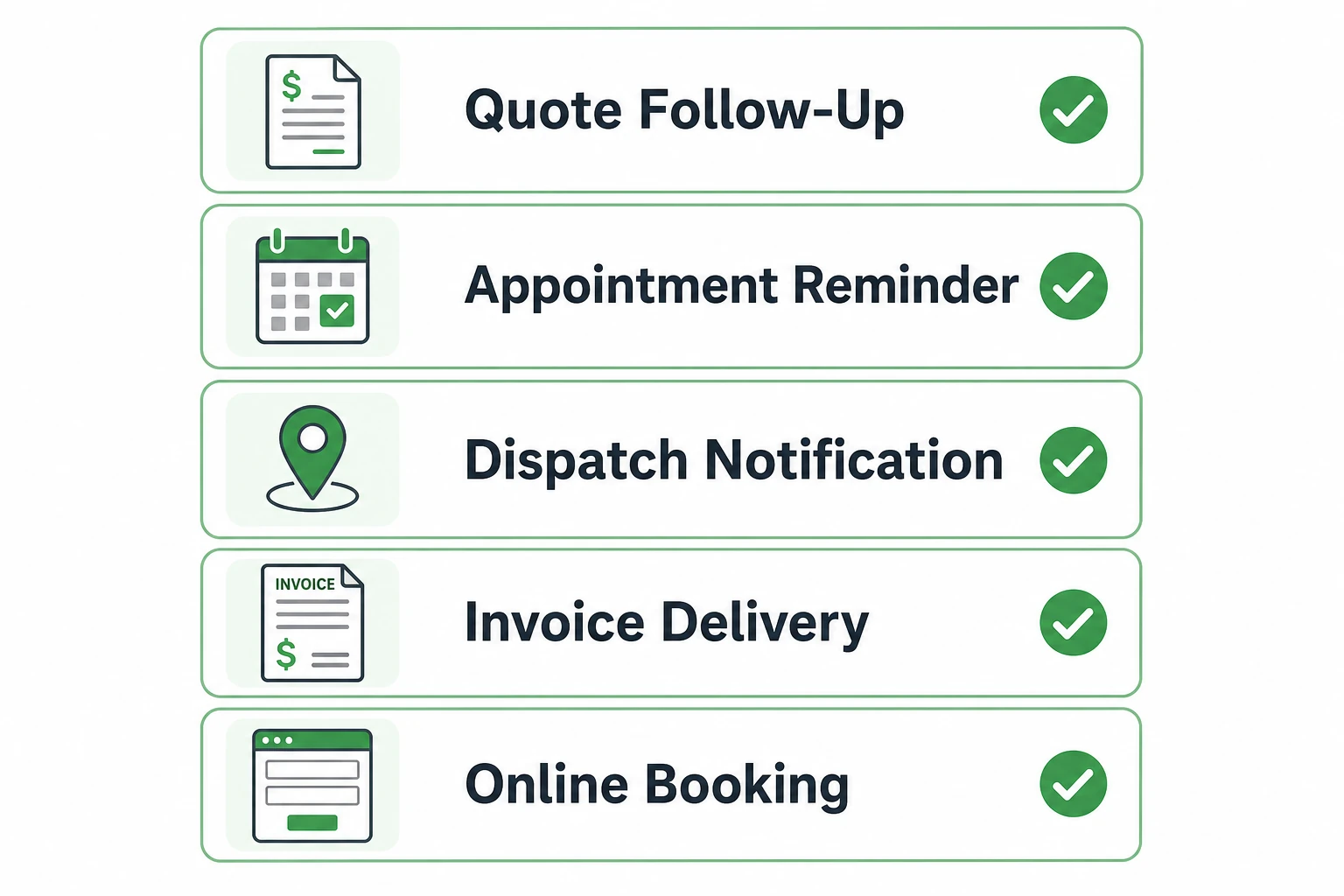
Not every task in a service business can be automated. Complex estimates, client conflicts, and crew disputes need human judgment. But the five tasks below are pure rules-based repetition. You set the rule once; the software executes it on every job, every time.
1. Quote Follow-Ups
A quote goes out. The client says they’ll think about it. You move on. Three days later, they book with someone else because the other company called back first.
Automated quote follow-ups solve this without requiring anyone to remember. When a quote stays unapproved past a set window (say, 48 hours), the system sends a follow-up message automatically. The client gets a nudge. You don’t have to track it. For a roofing or painting company running 20-plus quotes a week, this alone recovers a real percentage of jobs that would otherwise go cold.
2. Appointment Reminders to Clients
No-shows are one of the most expensive problems in field service. An HVAC tech drives 35 minutes to a maintenance call, and the homeowner isn’t home. That slot is gone and can’t be recovered.
Automated appointment reminders, sent the evening before and the morning of a job, reduce no-show rates without a single phone call from the office. The client confirms, requests a reschedule, or at minimum knows someone is coming. The technician’s day stays full. No one picked up the phone to make it happen.
3. Dispatch and Job Assignment Notifications
Texting technicians their daily schedule is one of the most time-consuming tasks a dispatcher does, especially when jobs shift mid-day. A cancellation comes in, a slot gets reassigned, and someone has to notify the crew manually.
Automated dispatch notifications push job details directly to each technician’s mobile app the moment a job is assigned or changed. The plumber on the west side of town sees their 2pm call move to a different address in real time. No calls, no missed updates, no confused technicians showing up to the wrong site. This is where purpose-built scheduling and dispatch software earns its keep.
4. Invoice Delivery and Payment Reminders
Most field service businesses send invoices too late. A crew finishes five jobs on Thursday, but the invoices don’t leave the office until Friday afternoon when someone catches up on the week. That gap adds days to the payment cycle, often stretching into weeks.
With automation, an invoice generates the moment a job is marked complete in the mobile app. The client receives it while the work is still fresh. If payment hasn’t arrived by day 5 or day 7, an automated reminder fires without anyone checking a spreadsheet. Our invoice automation and follow-up guide covers how to build this sequence into your existing workflow.
5. Online Booking Intake
Every call that comes in after hours is a lead the business either captures or loses. If no one picks up, the caller usually tries the next name on the list.
Automated online booking lets clients request a job at any time. The system captures job details, assigns based on availability, and sends a confirmation. The office team starts the morning with fully formed job requests instead of a voicemail backlog that needs to be called back, qualified, and scheduled one by one.
What Field Service Automation Looks Like in a Real Workday
Here’s what a typical day looks like at a 10-technician plumbing business before and after automation is in place.
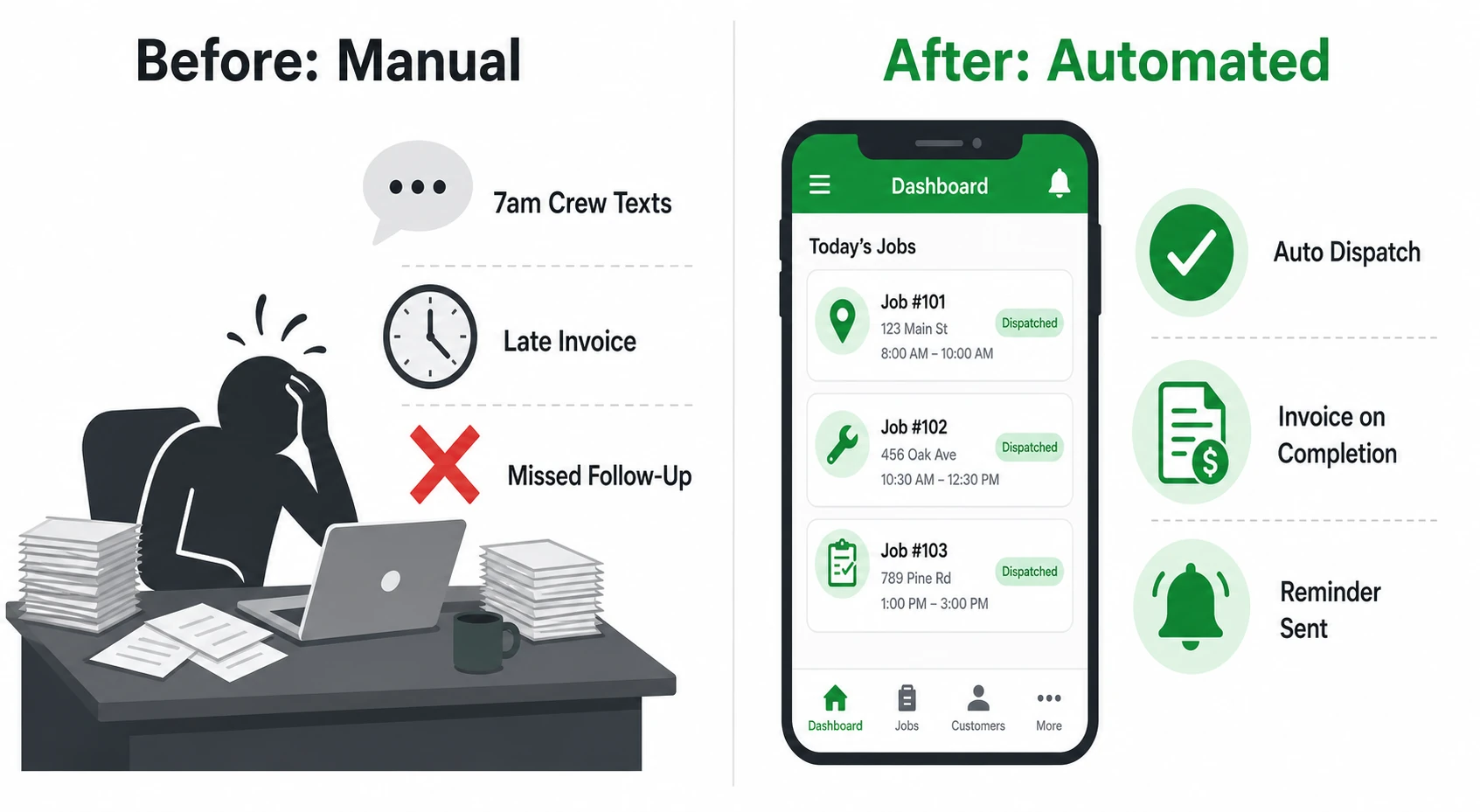
Before automation:
The owner starts the day at 6:45am texting the crew their jobs. One tech got a new assignment after yesterday’s schedule changed; nobody updated him. By 8am, there’s a missed job and a client calling the office. Twenty minutes of sorting it out.
Three quotes from last week are sitting unanswered. The owner meant to follow up, didn’t get to it. Friday arrives and someone spends two hours generating invoices for the week’s completed jobs, then another thirty minutes checking which invoices from the previous week are still unpaid. Two clients owe money. No second reminder was ever sent.
After automation:
The crew receives push notifications through the mobile app at 7am, generated automatically from the previous evening’s dispatch. The client for the 9am job got a text confirmation the night before with the technician’s name and an arrival window. When the job is marked complete at 11:20am, the invoice lands in the client’s inbox within two minutes. The overdue balance from last week? An automated reminder went out on day 5. Payment cleared yesterday afternoon.
The owner’s morning now starts at 8am. With coffee.
Stop spending the first hour of every day rebuilding schedules and chasing follow-ups. See how Fieldified automates repetitive tasks across the job lifecycle, from quote approval through invoice payment, and book a free demo to see it running live.
How to Know If You’re Ready to Automate
Automation isn’t a tool you reach for when everything is working smoothly. It’s what you build when the manual approach is consistently costing you time, money, or both. Check how many of these apply right now:
- You spend more than one hour per day on admin that isn’t billable
- You’ve lost a quote because no one followed up in time
- A technician has shown up to the wrong job or at the wrong time in the past month
- You’re chasing two or more unpaid invoices at any point in the week
- Clients have called the office asking where the technician is
- You’ve considered hiring an admin but aren’t sure the workload justifies the salary yet
If three or more of those are true, the admin burden is already capping your capacity. If you’re still running on spreadsheets and manual follow-ups, our piece on signs your contracting business has outgrown spreadsheets covers the broader picture of when it’s time to make the switch.
What to Look For in a Field Service Automation Tool
Not every platform that markets itself as automation software actually delivers full workflow coverage. Here’s what to check before committing to one.
Does it cover the full job lifecycle, or just one piece?
Some tools automate invoicing but not dispatch notifications. Others handle scheduling but not quote follow-ups. The highest-value setup covers the whole chain: quote, schedule, dispatch, job completion, invoice, payment reminder. Any gap in the chain still requires manual work, and manual work is what you’re trying to eliminate.
Does automation trigger off job status changes?
Sending a reminder based on a calendar date is basic. The better systems trigger automations based on what actually happens in the job: invoice sent when job is marked complete, follow-up sent when a quote stays open past 48 hours, payment reminder sent when an invoice passes day 7 unpaid. Status-based triggers are far more reliable than time-based ones, because they respond to reality, not a calendar assumption.
Can clients self-serve without calling the office?
A client-facing portal that lets customers approve quotes, view appointments, and make payments cuts inbound call volume significantly. Automation handles the outbound touchpoints; self-service handles the inbound ones. Together they reduce the number of interruptions the office team has to manage each day.
Does per-user pricing compound every time you hire?
This is the most overlooked cost trap in field service software. A platform that charges per technician means your software bill grows every time you bring someone on. Fieldified uses flat plan pricing: 10 technicians on the Standard plan costs the same as 3. For a growing team, that difference compounds to thousands of dollars over a year.
Does the mobile app sync in real time for technicians in the field?
Automation only works end-to-end if the field team is using the same system the office is running. A mobile app that receives job updates, captures notes and photos, collects signatures, and marks jobs complete is the final link that makes the whole automation chain function. Without it, you’re still relying on manual field updates and the delays that come with them.
Frequently Asked Questions
What is field service automation?
Field service automation uses software to handle routine admin tasks without manual input. Sending appointment reminders, notifying technicians of new jobs, following up on open quotes, and delivering invoices when a job closes are all examples. It removes the repetitive steps from the workflow so the business runs without constant intervention from the office.
Is field service automation only for large companies?
No. Small businesses with 3 to 5 technicians see some of the highest returns from automation, because every hour of admin time is an hour the owner can’t spend on billable work or growth. Automation provides the same capacity benefit whether you have 5 technicians or 50.
What is the difference between automation and scheduling software?
Scheduling software manages when and where jobs happen. Automation extends that by triggering actions based on what occurs in the job: a client confirmation when a booking is made, a reminder the day before, a dispatch update when the assignment changes, and an invoice the moment the job is closed. Scheduling is one piece; automation connects all the pieces.
How long does it take to set up automated workflows in Fieldified?
Most core automations can be configured in under an hour. Appointment reminders, invoice delivery, and quote follow-ups use preset templates you adjust with your timing preferences and message text. No technical setup or coding is required.
Can automation replace an office admin?
Automation takes over the rules-based, repetitive tasks that fill most of an admin’s day: reminders, notifications, follow-ups, and scheduling coordination. For a 5 to 15 technician operation, a well-configured automation setup can delay or eliminate the need for a full-time admin hire. It does not replace relationship management, complex estimation, or judgment calls.
Which field service tasks benefit most from automation?
Quote follow-ups, client appointment reminders, technician dispatch notifications, post-job invoice delivery, and online booking intake provide the fastest measurable return. These are also the tasks most frequently dropped or delayed in manually run operations.
Scale the Work, Not the Admin Hours
Field service automation does not change how good your crew is at the job. It changes how much of your own time gets spent on tasks that could run without you.
The businesses growing fastest in this industry are not always the ones with the most technicians or the biggest service area. They’re the ones that built systems early to separate billable work from admin overhead, and automated the overhead before it became a ceiling.
Fieldified handles the full job lifecycle in one place: quotes, scheduling, dispatch, job tracking, invoicing, and payment collection. The automations are built into the platform, not added on as a separate module.
Book a free demo and see how your specific workflow maps to Fieldified’s automation setup. It’s a live look at the platform running a real job from quote to payment, with no pitch deck and no pressure. Book your free demo here.