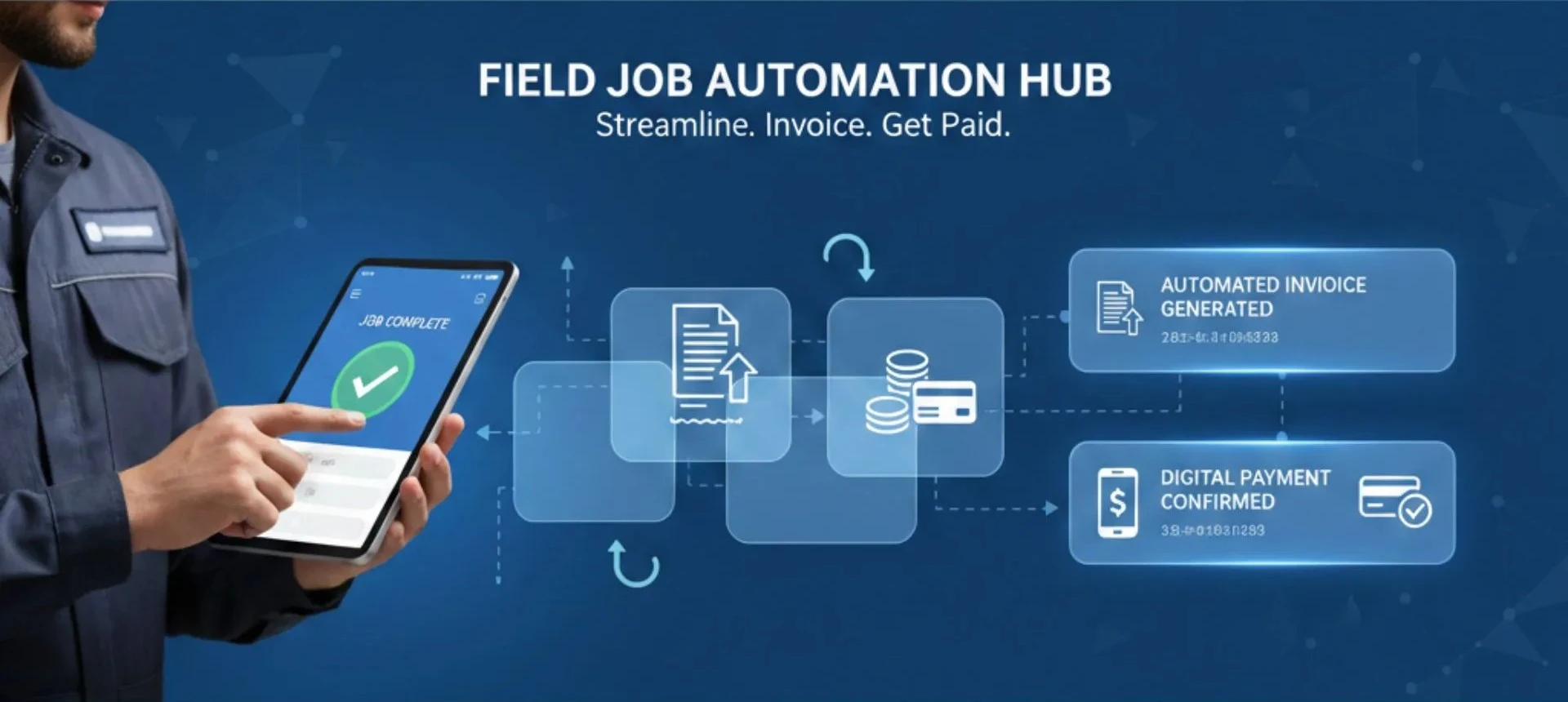





Managing follow-ups, payments, and customer communication becomes increasingly complex as field teams grow. Many businesses still rely on manual processes, which slow them down and create unnecessary errors. This is exactly where field service automation makes a measurable difference. By automating job updates, follow-ups, invoicing, and payment reminders, field teams can operate with greater accuracy and far less admin work. Instead of spending hours on repetitive tasks, businesses can focus on delivering faster service, improving cash flow, and creating a consistent customer experience.
In this guide, we explain how to automate invoice processing for field service teams and why this shift is becoming essential for operational efficiency.
What Does Automating Follow-Ups and Invoicing for Field Jobs Really Mean?
Automation simply means handing repetitive communication and billing tasks to a system instead of doing them manually. For field teams, this includes:
- Automatically sending job reminders before a scheduled visit
- Sending appointment confirmations
- Triggering follow-ups once a technician marks a job as completed
- Instantly generating invoices from job data using an invoicing CRM
- Sending payment reminders at scheduled intervals
- Syncing payments with accounting software
With Fieldified’s Invoice Automation, teams save hours weekly while maintaining clean, consistent communication with customers. Automation ensures that every job is followed up on, every invoice is sent on time, and no payment slips through the cracks.
How Does Automation for Follow-Ups and Invoicing Actually Work?
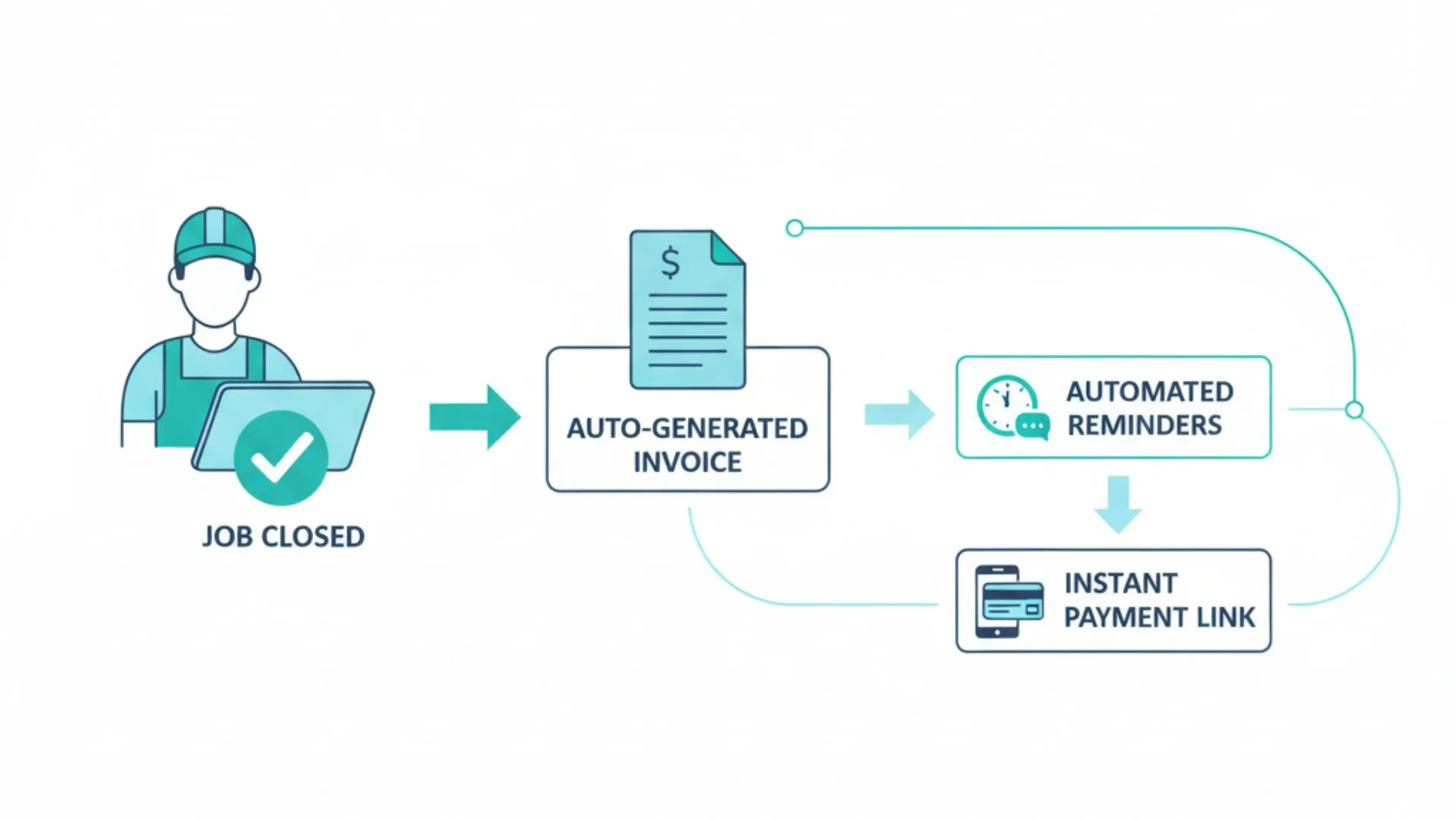
Automation is powered by workflows and triggers built inside invoice automation software. Here is the typical process:
1. Job Completion Recorded
Technicians update job details - service provided, hours, parts used - on a mobile app.
2. Automatic Follow-Up Trigger
Depending on the status update, the system automatically sends:
- Job completion notifications
- Review requests
- Warranty reminders
- Scheduled service reminders
3. Automated Invoice Processing
Once a job is marked complete:
- The system converts job details into a clean, accurate invoice
- No duplicate entry, no manual editing
- Invoices are delivered instantly through the invoicing CRM
4. Payment Links Included
Invoices include built-in digital payment links, reducing delays.
5. Accounting Sync
Payments sync with accounting tools like QuickBooks or Xero.
This is how to automate invoice processing end-to-end without spreadsheets or manual text messages.
What Are the Key Benefits of Invoice Automation for Field Service Businesses?
Automating follow-ups and invoicing does more than save time - it reshapes how field service businesses operate day to day.
1. Faster, More Reliable Payments
Automation ensures invoices are generated and sent the moment a job is marked complete. No delays, no waiting for paperwork, and no forgotten bills. Customers receive clear payment links instantly, which significantly reduces collection time.
2. Reduced Admin Time
Teams no longer spend hours every week on manual follow-ups, reminders, or compiling job details into invoices. Automation handles routine communication, allowing office staff and technicians to focus on revenue-generating tasks instead of repetitive admin work.
3. Fewer Errors
Manual invoicing often leads to missing line items, incorrect rates, or calculation mistakes. Automated systems pull data directly from job records, ensuring invoices are accurate, detailed, and aligned with actual services delivered.
4. Better Customer Experience
Customers appreciate timely updates, transparent communication, and professional-looking invoices. Automated reminders, confirmations, and follow-ups help create a smooth service journey that builds trust and reduces misunderstandings.
5. Improved Technician Productivity
Technicians can close out jobs quickly without stopping to write notes, draft messages, or prepare invoices. With automation taking over administrative work, they can complete more jobs per day with less friction.
6. Cleaner Record-Keeping
Automated invoice processing integrates with accounting tools and stores all job, payment, and communication data in one place. This reduces paperwork, improves audit readiness, and keeps financial records consistent and easy to review.
7. Higher Customer Retention
Follow-up messages, maintenance reminders, and post-service check-ins happen automatically—keeping customers engaged even after the job is done. These small touchpoints increase repeat bookings and long-term client relationships.
8. Stronger Cash Flow
When invoices go out instantly, and customers pay faster, cash flow becomes more predictable. Businesses get steady incoming revenue instead of long gaps caused by delayed or forgotten invoices.
Hidden Costs of Manual Invoicing That Most Field Teams Don’t Realize
Manual invoicing often looks “manageable” on the surface, but the real costs accumulate quietly in the background—slowing down cash flow, overloading teams, and reducing overall productivity. These hidden operational expenses can significantly affect profitability, especially for growing field service businesses.
Here’s what manual follow-ups and invoicing really cost your business:
1. The Cost of Delayed Payments
Slow invoicing leads to slow cash cycles, blocking growth and straining working capital.
2. The Cost of Admin Hours
Teams waste valuable time copying job notes, creating invoices, chasing payments, and fixing errors—time that could be used to handle more jobs.
3. The Cost of Errors
Manual entry increases the chance of missing items, incorrect rates, or mismatched records, often leading to disputes and delayed payments.
4. The Cost of Technician Downtime
Technicians wait for office teams to process paperwork, update job data, and send invoices—reducing job turnaround time.
5. The Cost of Customer Dissatisfaction
Delayed follow-ups, incorrect invoice details, or inconsistent communication make customers lose confidence and reduce repeat business.
How Field Service Automation Reduces These Hidden Costs
Field service automation solves these pain points by eliminating manual tasks and ensuring every follow-up, invoice, and payment reminder is sent on time. With automated workflows:
- Invoices are generated the moment a job is completed
- Payment reminders go out automatically
- Techs submit job details instantly through a mobile app
- Errors are reduced because all data flows from job → invoice → payment
- Customers receive consistent communication
This not only improves accuracy and cash flow but also dramatically reduces the administrative burden on operations and finance teams.
What Key Features Should You Look for in an Invoicing Solution?
A good invoicing platform should simplify workflows and support field service automation, not complicate them. Look for features that reduce manual work, maintain accuracy, and support scalability.
Here are the essentials to look for:
- Job-to-invoice auto-generation so invoices are created instantly from job details
- Customisable follow-up templates for confirmations, reminders, and review requests
- Automated payment reminders that reduce overdue invoices without manual chasing
- A mobile app for field technicians to close jobs and trigger invoices on the spot
- One-click approval workflows for fast internal review
- Recurring invoice automation for maintenance contracts or repeat customers
- Real-time payment tracking to see who paid, who hasn’t, and what’s pending
- Customer communication logs to keep full visibility of every message sent
- Accounting integrations with tools like QuickBooks or Xero to avoid double entry
- Role-based access control for secure, permission-based usage
- Tax and discount automation to ensure consistent, error-free pricing every time
- Digital payment support for instant online transactions
- Cloud-based storage so everything is backed up, synced, and accessible from anywhere
A strong Field Job Invoice Automation solution brings these elements together, creating a single system where communication, billing, and field operations all run seamlessly.
Is Automated Follow-Up and Invoicing a Scalable, Permanent Solution?
Yes. Automation and a strong invoicing CRM scale effortlessly with your operations.
Why It Is Scalable
- New technicians can be added instantly
- More jobs don’t increase time spent on admin
- Templates and workflows can be edited anytime
- Integrations remain stable as you grow
Long-Term Sustainability
Automation becomes a permanent operational framework. Once workflows are set, they run continuously. This creates consistent communication, predictable invoicing, and reliable cash flow.
Manual vs Automated Invoicing: What’s the Real Difference?
Manual invoicing and follow-ups may work for small teams, but they become inefficient as job volume grows. Automation removes repetitive tasks, reduces errors, and ensures consistent communication across every field job.
| Aspect | Manual Invoicing & Follow-Ups | Automated Invoicing & Follow-Ups |
|---|---|---|
| Invoice Creation | Requires manual entry, copying job details, and double-checking totals. | Auto-generates invoices from completed jobs instantly with no extra work. |
| Payment Follow-Ups | Staff must remember to send reminders, which are often inconsistent. | Automated reminders go out on a schedule, improving collection rates. |
| Accuracy | High risk of missing items, incorrect pricing, or calculation errors. | Pulls exact job data, ensuring accurate, consistent invoices. |
| Time Spent | Several minutes per invoice plus follow-up messaging. | Seconds per invoice; follow-ups require zero manual effort. |
| Technician Workflow | Technicians rely on office staff to finish paperwork. | Techs close jobs on mobile, triggering instant invoicing. |
| Customer Experience | Delays and inconsistencies can reduce trust. | Clear, timely communication improves overall customer satisfaction. |
| Record-Keeping | Spreadsheets and scattered files increase mistakes. | Centralized digital records ensure everything is organized and traceable. |
| Scalability | Hard to manage as job volume grows. | Easily handles dozens or hundreds of jobs per day. |
Automation doesn’t just speed things up - it creates a more reliable operational system that supports growth, accuracy, and healthier cash flow.
Make Your Invoicing Work For You, Not Against You
At the end of the day, service businesses don’t struggle because they lack skill - they struggle because manual invoicing, missed follow-ups, and scattered payment tracking quietly drain time, energy, and revenue. When your team is buried under paperwork instead of serving customers, growth becomes harder than it needs to be.
That’s where Fieldified helps bridge the gap, combining field service automation with a powerful invoicing CRM to simplify your entire billing workflow.
Ready to simplify your invoicing and get paid faster - without the stress? Start your journey with Fieldified today.
FAQs
Is Field Job Invoice Automation worth it for small field businesses?
Yes. Automation saves admin time, reduces errors, speeds up payments, and supports team scalability. Even small teams benefit because manual invoicing consumes valuable hours that can be redirected to field operations and customer service.
Can small teams use invoice automation software effectively?
Absolutely. Smaller teams often see the fastest results because automation reduces paperwork, simplifies job tracking, and ensures invoices are sent immediately. It helps them operate like a larger, more organised service business.
How secure is automated invoice processing?
Modern invoice automation platforms use advanced encryption standards, secure cloud storage, audit trails, and role-based access. This ensures sensitive financial and customer data stays protected during every stage of the invoicing and payment workflow.
Does invoice automation reduce late payments?
Yes. Automated reminders, instant invoicing, and built-in payment links significantly reduce late payments. Customers receive timely communication, which increases the likelihood of paying on time without repeated manual follow-up efforts.
How do I automate invoice processing without changing my entire workflow?
Most tools integrate directly with existing job systems and accounting software. You only need to map fields and set rules. The core operational workflow stays the same while invoicing becomes automated.
Is invoice automation software expensive to maintain?
Maintenance costs are usually low because most providers work on a subscription model. Updates, cloud hosting, and security are handled by the platform. This keeps long-term ownership affordable for field service teams.
How long does it take to automate follow-ups for field jobs?
Most teams configure follow-up templates and triggers within a day. Once the initial templates are set, the system runs automatically. More advanced workflows may take a week, depending on complexity and customisation needs.