EN
EN DE
DE ES
ES FR
FR NL
NL PT
PT





Quick Answer: Electrical Contractor Software Electrical contractor software manages the full job lifecycle for electrician businesses: from booking the call and dispatching the right technician, to tracking the job in the field and collecting payment on the day it closes. The best platforms replace paper job cards, shared calendars, and disconnected invoicing tools with one system your whole team uses. Fieldified is built for electrical businesses with 2 to 50 technicians and includes flat per-plan pricing, a built-in AI Receptionist, and a full mobile app included in every plan.
Running an electrical business means managing a lot of moving parts at once. You’ve got crews out on service calls, quote requests coming in by phone, invoices that need to go out before the client forgets the job happened, and a dispatch board that changes every few hours. The paperwork alone can eat half your day.
The good news is that electrical contractor software exists specifically to take that admin load off your plate. This guide walks through what it does, what to look for, and how Fieldified handles the full job lifecycle for electricians.
Want similar results for your electrical contracting business?
Fieldified helps electrical contractors manage job scheduling, customer details, field teams, invoices, and payments from one platform.
Why Electrical Businesses Hit a Wall Without the Right Software
The US electrical contracting industry includes over 257,000 electrician businesses as of 2025. The majority of those businesses started on spreadsheets, shared calendars, and a combination of phone calls and texts to manage jobs.
That setup works when you’re running two or three jobs a week. It breaks down the moment you’re managing multiple technicians across different job sites. A missed invoice here, a double-booked crew there, a quote that fell out of your inbox and never got a follow-up. These aren’t signs of a bad business. They’re signs that you’ve outgrown the tools you started with.
Here is what that looks like day to day for most electrical contractors:
- A customer calls while you’re mid-job on a live circuit. You miss the call. They call a competitor next.
- You send a quote for a commercial panel upgrade. Two weeks pass. You never followed up. The job went to someone else.
- A technician shows up at the wrong address because job details were sent in a group chat that got buried.
- Friday rolls around and you realize you haven’t invoiced any of Tuesday’s jobs. Now you’re chasing payment two weeks after the work was done.
None of these are permanent problems. They’re all fixable with the right software.
What Electrical Contractor Software Does (And What to Look For)
Electrical contractor software is a category of field service management (FSM) platform built around how trade businesses actually operate. It covers the full job lifecycle from first customer contact to final payment, in one system.
When you’re evaluating options, here are the core capabilities that matter for electrical businesses specifically:
Scheduling and dispatch. The ability to assign jobs to the right technician based on their availability, skills, and location, and to push that assignment to their phone without a group text or phone call.
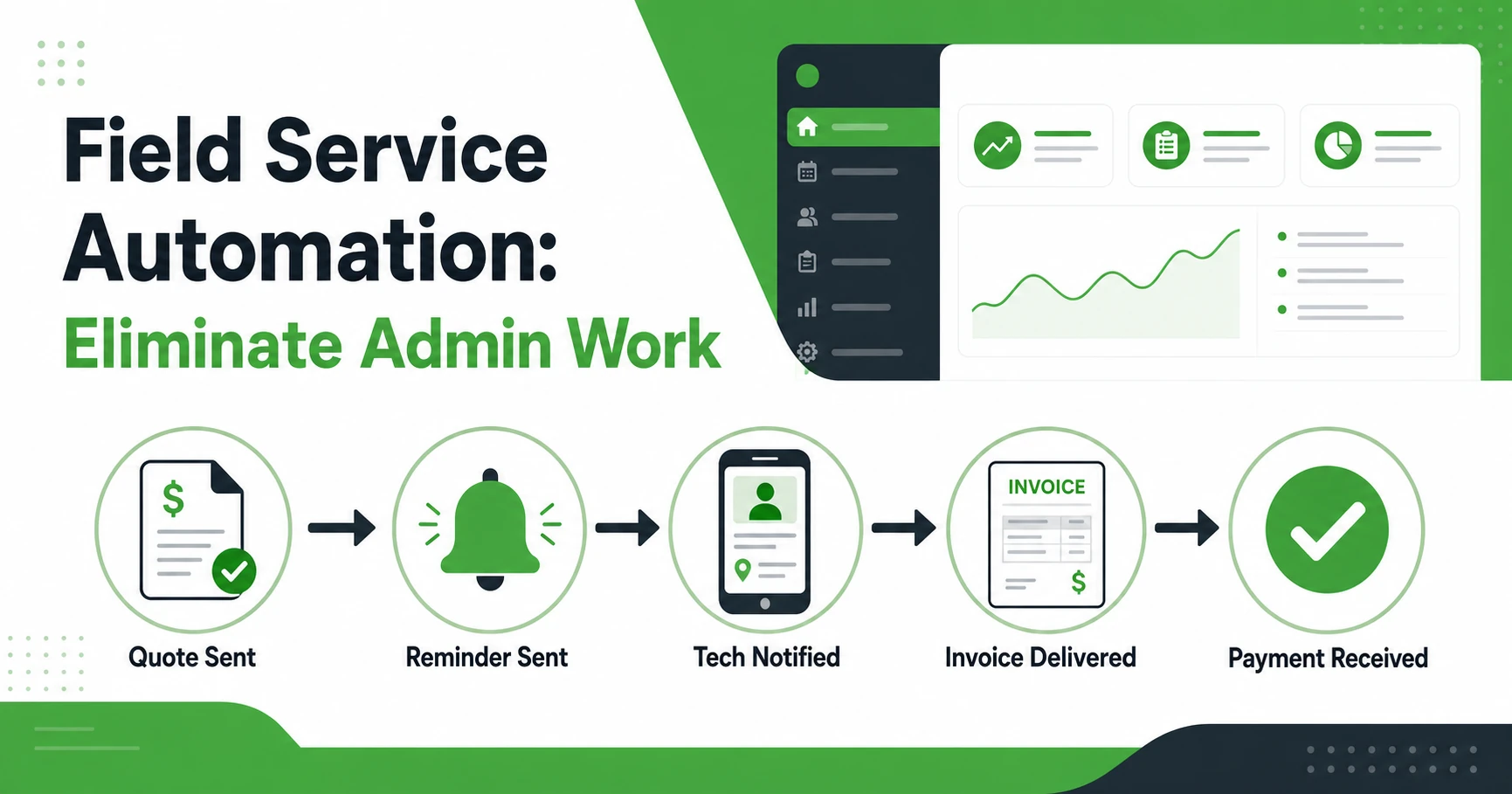
Quote creation with automated follow-up. Electrical quotes are often large-ticket jobs: panel upgrades, commercial rewires, generator installs. A platform that automatically follows up on open quotes recovers jobs you would otherwise lose to silence.
Job tracking with photo capture and checklist forms. Technicians need to document work as they go: before-and-after photos, sign-off on compliance checklists, notes on materials used. Having that in the app means it lives in the job record, not a text thread.
Same-day invoicing and online payment collection. The goal is to invoice on the day the job closes, not three days later when you’re back at the office catching up.
GPS and time tracking for field technicians. Knowing where your crew is and how long they’ve been on site matters for both scheduling accuracy and job costing.
Client communication. Two-way SMS and a client portal so customers can approve quotes, see appointment times, and pay invoices without calling your office.
Reporting and job profitability. Which jobs made money? Which crews are most efficient? Which service type has the highest average ticket? A dashboard that answers those questions beats a spreadsheet every time.
What you don’t need is a generic CRM built for sales teams and adapted for field service as an afterthought. Those tools handle contacts well but fall apart at job-level tracking, dispatch, and same-day invoicing.
The Key Features That Matter Most for Electrical Contractors
Scheduling and Dispatch Without the Whiteboard
Most electrical businesses schedule on whiteboards, shared Google Calendars, or in their heads. That works until you’ve got more than two or three technicians. The moment someone calls in sick, finishes early, or takes a call-back job, a static calendar becomes a liability.
Scheduling and dispatch software built for field service lets you assign jobs based on technician availability, skill level, and current location. When a job is reassigned or rescheduled, the technician’s phone updates automatically. No group texts. No confusion about who is going where.
Professional Quoting with Automated Follow-Up
A commercial electrician might spend 45 minutes putting together a detailed quote for a $15,000 panel upgrade. If that quote doesn’t get a follow-up, it often just dies. The client got busy, received another quote, or assumed you weren’t interested.
Software that sends automatic follow-up reminders to clients who haven’t responded recovers jobs you never knew you were losing. You also want quote software that lets clients approve the job online from their phone, without needing to call you back.
A Mobile App That Techs Actually Use in the Field
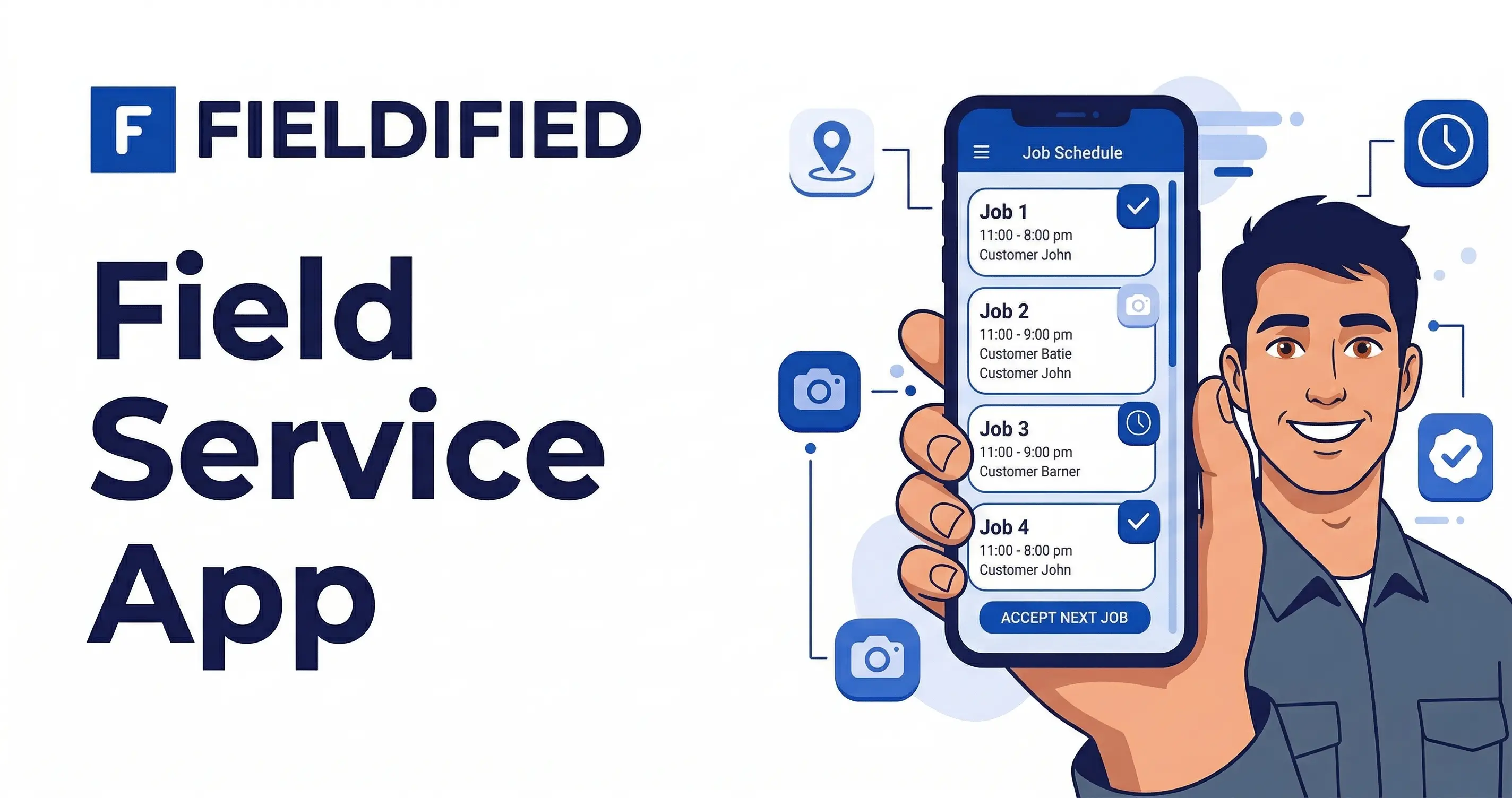
Your technicians are on job sites all day. They need job details, client notes, prior service history, and compliance checklists without calling the office. They need to upload photos of completed work and capture a client signature before they leave the site.
A mobile-first platform gives every technician full access to everything they need from their phone, on any device, with no extra hardware cost.
Invoicing the Day the Job Closes
Every day between job completion and invoice delivery is a day you’re waiting on cash. An electrician who finishes a job on Tuesday and invoices on Friday has already introduced four days of unnecessary delay into their cash flow.
Software that generates an invoice the moment a job is marked complete, sends it to the client by text and email, and lets them pay online cuts that gap down to hours.
AI Receptionist for Calls You Can’t Answer
Electricians can’t answer their phone mid-job. You’re on a live circuit, working inside a panel, or 30 feet up in a commercial ceiling. Calls go to voicemail. Many of those callers don’t leave a message. They call the next number on Google.
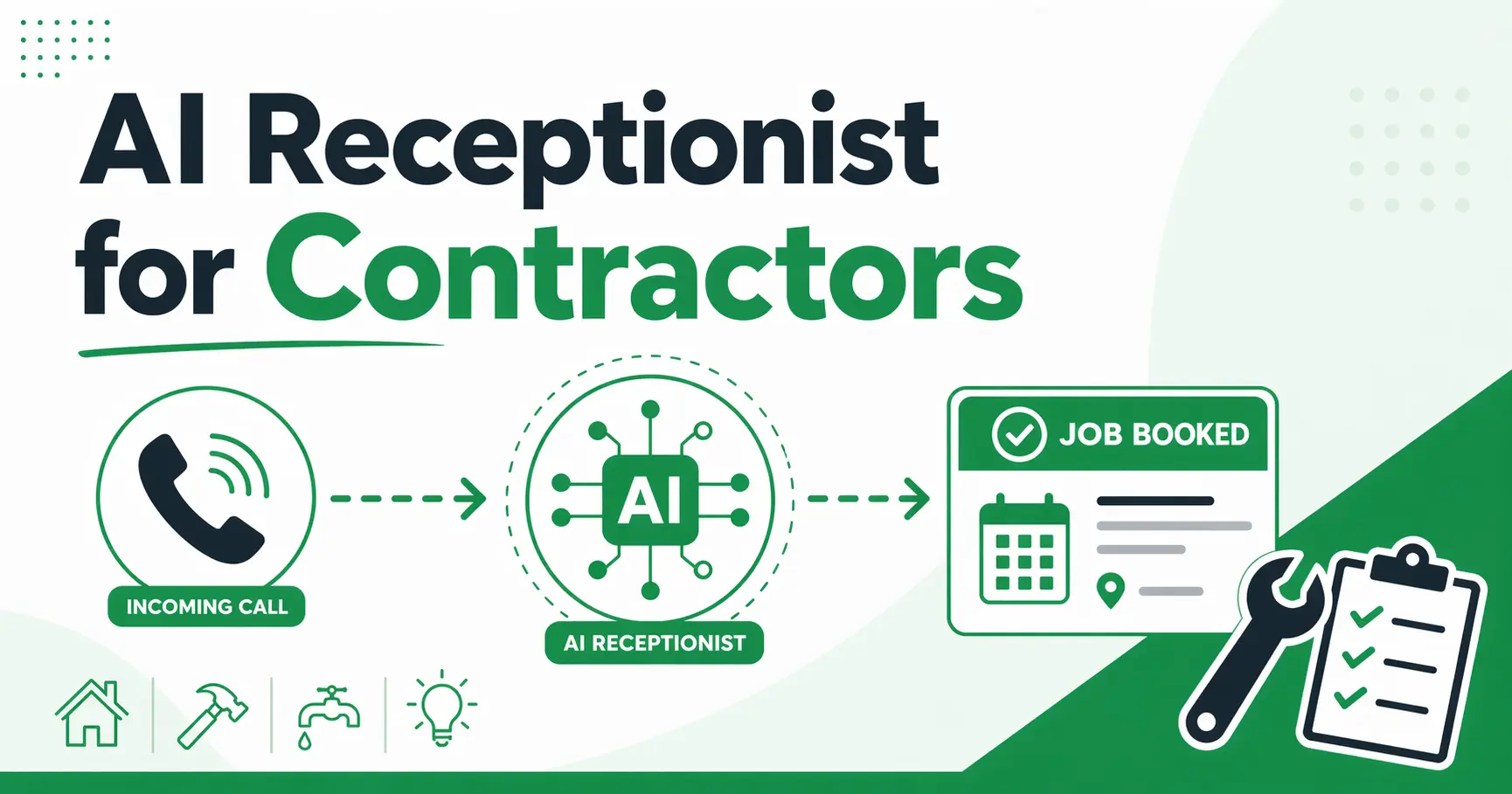
Fieldified’s AI Receptionist handles inbound calls 24 hours a day, 7 days a week. It captures the caller’s name, job details, and contact information, and books the job directly into your schedule. You don’t miss the call. The job gets booked without a front desk hire.
Running an electrical business on spreadsheets and missed calls costs you jobs you never even know you are losing. See how Fieldified handles every job from first call to final payment for electrical businesses. Book a free demo.
How Fieldified Works for Electrical Contractors
Here’s what a typical job looks like when your electrical business runs on Fieldified.
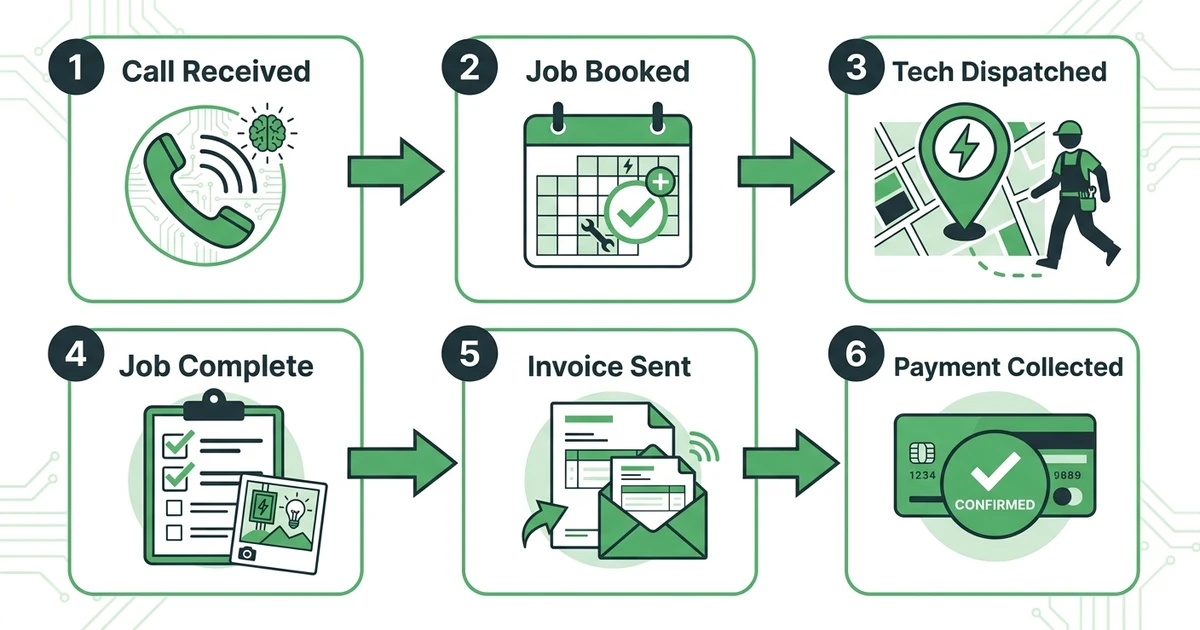
A customer calls at 7:45 AM while your lead technician is already at a commercial site. The AI Receptionist picks up the call, gets the details (residential panel upgrade, 200-amp service), and books the job into the next available slot. You see the new booking on your dashboard when you check in between calls.
You assign the job to a technician based on availability and skill set. The tech gets a notification on their phone with the full job details: client name, address, job description, and notes from the initial call. No group text. No “did you get my message?”
The technician arrives, completes the work, takes photos for the job record, and captures the client’s signature on their phone. The job is marked complete. An invoice generates automatically and goes to the client by text and email. The client pays online that afternoon.
Meanwhile, a quote you sent for a sub-panel installation three days ago just received an automated follow-up from the system. The client responds, approves the quote, and the job goes into the schedule.
That’s the full job lifecycle handled without a single phone call between your office and your crew.
If you want to see how other electrical businesses handle this in practice, take a look at how electricians manage scheduling and invoicing with field service software.
Fieldified uses flat per-plan pricing, so your software cost doesn’t increase every time you hire a new technician. The Basic plan starts at $49/month for up to 5 users. Standard is $119/month for up to 10 users with job costing, two-way SMS, and advanced reporting. Premium is $199/month for up to 15 users with a built-in marketing suite and custom automations.
Is Fieldified Right for Your Electrical Business?
”We’re too small for software”
If you’re running two or three technicians and spending two to three hours a day on scheduling, invoicing, and chasing quotes, that time costs more than a $49/month subscription. The question isn’t whether you’re too small for software. It’s whether you can afford to keep spending that time on admin instead of on jobs.
”We already use QuickBooks”
QuickBooks handles your accounting. Fieldified handles everything that happens before the invoice: quoting, scheduling, dispatch, job tracking, and client communication. They solve different problems and work in parallel without touching your accounting setup.
”We tried software before and it was too complicated”
Fieldified runs on any mobile device and takes hours to set up, not weeks. There’s no implementation consultant required, no months of onboarding, and no dedicated admin needed. You start a free trial, pull in your client list, and you’re booking jobs the same day.
”Our software bill got too expensive as we grew”
This is the most common reason electrical businesses switch platforms. Software that charges per user means every new hire increases your monthly bill. Fieldified’s flat plan pricing covers up to 5, 10, or 15 users depending on the tier. A 10-person electrical team on Standard costs $119/month regardless of headcount. That stays predictable as your business grows.
”We only do commercial work”
Fieldified handles both residential and commercial electrical jobs. Multi-day project tracking, compliance checklists, service agreements, and large-ticket quote workflows all work for commercial contractors. It doesn’t limit you to one job type.
Ready to reduce admin work and manage electrical jobs more efficiently?
Book a demo to see how Fieldified can support your team.
Frequently Asked Questions
What is electrical contractor software?
It is a field service management platform that handles the full job lifecycle for electrician businesses: scheduling, dispatching, quoting, job tracking, invoicing, and payment collection. It replaces spreadsheets, paper job cards, and disconnected tools with one system your office and field crew both use.
How much does it cost?
Costs vary by platform and pricing model. Fieldified starts at $49/month for up to 5 users, with plans at $119/month (10 users) and $199/month (15 users). Unlike per-user platforms, Fieldified uses flat per-plan pricing so your monthly cost stays predictable as your team grows.
Can electricians use Fieldified from a mobile device in the field?
Yes. Fieldified’s mobile app gives technicians full access to job details, checklists, photo uploads, client notes, and signature capture directly from their phone or tablet. The mobile app is included in all plans at no extra cost.
Does Fieldified work for both residential and commercial electrical businesses?
Yes. Fieldified supports both residential and commercial electrical contractors. You can manage one-off service calls, multi-day commercial projects, recurring maintenance agreements, and large-ticket quote jobs all within the same platform.
How long does setup take?
Fieldified is built to get running in hours, not weeks. There is no dedicated admin required and no months-long implementation process. You start a free trial, import your client list, and the platform walks you through setup. Most electrical businesses are running live jobs within their first day.
What if I already use QuickBooks for my electrical business?
QuickBooks handles your accounting. Fieldified handles everything that happens before the invoice: quoting, scheduling, dispatching, job tracking, and client communication. The two tools solve different problems and work side by side without replacing your accounting setup.
According to the U.S. Bureau of Labor Statistics, employment of electricians is projected to grow 9 percent from 2024 to 2034, much faster than the average for all occupations. More electricians means more competition for qualified technicians, and more pressure on business owners to run a tight operation.
The businesses that win in that environment are the ones that run efficiently: fewer missed calls, faster invoicing, crews that always know where to be. That is what the right software is built to deliver.
Fieldified is built for electrical businesses with 2 to 50 technicians. It handles every job from the first call to the final payment, with flat per-plan pricing that stays predictable as your team grows.
Stop losing electrical jobs to missed calls and slow quote follow-ups. Book a free demo and see the full job lifecycle in action.