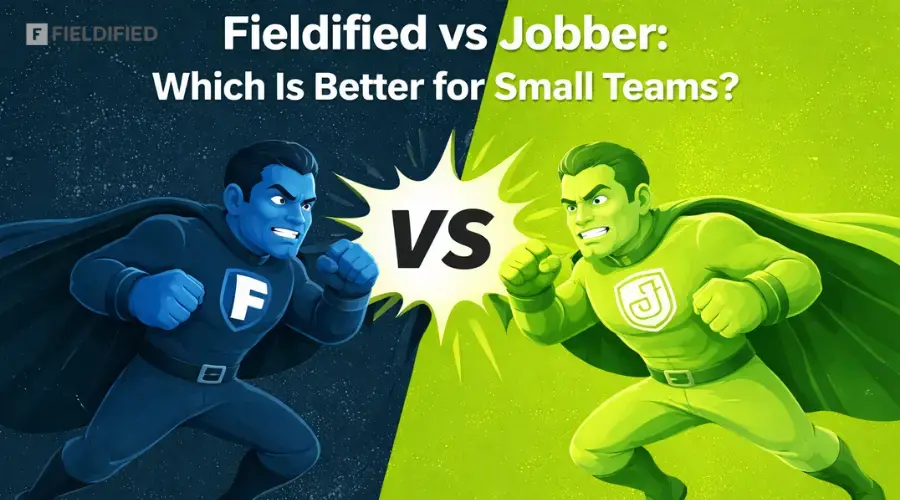





We know that big service companies have many options in the market to choose the best field service management software, which provides them with good value, works smoothly, and fits within a high-quality budget.
But what about small businesses?
They also want the same level of service and a good CRM software to run their business effectively and smoothly on the road to growth.
The problem is, most small service companies don’t have enough budget to afford costly CRM tools. Keeping this in mind, two of the most affordable field service management apps were built, called Jobber and Fieldified.
They both are good at managing clients, jobs, schedules, and workflows in one tool. Both can help small teams save time, stay organized, and manage daily operations easily. That’s why it can be challenging for small teams to choose the right one.
That’s why we’re here to help you choose the best app that is affordable and suitable for your small team. Here, you’ll get to know about both software options, their features, pricing, and the differences chart that help you make the right decision for your business at last.
Jobber
Jobber is a field service CRM app that helps service businesses run their work with confidence. It brings quoting, scheduling, invoicing, and payments into one place, allowing teams to manage daily tasks easily without confusion. Jobber helps service professionals take back their time and speed up their business growth. From managing clients and schedules to sending invoices and getting paid faster, Jobber keeps everything organized and simple for small and growing service businesses.
What Jobber Helps You Do
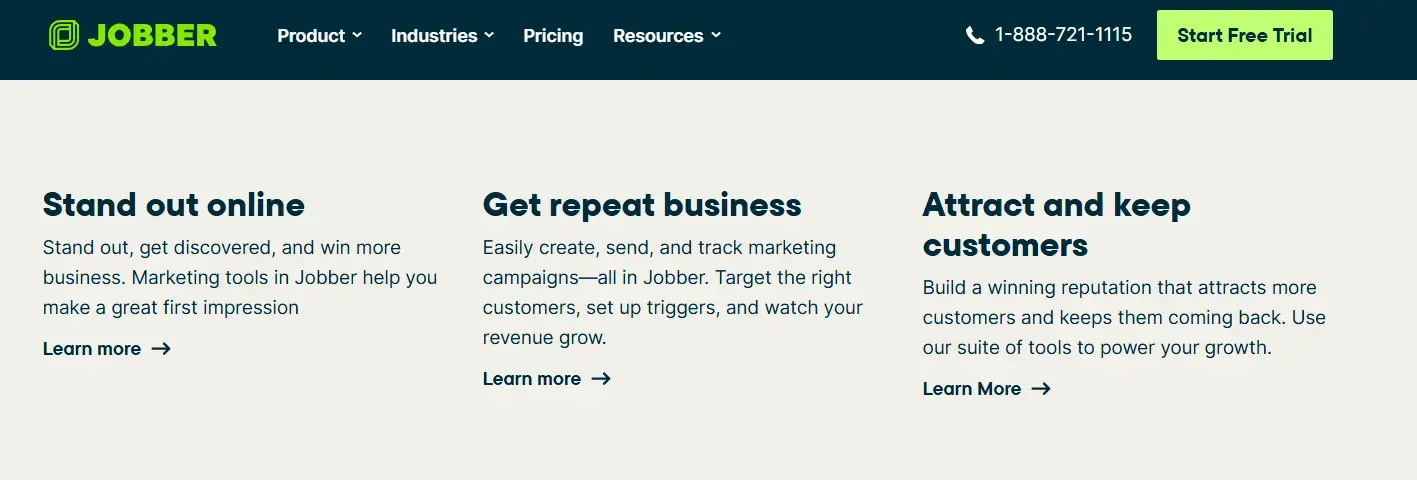
1. Stand Out Online
Jobber helps your business stand out online and get noticed by more customers. Its marketing tools help you create a strong first impression. This makes it easier for people to find your services and choose you over others.
2. Get Repeat Business
Jobber makes it easy to create, send, and track marketing campaigns in one place. You can target the right customers and send messages at the right time. This helps bring customers back and grow your revenue.
3. Attract and Keep Customers
Jobber helps you build a strong reputation that attracts new customers and keeps them coming back. Its tools support a better customer experience and smooth communication. This helps your business to grow and expand over time.
Industries Jobber Works With
Here’s the industry’s jobber works for:
- HVAC
- Plumbing
- Electrician
- Roofing
- Construction & Contracting
- Landscaping
- Lawn Care
- Tree Care
- Pool Service
- Pest Control
Or more to find in the chart below 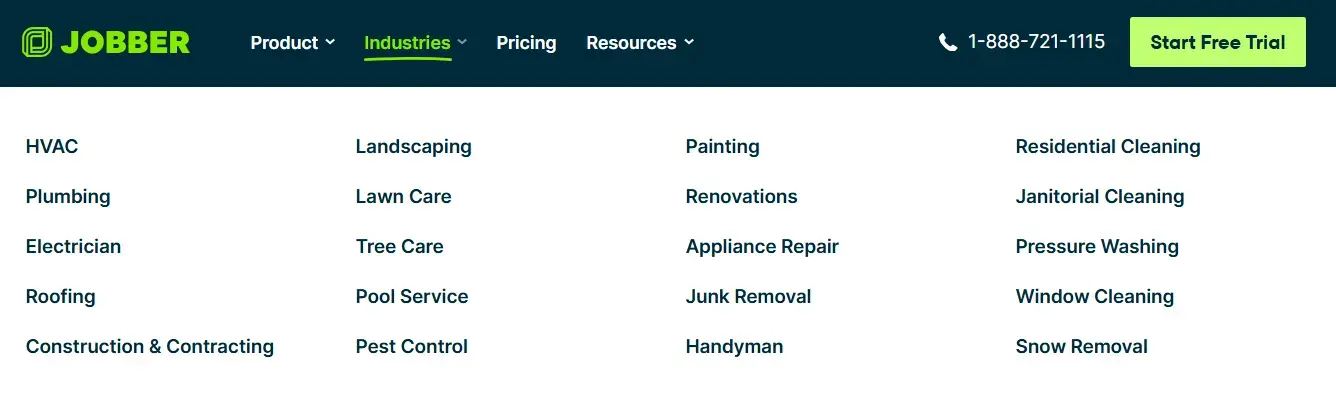
Jobber Pricing For Individuals
1. Core Plan
$29 / month (1 user, billed annually)
This is the basic plan for solo service professionals. It helps you book and schedule jobs online, send professional quotes and invoices, receive online payments, create a business website, and view basic reports.
2. Connect Plan (Most Popular)
$89 / month (1 user, billed annually)
This plan is great for individuals who want automation. It includes automated reminders, job documentation, quote and invoice follow-ups, QuickBooks integration, and time and expense tracking to reduce manual work.
3. Grow Plan
$149 / month (1 user, billed annually)
This is best for individuals who want to scale their business. It offers advanced quote customization, job costing, automatic time tracking, two-way SMS with customers, and custom workflow automations.
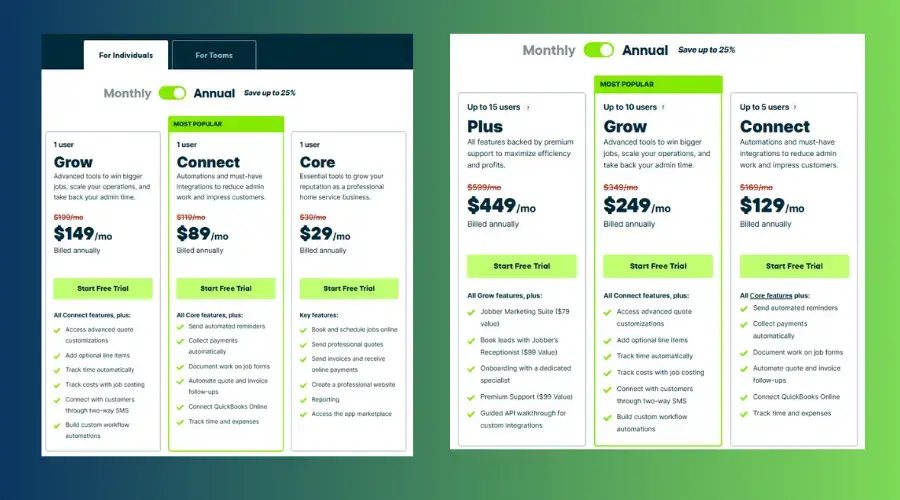
Jobber Pricing For Teams
1. Connect Plan
$129 / month (Up to 5 users, payable annually)
This plan is ideal for small teams. It helps automate reminders, collect payments automatically, manage job forms, automate quotes and invoices, and track time and expenses easily.
2. Grow Plan (Popular)
$249 / month (Up to 10 users, payable annually)
Best for growing teams that want better control and efficiency. It includes advanced quote customizations, optional line items, job costing, automatic time tracking, customer communication via SMS, and workflow automations.
3. Plus Plan
$449 / month (Up to 15 users, payable annually)
This plan is made for larger teams that need premium support. It includes all Grow features along with Jobber’s marketing suite, receptionist support, guided onboarding, premium customer support, and custom integrations.
Jobber Alternative (Fieldified)
Fieldified is a jobber alternative; businesses that are looking for a tool that can work like a jobber but at affordable prices can choose this. This all-in-one field service management software helps run your entire service business from one simple platform. From scheduling jobs and managing clients to sending invoices and getting paid faster.
Fieldified is built for small teams and service professionals who want to work smarter and stay organized. This software is trusted by contractors and field service teams across 20+ countries.
What Fieldified Helps You Do
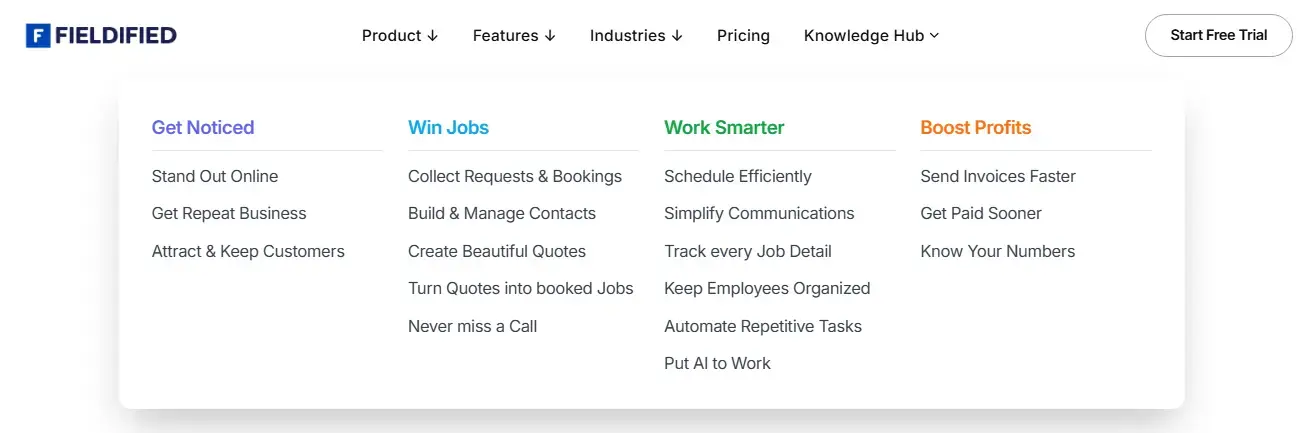
1. Get Noticed
Fieldified helps your business stand out online with a professional presence. It attracts new customers and helps you keep existing ones. You can also get more repeat business easily.
2. Win Jobs
Fieldified lets customers send service requests and book jobs easily. You can manage contacts, create professional quotes, and turn them into confirmed jobs. You never miss a call or opportunity.
3. Work Smarter
Fieldified helps you schedule jobs efficiently and organize your team better. It simplifies communication and tracks every job detail in one place. Automation and AI save time on daily tasks.
4. Boost Profits
Fieldified helps you send invoices faster and get paid sooner. You can track time, expenses, and job costs easily. Clear reports help you understand and grow your business.
Industries That Use Fieldified
Fieldified works perfectly for:
And many more…. Which you can see in the chart below. 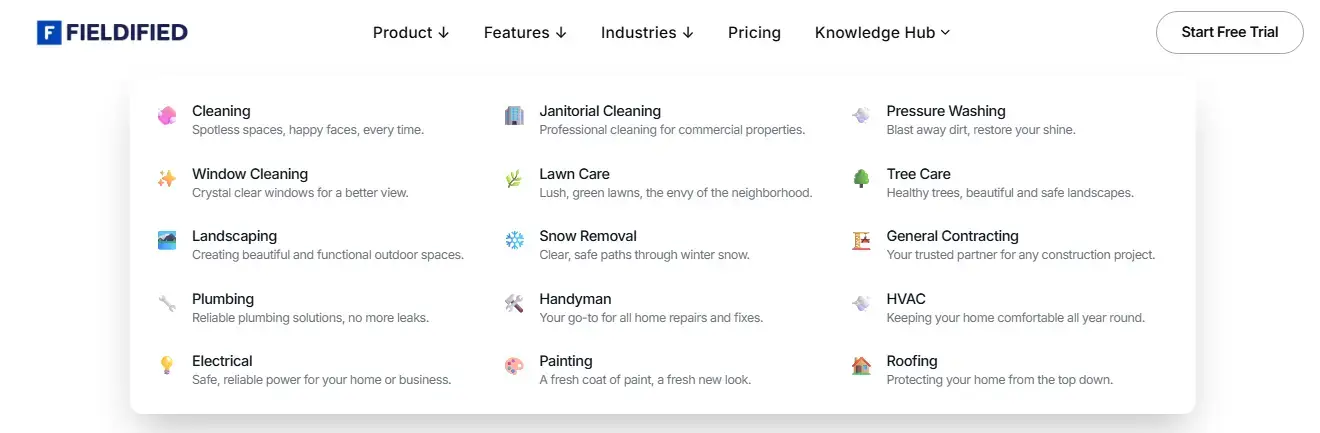
Fieldified Pricing For Individual Users
1. Basic Plan
$15 / month only for 1 user
It’s a starter plan where you can schedule jobs online, send professional quotes and invoices, and create a business website. You also get basic reporting to track your work.
2. Standard Plan
$30 / month for 1 user
This popular plan is best for small teams and daily work management. It includes automated reminders, job documentation, time and expense tracking, custom fields, and full reporting.
3. Premium Plan
$50 / month for 1 user
Best for growing companies that need advanced features. It offers quote customization, job costing, automatic time tracking, custom workflows, and Zapier integration. 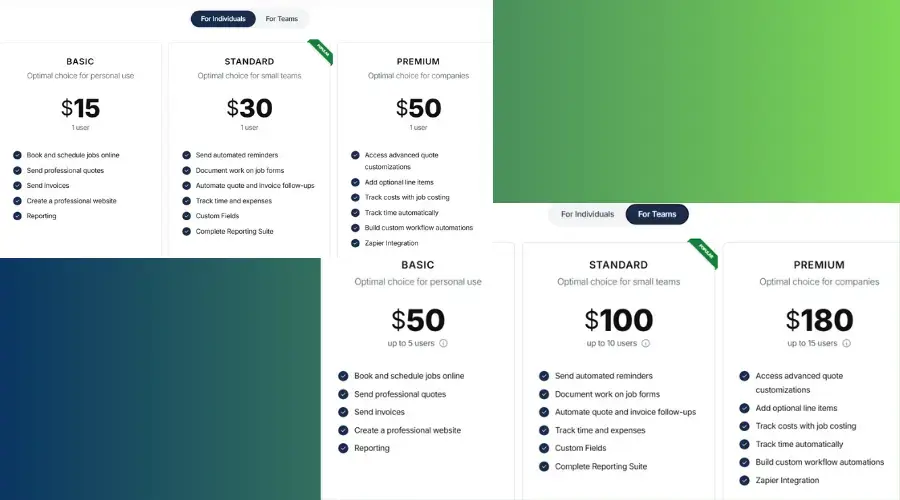
Fieldified Pricing For Teams
1. Basic Team Plan
$50 / month (Up to 5 users)
Here you can schedule jobs online, create professional quotes and invoices, build a business website, and use reporting tools to track your work.
2. Standard Team Plan (Popular)
$100 / month (Up to 10 users)
You can send automated reminders, manage job documentation, automate quotes and invoices, track time and expenses, use custom fields, and access a full reporting suite.
3. Premium Team Plan
$180 / month (Up to 15 users)
After buying this plan, you get advanced quote customization, job costing, automatic time tracking, custom workflows, and Zapier integration.
Free Trial - Fieldified offers a free forever plan and a 1-month free trial on all paid plans, so you can test the software before upgrading.
Differentiate chart
| Feature | Fieldified | Jobber |
|---|---|---|
| Pricing & Affordability | More budget-friendly, especially for small teams and startups. Offers lower monthly plans. | More expensive, mainly suitable for businesses with a higher budget and long-term plans. |
| Best For | Small service teams, freelancers, and businesses just starting out. | Growing and established service businesses that need advanced tools. |
| Ease of Use | Simple and easy to use with basic but powerful features for daily operations. | Feature-rich platform that may take more time to learn for beginners. |
| Automation & Advanced Tools | Offers essential automation and workflows, good enough for small teams. | Strong automation, marketing tools, SMS, and advanced workflow options. |
| Free Trial & Flexibility | Free forever plan + 1-month free trial on paid plans. | Free trial available, but no free forever plan. |
Which Software is Better for Your Small Team?
The comparison clearly shows that Fieldified is a better choice for small teams and businesses that are just starting out. It is affordable, easy to use, and covers all basic daily needs. On the other hand, Jobber is more suitable for growing businesses that already have a stable customer base and want advanced features and automation.
Before choosing the right software, it’s important to understand your business needs and budget. Every team works differently, so the best tool is the one that fits your workflow and future plans.
Things to Check Before Choosing:
- Your monthly budget and pricing plans
- Team size (solo, small team, or growing team)
- Required features like scheduling, invoicing, and automation
- Ease of use for you and your team
- Free trial or demo availability
By checking these points, you can choose the right software that supports your team and helps your business grow smoothly.
FAQs
1. Fieldified or Jobber Which is better for small service businesses?
Fieldified is better for small teams and new businesses because it is more affordable. Jobber is a good choice for growing service businesses that need advanced automation and features.
2. What is the best field service management software for small teams?
Fieldified is one of the best field service management software options for small teams. It offers job scheduling, invoicing, time tracking, and CRM tools at a lower cost.
3. Is Jobber worth the price for small businesses?
Jobber is worth the price if your business is growing and needs advanced features like job costing, workflow automation, and customer communication tools.
4. Can Fieldified be used as a Jobber alternative?
Yes, Fieldified is a strong Jobber alternative for small service businesses. It provides similar core features at a more budget-friendly price.