EN
EN DE
DE ES
ES FR
FR NL
NL PT
PT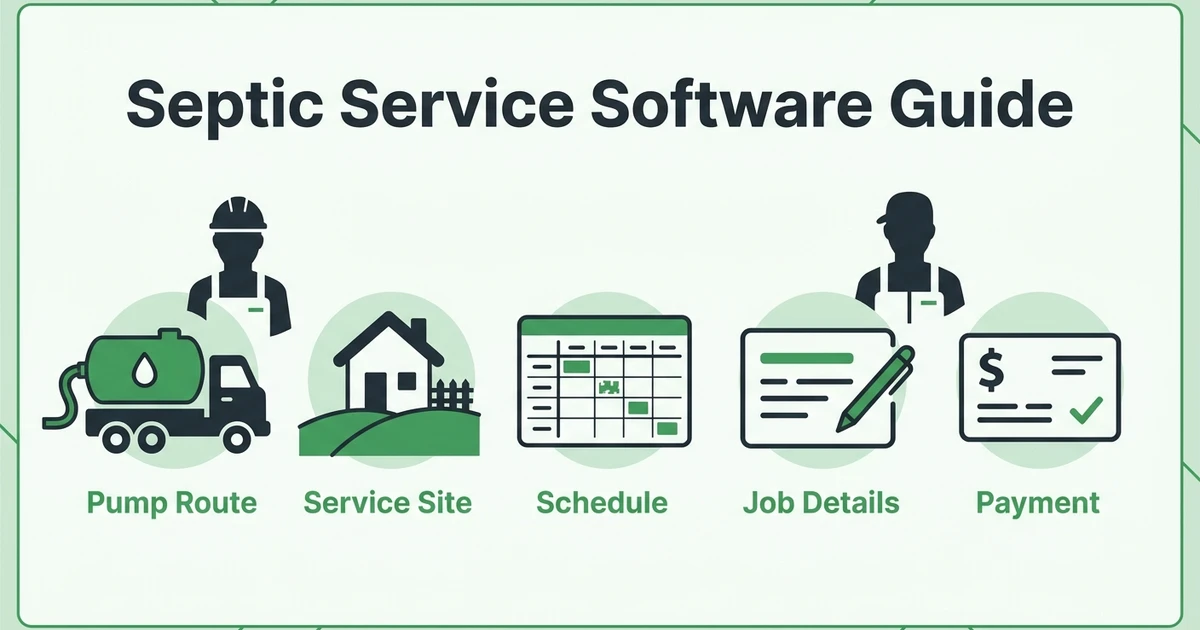





Quick Answer: Septic service business software Septic service business software helps pumping and maintenance companies schedule jobs, dispatch trucks, track customer and property history, create invoices, and collect payments from one system. The best setup for a small septic team should handle recurring routes, emergency calls, field notes, estimates, and payment reminders without adding office complexity.
A septic company can lose control of the day before the first truck leaves. One customer needs a scheduled pump-out. Another calls with a backup. A dispatcher is moving a route, while the office is still chasing an unpaid invoice.
That is the point where septic service business software becomes more than a nice-to-have. It gives everyone one place to manage routes, records, invoices, and payments.
The demand is real. EPA says more than one in five U.S. households depend on septic or decentralized wastewater systems in its septic systems overview. For local operators, that means steady work and profitable routes.
Why Septic Service Businesses Outgrow Spreadsheets and Whiteboards
Spreadsheets and whiteboards can work when one owner handles every call, route, and invoice. They start breaking when the business has multiple trucks, recurring maintenance customers, emergency pump-outs, and office staff answering customer questions.
A septic route is not just a list of addresses. Each job can include access notes, last service date, gate codes, hose distance, disposal timing, inspection notes, and payment status. If that information lives in different places, your crew wastes time asking the office what should already be on the work order.
Common failure points include:
- Recurring pump-outs get missed because reminders are manual
- Emergency jobs get added without checking route impact
- Property notes stay in a technician’s notebook
- Customers call for history the office cannot quickly find
- Completed jobs do not become invoices until days later
- Payment follow-up depends on someone remembering the balance
What Is Software for Septic Service Companies?
Software for septic service companies manages the daily work of a septic pumping or maintenance company. It connects calls, estimates, scheduling, dispatch, field updates, customer records, invoices, payments, and follow-up in one workflow.
A strong setup should help your office answer questions like:
- Who is assigned to this pump-out?
- Has this property been serviced before?
- What tank or access notes should the driver know?
- Can we fit an emergency call into today’s route?
- Has the customer approved the estimate?
- Was the invoice sent after the job?
- Has payment been collected?
When those answers live in one place, the office spends less time chasing information.
The Core Features Septic Pumping Software Should Include
Good septic pumping software should cover the full job lifecycle. That starts with the first call or online request and ends only when the job is documented, invoiced, paid, and ready for future service reminders.
Here is what matters most for a small septic team:
| Feature | What it should do | Why septic companies need it |
|---|---|---|
| Scheduling | Book one-time and recurring service calls | Pumping work often depends on service intervals |
| Dispatch | Assign trucks and adjust routes | Emergency calls can change the whole day |
| Customer records | Store contact and service history | The office needs fast answers when customers call |
| Property notes | Track access, tank, and site details | Crews need field context before arrival |
| Job tracking | Capture notes, photos, forms, and status | Completed work should be documented clearly |
| Estimates and invoices | Create quotes, invoices, and payment links | Field work has to turn into collected revenue |
| Payment reminders | Follow up on unpaid invoices automatically | The office should not chase every balance by hand |
Fieldified fits this kind of daily workflow because it connects scheduling, dispatch, job tracking, customer records, invoices, payments, and follow-up in one place. That matters when a pump-out starts as a phone call, turns into a route change, and needs to be invoiced before the day is over.
How Septic Scheduling Software Keeps Routes Profitable
Septic scheduling software should do more than put appointments on a calendar. It should help you keep routes tight, adjust when urgent calls come in, and give the crew the information they need before they arrive.
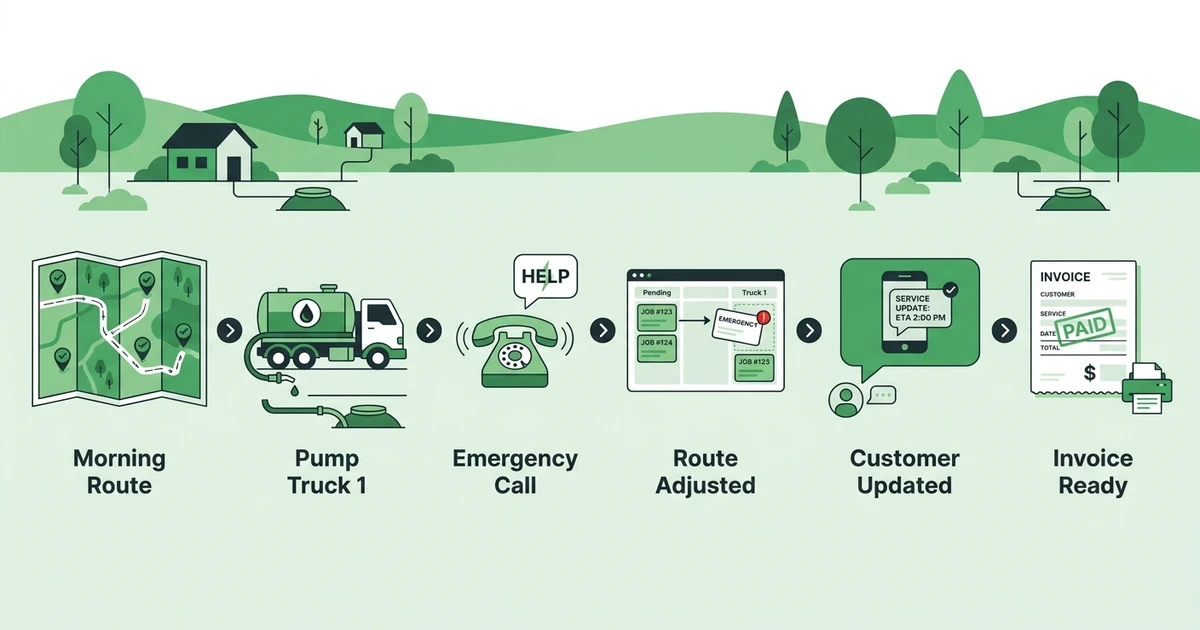
Route density matters in septic work because trucks spend real time driving between properties, disposal points, and emergency calls. If the dispatcher is constantly rebuilding routes by hand, the business loses time that could have been used for another service call.
With septic scheduling and dispatch workflows, the office can see assignments, adjust the schedule, and keep the team aligned as the day changes. That does not remove every surprise, but it gives the dispatcher a better way to respond.
This is also where fleet habits matter. A septic business that tracks truck movement, route timing, and job completion more carefully can make better decisions about service areas and daily capacity. Fieldified’s guide to practical fleet management for field service teams is useful background for that kind of thinking.
Book a Fieldified demo and see how your septic service team can schedule routes, track job details, send invoices, and follow up on payments from one place.
Why Customer and Property History Matters in Septic Service
Septic companies do not just manage customer names. They manage properties. One customer may have multiple service locations, different access notes, different tank details, and different service histories.
That is why customer and property history should be easy to find from the office and the field. A driver should not have to call the dispatcher to ask where the lid is located if that note was captured on the last visit. The office should not have to search old texts when a customer asks when their tank was last pumped.
Useful records include:
- Customer contact details and service address
- Tank access instructions and property notes
- Last pump-out date and previous job photos
- Inspection notes, estimates, invoices, and communication preferences
Fieldified helps teams manage customer and property records in one place, then connect those records to actual jobs.
Field records also protect the business. When a customer questions what was completed, photos, notes, signatures, and timestamps give the office a clearer answer than memory. Fieldified’s job tracking tools help crews track every job detail from the field, including notes and completion details tied to the work order.
How Septic Service Invoicing Software Improves Cash Flow
Septic service invoicing software helps finished work become collected revenue faster. The key is connecting the field update to the invoice, so the office is not waiting on a paper ticket, a text message, or a Friday admin session.
IBISWorld estimates U.S. septic, drain, and sewer cleaning services revenue at $8.1bn in 2025 in its industry research. It also reports that no company holds more than five percent market share in the same industry analysis. That points to a fragmented market where local operators compete on response time, reliability, and clean follow-through.
Invoicing is part of that follow-through. If a pump-out is complete but the invoice is still sitting in a stack of paperwork, the job is not really finished from a business standpoint.
A good invoicing workflow should help you create the invoice as soon as the job is complete, send payment links, track paid and unpaid balances, and keep invoice history tied to the customer record.
Fieldified helps septic teams send invoices faster after each service call, then follow up without making the office chase every unpaid balance manually. If you need a simple template for one-off billing, Fieldified also offers a contractor invoice generator.
How to Evaluate Septic Service Business Software
Before choosing software, separate septic-specific needs from generic feature claims. A system can look polished and still fail if it does not help your office manage routes, property notes, field updates, and payments.
Use this checklist when comparing options:
- Can it handle recurring septic jobs and one-time emergency calls?
- Can dispatchers adjust routes without rebuilding the day manually?
- Can technicians update job status from the field?
- Can it store customer and property notes together?
- Can it attach photos, job notes, and completion details to a work order?
- Can it create estimates and invoices quickly?
- Can it send payment reminders automatically?
- Is pricing practical for a small septic crew?
- Can the office and field team learn it without a long setup?
Also watch the pricing model. Some field service systems charge per user, which can get expensive when you add another driver, technician, or office helper. If you are comparing Fieldified against Jobber, this field service pricing comparison explains how flat plan pricing can matter for growing teams.
Here is the practical way to think about fit:
| Option | Good fit | Watch-out |
|---|---|---|
| Whiteboard and paper route sheets | Owner-operators with very low job volume | Route changes, records, and invoicing depend on memory |
| Generic CRM | Teams that mainly need contact storage | Usually weak on field updates, dispatch, and service invoicing |
| Field service software | Septic teams managing routes, crews, records, invoices, and payments | Needs to be simple enough for daily field use |
Is Fieldified Right for a Septic Service Business?
Fieldified is a strong fit for septic service companies that want daily operations in one place: customer intake, scheduling, dispatch, job tracking, client communication, invoices, payments, and follow-up.
It is not a compliance-manifest-only septic database. The better fit is the small or growing septic team that needs route control, field records, customer history, and faster billing.
For septic operators, the useful pieces are practical:
- Scheduling and dispatch for route planning and same-day changes
- Mobile job access for field crews
- Customer and property records tied to service history
- Job notes and completion details from the field
- Estimates, invoices, payment links, and reminders
- Flat per-plan pricing for teams watching overhead
Fieldified is especially useful when the owner is still too involved in dispatch and admin. The goal is one reliable place to see what is booked, who is assigned, what happened on site, and whether the job has been paid.
Frequently Asked Questions
What is software for septic service companies?
Septic service business software helps pumping and maintenance companies manage calls, routes, technicians, customer records, job notes, invoices, and payments from one system. It keeps the office and field crew working from the same job information instead of relying on paper route sheets or memory.
What features should septic pumping software include?
Good septic pumping software should include scheduling, dispatch, recurring service reminders, property history, mobile job notes, photos, estimates, invoices, online payments, and payment reminders. For small teams, the system should be easy enough for both office staff and technicians to use every day.
Can septic scheduling software manage recurring pumping routes?
Yes, the right scheduling setup should help you manage recurring pump-outs, emergency calls, technician availability, and route changes. The goal is to keep trucks moving through tight service areas instead of wasting time rebuilding the day by hand.
How does septic service invoicing software help companies get paid faster?
It helps by connecting job completion to invoice creation, payment links, and automated reminders. When the office can send an invoice the same day a pump-out is completed, there is less delay between finished work and collected payment.
Is Fieldified built for septic pumping companies?
Fieldified is built for field service teams that need scheduling, dispatch, job tracking, customer records, invoices, and payments in one place. It is a strong fit for septic service companies that want to run daily operations more clearly, though it is not a compliance-manifest-only septic database.
Conclusion: Run Septic Routes With Less Office Chasing
Septic companies do not need software because software sounds impressive. They need a cleaner way to manage calls, recurring pump-outs, emergency schedule changes, property notes, invoices, and payment follow-up.
The right system keeps the route visible and the records useful. The office knows what is booked, the crew knows what to expect on site, and completed work turns into an invoice without waiting for paperwork to catch up.
Book a Fieldified demo and see how your septic service team can schedule routes, track job details, send invoices, and follow up on payments from one place.