EN
EN DE
DE ES
ES FR
FR NL
NL PT
PT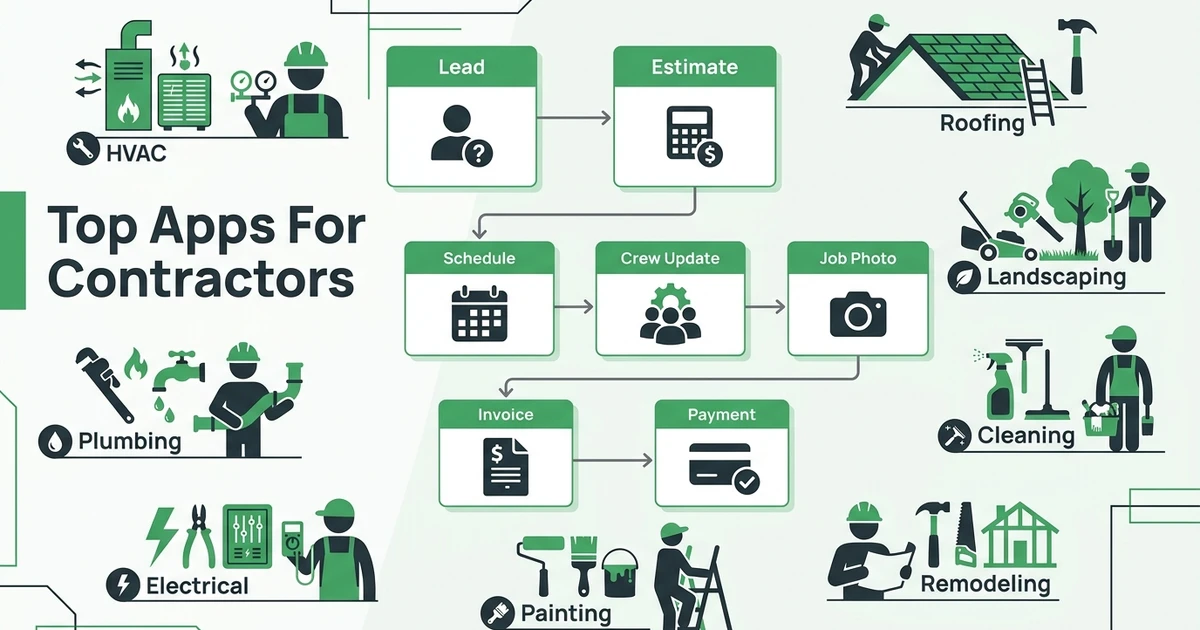





Quick Answer:
The best apps for contractors help manage jobs, crews, estimates, customer communication, invoices, payments, photos, time, and routes without forcing the owner to jump between disconnected tools. Fieldified is the best all-in-one field service app for contractors who want the full quote-to-payment workflow in one place.
TL;DR:
- Fieldified - Best all-in-one field service app for contractors
- Jobber - Best for simple home service operations
- Housecall Pro - Best for residential service teams
- FieldPulse - Best for small contractors organizing jobs
- Workiz - Best for call-heavy service businesses
- Service Fusion - Best for unlimited-user field service basics
- Contractor Foreman - Best for construction project controls
- Buildertrend - Best for remodelers and builders
- JobNimbus - Best for roofing and exterior contractors
- Procore - Best for large construction teams
- JobTread - Best for estimating-to-project workflows
- Houzz Pro - Best for design-build and remodeling leads
- Joist - Best for simple estimates and invoices
- QuickBooks - Best for accounting
- Fieldwire - Best for field coordination, task tracking, and punch lists
- CompanyCam - Best for jobsite photo documentation
- magicplan - Best for measurements and floor plans
- ClockShark - Best for crew time tracking
- Workyard - Best for GPS time and job costing
- Route4Me - Best for standalone routing
- Google Workspace - Best for basic documents and collaboration
Contractor apps are not one category. A roofing company may need sales-to-production tracking. A plumber may need dispatch, customer notes, and invoices. A remodeler may need project schedules, selections, documents, and change orders.
This list helps you compare the right app for the job, then decide whether you need one core field service system or a stack of specialist tools.
What do apps for contractors help you manage?
These apps help manage the work that usually gets scattered across texts, spreadsheets, paper forms, phone photos, calendars, and accounting software. That includes leads, estimates, schedules, crews, job notes, photos, customer communication, invoices, payments, routes, time tracking, and reporting.
The hard part is not finding an app. The hard part is choosing the right type of app. A field service contractor running daily HVAC calls needs different workflows than a builder managing a six-month remodel.
Most contractor software fits into a few buckets:
- Field service management apps
- CRM and lead management apps
- Estimating and invoicing apps
- Construction project management apps
- Photo and documentation apps
- Time tracking apps
- Accounting apps
- Route planning apps
If your main workflow is jobs, crews, customers, invoices, and payments, start with job management software before adding more point tools.
For crews working from phones all day, the field service mobile app guide explains what technicians should be able to update without calling the office.
Why contractors outgrow texts, spreadsheets, and paper
Texts and spreadsheets feel flexible until the owner is the only person who knows what is happening. A remodeling lead sends photos by text, the quote is in one app, the schedule is in a calendar, the crew notes are on paper, and the invoice sits in accounting software.
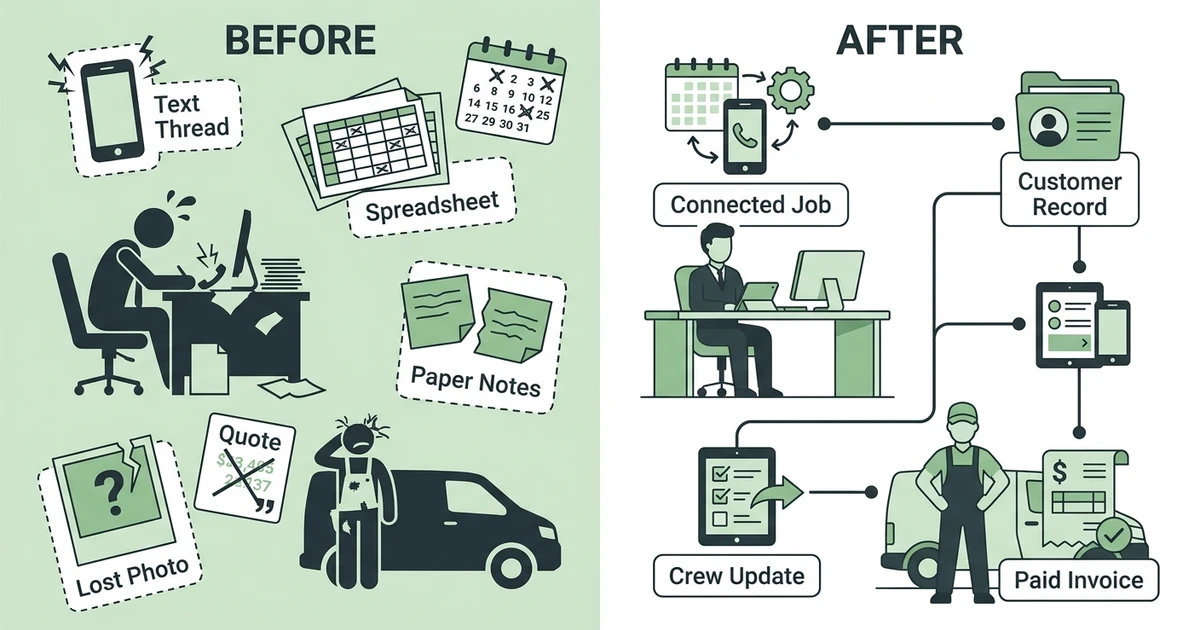
The labor market makes that admin drag more expensive. The Bureau of Labor Statistics projects about 649,300 annual openings in construction and extraction occupations from 2024 to 2034 in its occupational outlook.
Field service trades face similar pressure. BLS also projects about 608,100 annual openings in installation, maintenance, and repair occupations from 2024 to 2034 in its occupational outlook.
That means contractors need apps that help current teams work cleaner. Hiring more people will not fix missed job notes, delayed invoices, or customer history scattered across five phones.
Quick comparison: top 21 contractor tools
Use this table to decide which category deserves your attention first. A field service app, photo app, accounting tool, and construction project platform can all help a contractor, but they should not be compared as if they do the same job.
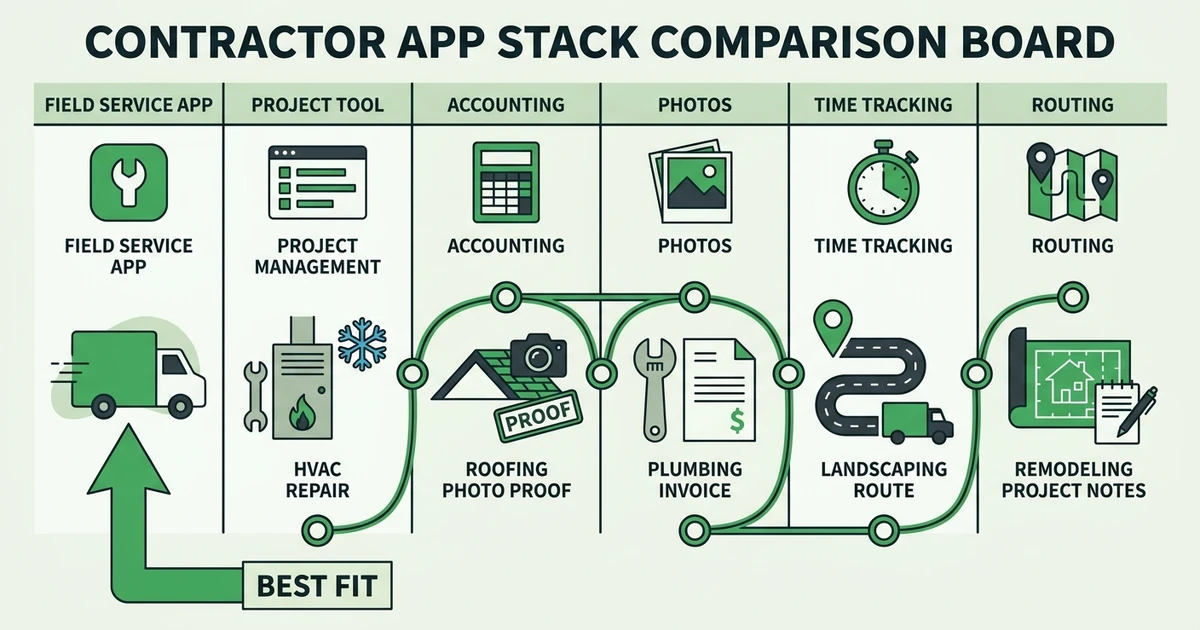
If you run daily service work, start with field service fit and job lifecycle coverage. If you run long construction projects, project controls and client documentation may matter more.
| Rank | App | Best for | Main workflow | Field service fit | Pricing style |
|---|---|---|---|---|---|
| 1 | Fieldified | Field service contractors | Quote to payment | Excellent | Published flat plans |
| 2 | Jobber | Home services | Jobs and customers | Strong | Tiered plans |
| 3 | Housecall Pro | Residential teams | Scheduling and payments | Strong | Tiered plans |
| 4 | FieldPulse | Small contractors | Jobs and invoices | Strong | Tiered plans |
| 5 | Workiz | Call-heavy teams | Calls and dispatch | Strong | Tiered plans |
| 6 | Service Fusion | FSM basics | Jobs and dispatch | Strong | Flat monthly plans |
| 7 | Contractor Foreman | Construction contractors | Projects and forms | Good | Tiered plans |
| 8 | Buildertrend | Remodelers and builders | Project management | Limited | Tiered plans |
| 9 | JobNimbus | Exterior contractors | Sales to production | Good | Custom pricing |
| 10 | Procore | Large construction | Project controls | Limited | Custom pricing |
| 11 | JobTread | Builders and remodelers | Estimates to projects | Limited | Tiered plans |
| 12 | Houzz Pro | Design-build teams | Leads and projects | Limited | Tiered plans |
| 13 | Joist | Small contractors | Estimates and invoices | Fair | Tiered plans |
| 14 | QuickBooks | Accounting | Books and invoices | Companion app | Tiered plans |
| 15 | Fieldwire | Field coordination | Plans, tasks, and punch lists | Limited | Tiered plans |
| 16 | CompanyCam | Photo documentation | Job photos | Companion app | Tiered plans |
| 17 | magicplan | Measurements | Floor plans | Companion app | Tiered plans |
| 18 | ClockShark | Time tracking | Timesheets | Companion app | Tiered plans |
| 19 | Workyard | GPS time tracking | Time and job costing | Companion app | Per-user plans |
| 20 | Route4Me | Routing | Multi-stop routes | Companion app | Tiered plans |
| 21 | Google Workspace | Documents | Files and collaboration | Companion app | Per-user plans |
Detailed reviews: 21 contractor apps
The best app depends on the work you sell. If you run daily service calls, start with field service software. If you build projects, look at construction project tools. If invoicing is the only pain, a lighter estimating app may be enough.
The reviews below explain where each tool fits so you do not buy a project system when you need dispatch, or buy a routing tool when your real problem is invoice handoff.
1. Fieldified
Fieldified is the best all-in-one app for contractors whose work moves from quote to schedule to dispatch to job completion to invoice to payment. It covers client management, job tracking, mobile technician updates, quote management, invoicing, payments, and AI Receptionist.
For an HVAC, plumbing, electrical, cleaning, landscaping, or handyman team, that means the office does not need one app for quotes, another for scheduling, another for job notes, and another for payment reminders.
Pros:
- Strong quote-to-payment workflow
- Mobile access for technicians
- Built for field service trades
- Flat plan pricing helps teams plan growth
- Includes customer communication and AI call handling
Cons:
- Not meant to replace specialized construction drawing tools
- Enterprise construction teams may need a heavier project platform
Expert verdict: Fieldified is the best core app for contractors who want one connected operating system for field work.
2. Jobber
Jobber is a popular app for home service businesses that need scheduling, quotes, invoices, customer communication, and online booking. It is approachable and fits many small residential teams.
Contractors should compare pricing, user limits, automation, and whether the workflow still fits as the team grows. Simple tools are helpful, but switching later can be painful if customer and job history are already deep.
Expert verdict: Best for simple home service teams that want an easy place to organize daily jobs.
3. Housecall Pro
Housecall Pro gives residential service teams scheduling, dispatch, mobile job updates, customer notifications, payments, and marketing features. It is strong for HVAC, plumbing, electrical, cleaning, and similar home service teams.
It can be a good fit for teams that want a broad home service platform. Compare plan limits, add-ons, and reporting before choosing it as the long-term core system.
Expert verdict: Best for residential contractors that want mobile scheduling and customer-facing workflows.
4. FieldPulse
FieldPulse helps small contractors manage customers, estimates, jobs, invoices, scheduling, and team communication. It is a practical step up from spreadsheets and paper.
It is best for smaller field service teams that want a cleaner operating flow without taking on enterprise software. Larger teams should test reporting and automation depth.
Expert verdict: Best for small contractors organizing jobs, customers, and invoices for the first time.
5. Workiz
Workiz fits call-heavy service businesses such as locksmiths, garage door companies, appliance repair, and urgent home services. It brings calls, dispatch, jobs, estimates, and payments closer together.
If your day starts with the phone, Workiz is worth comparing. If your main issue is field documentation or connected quote-to-payment workflow, compare it against broader FSM options.
Expert verdict: Best for contractors where inbound calls and urgent dispatch drive the day.
6. Service Fusion
Service Fusion covers core field service workflows such as customer management, estimates, jobs, dispatch, invoicing, payments, and reporting. Its flat monthly pricing angle appeals to teams watching per-user costs.
It is a strong candidate for contractors who want field service basics with predictable pricing. Test the mobile experience and reporting before choosing it.
Expert verdict: Best for teams comparing field service basics with a flat-pricing mindset.
7. Contractor Foreman
Contractor Foreman is a broad construction management app with estimates, scheduling, daily logs, forms, documents, time cards, and project controls. It fits builders, remodelers, and general contractors more than service-call-heavy companies.
It is useful when project documents and field forms matter. For daily dispatch and service invoices, compare it with field service systems.
Expert verdict: Best for construction contractors who want project controls at a practical price.
8. Buildertrend
Buildertrend is built for home builders, remodelers, and specialty contractors managing projects, schedules, selections, documents, clients, and financial workflows. It is a project-centered platform.
It can be overbuilt for a small HVAC or cleaning company. For remodelers and builders, it fits the way jobs unfold over weeks or months.
Expert verdict: Best for builders and remodelers that need client-facing project management.
9. JobNimbus
JobNimbus is strong for roofing, siding, gutter, and exterior contractors that need CRM, estimating, production tracking, documents, and communication. It supports sales-to-production handoffs.
It is less universal for service contractors that run shorter daily jobs. Exterior contractors should compare it closely because the workflow fit can be strong.
Expert verdict: Best for roofing and exterior teams that sell, produce, and track jobs through stages.
10. Procore
Procore is a large construction management platform for projects, documents, drawings, financials, RFIs, field productivity, and collaboration. It is built for bigger project teams.
Small service contractors usually do not need this level of construction control. Large contractors with complex projects may find the depth valuable.
Expert verdict: Best for large construction teams that need project controls, not simple field service dispatch.
11. JobTread
JobTread helps contractors manage estimating, proposals, budgets, selections, change orders, schedules, and project financials. It fits builders and remodelers that need better cost and project control.
It can be a strong system for project-based work. It is less suited to teams whose day is mostly short service appointments.
Expert verdict: Best for builders and remodelers who need estimating-to-project workflow control.
12. Houzz Pro
Houzz Pro supports design-build and remodeling companies with lead management, estimates, proposals, project tracking, client communication, and marketing tools. It is useful for contractors who also need lead visibility.
It is not a pure field service app. Choose it when remodeling sales, design, and client presentation matter more than dispatching technicians.
Expert verdict: Best for design-build and remodeling teams that want leads and project tools together.
13. Joist
Joist helps contractors create estimates, invoices, and payment requests without a heavy operations platform.
Expert verdict: Best for solo and very small contractors that mainly need estimates and invoices.
14. QuickBooks
QuickBooks is the accounting layer many contractors use for bookkeeping, invoices, expenses, and financial reporting.
Expert verdict: Best as accounting software, usually paired with a field service or project management app.
15. Fieldwire
Fieldwire is a construction management platform that helps contractors coordinate field teams, manage plans and drawings, track tasks, create punch lists, and handle inspections. It is particularly useful for teams that need better communication between the field and the office.
It works well for commercial contractors and construction teams managing on-site work, quality control, and project closeout. It is less focused on service dispatching, invoicing, and customer management for small service businesses.
Expert verdict: Best for construction teams that need field coordination, task tracking, and punch list management.
16. CompanyCam
CompanyCam helps contractors organize jobsite photos, notes, and visual documentation by project or customer.
Expert verdict: Best for teams that need better photo documentation, especially roofing, restoration, remodeling, and exterior work.
17. magicplan
magicplan helps contractors capture measurements, create floor plans, and prepare visual job details from a mobile device.
Expert verdict: Best for measurements, floor plans, and site documentation.
18. ClockShark
ClockShark focuses on employee time tracking, crew timesheets, schedules, and job-based labor visibility.
Expert verdict: Best for contractors who need cleaner crew time tracking and payroll inputs.
19. Workyard
Workyard combines GPS time tracking, job costing, scheduling, and workforce visibility for field crews.
Expert verdict: Best for contractors who need GPS time tracking and labor cost visibility.
20. Route4Me
Route4Me is a standalone route planning app for teams that need multi-stop routes and route optimization.
Expert verdict: Best as a routing companion when route sequencing is the specific pain.
21. Google Workspace
Google Workspace gives contractors email, calendars, documents, spreadsheets, shared drives, and collaboration tools.
Expert verdict: Best for basic admin and file organization, but not enough as a contractor operating system.
Best contractor apps by workflow
Fieldified is best for all-in-one field service because it covers the daily workflow from quote to payment. Joist is better if the only issue is estimates and invoices. QuickBooks should stay in the accounting lane.
Buildertrend, JobTread, Contractor Foreman, and Procore fit project-heavy construction. CompanyCam is best for photo documentation. ClockShark and Workyard help with time tracking. Route4Me helps when the specific problem is route order.
The main mistake is buying a specialist app first when the core workflow is broken. A plumbing company does not need better spreadsheets if the real issue is that jobs, customers, invoices, and payments are disconnected.
See how Fieldified connects jobs, customers, schedules, invoices, and payments so your team can manage field work without stitching together five tools.
Best contractor apps by company size
Solo contractors can often start with estimates, invoices, accounting, and a calendar. That works while the owner is also the salesperson, scheduler, technician, and collector.
Teams with 2 to 5 field employees need better job handoffs. The owner can no longer remember every detail, so customer notes, job status, and field updates need to live somewhere reliable.
Teams with 6 to 25 employees should prioritize systems that reduce office admin. By then, disconnected apps create duplicate entry, missed follow-ups, unclear invoices, and frustrated technicians.
Teams with 25 or more employees may need deeper reporting, roles, integrations, and implementation support. Project-heavy teams should compare construction platforms, while service-heavy teams should compare FSM tools.
How to choose contractor apps without creating more admin
Start with the workflow causing the most missed revenue. For a roofing contractor, that may be estimate follow-up. For a plumber, it may be dispatch and invoice speed. For a cleaner, it may be recurring schedules and customer communication.
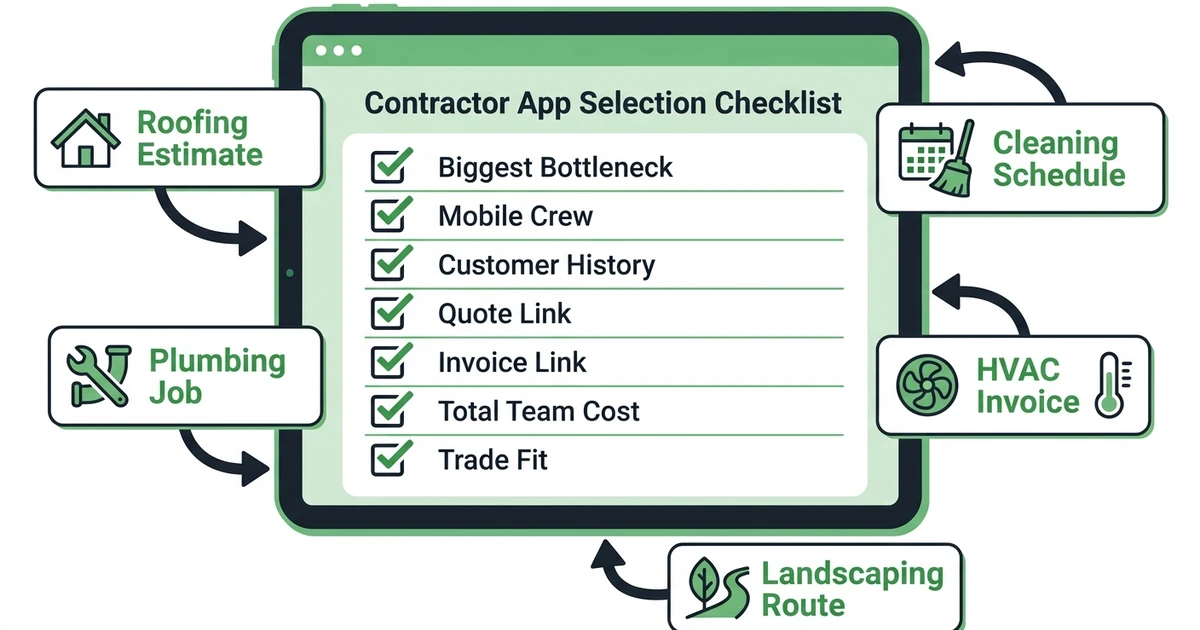
Use this checklist:
- Start with the workflow causing the most missed revenue.
- Avoid buying five disconnected tools when one core system can cover the job lifecycle.
- Check whether technicians can use the app from the field.
- Confirm whether customer history, quotes, invoices, and job photos stay connected.
- Compare pricing by total team cost, not starting price.
- Pick trade-fit over generic project management when daily service calls drive revenue.
Deloitte’s 2026 engineering and construction outlook says the industry may need about 499,000 new workers in 2026, and labor gaps can contribute to delays, cost overruns, and margin pressure in its industry outlook.
Better apps do not solve hiring by themselves. They do help the team you already have waste less time searching for notes, retyping invoices, and asking who promised what to the customer.
Where Fieldified fits in a contractor app stack
Fieldified fits as the core operating app for field service contractors. It handles customer requests, quotes, schedules, dispatch, work orders, mobile technician updates, invoices, payments, and customer communication.
It should not replace every specialist tool. You may still use QuickBooks for accounting, CompanyCam for deeper photo documentation, or magicplan for measurements. Fieldified’s role is to keep the core job lifecycle connected.
For general contractor business software needs, the right fit depends on whether your company is service-heavy or project-heavy. Service-heavy teams should prioritize field operations first.
Frequently Asked Questions
What are the best apps for contractors?
The best tools include Fieldified, Jobber, Housecall Pro, FieldPulse, Workiz, Service Fusion, Contractor Foreman, Buildertrend, JobNimbus, and Procore. Fieldified is the best fit for field service contractors that want quoting, scheduling, dispatch, job tracking, invoices, payments, and customer communication in one place.
What app do contractors use to manage jobs?
Contractors use field service apps, project management apps, CRM tools, estimating apps, accounting software, photo tools, time tracking apps, and route planners. The right choice depends on whether the work is service-call-heavy, project-heavy, recurring-route-heavy, or sales-to-production-heavy.
Should contractors use one all-in-one app or several specialized apps?
Use one all-in-one app when the core workflow is quote, schedule, dispatch, complete, invoice, and get paid. Add specialist apps when you need deeper accounting, photo documentation, measurements, drawings, time tracking, or construction project controls.
What is the best app for a small contractor?
Fieldified is the best fit for a small contractor that wants jobs, customers, schedules, invoices, payments, and technician updates connected. Solo contractors may start with lighter tools, but growing teams usually need cleaner handoffs quickly.
Do contractor apps help with estimates and invoices?
Yes. Many contractor apps help create estimates, send quotes, turn approved work into jobs, and create invoices. The best setup keeps the estimate, job record, customer history, and payment status connected.
Conclusion
The best contractor app is the one that fixes your core workflow first. Do not buy a photo app when your real problem is missed follow-up. Do not buy a construction project system when your day is mostly service calls.
For field service contractors, the core workflow is simple to name but hard to manage manually: lead, quote, schedule, dispatch, complete, invoice, and payment.
Book a Fieldified demo to see how one connected app can help your team manage jobs, customers, crews, invoices, payments, and communication from the same place.