EN
EN DE
DE ES
ES FR
FR NL
NL PT
PT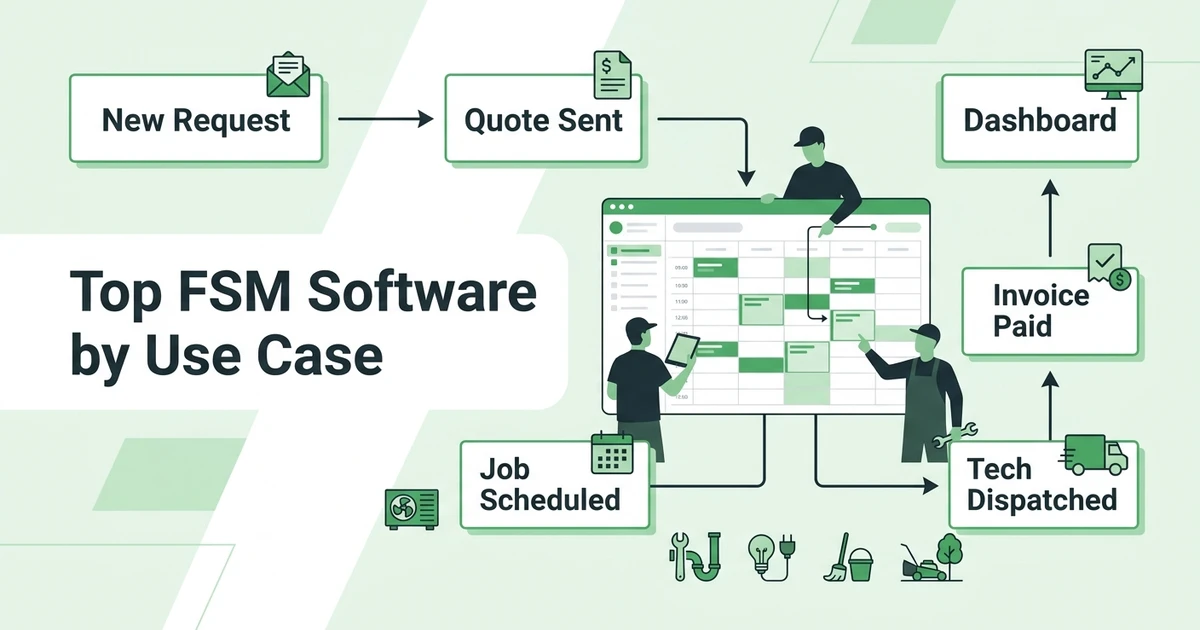





Quick Answer: The best field service management software depends on team size, pricing model, trade fit, and how much of the job lifecycle it covers. Small and growing contractors should compare quoting, scheduling, dispatch, invoicing, payments, mobile access, customer communication, and reporting before choosing a platform.
Field service management software is no longer just for national contractors with a full back office. HVAC, plumbing, electrical, cleaning, landscaping, roofing, and handyman teams now need the same basic control: who is going where, what was quoted, what got approved, what was completed, and whether the invoice was paid.
The operational pressure is visible across the trades. BLS projects plumbers, pipefitters, and steamfitters to have about 44,000 openings per year from 2024 to 2034 in its plumbing trade outlook.
This guide follows the same review flow buyers expect from a deep software comparison: a TL;DR, a quick table, detailed reviews, pricing notes, pros, cons, expert takes, use-case picks, company-size guidance, methodology, FAQs, and a clear summary.
Why field service businesses outgrow spreadsheets and single-purpose apps
A spreadsheet can track a few jobs. A calendar can show appointments. A payment app can collect money. The problem starts when a contractor needs all of those pieces to talk to each other on a busy Tuesday.
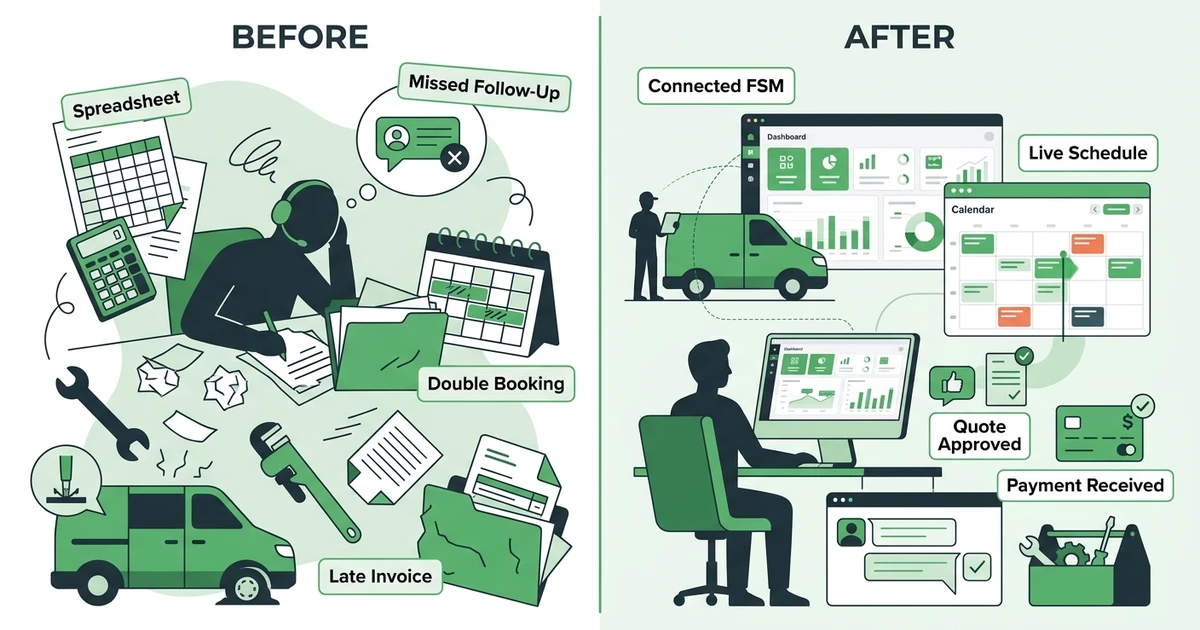
Picture an HVAC dispatcher with a repair call, a maintenance visit, a quote follow-up, and a tech who just got stuck on a rooftop unit. If the quote lives in email, the schedule lives in a calendar, and the invoice lives in accounting software, the office has to stitch the day together manually.
BLS projects HVAC mechanic and installer employment to grow 8% from 2024 to 2034, with about 40,100 openings per year in its occupational outlook. As trades hire, the admin load grows with the crew.
Good FSM software gives owners one place to manage:
- New requests and online bookings
- Quotes, approvals, and follow-ups
- Scheduling, dispatch, and crew notifications
- Job notes, photos, forms, and signatures
- Invoices, reminders, and payments
- Customer history and repeat work
- Reporting by job, tech, and revenue
Quick overview: best field service management software by use case
| Platform | Best for | Pricing style | Best-fit team |
|---|---|---|---|
| Fieldified | Growing contractors that want quote-to-payment control | Flat published plans | Small and mid-sized trade teams |
| FieldCamp | Trade teams that want AI-assisted dispatch on a customizable record | Plan-based with included users | Growing residential and commercial crews |
| Jobber | Teams that want a mature field service brand | Published plans by team size | Solo operators and established SMBs |
| Housecall Pro | Residential home service teams | Published plans and higher tiers | Home service companies |
| ServiceTitan | Large trade businesses with admin capacity | Quote-based, per-technician model | Enterprise HVAC, plumbing, and electrical firms |
| Service Fusion | Teams wanting flat pricing and dispatch basics | Flat tiers | Small and mid-sized crews |
| FieldPulse | Small teams that want simple operations tools | Published and quote-based options | Contractors getting organized |
| Workiz | Phone-heavy service teams and franchises | Published and custom tiers | Locksmiths, junk removal, HVAC, and multi-location teams |
| FieldEdge | HVAC and plumbing teams tied to accounting workflows | Quote-based | Trade-specific operations |
| ServiceTrade | Commercial service contractors | Quote-based | Commercial asset-heavy teams |
| Zoho FSM | Companies already deep in the Zoho ecosystem | Published Zoho plans | Teams using Zoho CRM |
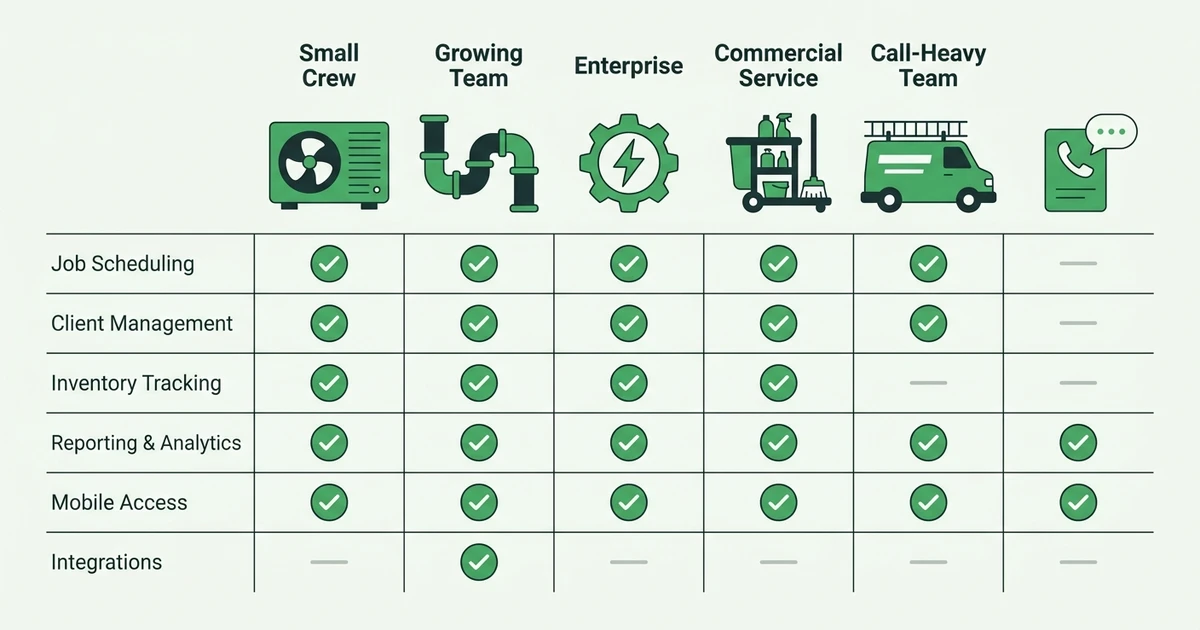
Best field service management software platforms in 2026
1. Fieldified
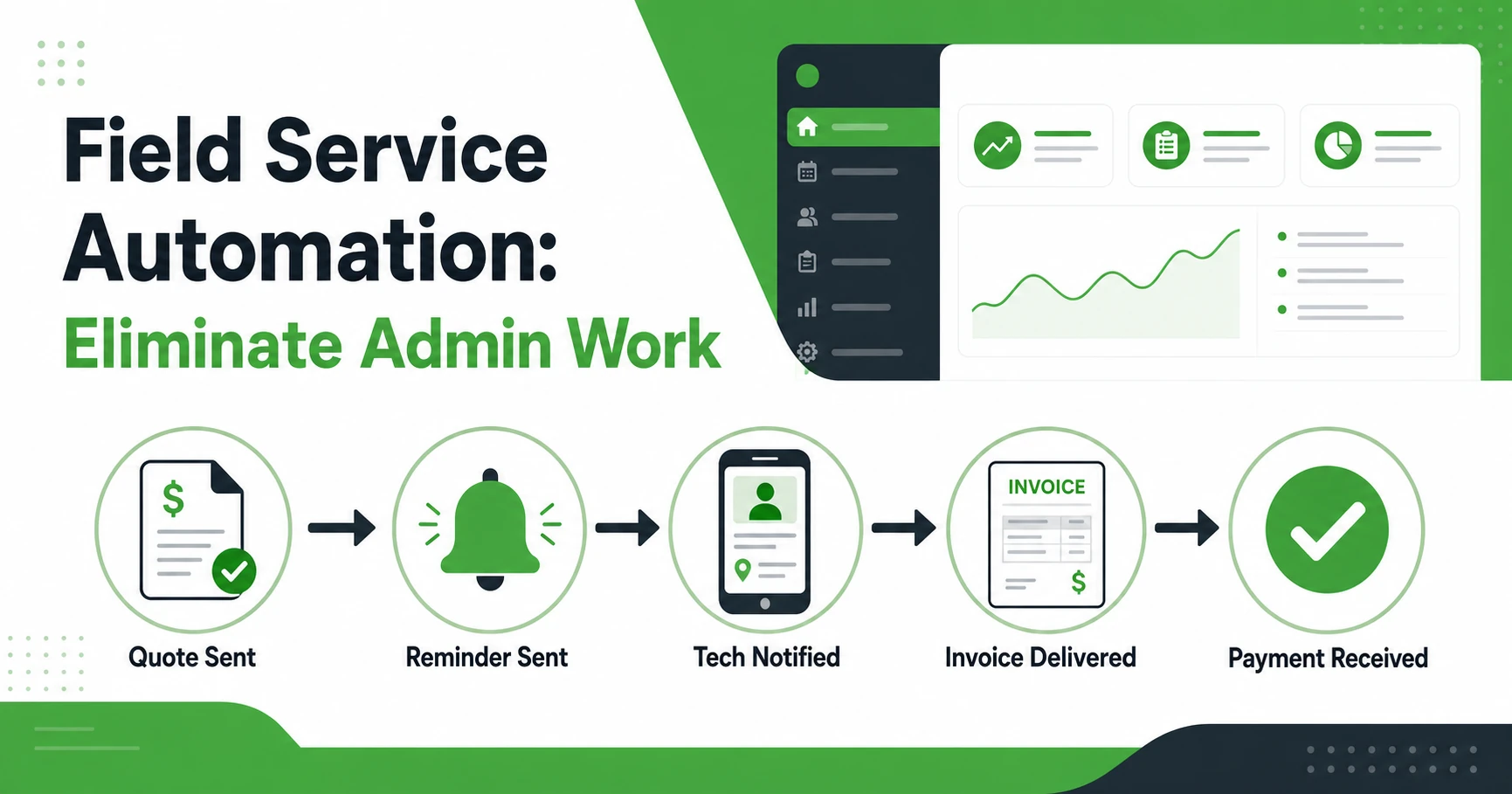
Fieldified is built for field service businesses that need the full job lifecycle in one place. A plumbing office can capture a request, send an interactive quote, book the job, dispatch a tech, generate the invoice, and collect payment without moving between disconnected apps.
Key features of Fieldified
- Scheduling and dispatch tools for service crews
- Interactive quote management and automated follow-ups
- Client portal for approvals, payments, and requests
- Invoicing, online payments, and payment reminders
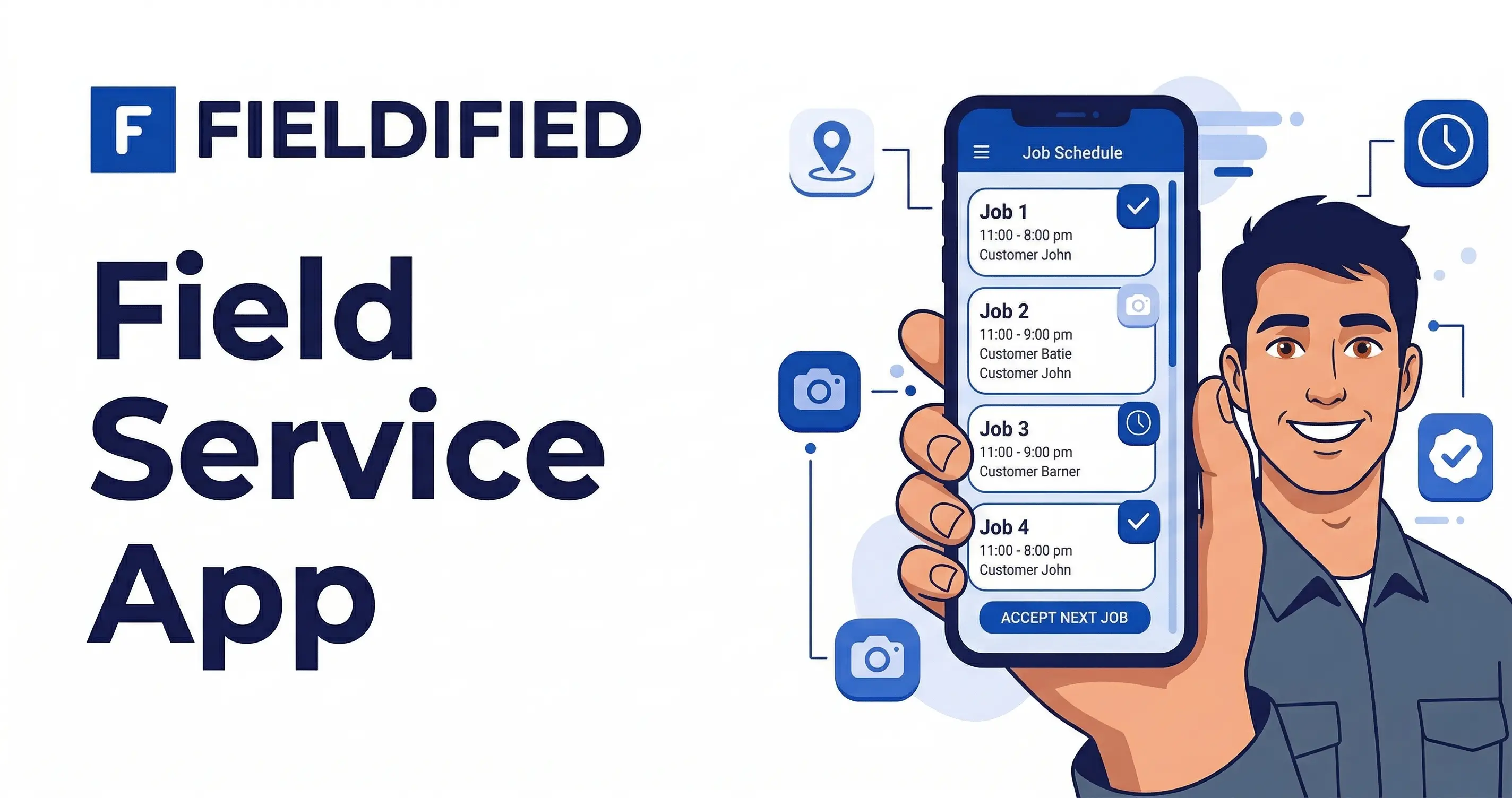
- Mobile app for technicians in the field
- AI Receptionist for call handling and job capture
- Business performance dashboard
Fieldified pricing
Fieldified uses flat published plans. Basic starts at $49 per month for up to 5 users, Standard starts at $119 per month for up to 10 users, and Premium starts at $199 per month for up to 15 users on the published Fieldified pricing page.
Pros of Fieldified
- Flat pricing helps growing crews avoid surprise per-user increases.
- The workflow covers quote, schedule, dispatch, invoice, and payment in one system.
- Mobile access gives techs job details without calling the office.
- Built-in AI tools help capture calls and reduce manual admin.
Cons of Fieldified
- Very large enterprises may need deeper custom implementation layers.
- Teams that only need a basic shared calendar may not use the full platform yet.
Expert take
Fieldified is the strongest fit for contractors who want the core power of FSM software without enterprise setup. It works especially well for teams moving from spreadsheets, a basic CRM, or a starter field service app that no longer covers the whole job day.
2. FieldCamp
FieldCamp is an AI-native field service platform built for trade businesses that want automation inside the daily workflow. A landscaping operation can capture a request, assign the crew by skill and location, close the job, and invoice from one connected record.
Key features of FieldCamp
- AI Dispatcher that assigns technicians by skill, location, availability, and travel time
- AI Receptionist for after-hours call answering and job booking
- Customizable data model covering clients, locations, units, and equipment
- Scheduling, dispatch, work orders, and route optimization
- Estimating, invoicing, and payment tracking
- REST API, webhooks, and a QuickBooks Online connection
- iOS and Android apps for field technicians
FieldCamp pricing
FieldCamp uses plans with included users, additional-user pricing, and custom Enterprise terms. AI features, including AI-driven dispatch and optimization runs, draw on a credit balance rather than a per-seat fee.
Pros of FieldCamp
- Dispatch suggestions arrive with a confidence score and written reasoning.
- The data model adapts to residential, commercial, and multi-site operations.
- The route optimization app installs on any plan at no additional cost.
- Automation covers call handling, assignment, and follow-up in one system.
Cons of FieldCamp
- The platform has no offline mode for technicians working without connectivity.
- AI Dispatcher runs as a credit-based add-on rather than a core included feature.
Expert take
FieldCamp suits operators who want automation without rebuilding their process around fixed templates. It fits growing HVAC, plumbing, electrical, and landscaping businesses that need dispatch decisions explained, not just made.
3. Jobber
Jobber is one of the best-known FSM platforms for small home service companies. It has strong brand recognition, polished customer communication, and a wide content library for contractors.
Key features of Jobber
- Scheduling and dispatch
- Quotes and invoices
- Online booking
- Client hub
- Payment collection
- Marketing and follow-up tools
Jobber pricing
Jobber publishes plan pricing by team size and feature level. When comparing, check how the plan changes as you add office staff, technicians, and advanced features.
Pros of Jobber
- Mature product experience with strong customer-facing tools.
- Good fit for many solo and small home service operators.
- Large help library and recognizable brand.
Cons of Jobber
- Costs can increase as the team grows.
- Advanced functionality may require a higher plan or add-on.
- Some growing teams may want a simpler flat-plan model.
Expert take
Jobber is a good option for contractors who value a mature ecosystem. If pricing predictability matters as you hire, compare flat pricing with per-user FSM plans before signing a long contract.
4. Housecall Pro
Housecall Pro is a familiar option for residential home service teams. It focuses on technician mobility, homeowner communication, estimates, invoices, and bookings.
Key features of Housecall Pro
- Scheduling and dispatch
- Estimates and invoices
- Customer notifications
- Online booking
- Technician mobile tools
- Payments and financing options
Housecall Pro pricing
Housecall Pro publishes starting plan prices and sells higher tiers for broader needs. Buyers should compare included users, automation features, and reporting depth before choosing.
Pros of Housecall Pro
- Easy to understand for many home service teams.
- Strong mobile workflow for technicians.
- Useful customer communication and booking tools.
Cons of Housecall Pro
- Growing teams may need higher tiers quickly.
- Reporting and customization may feel limited for more complex operations.
- It is oriented more toward home service than mixed commercial workflows.
Expert take
Housecall Pro is a solid residential option. Contractors comparing it should focus on whether the pricing model, reporting, and automation depth still fit once the team adds more technicians.
5. ServiceTitan
ServiceTitan is built for larger trade businesses that need deep operational control. It is common in HVAC, plumbing, electrical, and larger multi-trade companies.
Key features of ServiceTitan
- Dispatch and scheduling
- Call booking
- Pricebook tools
- Invoicing and payments
- Reporting and dashboards
- Payroll and commission workflows
- Membership and service agreement tools
ServiceTitan pricing
ServiceTitan uses a quote-based model with per-technician pricing language. Teams should expect a sales-led evaluation and should confirm implementation scope before buying.
Pros of ServiceTitan
- Very broad feature set for large operations.
- Strong reporting and trade-specific depth.
- Useful for businesses with dedicated office staff and admin owners.
Cons of ServiceTitan
- Can be more complex than a smaller team needs.
- Implementation may take more time and internal ownership.
- Budget planning usually requires a sales conversation.
Expert take
ServiceTitan is powerful, but not every HVAC or plumbing business needs that much system. Smaller teams should compare whether daily dispatch, quote, invoice, and payment workflows can be handled faster in a lighter FSM platform.
6. Service Fusion
Service Fusion is known for flat pricing and core FSM tools. It gives contractors customer management, estimates, dispatch, invoicing, payments, reporting, and add-ons.
Key features of Service Fusion
- Customer management
- Estimates and jobs
- Scheduling and dispatch
- Invoicing and payments
- QuickBooks integration
- Reporting
- Voice and text options on higher plans
Service Fusion pricing
Service Fusion publishes flat monthly tiers with unlimited users. Buyers should compare which plan includes the tools they actually need, especially photos, job costing, documents, and portal features.
Pros of Service Fusion
- Flat pricing is attractive for growing teams.
- Covers the standard FSM basics.
- Good option for crews that want unlimited users.
Cons of Service Fusion
- Interface and mobile experience may feel less modern.
- AI and automation depth can lag newer tools.
- Add-on planning matters.
Expert take
Service Fusion is worth comparing if pricing predictability is your first concern. Contractors should still test the mobile workflow because the best price does not help if techs avoid the app.
7. FieldPulse
FieldPulse is a field service platform for small contractors that want to organize customers, jobs, scheduling, and payments. It is often considered by teams moving away from manual tracking.
Key features of FieldPulse
- Customer records
- Estimates and invoices
- Scheduling
- Team management
- Payments
- Reporting
FieldPulse pricing
FieldPulse pricing can depend on plan and setup needs. Contractors should confirm included features, users, and integrations during the buying process.
Pros of FieldPulse
- Good fit for smaller field teams.
- Covers common admin needs.
- Easier to evaluate than many enterprise platforms.
Cons of FieldPulse
- May not offer the same AI and marketing depth as newer FSM tools.
- Reporting needs should be checked carefully.
- Larger teams may outgrow basic workflows.
Expert take
FieldPulse can work well for contractors who need the basics. If you want AI call handling, stronger automation, and broader growth tools, compare it against a more complete modern FSM option.
8. Workiz
Workiz is popular with phone-heavy service teams, franchises, and trades that book urgent jobs. Locksmiths, junk removal teams, HVAC companies, and appliance repair crews often evaluate it.
Key features of Workiz
- Job scheduling
- Dispatch board
- Phone and call tracking tools
- Estimates and invoices
- Payments
- Team communication
Workiz pricing
Workiz offers published and custom tiers depending on features and team needs. Buyers should check how phone tools, AI features, and extra users affect the final plan.
Pros of Workiz
- Strong for call-driven service businesses.
- Good fit for urgent dispatch workflows.
- Useful for multi-location and franchise operations.
Cons of Workiz
- Smaller teams may find some workflows more than they need.
- Costs can rise with advanced features.
- Not every trade needs the phone-system focus.
Expert take
Workiz is strongest when calls are the center of the operation. If your pain is more quote follow-up, invoicing, and crew coordination, compare it carefully with platforms that cover the whole job lifecycle.
9. FieldEdge
FieldEdge is oriented toward HVAC and plumbing businesses, especially teams that care about accounting integration and recurring work.
Key features of FieldEdge
- Dispatch board
- Customer history
- Invoicing
- Service agreements
- Pricebook tools
- Accounting integration
FieldEdge pricing
FieldEdge commonly uses a sales-led pricing process. Buyers should clarify implementation, accounting setup, and plan requirements before comparing cost.
Pros of FieldEdge
- Strong HVAC and plumbing fit.
- Useful for service agreements and recurring customer work.
- Good accounting workflow for certain teams.
Cons of FieldEdge
- Less useful for trades outside its core focus.
- Setup can be more involved than simpler FSM tools.
- Buyers may need a demo to understand true cost.
Expert take
FieldEdge is worth considering for HVAC and plumbing teams that want trade-specific depth. Mixed-trade contractors may prefer a platform with broader industry coverage.
10. ServiceTrade
ServiceTrade is built for commercial service contractors. It fits teams that manage equipment, assets, inspections, and recurring commercial work.
Key features of ServiceTrade
- Commercial job management
- Asset and equipment records
- Customer communication
- Scheduling
- Deficiency tracking
- Quotes and invoices
ServiceTrade pricing
ServiceTrade is typically evaluated through a quote-based sales process. Commercial contractors should map required workflows before comparing it with residential-first platforms.
Pros of ServiceTrade
- Strong for commercial service operations.
- Good fit for asset-heavy work.
- Useful customer-facing communication tools.
Cons of ServiceTrade
- May be too specialized for residential service teams.
- Smaller contractors may not need asset-heavy workflows.
- Pricing requires a sales conversation.
Expert take
ServiceTrade is strongest for commercial contractors with complex assets. Residential HVAC, plumbing, or electrical teams may find a lighter platform easier to run every day.
11. Zoho FSM
Zoho FSM is a field service product inside the broader Zoho ecosystem. It can make sense for companies already using Zoho CRM and Zoho finance tools.
Key features of Zoho FSM
- Work order management
- Scheduling
- Dispatch
- Estimates and invoices
- Customer records
- Zoho ecosystem integration
Zoho FSM pricing
Zoho pricing depends on the broader set of products and users involved. Contractors should check whether they need only FSM or several Zoho apps to get the workflow they want.
Pros of Zoho FSM
- Good fit for teams already using Zoho.
- Affordable starting point for some businesses.
- Broad ecosystem of business tools.
Cons of Zoho FSM
- FSM is not the entire Zoho business.
- Setup can feel complex for contractors who do not already use Zoho.
- Field-specific workflows may require more configuration.
Expert take
Zoho FSM can work for Zoho-first companies. Contractors who want purpose-built FSM without managing a broader software suite should compare simpler field-service-first tools.
How to compare FSM software without getting lost in feature lists
The longest feature list is not always the best choice. A landscaping owner with recurring maintenance routes needs different workflows than an electrician handling service calls, estimates, and inspection notes.
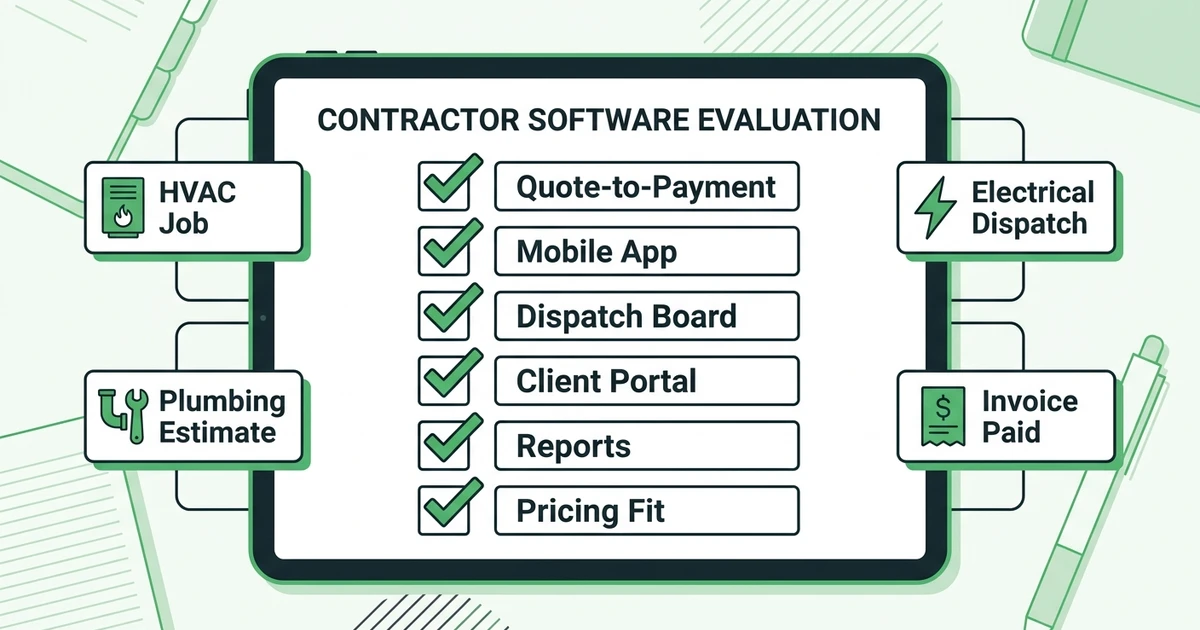
Use this checklist before any demo:
- Can the platform manage the full job lifecycle from quote to payment?
- Does pricing stay predictable when the crew grows?
- Can technicians use the mobile app without office help?
- Does dispatch show availability, location, and job status clearly?
- Can customers approve quotes and pay without calling the office?
- Does reporting show which jobs, techs, and services make money?
- Can the platform fit your trade without heavy custom setup?
CRM is part of the answer, but not the whole answer. Use a field service CRM guide to evaluate customer records, then compare job execution tools separately.
See how Fieldified handles scheduling, dispatch, invoicing, and payments in one place. Book a demo and walk through the daily workflow your office and techs would use.
Best FSM software by company size
Solo operators and owner-led crews
Solo contractors need quoting, scheduling, invoices, and payments without heavy setup. A handyman or appliance repair owner should avoid buying enterprise features before the basics are stable.
Good fits include Fieldified, Jobber, Housecall Pro, and FieldPulse. The key question is whether the tool still works when the first hire joins the truck.
Small teams with office admin
Teams with a dispatcher or office manager need stronger scheduling, customer communication, and payment follow-up. This is where a basic calendar starts to fail because the owner is no longer the only person touching the job.
Fieldified fits this stage well because the platform connects intake, quote approval, scheduling, dispatch, invoicing, and payment. Jobber, Housecall Pro, Service Fusion, and Workiz are also common evaluation options.
Mid-sized trade companies
Mid-sized HVAC, plumbing, electrical, and mixed-trade companies need reporting, role clarity, route control, quote follow-ups, and job costing. A weak mobile app creates phone calls back to the office all day.
Fieldified, Service Fusion, FieldEdge, Workiz, and ServiceTitan may all appear on the shortlist. The decision usually comes down to complexity, onboarding, pricing model, and whether the office team can actually maintain the system.
Which field service management software is right for your trade?
HVAC
HVAC teams need emergency dispatch, maintenance agreements, equipment notes, photo documentation, and fast invoicing. BLS projects HVAC employment to grow faster than the average for all occupations, which means many owners will be hiring into more complex schedules based on its HVAC outlook.
Fieldified, ServiceTitan, FieldEdge, Housecall Pro, and Jobber are common options. Smaller HVAC companies should start with HVAC service software for growing teams before comparing enterprise workflows.
Plumbing
Plumbers need quick estimate creation, emergency call booking, job notes, material tracking, and same-day payment collection. If a plumber finishes a water heater replacement and waits until Friday to invoice, cash flow takes the hit.
Look for quote-to-invoice workflows, mobile notes, and customer history. Fieldified, Jobber, Housecall Pro, FieldEdge, and Service Fusion are common options.
Electrical
Electrical contractors need scheduling, permits or inspection notes, crew documentation, estimates, and clear job history. BLS projects electrician employment to grow 9% from 2024 to 2034, with about 81,000 openings per year according to its electrician outlook.
Electrical teams should prioritize mobile work orders, photo documentation, quote tracking, and payment follow-ups. Fieldified, Jobber, Service Fusion, and Zoho FSM can all be compared here.
Is Fieldified right for a growing field service business?
Fieldified is a strong fit if your team is past the point where one owner can remember every quote, schedule change, and unpaid invoice. It is built for contractors who want one operating system for daily work, not a stack of separate tools.
It may be right if:
- You have multiple technicians or plan to hire soon.
- You lose time chasing quote approvals.
- Dispatch changes create office confusion.
- Invoices go out late after completed jobs.
- Customers call for updates they should be able to see.
- You want flat plan pricing instead of surprise growth costs.
It may not be the first choice if you run a very large enterprise with a dedicated software admin, deep custom implementation needs, and complex multi-branch reporting requirements. In that case, ServiceTitan or Salesforce Field Service may deserve a closer look.
Why trust this field service software comparison?
This guide uses a buyer-first review method modeled after high-intent software comparison articles. The structure covers quick summaries, comparison tables, detailed platform reviews, pricing notes, pros, cons, expert takes, use-case recommendations, company-size guidance, FAQs, and a final decision framework.
The evaluation criteria are specific to field service work:
- Quote-to-payment coverage
- Scheduling and dispatch depth
- Mobile technician usability
- Customer communication
- Pricing model clarity
- Trade fit
- Reporting usefulness
- Setup complexity
- Growth flexibility
We also separated this article from Fieldified’s existing educational cluster. If you need an automation explainer, use the field service automation guide. If you need scheduling-only comparison, use the scheduling software for service businesses guide.
Frequently Asked Questions
What is the best field service management software for small contractors?
The best choice depends on your trade, team size, and workflow. Small contractors should look for quoting, scheduling, dispatch, invoicing, payments, mobile access, and customer communication in one place.
How much does field service management software cost?
Costs vary by platform, plan, user count, and add-ons. Fieldified publishes flat plan pricing, so growing teams can compare the monthly cost before booking a demo.
What features matter most in field service management software?
The core features are quote management, scheduling, dispatch, job tracking, customer communication, invoicing, payments, and mobile access. Advanced tools like AI call handling, marketing, and reporting matter more once the team is growing.
Is FSM software better than a CRM for contractors?
A CRM manages customer relationships, but FSM software manages the full job lifecycle. Contractors usually need both customer history and job execution tools in the same workflow.
When should a service business switch from spreadsheets to FSM software?
Switch when missed follow-ups, double-booked jobs, late invoices, or unclear technician schedules start costing money. Most crews feel the pain once office work grows faster than the owner can manually track it.
Conclusion: choose the FSM platform that fits the way your crew works
The right FSM platform is the one your office and technicians can use every day. It should help you quote faster, dispatch clearly, document work, invoice on time, collect payment, and keep customers informed without adding another layer of admin.
Fieldified is built for that practical middle ground. It gives growing service teams the full quote-to-payment workflow, mobile access, AI call handling, client communication, and flat plan pricing without enterprise complexity.
If your team is ready to stop stitching jobs together across spreadsheets, calendars, and payment apps, book a Fieldified demo and see the workflow from first request to final payment.