EN
EN DE
DE ES
ES FR
FR NL
NL PT
PT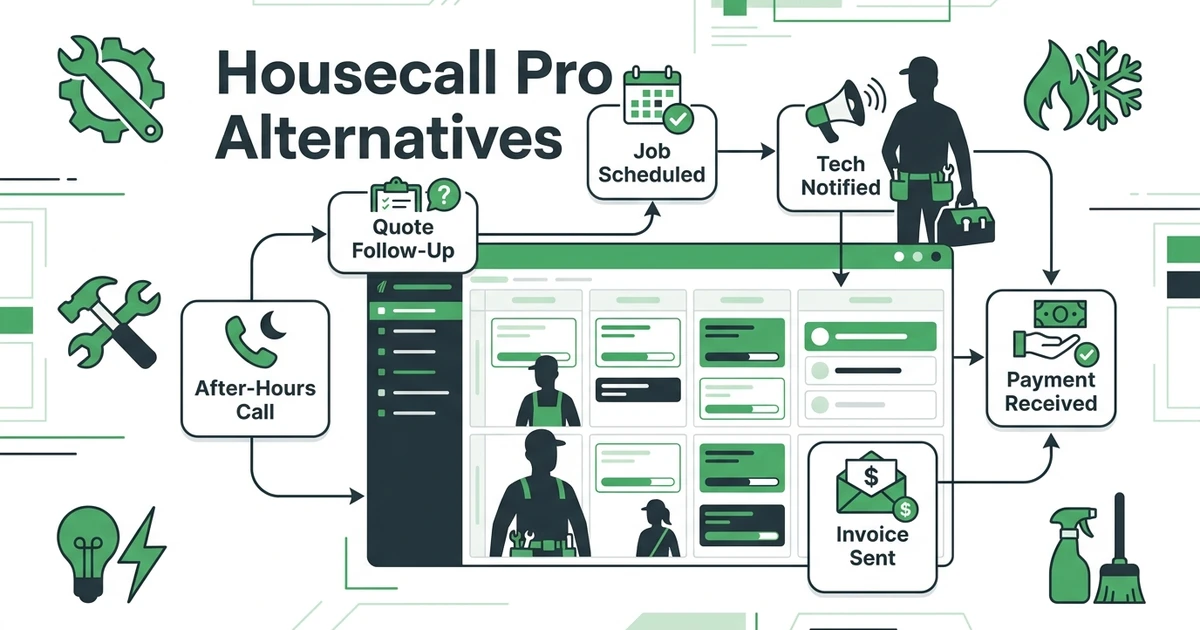





Quick Answer: The best Housecall Pro alternatives are platforms that match your trade, team size, pricing needs, and daily workflow without forcing you into features you will not use. Fieldified is a strong option for growing home service teams that want quoting, scheduling, dispatch, client communication, invoicing, payments, and AI call handling in one practical system.
Housecall Pro is a familiar name for home service businesses. Many plumbing, HVAC, electrical, cleaning, garage door, and handyman teams compare it because it handles the basics: booking, estimates, scheduling, customer communication, invoices, and payments.
But once a crew starts growing, the buying question changes. You are no longer asking, “Can this help me get organized?” You are asking, “Will this still fit when I add another tech, another dispatcher, another trade, or another set of follow-up tasks?”
That is where the comparison starts. This guide uses the Skima-style format: TL;DR, quick comparison table, detailed reviews, pricing notes, pros, cons, expert verdicts, use-case picks, company-size recommendations, methodology, FAQs, and a clear summary.
Why home service teams compare Housecall Pro alternatives
Contractors usually compare alternatives for practical reasons. The office is busier, the crew is bigger, or the owner wants better control over the job lifecycle without adding more manual admin.
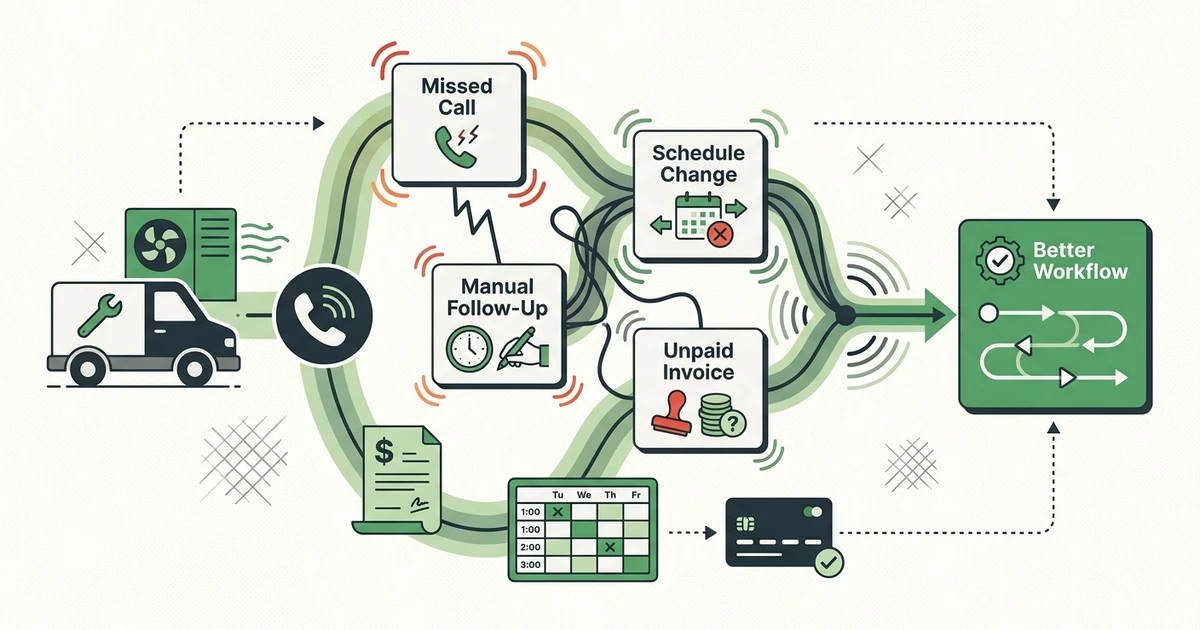
Common switching triggers include:
- Quote follow-ups still depend on memory.
- Dispatch changes create phone calls between office and techs.
- Reporting does not show enough about job performance.
- Payment reminders still take manual work.
- The team wants stronger automation or AI call handling.
- Pricing needs to stay predictable as the crew grows.
Home service demand also keeps pressure on operations. BLS projects HVAC mechanic and installer employment to grow 8% from 2024 to 2034, with about 40,100 openings per year in its HVAC outlook. More work and more hiring usually mean more scheduling, quoting, and billing complexity.
What is Housecall Pro?
Housecall Pro is field service software for home service companies. It helps teams schedule jobs, send estimates, communicate with customers, invoice completed work, and collect payments.
It is especially common among residential contractors that want a recognizable platform with a technician-friendly mobile experience. A small HVAC company, cleaning business, or handyman team may use it to move away from paper, texts, spreadsheets, and basic accounting workflows.
The reason teams compare alternatives is not that Housecall Pro is a bad product. It is that every platform has a best-fit buyer. Once your office needs more reporting, different pricing, stronger automation, or a wider job lifecycle workflow, it makes sense to compare options.
Quick comparison: top replacement options
| Alternative | Best for | Pricing style | Strongest reason to compare |
|---|---|---|---|
| Fieldified | Growing home service teams | Flat published plans | Full quote-to-payment workflow with AI call handling |
| FieldCamp | Teams outgrowing residential-only workflows | Plan-based with included users | AI dispatch and multi-site records in one platform |
| Jobber | Mature home service workflows | Published plans by team size | Polished client communication |
| Service Fusion | Flat-pricing FSM basics | Flat published tiers | Unlimited-user plans |
| FieldPulse | Small teams getting organized | Plan-based options | Simple field operations |
| Workiz | Phone-heavy service teams | Published and custom tiers | Calls, dispatch, and urgent jobs |
| ServiceTitan | Large trade businesses | Quote-based, per-technician model | Enterprise trade depth |
| FieldEdge | HVAC and plumbing teams | Quote-based | Accounting and trade workflows |
| ServiceM8 | Mobile-first smaller teams | Published plans | Technician app simplicity |
| Connecteam | Workforce management | Published workforce plans | Internal team communication |
| Zoho FSM | Zoho ecosystem users | Published Zoho plans | Zoho CRM connection |
Best Housecall Pro alternatives in 2026
1. Fieldified
Fieldified is built for home service teams that want the full job lifecycle in one place. A plumbing office can capture a new request, send an interactive quote, book the job, dispatch the technician, generate the invoice, and collect payment from the same system.
Key features of Fieldified
- Interactive quote management
- Scheduling and dispatch
- Client portal for quote approvals and payments
- Automated invoice and payment reminders
- Mobile app for field technicians
- AI Receptionist for after-hours calls
- Business dashboard and reporting
Fieldified pricing
Fieldified publishes flat plan pricing. Basic starts at $49 per month for up to 5 users, Standard starts at $119 per month for up to 10 users, and Premium starts at $199 per month for up to 15 users on Fieldified’s flat plan pricing.
Pros of Fieldified
- Flat pricing helps teams budget before hiring.
- The workflow connects quote, schedule, dispatch, invoice, and payment.
- AI call handling helps capture jobs outside office hours.
- Client portal reduces back-and-forth calls.
Cons of Fieldified
- Enterprise teams with heavy custom implementation needs may want a larger system.
- Contractors who only need a basic calendar may not need the full workflow yet.
Expert verdict
Fieldified is the best Housecall Pro alternative for growing teams that want simple daily use plus stronger automation. It fits owners who need less office chasing and more control from first call to paid invoice.
2. FieldCamp
FieldCamp is a common comparison for operators who have outgrown a residential-first system. Using custom objects, a client record extends into service locations, units, and installed equipment, so a commercial account is not flattened into one customer entry.
Key features of FieldCamp
- AI Dispatcher with skills, travel time, capacity, and workload matching
- AI Receptionist that books after-hours calls into live availability
- Client, location, unit, and equipment hierarchy built with custom objects and fields
- Scheduling, dispatch, and route optimization on one board
- Estimating, invoicing, payment tracking, and recurring job and invoice schedules
- QuickBooks Online, Stripe, Google Calendar, and Gmail connections
- Web, iOS, and Android access for office and field users
FieldCamp pricing
FieldCamp publishes plan tiers with included users, additional-user pricing, and custom Enterprise terms. Custom objects unlock from the Growth tier up, and AI features run on a credit balance, so buyers should confirm plan level and credit allocation during evaluation.
Pros of FieldCamp
- Commercial accounts can be modelled as multiple sites and units under one client record.
- Dispatch recommendations show the reasoning behind every assignment.
- Custom objects and fields adapt without developer involvement.
- AI call handling captures jobs outside office hours.
Cons of FieldCamp
- There is no offline mode, so connectivity gaps need planning.
- There is no dedicated membership or service-agreement engine; recurring plans are assembled from recurring jobs and invoices.
Expert verdict
FieldCamp is the strongest alternative when the limitation is structural rather than cosmetic. Contractors adding commercial accounts, multiple service locations, or equipment-level service history should compare its record model directly.
3. Jobber
Jobber is one of the closest and most common alternatives in the home service category. It is polished, familiar, and built around client communication, quotes, scheduling, invoices, and payments.
Key features of Jobber
- Scheduling and dispatch
- Quotes and invoices
- Client hub
- Online booking
- Payment collection
- Follow-up tools
Jobber pricing
Jobber publishes plans by team size and feature level. Buyers should compare what each tier includes and how the plan changes as the team adds users.
Pros of Jobber
- Mature home service product.
- Strong customer communication features.
- Large help center and market recognition.
Cons of Jobber
- Costs can rise as the team grows.
- Some advanced needs may require higher plans.
- Teams focused on flat pricing may want another option.
Expert verdict
Jobber is a good fit for contractors who want a mature system and do not mind plan changes as the team grows. If pricing predictability is a priority, compare total cost before switching.
4. Service Fusion
Service Fusion is a field service platform known for flat monthly tiers and unlimited users. It covers the basics many home service teams need.
Key features of Service Fusion
- Customer management
- Estimates and jobs
- Scheduling and dispatch
- Invoicing and payments
- QuickBooks integration
- Reporting
- Voice and text tools on higher plans
Service Fusion pricing
Service Fusion publishes flat tiers with unlimited users. Buyers should check which tier includes job photos, job costing, documents, and portal features.
Pros of Service Fusion
- Unlimited-user pricing is attractive for growing crews.
- Covers common FSM workflows.
- Good fit for teams that value predictable software cost.
Cons of Service Fusion
- Interface may feel less modern than newer tools.
- AI and automation depth may be limited.
- Add-ons and tier fit matter.
Expert verdict
Service Fusion is a serious option if your main Housecall Pro concern is user-based cost. Test the technician workflow before deciding, because field adoption matters as much as price.
5. FieldPulse
FieldPulse is designed for small field service teams that need customer records, estimates, invoices, scheduling, and job tracking.
Key features of FieldPulse
- Customer management
- Estimates and invoices
- Scheduling
- Job tracking
- Team communication
- Payments
FieldPulse pricing
FieldPulse pricing can depend on plan and setup needs. Contractors should confirm included users, feature limits, and integrations.
Pros of FieldPulse
- Good fit for small crews.
- Covers core field service admin.
- Easier to evaluate than enterprise tools.
Cons of FieldPulse
- May be lighter on AI and advanced automation.
- Reporting depth should be checked.
- Larger teams may need more operational control.
Expert verdict
FieldPulse fits contractors who want to organize jobs without buying a very large system. Compare it with Fieldified if you want stronger quote follow-up, AI call handling, and broader growth tools.
6. Workiz
Workiz is popular with teams that handle many phone calls and urgent dispatch jobs. It often appears in comparisons for locksmiths, junk removal companies, appliance repair, HVAC, and other fast-response trades.
Key features of Workiz
- Call tracking
- Job scheduling
- Dispatch board
- Estimates and invoices
- Payments
- Team communication
Workiz pricing
Workiz offers published and custom tiers depending on features. Buyers should confirm how phone tools, AI features, and users affect the final plan.
Pros of Workiz
- Strong for call-heavy work.
- Useful for urgent job booking.
- Good fit for multi-location or franchise-style operations.
Cons of Workiz
- Not every contractor needs the phone-system focus.
- Smaller teams may find the workflow heavier than necessary.
- Advanced features can change the cost picture.
Expert verdict
Workiz is worth comparing if calls drive your business. If your main pain is quote approval, dispatch clarity, and faster payments, compare it against platforms with stronger full-lifecycle workflows.
7. ServiceTitan
ServiceTitan is a large trade-business platform. It is common in HVAC, plumbing, electrical, and other trade companies with more complex operations.
Key features of ServiceTitan
- Call booking
- Scheduling and dispatch
- Pricebook
- Invoicing and payments
- Reporting
- Memberships
- Payroll and commissions
ServiceTitan pricing
ServiceTitan uses quote-based pricing and describes its model as per-technician. Buyers should plan for a sales-led process and a more involved implementation.
Pros of ServiceTitan
- Deep trade-specific functionality.
- Strong reporting for larger operations.
- Broad feature set for complex teams.
Cons of ServiceTitan
- Often more than smaller home service teams need.
- Setup and management can require more internal ownership.
- Budget comparison requires sales input.
Expert verdict
ServiceTitan is best for larger trade businesses that need enterprise depth. Many Housecall Pro shoppers will find it too heavy if they only need better control over quotes, dispatch, invoices, and payments.
8. FieldEdge
FieldEdge focuses heavily on HVAC and plumbing operations. It is often evaluated by teams that want accounting connection, customer history, dispatch, and service agreement tools.
Key features of FieldEdge
- Dispatch board
- Customer records
- Invoicing
- Service agreements
- Pricebook
- Accounting connection
FieldEdge pricing
FieldEdge is commonly evaluated through a sales-led process. Buyers should clarify implementation, accounting setup, and required modules before comparing.
Pros of FieldEdge
- Strong HVAC and plumbing focus.
- Useful for recurring service agreements.
- Good accounting workflow for certain teams.
Cons of FieldEdge
- Less relevant for trades outside HVAC and plumbing.
- Setup may be more involved.
- True pricing needs a sales conversation.
Expert verdict
FieldEdge is useful for HVAC and plumbing teams with specific accounting needs. Mixed-trade or simpler home service crews may prefer a broader, lighter platform.
9. Connecteam
Connecteam is not a true FSM platform. It is a workforce management app for scheduling employees, tracking time, communicating with teams, and managing internal operations.
Key features of Connecteam
- Employee scheduling
- Time clock
- Team chat
- Forms and checklists
- Training tools
- HR workflows
Connecteam pricing
Connecteam publishes workforce management plans. Contractors should remember that quoting, invoicing, payments, and client management are not the center of the product.
Pros of Connecteam
- Strong employee management tools.
- Good fit for large mobile workforces.
- Useful internal communication features.
Cons of Connecteam
- Not built for the full service job lifecycle.
- Lacks core quoting, invoicing, and payment depth.
- Customer-facing workflows require other tools.
Expert verdict
Connecteam can help manage people, but it will not replace a full FSM platform. It is best when team communication is the real problem, not job management.
Top replacement options by use case
Best for full quote-to-payment control: Fieldified
Fieldified is the strongest fit when a team wants the whole workflow connected. The customer calls, the quote goes out, the job gets scheduled, the tech completes the work, the invoice sends, and payment reminders follow without the office rebuilding the process by hand.
For HVAC and plumbing teams, that means fewer missed quote follow-ups and fewer invoices waiting until the end of the week. For cleaning or handyman teams, it means a clearer job history and faster customer communication.
Best for mature home service workflows: Jobber
Jobber is a strong option for teams that want a known field service product with polished client tools. It is especially common among smaller residential operators.
The main buying question is cost at your real team size. A starting plan tells you less than what the system costs once the office, field crew, and add-ons are included.
Best for unlimited users: Service Fusion
Service Fusion deserves a look if adding users is the biggest pricing worry. Unlimited-user plans can make budgeting easier for crews that expect to hire.
Still, price is not the only test. Make the dispatcher and two field techs walk through a demo before you choose.
Best for call-heavy operations: Workiz
Workiz fits teams where the phone is the center of revenue. Locksmiths, junk removal companies, and urgent repair teams may value call tracking and dispatch speed.
If after-hours calls are the pain, compare Workiz with Fieldified’s AI Receptionist before choosing. The right answer depends on whether you need a phone-heavy operating system or a full job lifecycle platform with call capture included.
Best replacement options by company size
Solo operators
Solo operators should keep the system simple. Look for estimates, scheduling, invoices, payments, and a mobile app that does not require daily admin time.
Housecall Pro, Jobber, FieldPulse, and Fieldified can all fit. Fieldified becomes more attractive if you plan to hire soon because flat plan pricing gives you room to grow.
Teams with a few technicians
This is where scheduling and quote follow-up start to matter more. A missed callback or forgotten invoice is no longer a small mistake because several people are now touching the same customer.
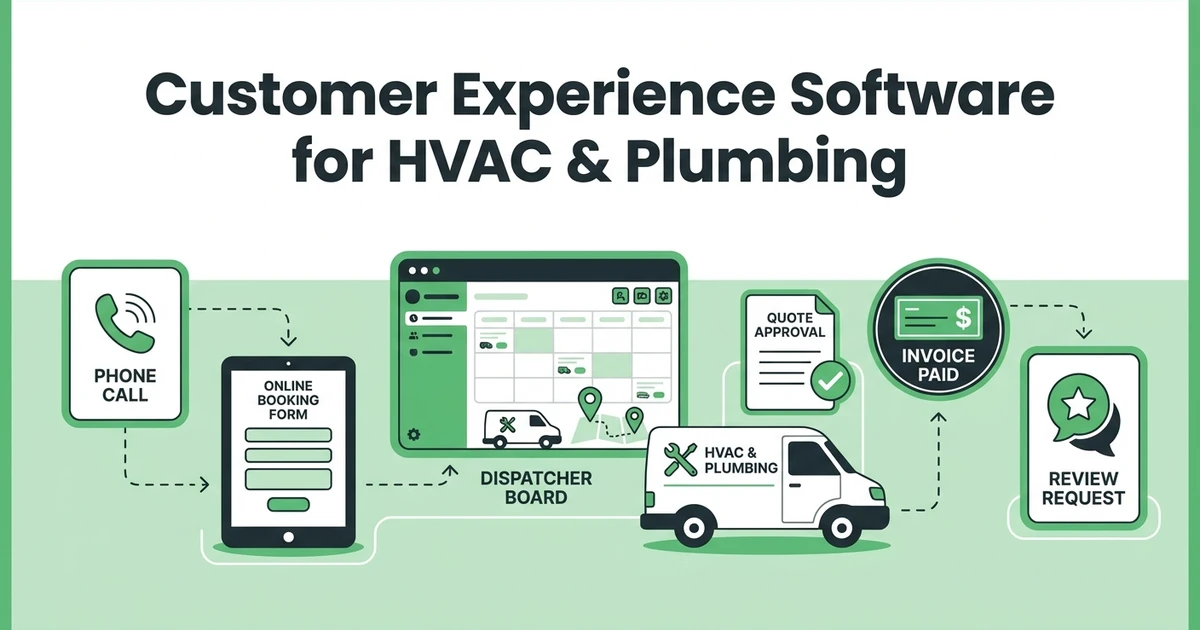
Fieldified is strong here because it connects customer experience software for HVAC and plumbing teams with daily dispatch, quotes, invoices, and payments.
Growing teams with office staff
Once an office manager or dispatcher is involved, visibility becomes the real issue. Owners need to see open quotes, scheduled jobs, unpaid invoices, tech status, and customer history without asking three people for updates.
Fieldified, Jobber, Service Fusion, Workiz, and FieldEdge are the most relevant shortlist options. ServiceTitan may enter the conversation if the team is already operating like a larger trade company.
How to choose a Housecall Pro alternative without overbuying
Do not buy the biggest feature list. Buy the workflow your crew will actually use.
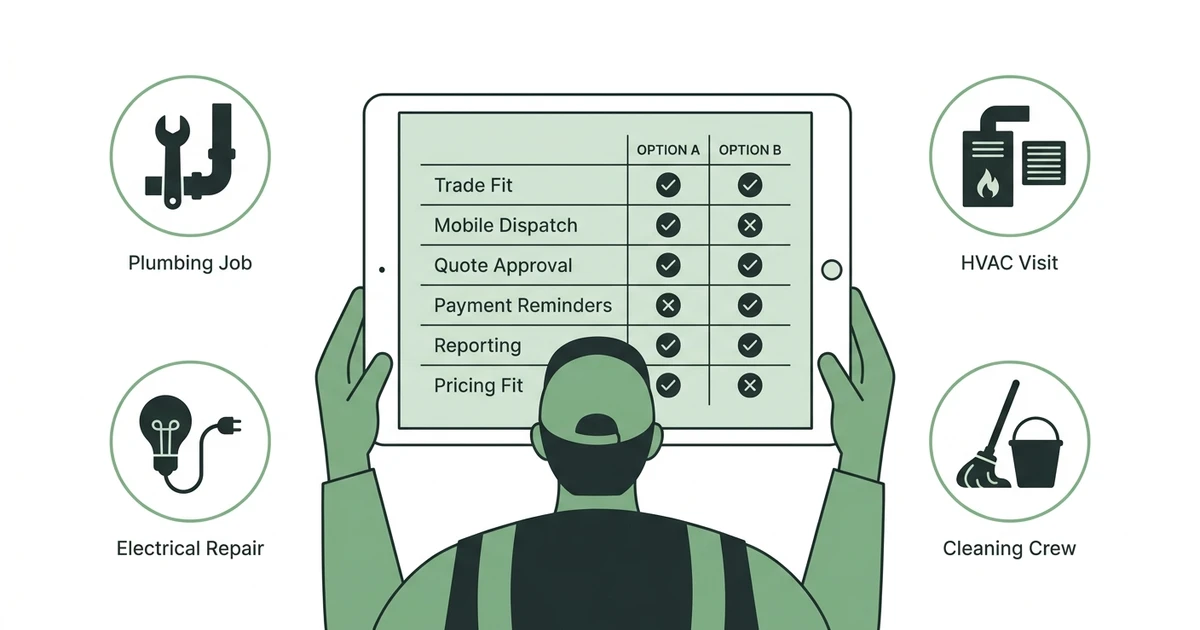
Use this checklist:
- Does the platform handle quoting, scheduling, dispatch, invoicing, and payments together?
- Can technicians use the mobile app without office hand-holding?
- Does pricing still make sense when the team grows?
- Can customers approve quotes and pay without calling?
- Does it reduce manual follow-up?
- Does it fit your trade without heavy custom setup?
- Can you see job status, revenue, and unpaid invoices clearly?
If invoicing and follow-up are already a pain, compare automation depth before switching. Fieldified’s invoice automation and follow-up automation guide shows the workflow small teams should look for.
See how Fieldified handles quote approval, dispatch, and payment collection without forcing a complicated switch. Book a demo and walk through your current job workflow.
Is Fieldified right for my home service business?
Fieldified is right if your team needs a practical system that connects the full job day. It is especially useful when the office is chasing quotes, moving jobs around the schedule, answering status calls, and sending payment reminders manually.
Fieldified may be a fit if:
- You have a few techs and plan to grow.
- You want pricing that is easier to forecast.
- You need quote follow-ups and invoice reminders.
- You want mobile access for field technicians.
- You want AI call handling without building a separate call workflow.
- You need a client portal for approvals and payments.
It may not be the first choice if your only problem is employee scheduling. In that case, a workforce app may be enough until quoting, invoicing, and customer communication become the bigger issue.
Why trust this Housecall Pro alternatives guide?
This guide follows a comparison method built for high-intent software buyers. It starts with the TL;DR, gives a quick table, then reviews each alternative with features, pricing notes, pros, cons, and expert verdicts.
The evaluation criteria are contractor-specific:
- Trade fit
- Pricing model
- Quote and estimate workflow
- Scheduling and dispatch clarity
- Technician mobile experience
- Customer communication
- Invoicing and payment reminders
- Reporting
- Setup complexity
- Growth fit
The goal is not to attack Housecall Pro. It is to help you find the best fit for the way your crew actually works.
Frequently Asked Questions
What is the best Housecall Pro alternative for growing teams?
Fieldified is a strong option for growing home service teams that want quoting, scheduling, dispatch, invoicing, payments, client communication, and AI call handling in one place. The best fit still depends on your trade, crew size, and how much automation you need.
Why do contractors look for Housecall Pro alternatives?
Contractors usually compare alternatives when they want different pricing, deeper reporting, stronger automation, or a workflow that fits a growing crew. Some teams also want a platform that handles after-hours calls, quote follow-ups, and payment reminders more directly.
Are Housecall Pro alternatives cheaper?
Some alternatives may be cheaper for certain team sizes, while others cost more because they target larger operations. The important comparison is total cost for your actual crew, not just the starting plan.
Which Housecall Pro alternatives work for plumbing and HVAC teams?
Fieldified, Jobber, Service Fusion, FieldPulse, FieldEdge, Workiz, and ServiceTitan are common options for plumbing and HVAC teams. Smaller teams should compare setup time, mobile usability, customer communication, and invoicing first.
Should I switch from Housecall Pro if my team is small?
Not always. If your current workflow is working, stay focused on growth. Compare alternatives when pricing, reporting, dispatch, quote follow-up, or payment collection starts slowing the office down.
Conclusion: choose the alternative that fits your jobs, crew, and cash flow
The best Housecall Pro alternative is not always the biggest platform. It is the one that fits your trade, supports your crew, keeps customer communication clear, and gets invoices paid without adding office work.
Fieldified is built for growing home service teams that want a practical quote-to-payment workflow, flat plan pricing, mobile access, AI call handling, quote follow-ups, and payment reminders in one place.
If you are comparing Housecall Pro alternatives, book a Fieldified demo and see how the full workflow works from new request to paid invoice.