EN
EN DE
DE ES
ES FR
FR NL
NL PT
PT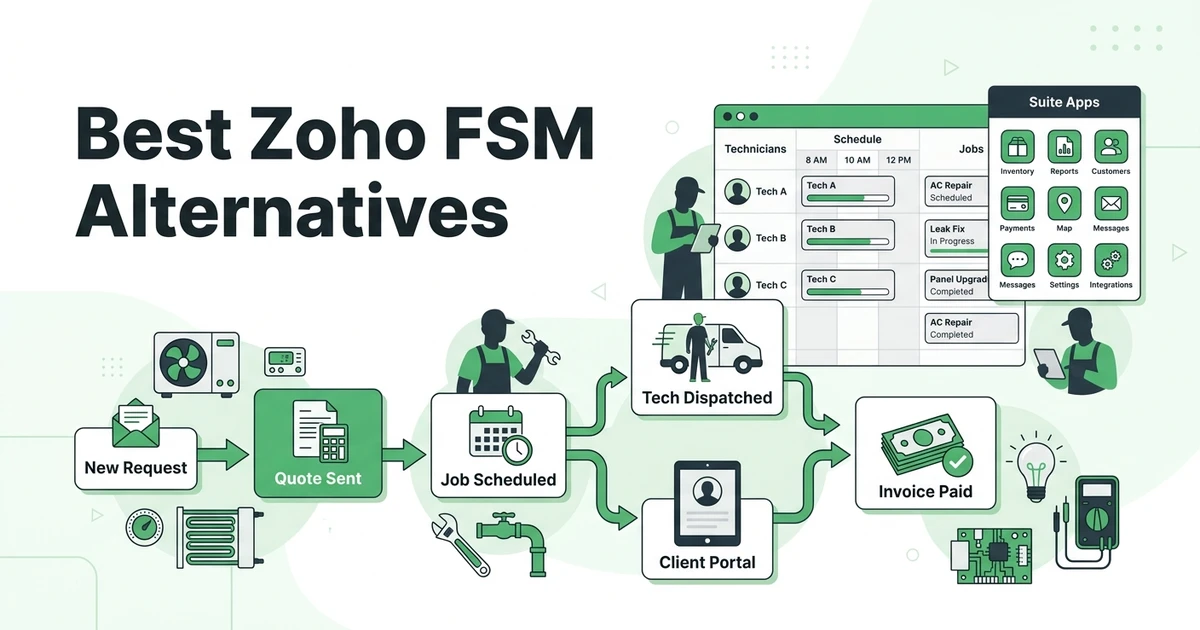





Quick Answer: The best Zoho FSM alternatives are platforms that fit field service teams without requiring a broader Zoho setup. Fieldified is a strong option for HVAC, plumbing, electrical, and mixed-trade businesses that want quoting, scheduling, dispatch, client communication, invoicing, payments, mobile access, and AI call handling in one field-service-first workflow.
Zoho FSM makes sense for teams that already like the Zoho ecosystem. It connects field service work with other Zoho products, which can be useful if your office already uses Zoho CRM, Zoho Desk, Zoho Books, or the wider suite.
But field service is not just another business module when you run HVAC calls, plumbing estimates, electrical repairs, or mixed-trade crews. Your dispatcher needs job status now. Your technician needs work details on mobile. Your customer needs to approve a quote and pay without chasing the office.
That is why contractors compare field-service-first options before committing to a platform. This guide follows the Skima-style BOFU format: TL;DR, incumbent overview, switching reasons, quick comparison table, ranked reviews, pricing notes, pros, cons, expert verdicts, use-case picks, company-size recommendations, methodology, FAQs, and a clear summary.
Why contractors compare Zoho FSM alternatives
Most contractors do not compare software because they enjoy demos. They compare because the current workflow has friction.
For a plumbing business, that friction might be a quote that never gets followed up. For an HVAC company, it might be a dispatcher juggling emergency calls, maintenance visits, and equipment notes across too many screens. For an electrical contractor, it might be mobile job details that do not match what the office promised.
BLS projects HVAC mechanic and installer employment to grow 8% from 2024 to 2034, with about 40,100 openings per year in its HVAC outlook. More hiring means more schedules, more handoffs, and more room for admin mistakes.
Common reasons contractors compare alternatives:
- They want a field-service-first workflow, not a suite module.
- They need quote follow-ups tied directly to job booking.
- They want dispatch, mobile work orders, invoices, and payments in the same daily flow.
- They need easier technician adoption in the field.
- They want pricing and setup that match a smaller trade team.
What is Zoho FSM?
Zoho FSM is a field service management product from Zoho. It helps teams manage service appointments, work orders, dispatch, estimates, invoices, and customer communication inside the broader Zoho ecosystem.
Its strengths are clear. It can be attractive for businesses already using Zoho CRM, finance tools, support tools, and other Zoho apps. It also gives buyers a familiar vendor if the office is already committed to that suite.
The trade-off is fit. A contractor who wants a purpose-built field service platform may not want to configure a broader ecosystem just to run daily dispatch, quote approvals, technician updates, and payment reminders.
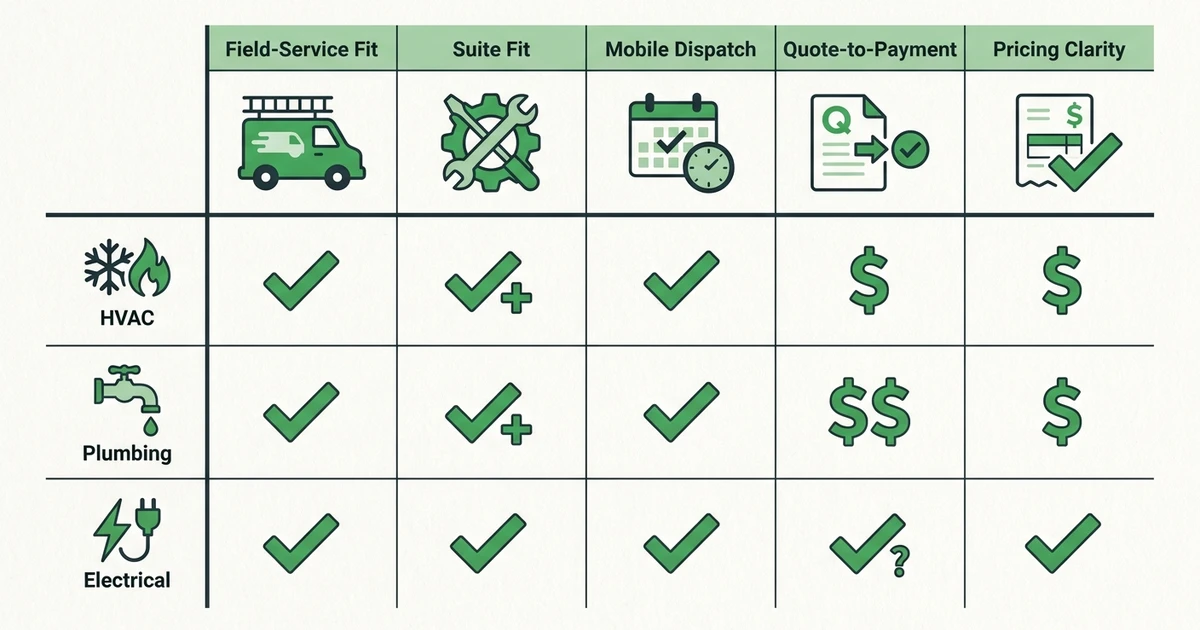
Quick comparison: top replacement options
| Alternative | Best for | Pricing style | Strongest reason to compare |
|---|---|---|---|
| Fieldified | Small and growing trade teams | Flat published plans | Field-service-first quote-to-payment workflow |
| Jobber | Residential service teams | Published plans by team size | Mature client communication and booking tools |
| Housecall Pro | Home service contractors | Published plans and higher tiers | Mobile-friendly home service workflows |
| Service Fusion | Teams wanting flat pricing | Flat published tiers | Unlimited-user field service basics |
| FieldPulse | Small contractors getting organized | Plan-based options | Simple job and customer management |
| Workiz | Call-heavy service teams | Published and custom tiers | Phone, dispatch, and urgent job workflows |
| ServiceTitan | Larger trade companies | Quote-based model | Enterprise depth for HVAC, plumbing, and electrical |
| FieldEdge | HVAC and plumbing teams | Quote-based model | Trade-specific accounting and service agreements |
| Salesforce Field Service | Enterprise CRM users | Salesforce license model | Deep CRM and enterprise integration |
| Synchroteam | Mobile workforce tracking | Published plans | Scheduling and map-based field operations |
Best Zoho FSM alternatives in 2026
1. Fieldified
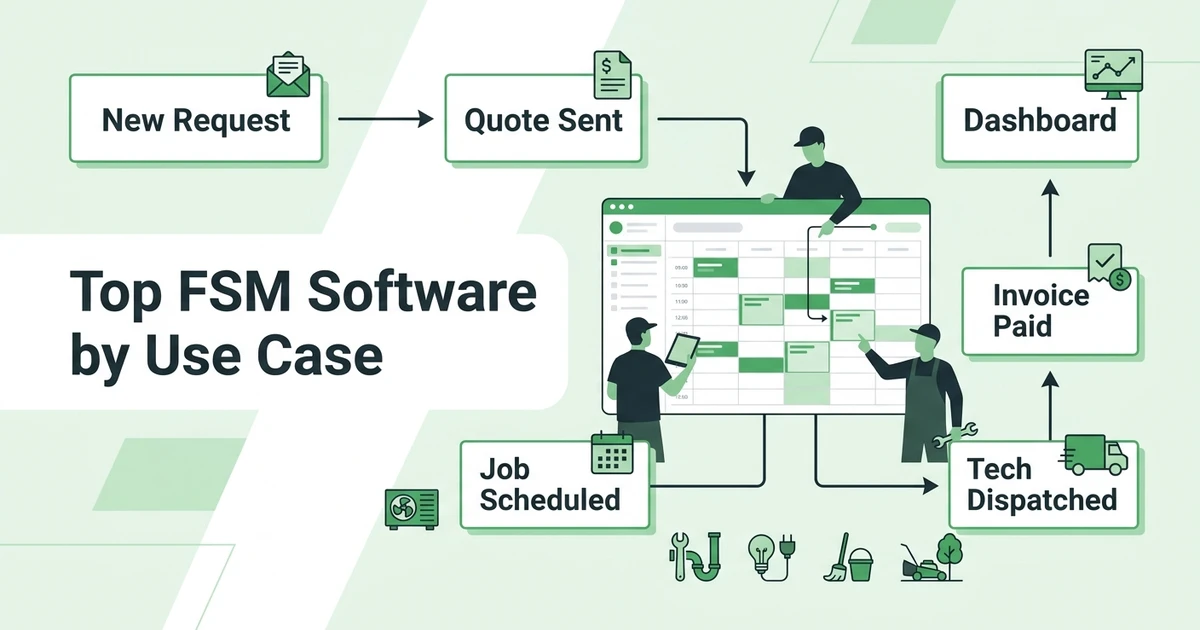
Fieldified is built around the field service job lifecycle. A service request can become a quote, the quote can become a scheduled job, the job can be dispatched to a tech, and the completed work can turn into an invoice and payment without the office rebuilding the workflow by hand.
Key features of Fieldified
- Scheduling and dispatching crews by availability
- Interactive quote management
- Mobile app for technicians
- Client portal for approvals, appointments, and payments
- Automated invoice reminders
- AI Receptionist for after-hours calls
- Business dashboard and job tracking
Fieldified pricing
Fieldified publishes flat plan pricing. Basic starts at $49 per month for up to 5 users, Standard starts at $119 per month for up to 10 users, and Premium starts at $199 per month for up to 15 users on Fieldified’s flat plan pricing.
Pros of Fieldified
- Built specifically for field service teams.
- Covers quoting, scheduling, dispatch, invoicing, and payments.
- Flat pricing helps teams budget before hiring.
- AI Receptionist and automated follow-ups reduce office work.
Cons of Fieldified
- Companies already deep in Zoho may prefer staying inside that ecosystem.
- Very large enterprises may need deeper custom implementation.
Expert verdict
Fieldified is the best fit when your main problem is the daily field workflow. If your dispatcher, techs, and owner need one practical system from first call to final payment, Fieldified is easier to evaluate than a broader business suite.
2. Jobber
Jobber is a mature field service platform for small home service businesses. It handles quoting, scheduling, client communication, invoices, payments, and customer history.
Key features of Jobber
- Quotes and invoices
- Scheduling and dispatch
- Client hub
- Online booking
- Payments
- Follow-up tools
Jobber pricing
Jobber publishes plans by team size and feature level. Compare included users, automation, and higher-tier features before deciding.
Pros of Jobber
- Polished customer-facing tools.
- Strong brand recognition in field service.
- Good fit for many residential service businesses.
Cons of Jobber
- Costs can rise as teams add users.
- Some advanced needs require higher plans.
- It may not solve the suite-versus-purpose-built question by itself.
Expert verdict
Jobber is a solid Zoho FSM alternative for residential teams that want a proven field service product. Growing teams should compare long-term pricing carefully.
3. Housecall Pro
Housecall Pro is built for home service teams that need estimates, scheduling, technician mobile workflows, customer notifications, invoices, and payments.
Key features of Housecall Pro
- Scheduling and dispatch
- Estimates
- Invoices and payments
- Online booking
- Customer notifications
- Technician mobile app
Housecall Pro pricing
Housecall Pro publishes starting prices and higher tiers. Buyers should check reporting, included users, and automation depth before choosing.
Pros of Housecall Pro
- Familiar home service workflow.
- Strong mobile experience.
- Good customer communication tools.
Cons of Housecall Pro
- Higher tiers may be needed as teams grow.
- Reporting and customization should be checked.
- Commercial or mixed-trade teams may need broader workflows.
Expert verdict
Housecall Pro is a good option for residential service companies. If the team needs stronger quote-to-payment control or flat plan pricing, compare it with Fieldified.
4. Service Fusion
Service Fusion offers core field service management with flat monthly tiers and unlimited users. It can make sense for teams that want predictable pricing and standard FSM tools.
Key features of Service Fusion
- Customer management
- Estimates and jobs
- Dispatch and scheduling
- Invoicing and payments
- QuickBooks integration
- Reporting
Service Fusion pricing
Service Fusion publishes flat tiers. Contractors should review which plan includes job costing, photos, documents, and portal features.
Pros of Service Fusion
- Unlimited-user pricing can help growing crews.
- Covers the common FSM basics.
- Useful for teams avoiding per-user billing.
Cons of Service Fusion
- Interface may feel less modern.
- AI and automation depth may be lighter.
- Add-ons and tier fit matter.
Expert verdict
Service Fusion is worth comparing if predictable user cost is the priority. Fieldified is stronger when AI call handling, modern mobile use, and quote-to-payment automation matter more.
5. FieldPulse
FieldPulse helps small contractors manage customers, estimates, invoices, scheduling, jobs, and payments. It is often considered by teams moving away from manual tracking.
Key features of FieldPulse
- Customer records
- Estimates and invoices
- Scheduling
- Job tracking
- Payments
- Reporting
FieldPulse pricing
FieldPulse pricing depends on plan and setup needs. Confirm users, integrations, and reporting depth before comparing.
Pros of FieldPulse
- Good fit for small contractors.
- Covers common field service admin.
- Easier to evaluate than enterprise systems.
Cons of FieldPulse
- May be lighter on AI and advanced automation.
- Larger teams may outgrow basic workflows.
- Reporting depth should be checked carefully.
Expert verdict
FieldPulse can work for teams that need organization first. Contractors comparing Zoho FSM because they want stronger automation should compare Fieldified closely.
6. Workiz
Workiz is strong for call-heavy service teams. It often fits businesses where phone handling, urgent jobs, and dispatch speed are central to revenue.
Key features of Workiz
- Call tracking
- Scheduling
- Dispatch board
- Estimates and invoices
- Payments
- Team communication
Workiz pricing
Workiz offers published and custom tiers depending on features. Check phone tools, users, and advanced features before comparing.
Pros of Workiz
- Strong for phone-driven operations.
- Useful for urgent dispatch work.
- Good fit for multi-location and franchise-style teams.
Cons of Workiz
- Smaller teams may not need the phone-system focus.
- Advanced features can change the cost picture.
- Not every trade needs a call-heavy workflow.
Expert verdict
Workiz is a good alternative when calls are the main bottleneck. If you want a broader field-service-first operating workflow, compare it against Fieldified.
7. ServiceTitan
ServiceTitan is built for larger trade businesses that need deep reporting, pricebooks, memberships, call booking, dispatch, and operational control.
Key features of ServiceTitan
- Call booking
- Scheduling and dispatch
- Pricebook
- Invoices and payments
- Reporting
- Membership workflows
ServiceTitan pricing
ServiceTitan uses a sales-led pricing model. Contractors should expect a more involved evaluation and implementation conversation.
Pros of ServiceTitan
- Deep trade-specific functionality.
- Strong for larger HVAC, plumbing, and electrical businesses.
- Broad reporting and operational controls.
Cons of ServiceTitan
- More system than many small teams need.
- Setup and management can be heavier.
- Budget comparison usually requires sales input.
Expert verdict
ServiceTitan is powerful, but it may be too large a step for a 5-tech contractor comparing Zoho FSM. Use it when enterprise depth is genuinely needed.
8. FieldEdge
FieldEdge focuses on HVAC and plumbing businesses. It is often evaluated by teams that care about dispatch, customer records, service agreements, pricebooks, and accounting workflows.
Key features of FieldEdge
- Dispatch board
- Customer history
- Invoicing
- Service agreements
- Pricebook
- Accounting connection
FieldEdge pricing
FieldEdge commonly uses a sales-led process. Clarify implementation, accounting setup, and module requirements before comparing.
Pros of FieldEdge
- Strong HVAC and plumbing focus.
- Useful for service agreements.
- Good fit for accounting-heavy workflows.
Cons of FieldEdge
- Less broad for mixed-trade teams.
- Setup can take more planning.
- Pricing transparency may require a demo.
Expert verdict
FieldEdge is relevant if your team is HVAC or plumbing first. Mixed-trade contractors may prefer a broader platform with simpler setup.
Top replacement options by use case
Best for field-service-first workflows: Fieldified
Fieldified fits when the daily job workflow matters more than suite alignment. HVAC and plumbing teams can quote, schedule, dispatch, invoice, and collect payment without stitching several apps together.
It is especially useful for owners who want office and field teams working from the same customer, job, and payment record.
Best for teams already committed to Zoho: Zoho FSM
Zoho FSM can still be the right choice if your company already runs on Zoho CRM, finance, support, and communication tools. In that case, keeping field service inside the same ecosystem may reduce vendor sprawl.
The question is whether that ecosystem makes daily job execution easier for your technicians and dispatcher.
Best for larger trade operations: ServiceTitan
ServiceTitan belongs on the shortlist when the company has the staff and budget to manage a large operating system. It is most relevant for bigger HVAC, plumbing, electrical, or multi-location businesses.
If your team does not have someone to own setup, reporting, and workflow maintenance, a lighter platform may be easier to run.
Best for call-heavy teams: Workiz
Workiz is useful when phone calls drive the schedule. Locksmiths, urgent repair teams, and fast-response service companies may value the call and dispatch workflow.
If your bottleneck is quote follow-up and payment collection, compare call tools against the full job lifecycle.
Best replacement options by company size
3-10 technicians
Small trade teams should avoid buying more suite than they can maintain. The first priority is a daily workflow the office and techs will actually use.
Fieldified, Jobber, Housecall Pro, FieldPulse, and Service Fusion are the most relevant shortlist options at this stage.
10-30 technicians
Teams in this range need better visibility. Dispatch changes, open quotes, unpaid invoices, job photos, and customer communication can no longer sit in separate places.
Fieldified, Workiz, FieldEdge, Service Fusion, and ServiceTitan may all be worth comparing depending on trade and complexity.
Larger or multi-location teams
Larger teams may need enterprise reporting, multi-branch controls, complex pricebooks, and deeper integrations. ServiceTitan, Salesforce Field Service, and Zoho FSM may enter the conversation here.
Still, do not assume bigger is better. The best system is the one your dispatcher and technicians can run every day.
How to choose a Zoho FSM alternative without buying a suite you do not need
Start with the workflow. A demo should show what happens when a customer calls, a quote is sent, the quote is approved, the job is scheduled, the tech completes the work, and the invoice gets paid.
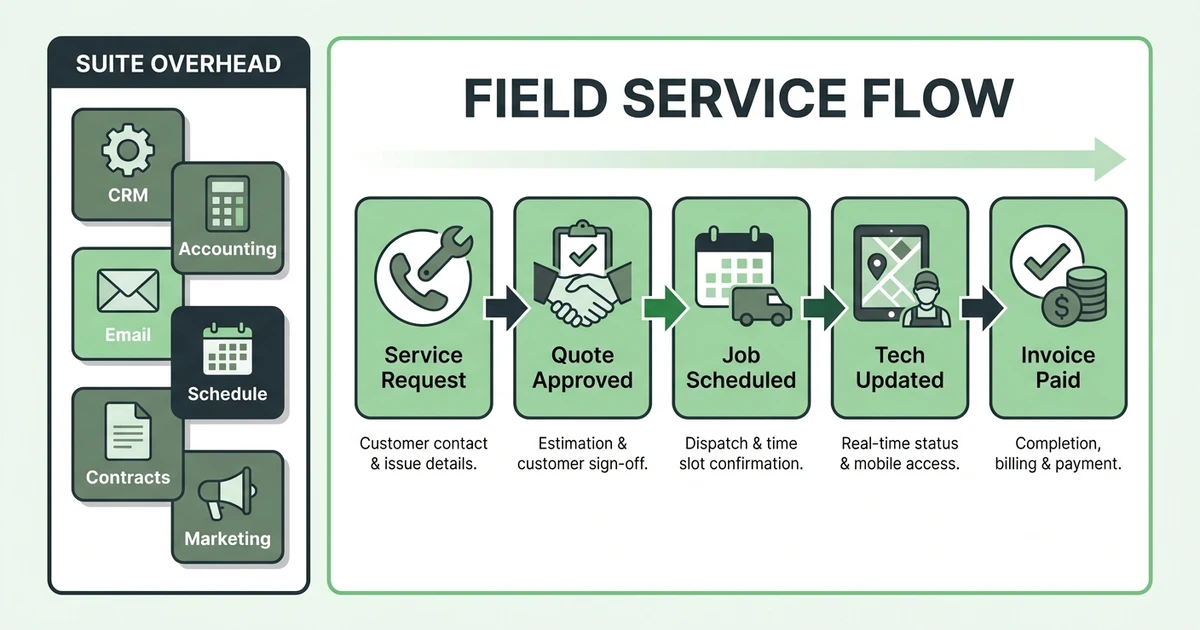
Use this checklist:
- Does the platform manage quote-to-payment in one flow?
- Can technicians use the mobile app without office help?
- Can customers approve quotes and pay online?
- Does dispatch show availability, location, and job status?
- Does reporting show open work, unpaid invoices, and job performance?
- Does pricing fit the team you have now and the one you plan to hire?
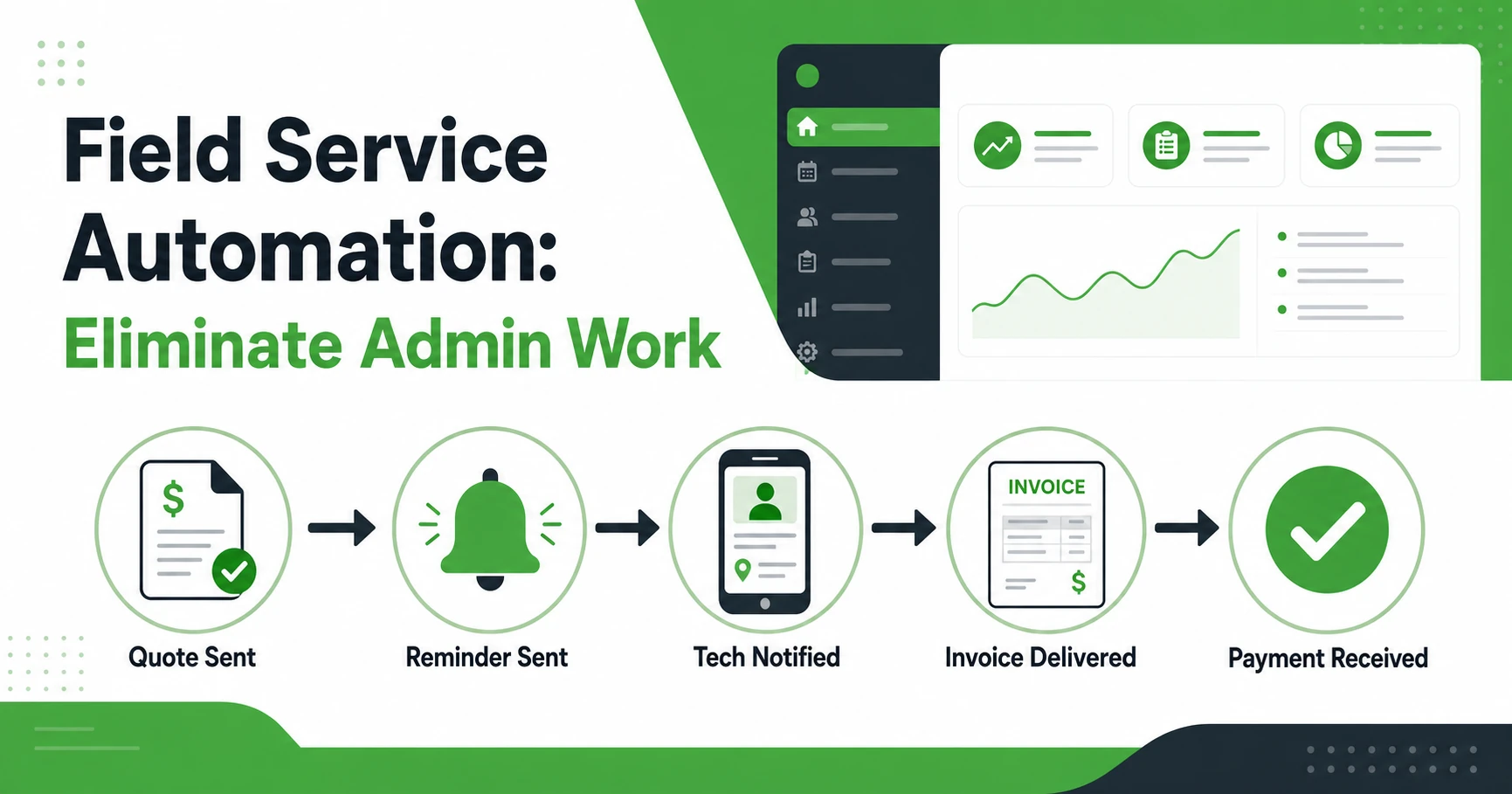
If your team wants a field-service-first decision framework, use the field service automation guide to separate true automation from extra software.
See how Fieldified handles quoting, scheduling, dispatch, invoicing, and payments without requiring a broader suite setup. Book a demo and compare the daily workflow your owner, dispatcher, and techs would use.
Is Fieldified right for my HVAC, plumbing, or electrical business?
Fieldified is right if your team wants a practical field service operating system. It is built around jobs, customers, quotes, schedules, invoices, payments, and field tech visibility.
It may be a fit if:
- Your techs need clear mobile job details.
- Your office loses time chasing quote approvals.
- You want HVAC service software for growing contractors.
- You want a purpose-built FSM platform compared with a suite-based option.
- You need flat pricing that is easier to forecast.
- You want AI Receptionist and client portal workflows included in the operating flow.
It may not be the first choice if your company already runs deeply on Zoho and wants every business function inside that suite. In that case, Zoho FSM may be a natural extension.
Why trust this alternatives guide?
This guide is structured for a contractor who is close to choosing software. It compares tools by daily workflow, pricing style, mobile usability, dispatch, quote management, invoicing, payments, setup complexity, and trade fit.
The article also avoids a direct duplicate of Fieldified’s one-to-one compare page. For that, use the detailed page that compares Fieldified with a suite-based field service option.
BLS projects electrician employment to grow 9% from 2024 to 2034, with about 81,000 openings per year in its electrician outlook. As trade teams hire, clear field workflows matter more than ever.
Frequently Asked Questions
What is the best Zoho FSM alternative for small contractors?
Fieldified is a strong option for small and growing contractors that want field-service-first workflows without building around a broader business suite. The best fit depends on your trade, team size, dispatch needs, and how much quote-to-payment automation you need.
Why do contractors compare Zoho FSM alternatives?
Contractors usually compare alternatives when they want a simpler setup, stronger field-service-specific workflows, or one system built around jobs instead of a broader app ecosystem. Zoho FSM can fit Zoho users well, but some trade teams prefer a platform built only for field service operations.
Are Zoho FSM alternatives better for HVAC and plumbing?
Some alternatives are more trade-specific for HVAC, plumbing, electrical, and mixed-trade businesses. Look for dispatch, mobile work orders, quote follow-ups, customer history, invoicing, and payment reminders before choosing.
Is Fieldified a Zoho FSM competitor?
Yes. Fieldified competes as a purpose-built field service management platform for contractors that need quoting, scheduling, dispatch, invoicing, payments, mobile access, customer communication, and AI call handling in one workflow.
Should I choose Zoho FSM or a field-service-first platform?
Choose Zoho FSM if your business already runs deeply on Zoho and wants field service inside that ecosystem. Choose a field-service-first platform if your main pain is daily job execution, quote follow-up, dispatch, invoices, payments, and technician visibility.
Conclusion: choose a field-service-first platform your crew can run
Zoho FSM can be a sensible choice for companies already committed to Zoho. But if your buying decision is really about running jobs, dispatching techs, getting quotes approved, sending invoices, and collecting payment, compare purpose-built FSM platforms closely.
Fieldified gives small and growing contractors the field-service-first workflow many teams are looking for: quote management, scheduling, dispatch, mobile access, customer communication, invoicing, payments, and AI call handling.
If you are comparing options, book a Fieldified demo and see how the workflow works from first request to paid invoice.