 EN
 DE
 ES
 FR
 NL
 PT
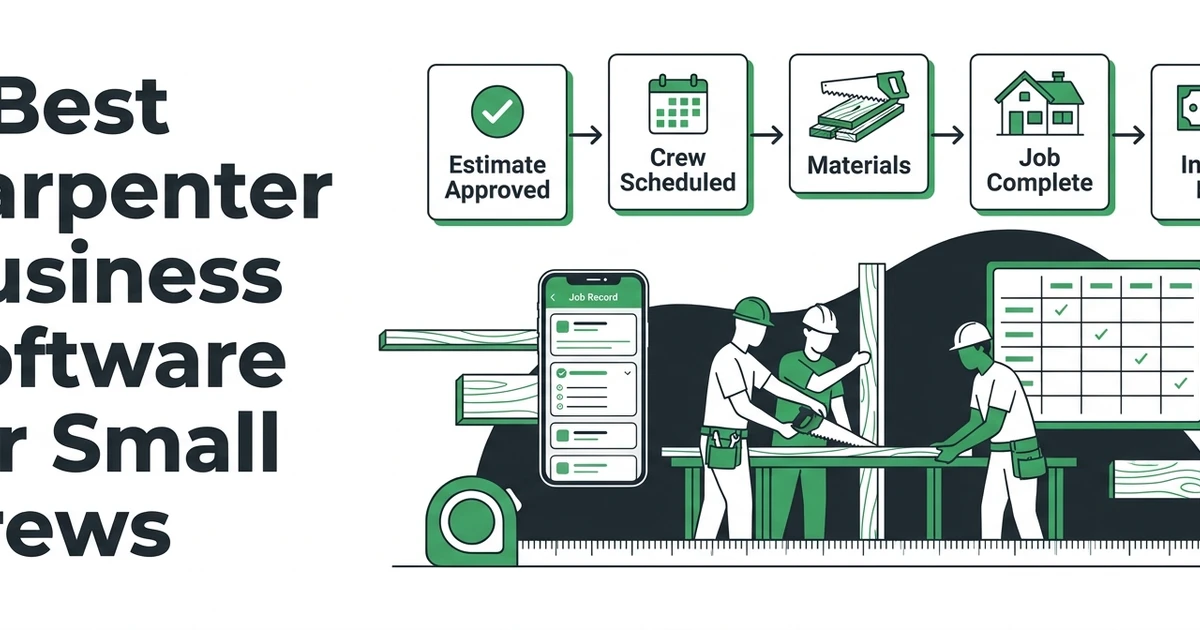





Quick Answer: Carpenter business software combines estimating, scheduling, crew coordination, job records, material and labor tracking, invoicing, and payments in one workflow. The right choice for a small carpentry company should move an approved estimate into a scheduled job and then into a paid invoice without re-entering the same details.
If you run a carpentry business, a kitchen installation may start as a site visit, change when the wall is opened, and finish with several labor and material adjustments.
The software needs to preserve scope, crew assignment, job costs, and payment history in one place.
The U.S. Bureau of Labor Statistics reports about 889,700 carpenter jobs in 2025, with self-employed workers making up 25% of the occupation. The BLS carpenter profile also notes that carpenters may use smartphones and tablets for planning and calculations. That makes mobile access and simple office-to-field handoffs practical buying criteria, not decorative extras.
Which carpenter business problems should software solve first?
Start with the points where a carpentry job changes hands or changes scope. The owner may sell the work, an office coordinator may schedule it, a lead carpenter may document the site, and a bookkeeper may send the final invoice. If each person works from a different record, details disappear between steps.
The BLS projects a 4% increase in carpenter employment from 2025 to 2035 and about 62,800 openings per year. The current BLS projections table provides the underlying figures.
The most important problems to test are:
- Estimate drift: The approved scope, allowances, and client choices stay visible after the job is booked.
- Crew confusion: Installers know the address, access notes, materials, job sequence, and customer expectations.
- Untracked costs: Labor time, purchased materials, and reimbursable expenses are attached to the correct job.
- Slow closeout: Completed work reaches the invoice quickly, with payment status visible to the owner.
- Scattered proof: Photos, signatures, notes, and customer messages stay with the job instead of living in personal phones.
A carpenter software demo should show these handoffs in order. Do not judge a platform only by its dashboard or list of features.
How we compared carpenter business software for small crews
The comparison below uses a small-crew workflow instead of a generic feature count. Test each option against the same built-in shelving installation or kitchen trim package.
| Buying criterion | What to test | Why it matters to carpenters |
|---|---|---|
| Estimate-to-job handoff | Can approved scope and client details become a scheduled job? | Prevents retyping and missed requirements |
| Mobile job records | Can the crew see notes, photos, forms, and updates at the site? | Keeps field decisions visible to the office |
| Cost visibility | Can you record time, materials, and expenses against the job? | Shows whether the project is staying within its plan |
| Customer approvals | Can scope changes be documented before work continues? | Reduces disputes over additions and allowances |
| Invoice and payment flow | Can completed work move into billing quickly? | Helps the business collect without a Friday paperwork pile |
7 best carpenter business software options for small crews
This is a workflow-fit shortlist, not a measured performance ranking. Run the same carpentry scenario through each product so the comparison reflects the work your team actually performs.
1. Fieldified
Fieldified gives carpenter businesses one all-in-one system for estimates, scheduling, mobile job details, time and expense tracking, invoices, payments, and customer communication. The platform is built around the full job lifecycle, so the office moves approved work into a scheduled job while the field team updates the same record.
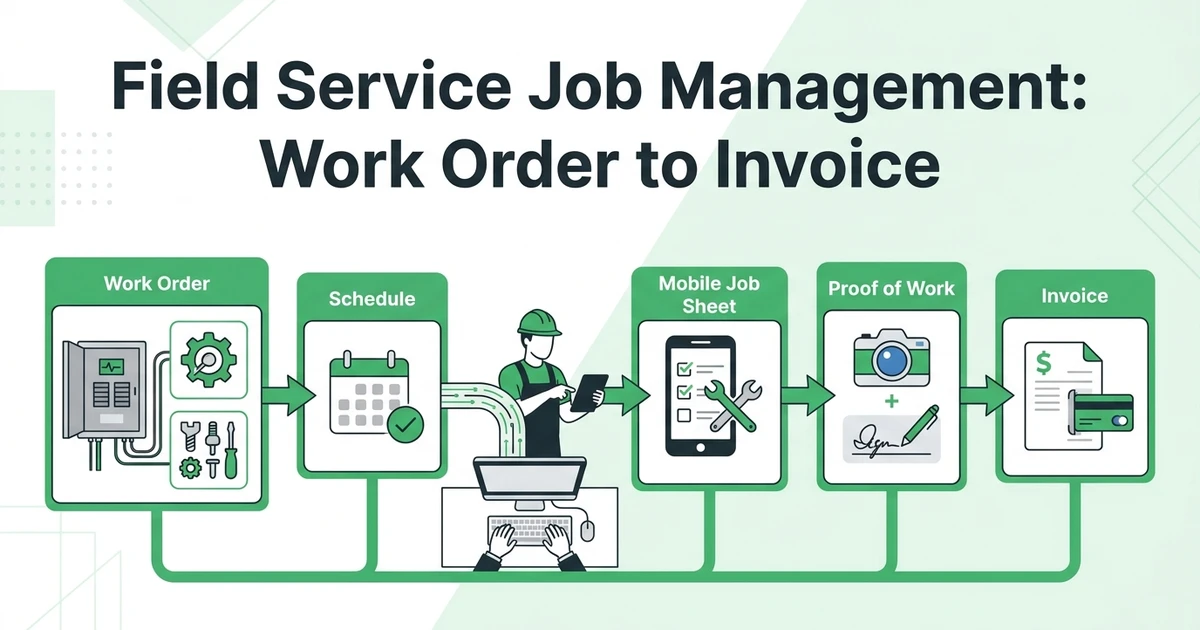
For a small carpentry crew, the important test is the handoff. Create an estimate with labor and material lines, approve it, assign the job, add site photos and notes, record time and expenses, then send the invoice. Fieldified’s quote management supports that sequence.
Fieldified also gives owners a way to keep completed work moving toward billing. Its invoicing workflow is designed for professional invoices, payment reminders, online payments, and job-level financial visibility.
Fieldified is especially relevant to small and growing carpentry crews that want one mobile-first system for the operational and financial side of each job.
Test during a demo: Ask the team to convert an approved estimate into a job, add a change, record a material expense, and send a final invoice without creating a second customer record.
2. Jobber
Jobber is a familiar option for small service companies that want quoting, scheduling, invoicing, payments, and customer communication in one place. Its official FAQ describes a workflow that includes quotes, schedules, invoices, online card and ACH payments, and a client hub for approvals and payments.
For carpenters, the fit depends on how project-based the work is. It can be a practical shortlist option for small repair, installation, and recurring maintenance teams that want a simple customer-facing workflow. A longer remodel may require a closer look at progress billing, detailed cost tracking, change-order history, and project milestones.
If Jobber is on your shortlist, compare its workflow with Fieldified’s side-by-side platform comparison. Focus on the steps your office repeats every week, not just the number of features shown in a demo.
It may suit small home-service and installation teams that prioritize a simple client and scheduling experience.
Test during a demo: Use a two-phase carpentry job and ask how the software separates the initial scope, added work, deposits, progress invoices, and final payment.
3. Housecall Pro
Housecall Pro positions its field-service features around scheduling, dispatching, estimates, invoices, and payments. Its feature documentation describes digital invoicing, automated reminders, card and bank payments, recurring jobs, technician notifications, and job details.
That makes it worth considering for carpenters whose work looks like service calls, smaller installations, and repeat maintenance rather than long construction projects. The buying question is whether its workflow gives your crew enough space for room-by-room notes, material selections, change requests, and multi-day completion records.
If Housecall Pro is on your shortlist, compare both platforms against the same carpentry scenario.
It may suit home-service teams that want scheduling and payment collection closely connected to customer communication.
Test during a demo: Ask how a technician can view the approved scope, add field notes and photos, capture a customer decision, and send a revised invoice.
4. Workiz
Workiz is built around lead capture, booking, dispatch, estimates, invoices, payment collection, service plans, a mobile app, and active scheduling. For a carpenter, test its fit for inbound calls, short-notice work, project records, material planning, and multi-day job tracking.
Keep the evaluation trade-specific: one repair, one installation, and one multi-day project.
It may suit carpenter businesses where phone intake, fast booking, and active dispatch are major parts of the daily operation.
Test during a demo: Start with an inbound request, create an estimate, book the job, assign a technician, and confirm how the office sees the job after the field visit.
5. ServiceTitan
ServiceTitan offers scheduling, dispatching, mobile estimates, invoicing, reporting, customer history, technician tools, and other operational modules. Its official package pages show that features and pricing are organized around the needs of growing contractor operations.
The platform may be more than a small carpentry crew needs. It becomes more relevant with multiple departments, a larger office team, capacity planning, or complex reporting. Evaluate implementation effort, administrative ownership, and total cost, not only feature coverage.
Ask both vendors to demonstrate the same carpenter job from estimate through closeout.
It may suit larger contractor operations that need extensive dispatch, reporting, and process controls.
Test during a demo: Ask who owns configuration, how the field team receives job changes, and how quickly an office user can find a job’s approved scope and current costs.
6. FieldPulse
FieldPulse’s official documentation describes scheduling, customer management, mobile job details, photos, files, comments, invoices, time tracking, payment collection, and payment status tracking. It can suit carpenters who want technicians to document work from a phone, but test detailed takeoffs, long approval chains, and progress billing separately.
It may suit small field teams that prioritize mobile notes, photos, customer history, and invoice status.
Test during a demo: Have the lead carpenter add a site photo, a customer note, and a material charge from the field, then show how the office reviews the update.
7. Service Fusion
Service Fusion describes estimate creation, drag-and-drop scheduling, dispatch, GPS tracking, mobile technician tools, invoicing, and payments. Its documentation shows a workflow from estimate to job, then to invoicing and payment, which carpenters should test against project phases, scope changes, and material documentation.
It may suit service contractors that want estimates, dispatch, field updates, and payments in one operating flow.
Test during a demo: Ask the vendor to create a carpenter estimate, convert it into work, add a change, and show the exact invoice record produced at closeout.
Which software fits a one-crew carpentry business?
A one-crew business usually needs speed and clarity more than a large collection of administrative modules. The owner may estimate work in the morning, install in the afternoon, and handle invoicing at night. The software should reduce duplicate entry at each transition.
For a small residential crew, prioritize mobile access, estimate templates, customer approvals, photo capture, time and expense recording, and payment links. If you take on longer remodels, add progress billing, change tracking, project milestones, and a clear way to compare planned and actual costs. As you add crews, also test capacity visibility, material decisions, and invoice readiness. A mobile field-service workflow can keep those updates closer to the job instead of waiting for end-of-day calls.
Can the software connect carpentry estimates, materials, labor, and invoices?
The answer depends on how deeply the software connects each record. At a minimum, the approved estimate should remain available when the job is scheduled. The crew should be able to see the scope, note what changed, and record the time or expenses that the owner needs for a final review.
Imagine a carpenter installing built-in cabinets. The estimate includes cabinet materials, trim, labor, and a target completion date. During installation, the client adds a shelf and changes the trim profile. A useful system keeps the new decision attached to the job, records the extra material and labor, and gives the office enough information to invoice the approved addition.
That is different from claiming that every field-service platform replaces estimating, accounting, or construction takeoff software. Ask exactly which cost fields, approvals, reports, and integrations are available in the plan you are considering.
See the workflow in action: Book a Fieldified demo to see how estimates, job details, scheduling, invoicing, and payment follow-up connect for a growing field team.
What should a carpenter ask during a software demo?
Use the same questions with every vendor:
- Can an approved estimate become a job without retyping the customer and scope?
- Can a carpenter add photos, notes, forms, and signatures from the job site?
- How are material purchases and labor time attached to the job?
- Can the customer approve a scope change before the crew continues?
- Can the office see which jobs are ready to invoice?
- Can the owner separate deposits, progress invoices, and final payments?
- What does the mobile experience include for technicians and owners?
- Which features are included in the plan, and which require an upgrade or add-on?
- How does data migration work if your records live in a spreadsheet or another platform?
- Can the vendor demonstrate a completed carpenter job from estimate to payment?
Ask for a live demonstration rather than a slide deck. Give the vendor a realistic scope change and check whether the original decision, new approval, and billing impact remain clear.
How Fieldified gives carpenter businesses one all-in-one operating system
Fieldified gives carpenter businesses one connected system for the full job lifecycle. Create and follow up on estimates, schedule and dispatch work, give the field team mobile access to job details, then move completed work into invoicing and payment follow-up without switching tools.
As crews grow, Fieldified keeps the operational and financial picture connected. Reporting and job costing bring tracked time, expenses, payments, and job progress together, so owners can manage the business from one clear view instead of rebuilding it in spreadsheets.
Explore Fieldified pricing, then bring one real carpentry workflow to a demo and see the all-in-one system move it from estimate to payment.
Frequently Asked Questions
What should carpenter business software include?
Carpenter business software should connect estimates, customer approvals, crew scheduling, job details, material and labor costs, invoices, and payments. Mobile access matters because the owner and crew need the latest information at the job site.
What is the best carpenter business software for a small crew?
The best carpenter business software depends on the jobs you run and the workflow your crew will actually use. For a small team, prioritize a fast estimate-to-job handoff, mobile job records, clear scheduling, job-cost visibility, and simple invoicing before advanced construction features.
Can carpenter business software track materials and labor?
Many platforms can record job expenses, labor time, and other cost details, but the depth varies by product and plan. Test a real carpentry estimate and compare planned costs with the materials, hours, and expenses recorded during the job.
Can carpentry software send invoices from the job site?
Yes, several field-service platforms let technicians or owners create and send invoices from a mobile device. Confirm whether the invoice can use approved estimate details, include the right labor and material lines, and accept payment without duplicate data entry.
Is Fieldified right for a carpenter business?
Fieldified gives carpenter teams one all-in-one workflow for quoting, scheduling, mobile job tracking, invoicing, payments, and customer communication. It keeps every job connected as the business adds technicians, jobs, and revenue responsibility.
Conclusion: choose the system that keeps every carpentry job moving
Carpenter business software earns its place when it protects the details that make a job profitable. The estimate, client decision, crew schedule, site record, cost update, invoice, and payment should tell one connected story.
Fieldified is built for that connected carpentry workflow, from the first estimate through the final payment, without duplicate entry or disconnected records.
Ready to see that workflow with your own jobs? Book a Fieldified demo and see how your team can connect quotes, schedules, job records, invoices, and payments in one place.