EN
EN DE
DE ES
ES FR
FR NL
NL PT
PT





Quick Answer:
The best field service dispatch software should help your office assign the right technician, send job details to mobile, update customers, and keep quotes, work orders, invoices, and payments connected. Fieldified is the best overall choice for small and growing contractors that want practical dispatch without enterprise setup or unpredictable per-user costs.
TL;DR: Quick Summary
- Fieldified - Best overall for small and growing field service teams
- Jobber - Best for simple residential service dispatch
- Housecall Pro - Best for mobile-first home service teams
- ServiceTitan - Best for larger trade businesses
- FieldPulse - Best for smaller contractors getting organized
- Service Fusion - Best for flat-pricing FSM basics
- Workiz - Best for call-heavy urgent dispatch
- FieldEdge - Best for HVAC and plumbing dispatch
- ServiceTrade - Best for commercial service contractors
- Salesforce Field Service - Best for enterprise CRM-led field operations
- Skedulo - Best for large distributed workforce scheduling
- Zuper - Best for flexible field service operations
- Simpro - Best for commercial work order dispatch
- BuildOps - Best for commercial contractors
- ServicePower - Best for enterprise service networks
- Dispatch - Best for contractor-network coordination
- Arrivy - Best for customer-facing mobile operations
- Workyard - Best for GPS time and crew tracking
- Smart Service - Best for QuickBooks-heavy dispatch workflows
- Synchroteam - Best for map-based field operations
The short version: choose a dispatch tool by the work your office actually handles before the technician arrives. A plumbing company taking urgent calls needs a different setup than a landscaping crew running recurring routes, and an HVAC company with maintenance agreements needs a different dispatch view than a small cleaning team.
What is field service dispatch software?
Field service dispatch software helps contractors assign jobs to technicians, move appointments on a live schedule, share work details with the field, and track job progress from the office. In practical terms, it replaces the messy mix of whiteboards, texts, spreadsheets, and “who is closest?” phone calls.
Good dispatch software shows technician availability, skills, job status, customer notes, route context, and the work order in one place. For HVAC, plumbing, electrical, cleaning, and landscaping teams, the real win is not just putting a job on a calendar. It is making sure the right person gets the right job with the right information.
If dispatch is your biggest bottleneck, Fieldified’s dispatch software page explains how scheduling, job assignment, customer details, and status updates fit together inside a contractor-first workflow.
Why contractors compare field service dispatch software
Most contractors start comparing dispatch tools when the office can no longer keep the day straight. A single schedule change can affect technician arrival time, customer expectations, parts, billing, and the next job on the route.
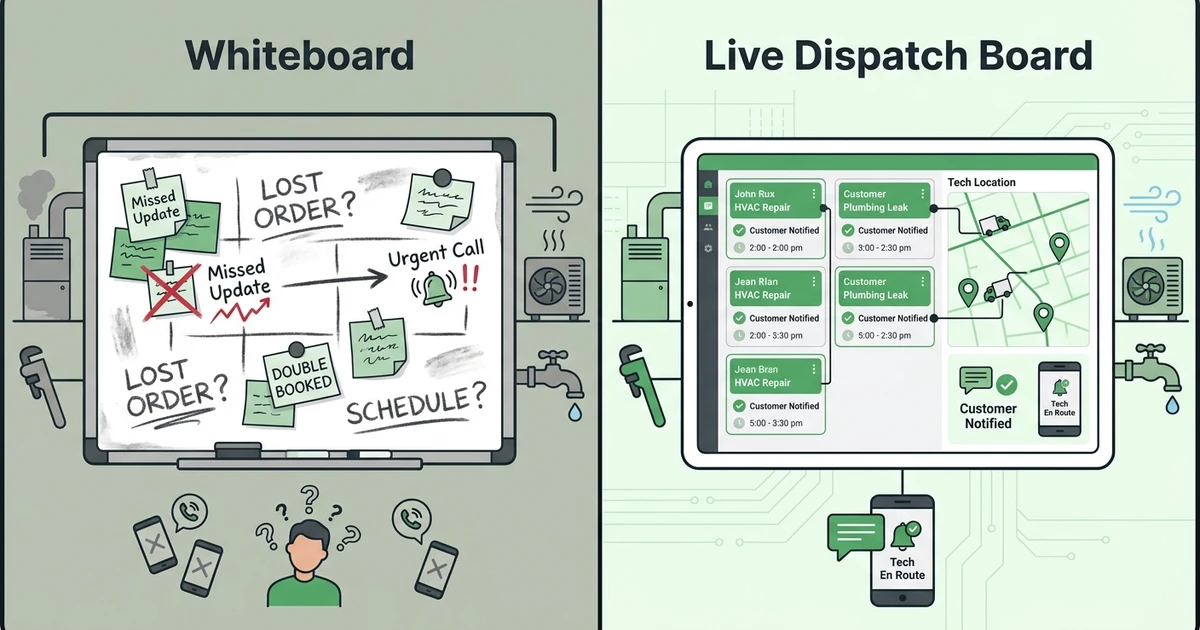
Labor pressure makes the decision even more important. The Bureau of Labor Statistics projects installation, maintenance, and repair occupations to grow faster than the average from 2024 to 2034, with about 608,100 openings each year in its occupational outlook.
That means dispatchers need better systems, not more manual checking. When an HVAC owner has five technicians and two emergency calls arrive before lunch, the office needs to see who is available, who is qualified, and which jobs can move without upsetting customers.
The global market is also moving toward field execution software. MarketsandMarkets projects the field service management market to grow from USD 5.10 billion in 2025 to USD 9.17 billion by 2030 at a 12.5% CAGR in its market forecast.
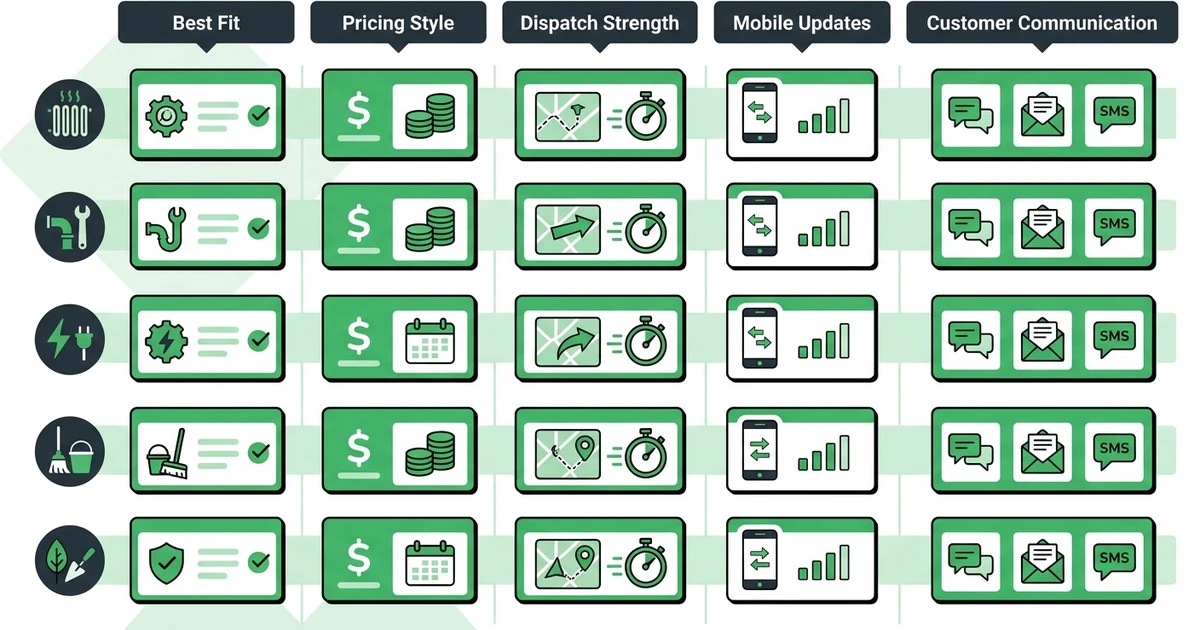
Quick comparison: top 20 field service dispatch software platforms
| Rank | Tool | Best for | Pricing style | Dispatch strength | Fieldified fit note |
|---|---|---|---|---|---|
| 1 | Fieldified | Small and growing field teams | Published flat plans | Full job lifecycle dispatch | Best when dispatch, quotes, invoices, payments, and calls need one system |
| 2 | Jobber | Residential service teams | Tiered plans | Easy calendar and job assignment | Compare growth cost as the crew expands |
| 3 | Housecall Pro | Home service teams | Tiered plans | Mobile-first dispatch | Strong for residential work with customer communication |
| 4 | ServiceTitan | Larger trade companies | Custom pricing | Advanced dispatch and reporting | Better fit for large HVAC, plumbing, and electrical teams |
| 5 | FieldPulse | Small contractors | Tiered plans | Simple dispatch and jobs | Good for teams leaving spreadsheets |
| 6 | Service Fusion | Price-conscious contractors | Flat monthly plans | Core dispatch board | Useful if unlimited users matter most |
| 7 | Workiz | Call-heavy teams | Tiered plans | Phone-led dispatch | Good for urgent service environments |
| 8 | FieldEdge | HVAC and plumbing | Custom or tiered plans | Trade-specific dispatch | Strong when accounting and agreements matter |
| 9 | ServiceTrade | Commercial contractors | Custom pricing | Asset and service history | Built for recurring commercial service |
| 10 | Salesforce Field Service | Enterprise teams | Enterprise pricing | CRM-led field operations | Best when Salesforce already runs the business |
| 11 | Skedulo | Distributed workforces | Custom pricing | Workforce scheduling | Strong for complex staffing models |
| 12 | Zuper | Flexible field operations | Tiered or custom plans | Dispatch plus automation | Good for configurable workflows |
| 13 | Simpro | Commercial work orders | Custom pricing | Work order dispatch | Strong for job costing and project workflows |
| 14 | BuildOps | Commercial contractors | Custom pricing | Commercial dispatch | Built around large contractor operations |
| 15 | ServicePower | Service networks | Enterprise pricing | Network dispatch | Best for complex contractor networks |
| 16 | Dispatch | Contractor networks | Custom pricing | Third-party coordination | Good for brands managing outside providers |
| 17 | Arrivy | Customer-facing field teams | Tiered plans | Arrival and status updates | Strong customer visibility |
| 18 | Workyard | GPS-heavy crews | Per-user plans | Location and time tracking | Good companion if payroll visibility is the main pain |
| 19 | Smart Service | QuickBooks-heavy teams | Custom pricing | Dispatch tied to accounting | Useful for teams centered on QuickBooks |
| 20 | Synchroteam | Map-based operations | Tiered plans | Map dispatch | Practical for route and location-first work |
Detailed reviews: 20 best field service dispatch software platforms
1. Fieldified
Fieldified is built for contractors who want dispatch connected to the rest of the job lifecycle. The office can manage schedules, assign technicians, track job progress, keep customer records, send quotes, collect payments, and use AI Receptionist to capture calls that would otherwise become missed jobs.
That matters for an HVAC or plumbing shop because dispatch is rarely an isolated task. A customer calls, the office creates or updates the job, a technician gets the details on mobile, the quote gets approved, and the invoice needs to follow quickly after the work is done.
Key features:
- Scheduling and dispatch board
- Mobile technician updates
- Job tracking with notes and status
- Quote-to-job conversion
- Client communication and client portal
- Invoicing and payments
- AI Receptionist for missed call capture
- Flat published plans
Pricing style: Fieldified publishes plan pricing with Basic at $49/mo up to 5 users, Standard at $119/mo up to 10 users, and Premium at $199/mo up to 15 users on its pricing page.
Pros:
- Strong fit for small and growing HVAC, plumbing, electrical, cleaning, and landscaping teams
- Dispatch connects to quotes, customers, invoices, and payments
- Published plans make budgeting easier
- AI Receptionist helps capture calls during busy office hours
Cons:
- Not built as a full enterprise workforce suite
- Large multi-branch teams may need deeper custom reporting
Expert verdict: Fieldified is the best overall choice if you want dispatch to sit inside one practical field service workflow. It is especially strong for contractors who care about job handoffs, quote approvals, invoice speed, and keeping pricing predictable.
2. Jobber
Jobber is a popular option for residential service businesses that want simple scheduling, customer communication, quoting, invoicing, and online booking. It is approachable for smaller teams that want a cleaner calendar and fewer manual reminders.
For dispatch, Jobber works best when jobs are fairly straightforward and the office does not need heavy commercial workflows. HVAC tune-ups, lawn care visits, cleaning appointments, and small plumbing jobs can fit well.
Pricing style: tiered plans, often evaluated by features and team size.
Pros: easy to learn, strong customer communication, good fit for residential jobs.
Cons: teams should check which dispatch, automation, and reporting features are included as they grow.
Expert verdict: Jobber is a good simple dispatch choice, but contractors comparing long-term cost and connected quote-to-payment workflows should compare it carefully with Fieldified.
3. Housecall Pro
Housecall Pro focuses on home service teams that want mobile scheduling, dispatch, estimates, payments, and customer notifications. It is often considered by plumbers, HVAC companies, cleaners, electricians, and appliance repair teams.
Its dispatch experience is useful for residential work where technicians need job notes, customer messages, and payment options from the field. Larger teams should review which automations and reporting features require higher tiers.
Pricing style: tiered plans based on package and included capabilities.
Pros: strong mobile app, familiar home service workflows, customer-facing tools.
Cons: pricing and feature access can become a decision point as the team expands.
Expert verdict: Housecall Pro is a solid residential dispatch option when mobile usability is the priority.
4. ServiceTitan
ServiceTitan is built for larger trade companies, especially HVAC, plumbing, electrical, garage door, and other home service operators with mature operations. It offers advanced dispatch, technician workflows, reporting, marketing, pricebooks, and call center tools.
For a contractor with a larger office and multiple departments, ServiceTitan can bring deep operational control. For a smaller team, the setup, cost, and process change can feel heavy.
Pricing style: custom or quote-based pricing.
Pros: advanced dispatch, deep reporting, strong trade focus.
Cons: may be too complex for smaller contractors that need speed and simplicity.
Expert verdict: ServiceTitan is best for larger operators with the budget and internal process maturity to use it fully.
5. FieldPulse
FieldPulse gives smaller contractors scheduling, customer management, estimates, invoices, and job tracking in one field service platform. It is often a fit for teams leaving spreadsheets and text-message dispatch.
Its dispatch tools work well when the company needs basic job assignment and field visibility without enterprise overhead. Owners should compare automation depth and reporting requirements before committing.
Pricing style: tiered or quote-based plans depending on package.
Pros: approachable for smaller contractors, covers core job management, easier than enterprise tools.
Cons: advanced workflow control may be limited compared with larger systems.
Expert verdict: FieldPulse is a sensible dispatch option for small contractors getting organized.
6. Service Fusion
Service Fusion is known for field service management basics with a flat monthly pricing angle. It covers dispatching, customer management, estimates, invoices, payments, and reporting.
The platform can appeal to contractors who want to avoid per-user pricing and need a practical dispatch board. Compare mobile ease, interface fit, and automation depth against newer contractor-focused systems.
Pricing style: flat monthly plans, with package differences.
Pros: unlimited-user positioning, broad FSM feature set, useful for price-sensitive teams.
Cons: interface and workflow feel may not suit every dispatcher or technician.
Expert verdict: Service Fusion is worth comparing if user growth costs are your main concern.
7. Workiz
Workiz is strong for call-heavy service businesses where jobs often start by phone and need quick dispatch. Locksmiths, garage door companies, appliance repair teams, and urgent plumbing teams often care about that call-to-job flow.
Dispatchers can manage calls, jobs, technician assignments, customer updates, and payments from one platform. If your office handles many emergency requests, Workiz belongs on the shortlist.
Pricing style: tiered plans with feature differences.
Pros: strong phone workflows, useful for urgent dispatch, good customer communication.
Cons: teams with complex recurring commercial work may need to compare depth carefully.
Expert verdict: Workiz is best when the phone drives the schedule.
8. FieldEdge
FieldEdge is a field service platform often used by HVAC, plumbing, and electrical contractors. Dispatch, agreements, customer history, invoicing, and accounting connections are central to its appeal.
It can fit companies with recurring maintenance agreements and a need for stronger office workflows. Smaller teams should evaluate setup time, training, and pricing against simpler tools.
Pricing style: usually quote-based or package-based.
Pros: good trade fit, strong for service agreements, useful accounting workflows.
Cons: can be more system than a very small shop needs.
Expert verdict: FieldEdge is a strong option for HVAC and plumbing teams that care about dispatch plus service agreements.
9. ServiceTrade
ServiceTrade is designed for commercial service contractors handling inspections, recurring service, asset history, and customer communication. It is less about simple home service calls and more about managed commercial accounts.
Dispatchers can coordinate technicians around assets, work orders, service history, and customer expectations. Fire protection, mechanical, and commercial HVAC teams may find it more relevant than residential-only tools.
Pricing style: custom or quote-based pricing.
Pros: commercial service depth, asset history, strong customer communication.
Cons: not the simplest option for small residential-only contractors.
Expert verdict: ServiceTrade is best for commercial contractors with recurring service obligations.
10. Salesforce Field Service
Salesforce Field Service is an enterprise platform for organizations that already run sales, customer data, and service workflows through Salesforce. It supports advanced scheduling, dispatch, workforce rules, mobile work, and reporting.
It is powerful, but the fit depends on your operating model. A small electrical contractor rarely needs the same implementation path as a national service organization.
Pricing style: enterprise licensing and implementation model.
Pros: deep CRM connection, strong configurability, enterprise scheduling depth.
Cons: setup and administration can be heavy for small trade companies.
Expert verdict: Salesforce Field Service is best when Salesforce is already the center of operations.
11. Skedulo
Skedulo focuses on scheduling and dispatch for distributed mobile workforces. It is useful when the business needs workforce capacity planning, mobile assignments, and complex scheduling logic.
It can fit healthcare field teams, mobile employees, and larger service networks. Contractors should confirm how well it covers quotes, invoices, payments, and trade-specific customer workflows.
Pricing style: custom pricing.
Pros: strong workforce scheduling, useful for distributed teams, enterprise flexibility.
Cons: less contractor-specific than field-service-first platforms.
Expert verdict: Skedulo is best for large mobile workforce scheduling where job lifecycle depth is secondary.
12. Zuper
Zuper is a flexible field service platform with scheduling, dispatch, technician apps, automation, and integrations. It can support teams that need configurable workflows without going fully enterprise.
Contractors should look closely at implementation needs and how their dispatch board connects to estimates, invoices, and customer updates. The more custom the workflow, the more important setup becomes.
Pricing style: tiered or custom plans.
Pros: flexible workflows, technician mobile app, automation options.
Cons: configuration may take more planning than simpler tools.
Expert verdict: Zuper is a good fit for teams that want flexible dispatch rules and integrations.
13. Simpro
Simpro suits commercial contractors that manage work orders, projects, job costing, inventory, and recurring service. Its dispatch tools make sense when field work connects to a deeper operational system.
Pricing style: custom pricing. Pros include commercial workflow depth and strong job management. Cons include added complexity for small residential teams. Verdict: best for contractors with commercial work order processes.
14. BuildOps
BuildOps is built for commercial contractors that need dispatch, service agreements, project workflows, and reporting. It is a stronger fit for mechanical, electrical, and commercial service companies than for a small cleaning company.
Pricing style: custom pricing. Pros include commercial contractor depth and operational reporting. Cons include enterprise-style adoption work. Verdict: best for larger commercial contractor operations.
15. ServicePower
ServicePower focuses on enterprise service networks, warranty work, contractor coordination, and field resource optimization. It works best when many jobs are routed across internal and external providers.
Pricing style: enterprise pricing. Pros include network dispatch and complex scheduling support. Cons include limited fit for small owner-led contractors. Verdict: best for enterprises managing large provider networks.
16. Dispatch
Dispatch helps organizations coordinate service requests across contractor networks and customer-facing service workflows. It is often a fit when a brand or property group needs to manage outside providers.
Pricing style: custom pricing. Pros include provider coordination and customer visibility. Cons include weaker fit for a single local trade company that needs quoting and invoicing. Verdict: best for contractor-network coordination.
17. Arrivy
Arrivy is useful for companies that want customer-facing status updates, arrival visibility, and mobile field coordination. Delivery, installation, and service teams can use it to keep customers informed.
Pricing style: tiered plans. Pros include arrival tracking and customer communication. Cons include less complete field service back office depth. Verdict: best for teams where customer-facing mobile updates are the main priority.
18. Workyard
Workyard focuses on GPS time tracking, crew accountability, job costing, and field workforce visibility. Construction and field crews that struggle with timesheets often compare it with dispatch systems.
Pricing style: per-user plans. Pros include GPS tracking and payroll support. Cons include limited quote, invoice, and payment depth. Verdict: best when location-based time tracking matters more than full dispatch.
19. Smart Service
Smart Service is often used by teams that want dispatch and scheduling connected tightly to QuickBooks. It can be useful when accounting workflow is the main office requirement.
Pricing style: custom pricing. Pros include QuickBooks alignment and dispatch basics. Cons include a narrower fit if you want a modern all-in-one technician and customer experience. Verdict: best for QuickBooks-heavy dispatch workflows.
20. Synchroteam
Synchroteam gives field teams scheduling, dispatch, maps, mobile work orders, and job tracking. It is a practical option for smaller teams that care about map-based assignment.
Pricing style: tiered plans. Pros include map dispatch and mobile work orders. Cons include less advanced contractor growth tooling. Verdict: best for location-first field operations.
Best dispatch software by use case
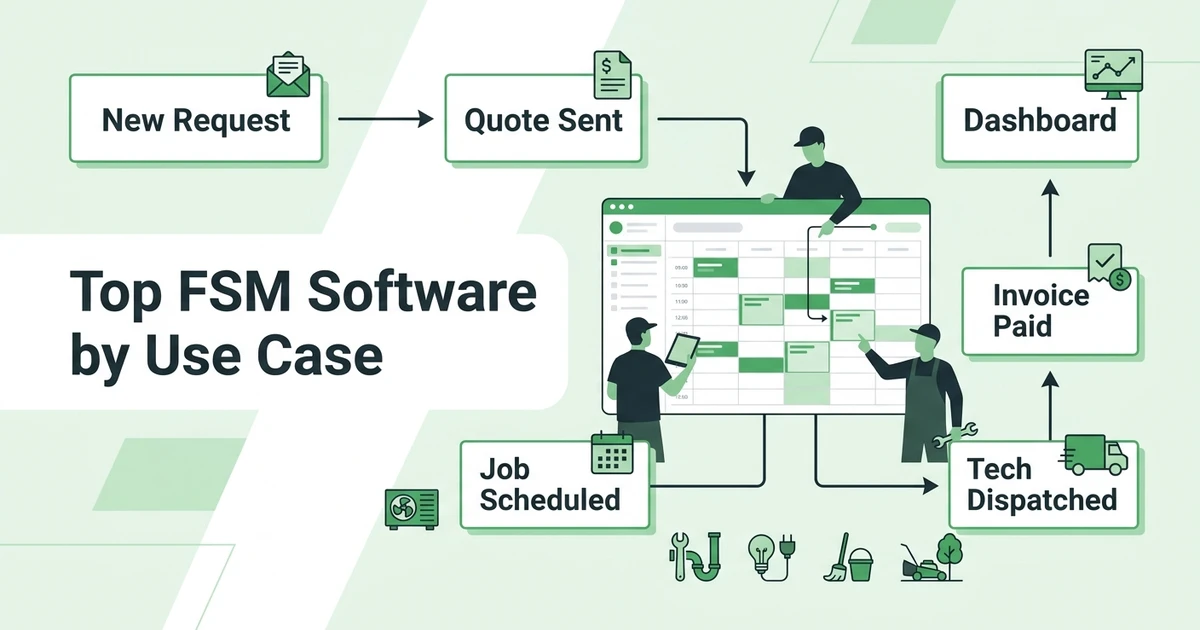
Fieldified is the best fit when dispatch needs to connect to the full quote-to-payment workflow. A plumbing office can turn an approved quote into a scheduled job, send the tech the details, update the customer, and invoice after completion without rebuilding the job in another tool.
For simpler residential dispatch, Jobber and Housecall Pro are easy to compare. For larger HVAC, plumbing, and electrical companies, ServiceTitan and FieldEdge bring deeper trade workflows. For commercial contractors, ServiceTrade, Simpro, and BuildOps are more relevant.
Best fits by scenario:
- Best for field-service-first quote-to-payment dispatch: Fieldified
- Best for simple home service dispatch: Jobber
- Best for larger trade companies: ServiceTitan
- Best for call-heavy teams: Workiz
- Best for commercial contractors: ServiceTrade or BuildOps
- Best for enterprise CRM operations: Salesforce Field Service
- Best for GPS-heavy crew tracking: Workyard
See how Fieldified handles scheduling, dispatch, mobile job updates, and invoicing in one contractor workflow. It is built for teams that need the office and field working from the same job record.
Best dispatch software by company size
A one-truck or two-truck contractor usually needs fast setup, clean scheduling, simple customer records, and mobile updates. Fieldified, Jobber, and FieldPulse are the easiest shortlist for that stage.
For a team with five to twenty-five technicians, dispatch mistakes become expensive. Fieldified, Housecall Pro, Service Fusion, Workiz, and FieldEdge are better matches because they connect job assignment with customer communication, payments, and office visibility.
Larger teams should compare dispatch depth, reporting, permissions, inventory, service agreements, and implementation time. ServiceTitan, ServiceTrade, Simpro, BuildOps, Salesforce Field Service, Skedulo, and ServicePower become more relevant as the operation gets more complex.
How to choose field service dispatch software without buying the wrong system
The wrong dispatch tool usually fails in the first busy week. It looks fine in a demo, then the dispatcher still has to text technicians, check a spreadsheet, and ask accounting whether the customer has paid.
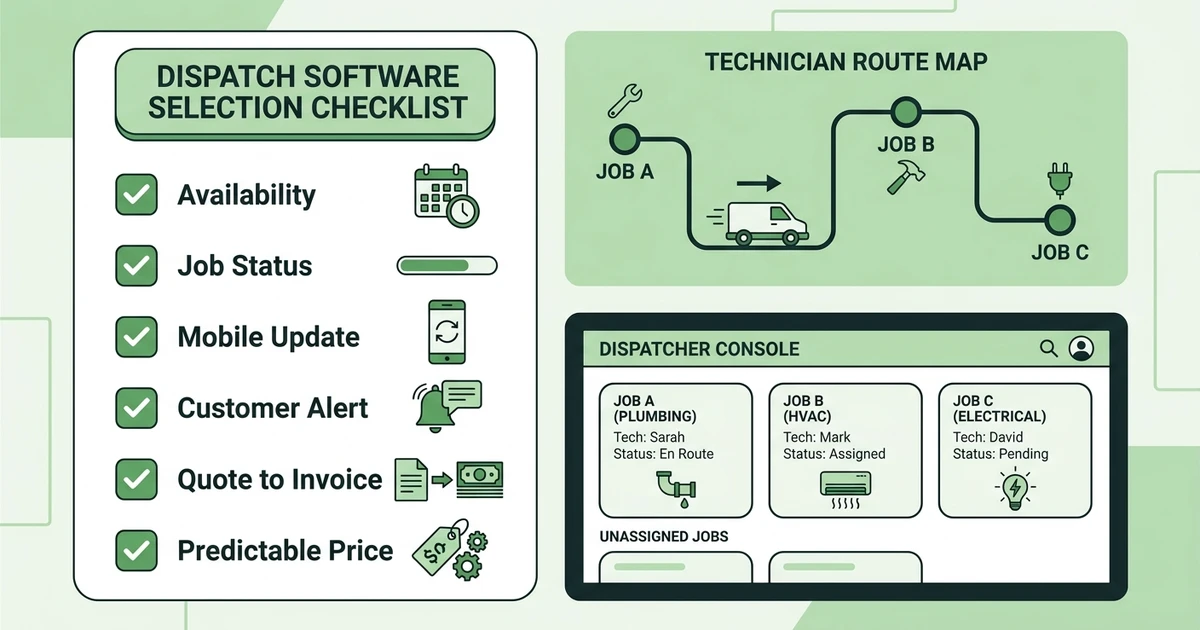
Use this checklist before you buy:
- Can dispatch see technician availability and job status in real time?
- Can technicians update jobs from mobile?
- Does the dispatch board connect to quotes, work orders, invoices, and payments?
- Can customers receive appointment and arrival updates?
- Does pricing stay predictable as the crew grows?
- Can it handle urgent jobs, recurring jobs, and multi-visit work?
- Is setup realistic for your office team?
If the answer is unclear, ask the vendor to walk through a real job day. For example, have them show an HVAC repair from incoming call to technician assignment, quote approval, invoice, and payment.
Is Fieldified right for my service business?
Fieldified is right for contractors who want dispatch to be part of one operating system. That includes HVAC teams juggling emergency calls, plumbers coordinating job notes and parts, electricians assigning certified techs, cleaning companies managing recurring visits, and landscaping crews shifting routes after weather changes.
It is probably not the right fit if you only need enterprise workforce scheduling, HR tools, or contractor-network management. In those cases, Skedulo, Deputy-style workforce apps, or enterprise service network tools may be a better category.
For contractors comparing Fieldified against a broader field service platform, the key difference is practical connectedness. Fieldified’s scheduling and dispatch workflow is tied to client records, quotes, invoices, payments, and mobile updates instead of stopping at the calendar.
Why trust this field service dispatch software guide?
This guide uses practical selection criteria that matter to field teams: dispatch board usability, technician mobile access, customer communication, pricing style, job lifecycle fit, and whether the software matches residential, commercial, or enterprise operations.
We also separated workforce tools from field-service-first platforms. A tool can be excellent for employee scheduling and still be weak for contractor quoting, job history, invoicing, and customer communication.
For extra context, compare dispatch needs against Fieldified’s broader guide to field service management software and its guide to contractor scheduling software.
Frequently Asked Questions
What is the best field service dispatch software for small contractors?
Fieldified is the best fit for small and growing contractors that want dispatch connected to quotes, job tracking, invoices, payments, and customer updates. It works especially well for HVAC, plumbing, electrical, cleaning, landscaping, and mixed-trade teams that have outgrown whiteboards.
How should I compare field service dispatch software pricing?
Compare the monthly plan, included users, setup costs, required add-ons, and what happens when you hire another technician. A lower entry price can become expensive if dispatch, texting, reporting, or payment tools sit behind higher tiers.
Do dispatch tools replace scheduling software?
Not always. Scheduling sets the job date and time, while dispatch assigns the right technician, sends job details, manages changes, and tracks field status. Good field service software connects both workflows on the same board.
Can dispatch software help with emergency service calls?
Yes, if it shows technician availability, location, job status, and customer history in one place. For plumbers, HVAC teams, and locksmiths, that visibility helps the office assign urgent work without calling every technician.
Is Fieldified only for dispatch?
No. Fieldified includes dispatch, scheduling, quote management, mobile job updates, client records, invoicing, payments, and AI Receptionist. That makes it useful when dispatch is part of a larger quote-to-payment workflow.
Conclusion
The best dispatch software is the one your dispatcher and technicians will actually use on a messy Monday morning. For small and growing contractors, that usually means a clear schedule, mobile job details, customer updates, and a direct path from quote to invoice.
Fieldified is the strongest overall choice for teams that want dispatch connected to the full field service workflow. Book a Fieldified demo to see how your team can manage calls, schedules, job updates, invoices, and payments from one place.