EN
EN DE
DE ES
ES FR
FR NL
NL PT
PT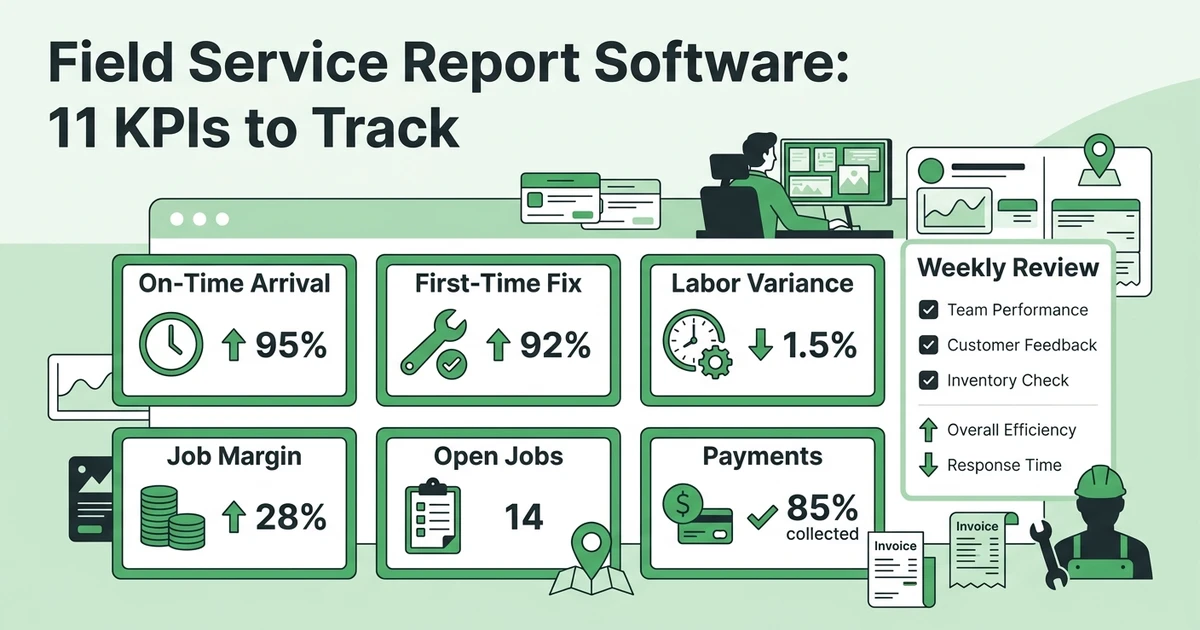





Quick Answer: Field service report software turns job, schedule, labor, customer, invoice, and payment records into repeatable reports and dashboards. The best field service KPIs are not universal targets; they are clearly defined measures that help a manager decide what to change next.
A list of completed jobs can look healthy while the business loses money. An HVAC team may finish many calls but spend too much time driving. A plumbing company may send invoices but leave too many open jobs waiting for a final note. An electrical contractor may win quotes while underpricing the labor needed to deliver them.
Reporting helps a manager see those patterns, but only when the numbers are defined consistently. A KPI without a clear formula, time window, and source is just a label on a dashboard.
The U.S. Census Bureau reported that 58.9% of surveyed businesses rated specialized software as very important to their processes or methods in its 2023 Annual Business Survey technology adoption summary. That finding does not establish a field service benchmark. It does reinforce why a reporting tool should be judged by the decisions it helps a team make, not by the number of charts it displays.
Why Field Service Managers Need More Than a List of Completed Jobs
Completed jobs are an output, not a full explanation of performance. One service call may take thirty minutes. Another may involve two technicians, a return visit, special-order parts, and customer approval. Counting them as equal hides the work behind the number.
Managers need to connect operational and financial signals:
- Schedule: Did the team reach the work when promised?
- Execution: Was the job completed correctly the first time?
- Labor: Did the actual work time match the estimate?
- Cash: Did completed work become an invoice and payment?
- Customer: Did the experience lead to a complaint, repeat visit, or future work?
The point of a report is not to make every metric rise. A higher average ticket may come from more complex jobs. A lower job count may reflect better route planning. Read each measure alongside job type, urgency, territory, technician mix, and season.
How to Choose the Right Field Service KPIs for Your Team
Start with decisions, not dashboards. Ask what the service manager needs to decide each week.
| Decision | Useful signal | Data that must be captured |
|---|---|---|
| Should the schedule change? | Arrival and duration patterns | Appointment, actual start, end, travel, and job type |
| Are estimates reliable? | Labor or material variance | Estimate, scope changes, actual labor, and parts |
| Are jobs ready to bill? | Open-job aging | Completion status, notes, approval, invoice status |
| Which work is profitable? | Job gross margin | Revenue, labor, materials, subcontractors, and overhead rule |
| Where is customer experience weakening? | Repeat visits or feedback | Customer, job outcome, complaint, review, and return visit |
Keep the first reporting set small enough to review. A manager who has eleven KPIs but no meeting rhythm may make fewer decisions than a manager with four well-defined measures.
Define the terms before collecting a trend. “On-time” could mean arrival within a promised window, arrival before the scheduled start, or a dispatcher update sent before a delay. Pick one definition and use it consistently.
The 11 Field Service KPIs to Track
Use the same mini-template for every KPI: what it measures, how to calculate it, what data it needs, and what action a weak result should trigger.
1. Schedule adherence
What it measures: Whether the team follows the planned sequence and timing of work.
Simple formula: Jobs or visits completed within the defined schedule window divided by scheduled jobs or visits.
What to review: Separate emergency work, customer-requested changes, and dispatcher changes from avoidable delays. If adherence falls for one service type, review the expected duration and preparation details before blaming the technician.
2. On-time arrival rate
What it measures: How often the technician arrives within the customer promise.
Simple formula: Arrivals inside the stated time window divided by total appointments, using the team’s definition of on time.
What to review: Check territory, traffic, job duration, and the quality of the previous appointment. An arrival problem may begin with overfilled time slots rather than with the final technician.
3. First-time fix rate
What it measures: How often the original job is resolved without a return visit for the same issue.
Simple formula: Jobs resolved without a related return visit divided by completed jobs.
What to review: Track parts availability, job information, technician skill, and customer approval. A return visit caused by an unavailable customer should not be treated the same as a missed diagnosis.
4. Average time to complete a job
What it measures: The time from the defined start of work to the defined completion point.
Simple formula: Total measured job time divided by completed jobs in the selected group.
What to review: Segment by service type. The average for an HVAC maintenance visit should not be compared directly with an emergency compressor repair or a commercial plumbing project.
5. Technician utilization
What it measures: The share of available work time assigned to the work category the business defines as productive or billable.
Simple formula: Defined productive or billable hours divided by available hours.
What to review: Include route, waiting, training, breaks, and admin rules in the definition. Do not treat a higher percentage as automatically better if it creates rushed visits or weak documentation.
6. Billable labor percentage
What it measures: How much recorded labor is billable under the company’s pricing and payroll rules.
Simple formula: Billable labor hours divided by total recorded labor hours.
What to review: Look for missing time, underpriced service types, travel policy, and jobs that should have been quoted differently. A low number may be accurate if the team has training or warranty work.
7. Estimate-to-actual labor variance
What it measures: The difference between planned labor and recorded labor for the same work.
Simple formula: Actual labor minus estimated labor, shown in hours or as a percentage of estimated labor.
What to review: Group by service type, technician, customer, and scope change. A variance is a question to investigate, not a reason to punish the person who recorded it.
8. Job gross margin
What it measures: The portion of job revenue left after the direct costs included in the company’s definition.
Simple formula: Job revenue minus direct job costs, divided by job revenue.
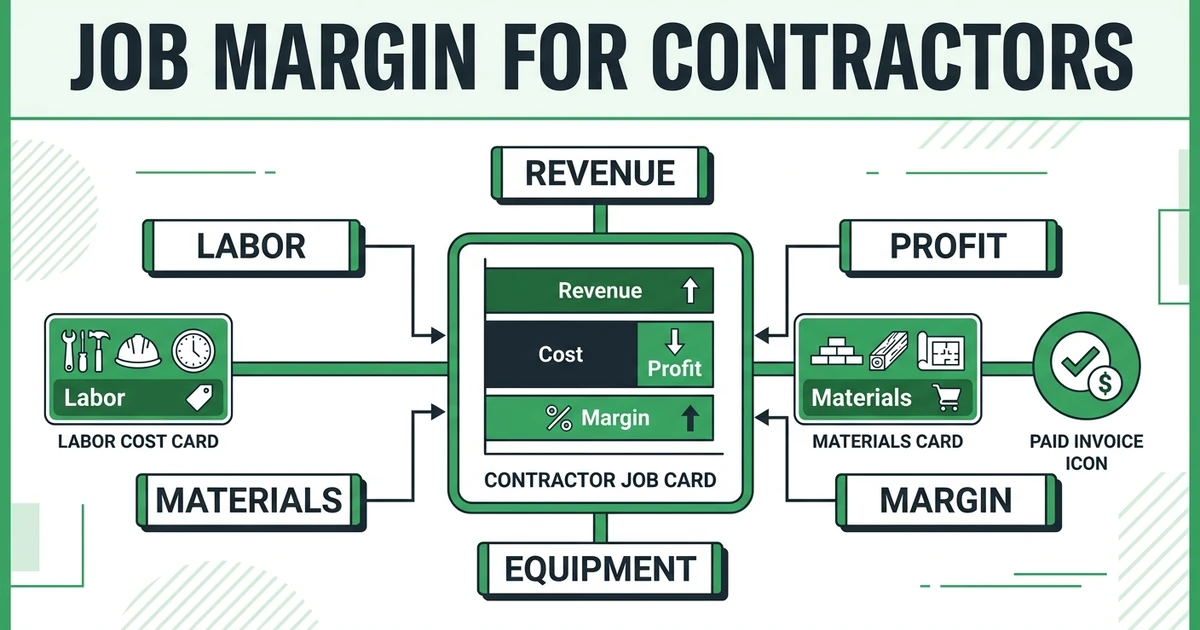
What to review: Define labor rates, materials, subcontractors, discounts, and other direct costs before comparing jobs. Use job margin tracking for contractors for a related process view.
9. Invoice-to-payment time
What it measures: The time between sending an invoice and receiving payment.
Simple formula: Payment date minus invoice date, averaged or reported by aging group.
What to review: Separate customer payment behavior from late invoicing. A service business cannot learn about collection time if completed jobs are waiting in an office queue before the invoice is sent.
10. Repeat or returning-customer rate
What it measures: The share of customers who book another service within the selected period.
Simple formula: Customers with another qualifying booking divided by customers in the starting group.
What to review: Define the period and exclude work that should not count, such as a required return visit for an unfinished job. Compare customer type, service type, and follow-up process.
11. Open-job aging
What it measures: How long jobs remain open after the expected next action.
Simple formula: Count or value of open jobs grouped by days since the last required action.
What to review: Separate jobs waiting on the customer, part, technician note, approval, invoice, or payment. The remedy depends on the blocker, so one total is not enough.
Which KPIs Reveal Scheduling and Dispatch Problems?
Start with schedule adherence, on-time arrival, average completion time, and travel or waiting time. These measures show whether the plan matches the day that technicians actually experience.
An HVAC company may see on-time arrival fall every afternoon. If average first-job duration is also high, the issue may be optimistic appointment lengths. A plumbing team may have acceptable arrivals but poor schedule adherence because emergency calls are added without rebalancing the rest of the day.
Avoid ranking technicians by one metric. Review the job mix and the quality of the work. A fast electrical visit that creates a return call is not automatically stronger than a careful visit that resolves the issue on the first visit.
Fieldified’s business performance reporting and analytics brings appointments, revenue, payments, job performance, team activity, profitability, and scheduled reports into one operating view. That gives service managers a clearer starting point for weekly decisions without rebuilding every report from separate spreadsheets.
Which KPIs Show Whether Jobs Make Money?
Use job gross margin, estimate-to-actual labor variance, billable labor percentage, average invoice value, and invoice-to-payment time together. A job can have a high invoice and still produce a weak margin if labor or materials were underestimated.
For an electrical contractor, compare panel upgrades with service calls rather than blending them. For a cleaning company, separate recurring contract visits from one-time deep cleans. For a landscaping team, account for travel and crew size when reviewing the revenue generated by a route.
The BLS identifies installation, maintenance, and repair occupations as a broad group with about 569,000 projected annual openings from 2025 to 2035 in its current occupational outlook data. That is context about the scale and importance of the workforce, not a target for utilization, margin, or job count.
Which Customer KPIs Belong in a Service Dashboard?
Track repeat or returning-customer rate, customer feedback, cancellation or no-show rate, unresolved complaint count, and invoice-to-payment time when those measures support a decision.
Customer metrics need careful definitions. A repeat visit can mean loyalty, a warranty call, or a job that was not completed correctly. A high average rating can hide a small number of serious complaints. A fast payment can reflect a commercial account with different terms than a residential customer.
Use customer signals alongside the job record. A customer complaint about an appointment may point to scheduling. A complaint about workmanship may point to training, parts, instructions, or job scope. The number starts the investigation.
How to Build a Weekly Field Service Reporting Rhythm
Give each meeting a small set of questions:
- Which jobs are blocked or aging, and who owns the next action?
- Which schedule or arrival pattern needs a process change?
- Which job types show labor or material variance?
- Which invoices are late because of office process rather than customer payment?
- Which customer signal needs follow-up this week?
Prepare the report from a consistent cutoff. Do not change the formula because a result looks uncomfortable. If the definition is wrong, record the change, explain the effect, and start a new comparable series.
Use capturing complete job details and time and team activity data as the operational foundation. A report cannot repair missing photos, labor, status, or completion records after the fact.
If you want to see how those records can be organized into a manager’s view, request a Fieldified demo and bring the KPIs your team already reviews.
What Field Service Reporting Software Should Make Easier
Reporting software should reduce the manual work needed to collect, define, filter, and revisit the numbers. Test whether it can:
- Pull job, schedule, labor, payment, and customer data from the same operating records.
- Show the definition or date range behind a number.
- Filter by trade, service type, team, territory, or date range.
- Separate open work from completed work and invoiced work.
- Compare estimated and actual labor or margin.
- Schedule reports without creating a second spreadsheet process.
- Preserve the source detail so a manager can investigate a result.
The best dashboard is not the one with the most tiles. It is the one that helps a service manager move from “What changed?” to “What will we do next?”
Frequently Asked Questions
What are the most important field service KPIs?
Many teams start with schedule adherence, on-time arrival, first-time fix rate, labor variance, job margin, invoice-to-payment time, and open-job aging. Define each one before comparing it across weeks, teams, or job types.
How do you measure field service technician productivity?
Use more than jobs completed. Review billable labor, job complexity, schedule adherence, first-time fix rate, rework, customer feedback, and travel or waiting context so the measure reflects the work.
What should a field service dashboard include?
A dashboard can include appointments, job status, open work, schedule performance, labor, revenue, payments, customer signals, and profitability. The right view depends on the decisions the service manager makes each week.
How do you calculate job gross margin?
A simple calculation subtracts direct job costs from job revenue and divides by job revenue. Define which labor, material, subcontractor, and other direct costs are included before using the measure for comparison.
How often should a service business review its KPIs?
Review operational measures weekly and financial measures on a rhythm that matches the data and business cycle. A small team may use a weekly operating review and a monthly deeper margin review.
Is field service report software worth it for a small team?
It can help when the office is rebuilding reports from calendars, timesheets, invoices, and messages. The value depends on consistent job data and whether the team can use the report to make a specific decision.
Conclusion: Turn Job Data Into the Next Operating Decision
Field service reporting is useful when it gives the manager a clearer next move. Define the KPI, capture the source data, segment the result, and ask what action the number should trigger.
For HVAC, plumbing, electrical, cleaning, landscaping, and other mobile teams, eleven well-defined measures are more useful than a dashboard full of unexplained benchmarks. Keep the system honest, keep the formulas visible, and treat unusual results as questions worth investigating.
Request a demo to walk through the reports and KPIs that matter to your field service team in Fieldified.