EN
EN DE
DE ES
ES FR
FR NL
NL PT
PT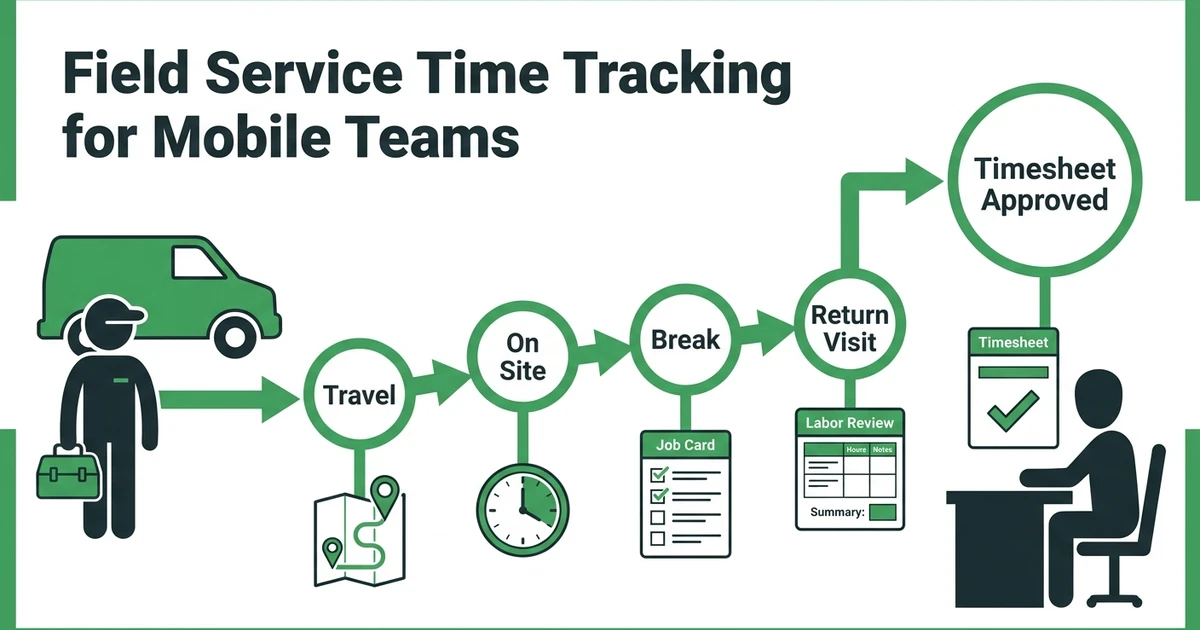





Quick Answer: Field service time tracking software helps mobile technicians record time against the right job or activity, while managers review hours, breaks, travel, and exceptions before payroll or job-costing decisions. The useful measure is not simply when a technician clocked in, but whether the record explains where the working time went.
Time looks simple on a spreadsheet. A technician starts at 8:00, finishes at 5:00, and the office enters the total. Field work is rarely that tidy.
An HVAC technician may travel between several addresses, wait for access, handle an urgent repair, take a break, and return to a job that ran long. A cleaning crew may move between recurring sites. An electrician may spend part of the day on inspection, part on approved extra work, and part waiting for a replacement component.
When the timesheet has only a daily total, the manager cannot tell which job used the labor or why the estimate changed. Field service time tracking software adds that missing context by connecting time to work, location, activity, and review.
The U.S. Bureau of Labor Statistics projects about 569,000 openings each year, on average, in installation, maintenance, and repair occupations from 2025 to 2035 in its Occupational Outlook Handbook summary. That projection is not a productivity benchmark. It is a reminder that field operations depend on clear workflows as teams recruit, train, and coordinate mobile workers.
Why Field Service Time Gets Lost Between the Schedule and the Timesheet
The schedule describes the planned day. The timesheet describes what was recorded. The gap between them is where useful information often disappears.
Common causes include:
- The technician records one total instead of assigning time to each job.
- Travel is mixed with on-site work, so a manager cannot see route impact.
- Breaks or waiting time are remembered later and entered from memory.
- A return visit is recorded as a new job without linking it to the original problem.
- The office changes an appointment but the labor estimate is not updated.
- The technician completes the work but forgets to submit a note with the time.
This is not always a technician problem. A time form that takes too long to use will be bypassed. A category list that does not match the way a plumbing or electrical team works will produce confusing records. A manager who only checks totals will miss the reason behind a variance.
The goal is a record that is quick enough for the field and detailed enough for the office.
What Does Field Service Time Tracking Software Record?
The categories should answer what happened during the day. A practical setup may include:
| Time category | What it explains | Example |
|---|---|---|
| Travel | Movement between work locations | Driving from a plumbing call to a second address |
| On-site labor | Work performed for the customer | Repairing a boiler or replacing a valve |
| Waiting or access | Time when work cannot start | Waiting for a commercial site contact |
| Break | A recorded break under the team’s policy | Meal or rest break |
| Return visit | Labor connected to unfinished work | Returning with a part for an HVAC repair |
| Admin or training | Non-job time that still belongs in the workday | Safety meeting or paperwork |
The correct categories depend on the business, payroll process, and local requirements. Do not create categories just because the software offers them. Every category should lead to a useful review or a required record.
Fieldified’s field service time tracking software helps service teams record technician hours, review job labor, manage timesheets, approve hours, and connect time data with job costing and reporting. Job timers, travel and break categories, and timesheet review give HVAC, plumbing, electrical, and cleaning teams a clearer view of where labor goes.
Should Technicians Track Travel, On-Site Work, Breaks, and Return Visits Separately?
Separate categories are useful when the business will act on the information. For an HVAC company, separating travel from repair labor may show that the schedule is too spread out. For a cleaning company, separating site work from training may help the owner understand why a payroll week contains fewer billable visits.
Do not make the technician choose from ten categories for a five-minute event. Start with the smallest set that explains the business’s actual decisions.
Use three tests:
- Payroll test: Does the category help the team prepare or review pay records?
- Pricing test: Does it show whether estimates match the labor required?
- Scheduling test: Does it show whether the route or appointment window needs changing?
If a category does not help with any of these tests, it may be noise. If a team needs a category for a legal or contractual reason, confirm its wording and handling with the relevant adviser.
A Day in the Life of a Mobile HVAC Technician Using Time Tracking
At 7:45 a.m., an HVAC technician begins the day with a maintenance visit. The schedule shows the customer address, equipment notes, and expected work. The technician starts the visit timer after arriving and completes the maintenance checklist.
The first job takes longer than planned because the unit needs a repair recommendation. The technician records the work performed, adds a note, and ends the job time. The office can see that the job is complete but needs follow-up rather than assuming the visit was routine.
The technician then travels to an emergency repair. Travel time is kept separate from the time spent diagnosing the system. The customer approves a replacement component, so the technician records the added work against the same job instead of creating an unrelated note.
After the break, the technician travels to a final visit. The customer is not home, so the technician records the access exception and returns later. That return visit is connected to the original job. At the end of the day, the manager can review the long first visit, the emergency repair, and the access issue as separate events.
Without that structure, the timesheet may only show eight hours. With it, the manager can ask better questions: Was the estimate for the first job too low? Did the emergency repair need more time than expected? Should the final appointment window change?
How Managers Review Time Entries Without Rebuilding the Day
Review should happen at a predictable point, not only when payroll is due. A weekly check can be enough for a small company if exceptions are flagged during the day.
Look for:
- Missing start or stop times.
- Time assigned to the wrong customer or job.
- Unexplained long travel or waiting periods.
- A completed job with no labor record.
- A job that exceeds its estimate without a note.
- A return visit that is not linked to the original work.
- Break or overtime exceptions that need review.
The manager should correct the record with the technician, not silently change it. A short note explaining the exception makes the record more useful later, especially when a customer asks about labor or the owner reviews job margin.
Fieldified’s time and GPS tracking for field teams gives managers mobile clock-in and clock-out, location-based timers, job assignment, notifications, and timesheet workflows in one view. That helps the office review time exceptions while the workday is still easy to reconstruct.
What the Department of Labor Says About Accurate Time Records
Time tracking software is not the same as compliance advice. For covered, nonexempt workers, the U.S. Department of Labor says employers must keep accurate information about hours worked and wages earned. The agency also says employers can choose the timekeeping method as long as the record is complete and accurate in its recordkeeping and reporting guidance.
The Department of Labor’s Fact Sheet #21 says payroll records generally should be retained for at least three years, while records used for wage computations, such as time cards and work schedules, generally should be retained for two years under its FLSA recordkeeping summary. These are federal guidelines for covered employers, not a complete answer for every state, worker classification, contract, or industry arrangement.
For compliance decisions, confirm the applicable rules with a qualified payroll adviser or employment lawyer. The article can help a contractor ask better operational questions, but software cannot guarantee compliance by itself.
How Time Data Helps With Job Costing and Payroll Review
Time becomes more valuable when it is tied to the job that used it. A manager can compare estimated labor with actual labor, separate a return visit from the original appointment, and see whether a repair consumed more time than the price assumed.
For a plumbing business, the comparison might reveal that drain-clearing jobs are profitable when access is easy but frequently run long in older buildings. For an electrical contractor, it might show that panel work needs more preparation than the current schedule allows. For a landscaping team, it might show that travel between properties is affecting the day more than the crew expected.
These observations are not automatic conclusions. They are starting points for reviewing job type, scope, pricing, route, crew, and customer context.
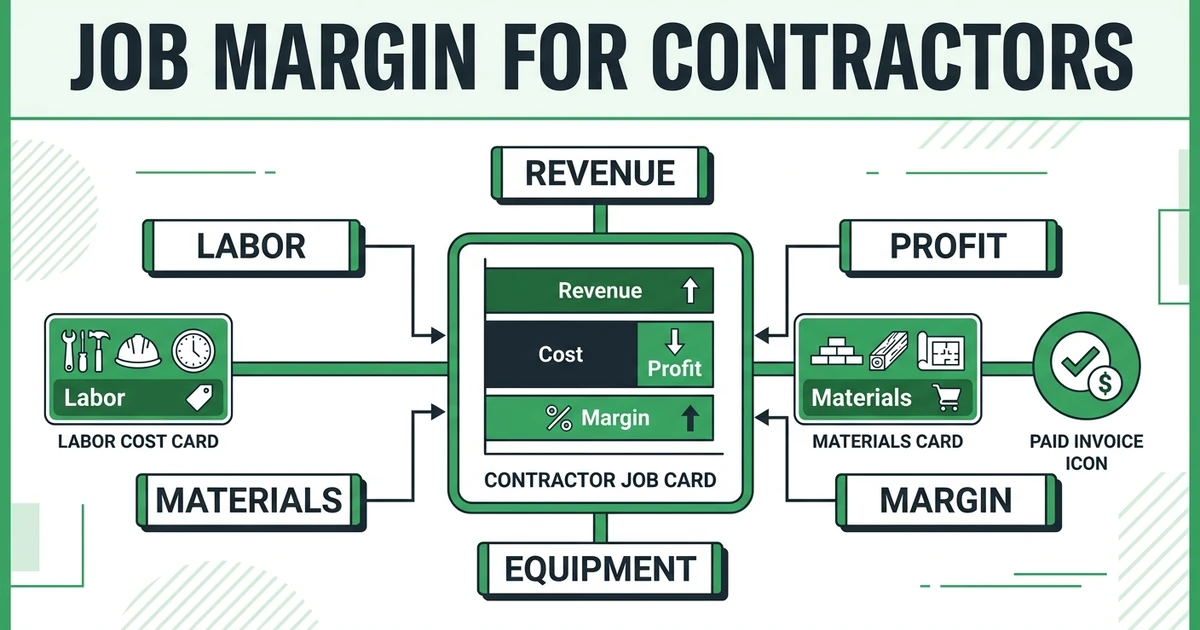
Use job margin tracking for contractors as a related guide when the team is ready to connect labor records with materials and job profitability.
Field Service Time Tracking Software Buying Checklist
Test the workflow with a real day, including an exception. Ask the vendor to demonstrate:
- How a technician starts and ends time on a specific job.
- How travel, breaks, waiting, admin, or training are recorded.
- What happens when the technician forgets a punch or works past the estimate.
- How the manager reviews and approves timesheets.
- How a return visit stays linked to the original job.
- Whether notes, photos, and job status are visible beside the time record.
- How approved time can support payroll or job-costing workflows.
- What happens with weak connectivity, shared devices, or a changed schedule.
- Which permissions prevent unauthorized edits after approval.
Do not select a tool because it has the most timer modes. Select the one technicians will actually use and managers can review without reconstructing the day.
Ask for a short field test before committing. Have an HVAC or plumbing technician use the mobile workflow for a normal visit, a delayed visit, a break, and a return visit. Then have the manager approve the entries and trace one job into the costing or payroll review process.
The test should also cover corrections. A technician may forget to stop a timer or select the wrong job. The manager needs a visible way to request a correction, preserve the reason, and know whether an approved record can still be changed.
If you want to see the workflow with your own jobs and time categories, request a Fieldified demo focused on labor capture, approvals, and job-level visibility.
Frequently Asked Questions
What is field service time tracking software?
It lets mobile technicians record time against the right job or activity and gives managers a reviewable timesheet. The useful system connects time with job costing, payroll review, scheduling, or reporting without losing the work context.
How do field technicians track time from a mobile device?
They may clock in, start a job timer, record travel or breaks, and stop the timer when the activity ends. Test the workflow with real jobs and weak connectivity before rolling it out to the whole team.
Should travel time be tracked separately from on-site labor?
It can help a manager understand job duration, route impact, and labor cost more clearly. The categories should match the business’s payroll, pricing, reporting, and legal needs.
Is time tracking software required for field service businesses?
The software itself is not universally required, but covered employers must keep accurate hours and wage records under applicable rules. Requirements vary by worker classification and jurisdiction, so confirm them with official guidance and qualified advice.
How long should employers keep time records?
The Department of Labor says payroll records generally should be kept for at least three years and records used for wage computations generally for two years under its FLSA guidance. State and local rules may differ.
Can time tracking data help with job costing?
Yes, when time is connected to the right job, service type, and labor rate. Managers can compare estimated and actual labor, investigate variance, and improve future pricing or scheduling without using one job as a universal benchmark.
Conclusion: Make Labor Data Match the Work That Happened
Field service time tracking works when the record explains the day. A total number of hours is a starting point, but job, travel, break, waiting, return-visit, and exception context is what helps an owner make a better decision.
For an HVAC, plumbing, electrical, cleaning, or landscaping team, the right workflow should be quick for technicians and reviewable for managers. It should also respect payroll and recordkeeping responsibilities instead of making compliance promises it cannot support.
Request a demo to walk through your technician time categories and job-costing workflow in Fieldified.