EN
EN DE
DE ES
ES FR
FR NL
NL PT
PT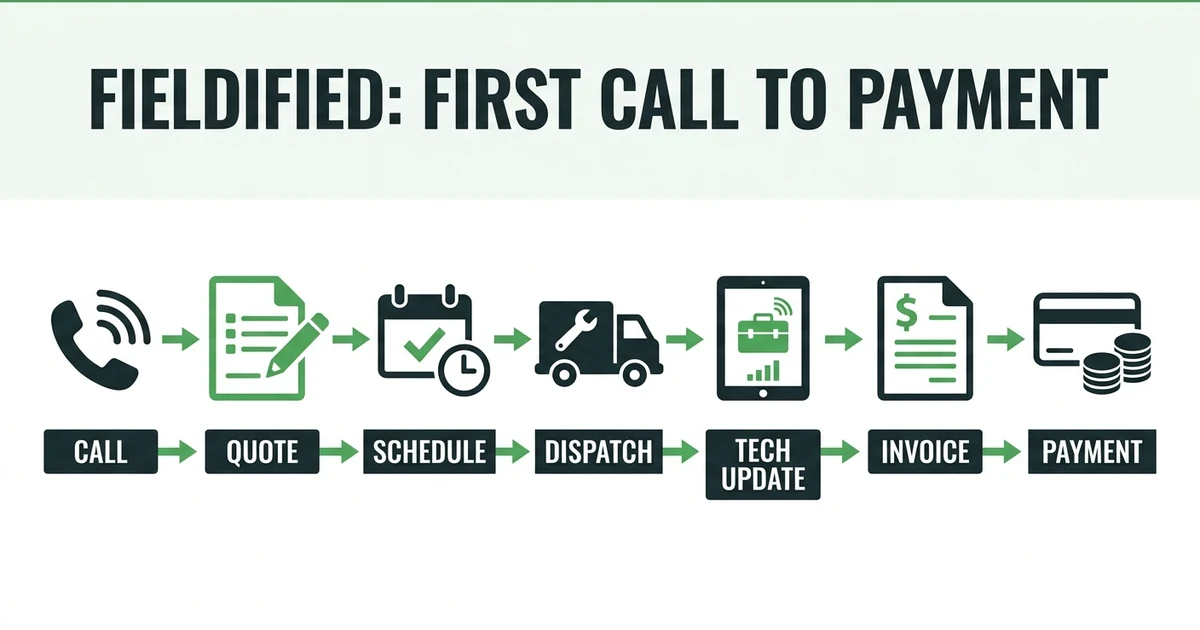





Quick Answer:
Fieldified field service software helps contractors manage the full job lifecycle from the first call or request to the scheduled job, dispatched technician, completed work, invoice, payment, and follow-up. It is built for small and growing service teams that want one operating system instead of separate tools for calls, schedules, quotes, invoices, and customer records.
Fieldified is field service software for contractors and service teams. It helps the office manage customer requests, quotes, scheduling, dispatch, job details, invoices, payments, and follow-ups from one place.
That matters because many readers first meet Fieldified through a blog, calculator, template, or guide. Those resources are useful, but they are not the whole story.
Fieldified is the software behind the workflow.
What Is Fieldified Field Service Software?
Fieldified field service software is a platform for managing service work from first contact to payment. It is built for contractors who need to know who called, what was requested, who is assigned, what was quoted, what got completed, and whether the customer paid.
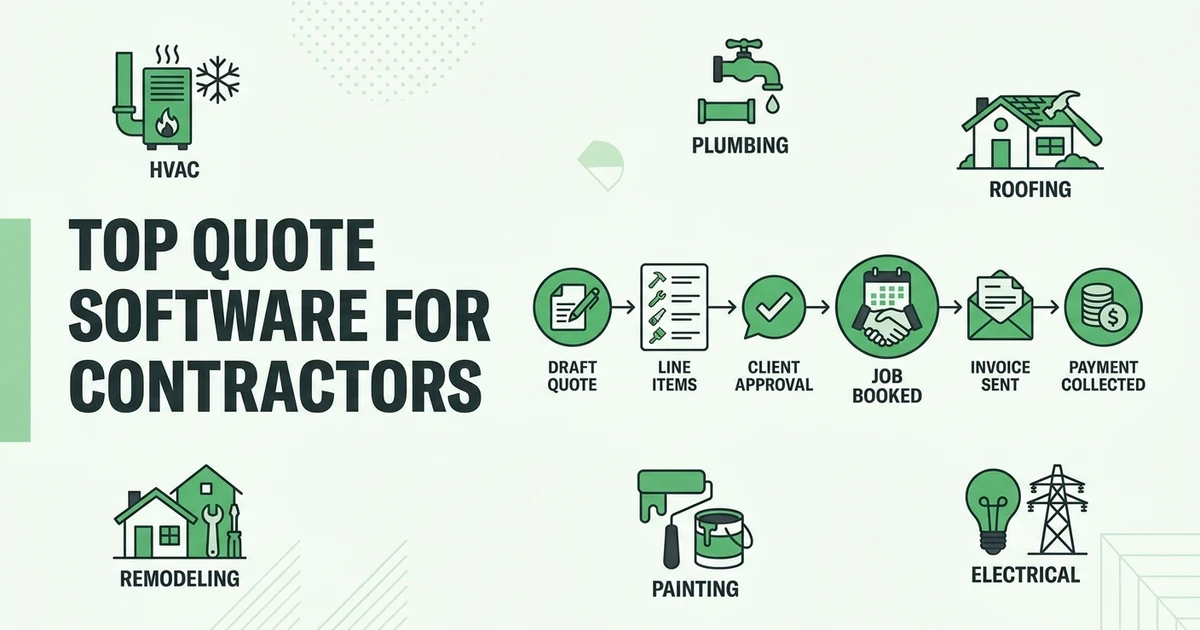
That includes cleaning companies, HVAC contractors, plumbers, electricians, garage door teams, locksmiths, landscapers, pest control companies, painters, roofing contractors, and other mobile service teams.
The global field service management market is projected to grow from USD 5.10 billion in 2025 to USD 9.17 billion by 2030 at a 12.5% CAGR according to MarketsandMarkets. Contractors are moving to software because the old mix of calls, texts, spreadsheets, and paper forms gets harder to control as work volume grows.
Fieldified is designed for that moment. It gives small and growing teams a clearer way to run the day without forcing them into a heavy enterprise setup.
What Problems Does Fieldified Help Contractors Fix?
Fieldified helps fix the everyday problems that make a service business feel harder than it should. A missed call turns into a lost job. A quote sits unanswered. A technician shows up without the right notes. An invoice waits because the office has to rebuild the job from memory.
None of those problems look dramatic by themselves. Together, they slow the business down.
Fieldified helps with:
- Missed calls and after-hours requests
- Customer and job records
- Quote creation and follow-ups
- Scheduling and dispatch
- Technician mobile updates
- Job notes, photos, and status
- Invoices and payment reminders
- Customer communication and follow-up
For a plumbing company, that might mean an emergency call becomes a scheduled visit, the technician gets the notes, the quote is approved, and the invoice goes out after completion. For a cleaning company, it might mean a recurring job stays connected to customer notes, invoices, and payment history.
How a Job Moves Through Fieldified From First Call to Payment
A service job usually starts before anyone touches a tool. A customer calls, submits a request, or asks for a quote. Fieldified helps capture that request so it does not disappear into voicemail, email, or a paper note.
From there, the office can build the job record. The customer details, property notes, service request, quote, schedule, assigned technician, invoice, and payment status all stay tied together.
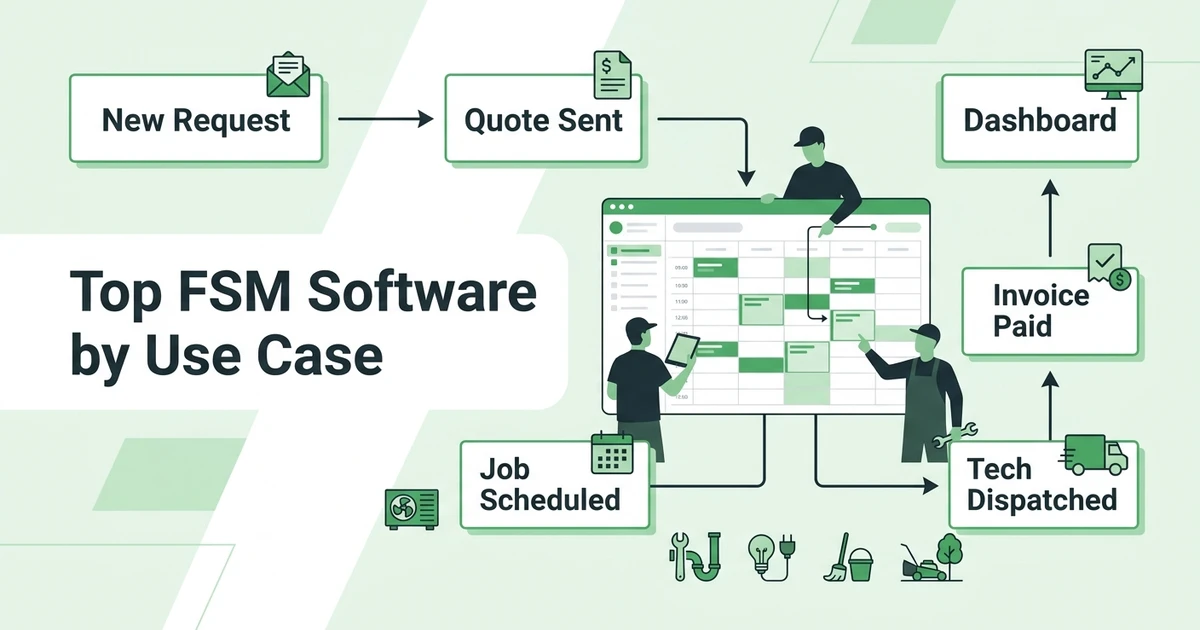
Here is the basic Fieldified workflow:
- A customer calls or submits a request.
- The office creates or updates the customer record.
- A quote is prepared and sent.
- The customer approves the work.
- The job is scheduled.
- The technician or crew is dispatched.
- Field notes and completion status are added.
- The invoice is sent.
- The customer pays online.
- Follow-ups and history stay attached.
This is the difference between a content site and field service software. A guide can explain what to do. Fieldified helps your team actually do it.
See how Fieldified carries one customer request through quote, schedule, dispatch, invoice, and payment in a single workflow. Book a demo and walk through the process using your own service calls.
Which Fieldified Features Matter Most for Growing Service Teams?
The most important Fieldified features are the ones that remove handoff friction. If the office, technician, and customer are all working from different information, the business slows down.
Fieldified’s AI Receptionist helps capture calls and requests when the team is busy or unavailable. That is useful for contractors because customers often call when the office is already handling another job.
Zendesk reports that 74% of consumers expect customer service to be available 24/7, and 88% expect faster response times than they did a year earlier in its CX Trends report. For field service companies, speed can decide whether the job gets booked.
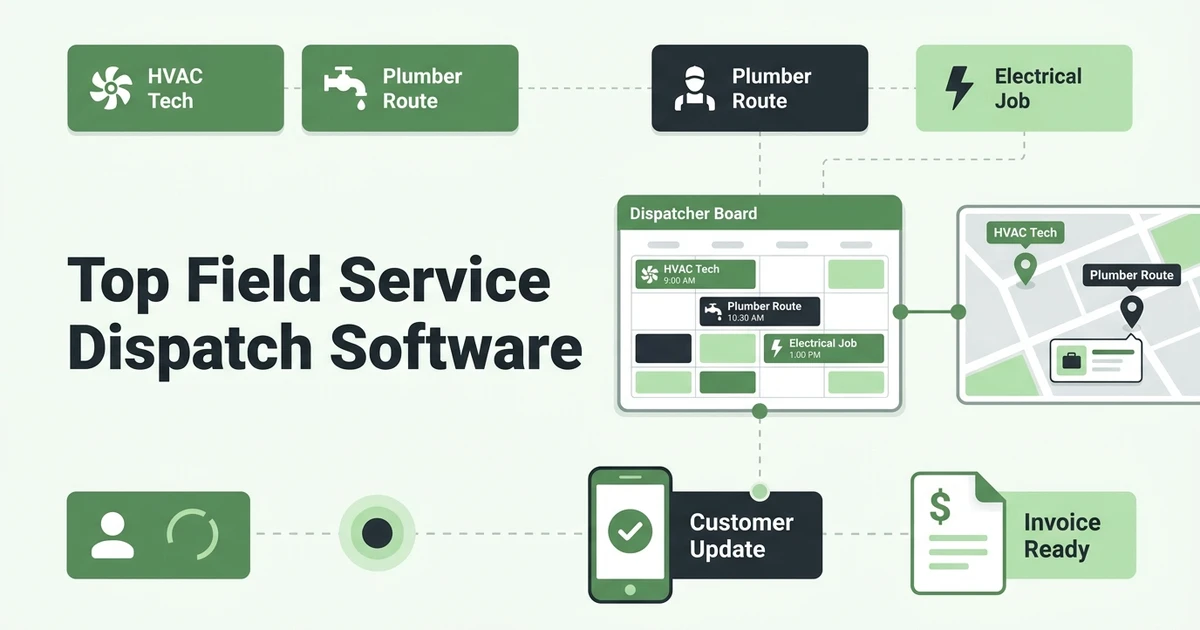
Fieldified also includes scheduling and dispatch tools so the office can assign work and keep field teams updated. The mobile workflow helps technicians see job details, notes, and next steps without calling the office for every update.
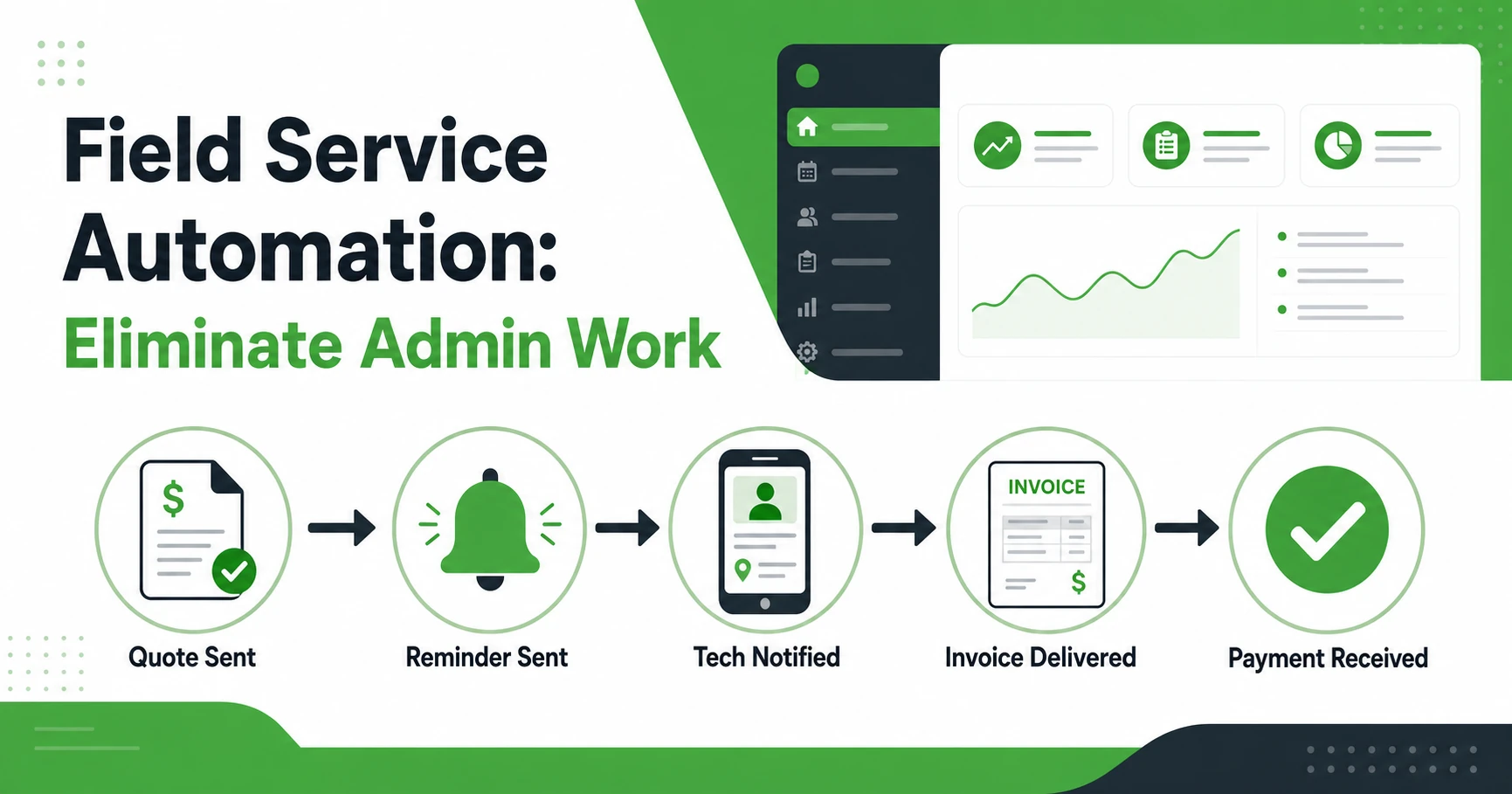
For revenue, Fieldified’s quote management and invoicing workflow help the business move from customer approval to completed work to payment without rebuilding the same details.
How Fieldified Is Different From an Informational Website or Template Library
Fieldified publishes blogs, calculators, templates, and guides because contractors need practical help before they choose software. A pricing guide can help you think through a job. A template can help you create a one-off quote or invoice.
But Fieldified is not only those resources. Fieldified is the operating platform for the work that happens after the learning ends.
The difference is simple:
| Resource | What it helps with | Where Fieldified fits |
|---|---|---|
| Blog guide | Understand a workflow or decision | Run that workflow with your team |
| Calculator | Check pricing or capacity | Attach real job data to customers |
| Template | Create a one-off document | Manage quotes, jobs, invoices, and payments together |
| Fieldified software | Operate daily service work | Keep the office and field team aligned |
If a reader only needs a one-time invoice, a template may be enough. If the business needs to schedule crews, send quotes, track jobs, invoice completed work, and follow up on payment, software is the next step.
Is Fieldified Right for Your Field Service Business?
Fieldified is a strong fit if your business has enough job volume that manual coordination is starting to cost time. That might be a two-person team trying to look more professional, or a twenty-person crew trying to stop details from slipping between the office and field.
It works best when you need one place for calls, requests, quotes, schedules, technician notes, invoices, payments, and customer history.
Fieldified is likely a fit if:
- You schedule jobs every week.
- More than one person touches each job.
- Technicians need mobile job details.
- Quotes need follow-up.
- Invoices are delayed after completed work.
- Customer history is hard to find.
- You want published plans instead of custom enterprise pricing.
It may be more than you need if you only do a few jobs per month. It may be too light if your company needs a full ERP with complex procurement, warehouse management, and multi-branch implementation.
What Does Fieldified Cost?
Fieldified uses published flat plan pricing with included users. That helps small and growing teams understand cost before they add another technician, dispatcher, or office user.
You can compare the current plans on the Fieldified pricing page. The important thing is not just the monthly amount. It is whether the plan includes the workflows your team uses every day.
When comparing software, look at:
- Included users
- Scheduling and dispatch access
- Quote and invoice tools
- Mobile app access
- Payment features
- Automation and follow-up tools
- Setup and support needs
The right software should make the daily workflow clearer. It should not create a second job just to manage the system.
Frequently Asked Questions
What is Fieldified field service software?
Fieldified field service software helps contractors manage calls, requests, quotes, schedules, dispatch, job tracking, invoices, payments, and customer history. It gives the office and field team one place to run service work.
Is Fieldified only an informational website?
No. Fieldified publishes helpful content, tools, and templates, but Fieldified is a field service software platform. The software helps contractors manage real jobs from first request to payment.
Which service businesses can use Fieldified?
Fieldified supports cleaning, HVAC, plumbing, electrical, garage door, locksmith, landscaping, pest control, roofing, painting, tree service, and other field service teams. It is built for small and growing crews that need practical job management.
Does Fieldified handle scheduling and dispatch?
Yes. Fieldified helps teams schedule jobs, assign technicians or crews, share job details, and track field updates. Scheduling and dispatch connect to customer records, quotes, invoices, and payments.
Can Fieldified help with quotes, invoices, and payments?
Yes. Fieldified helps service teams create quotes, track approvals, turn approved work into jobs, send invoices, accept online payments, and follow up on unpaid invoices. That keeps billing connected to the job record.
How much does Fieldified cost?
Fieldified uses published flat plan pricing with included users. Check the pricing page for current plan details, included features, and annual billing options.
Is Fieldified good for small field service teams?
Yes. Fieldified is designed for small and growing service teams that need a clearer workflow without enterprise complexity. It is especially useful when the owner or office is still juggling calls, schedules, quotes, invoices, and payments manually.
Conclusion
Fieldified is not only an informational website. It is field service software built to help contractors run the work from first call to payment.
The blogs, calculators, and templates help you understand the work. Fieldified helps your team manage it every day.
Book a demo to walk through your own field service workflow inside Fieldified.