EN
EN DE
DE ES
ES FR
FR NL
NL PT
PT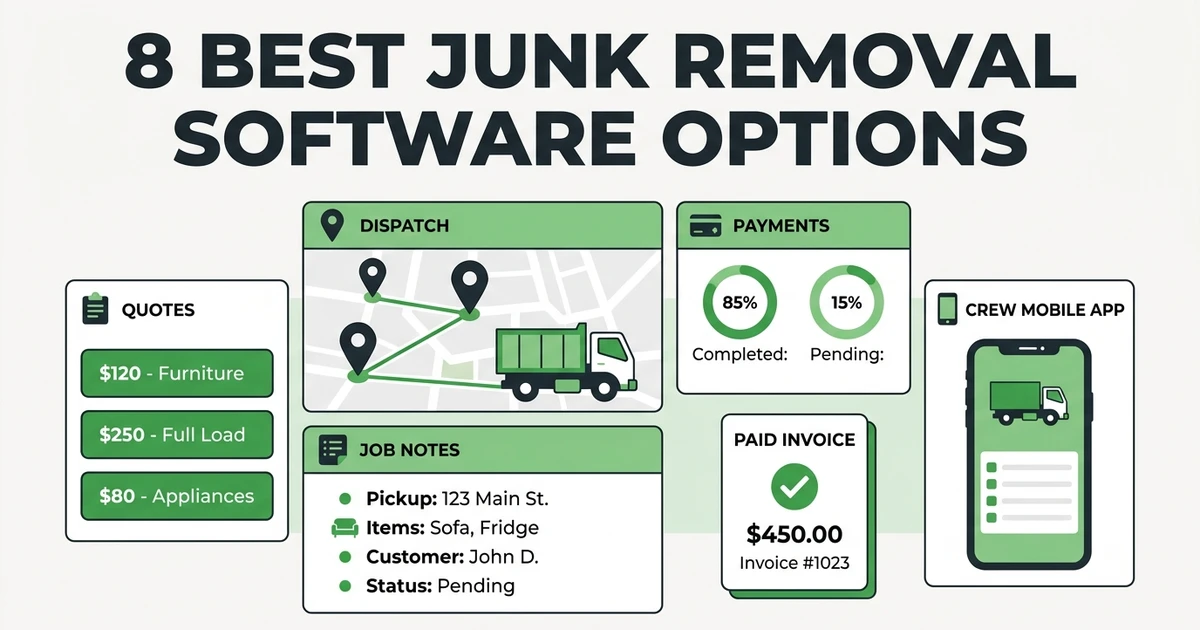





Quick Answer: The best junk removal software helps crews quote jobs, schedule pickups, dispatch the right team, document load details, invoice quickly, and collect payment without jumping between tools. For small and growing junk removal teams, Fieldified is the best fit when you want quotes, scheduling, job tracking, payments, and customer history in one place.
Junk removal gets chaotic fast when the phone starts ringing. One customer wants a mattress removed today. Another sends photos of a garage cleanout. A property manager needs a quote, a tenant wants a Saturday pickup, and your crew is texting from the dump asking what the next stop is.
That is why junk removal software should do more than keep a calendar. It should connect the work from first request to final payment. The U.S. Waste Collection Services market reached $83.1 billion in 2026, according to IBISWorld industry data, and competition is high enough that small crews cannot afford slow follow-up or messy scheduling.
This guide compares 8 junk removal software options through the lens that actually matters: quotes, dispatch, payments, mobile crew access, and job tracking.
Why junk removal software matters once spreadsheets slow the crew down
Spreadsheets work when you have a few jobs per week. You can remember who called, which customer sent photos, and which crew member has the truck. Then the business grows and the old system starts leaking.
The missed details are usually small at first. A quote is not followed up. A customer photo stays in someone’s text thread. A disposal surcharge never makes it onto the invoice. A crew drives across town because no one checked the next job location.
Those small misses cost real money. BLS reported 135,430 employed refuse and recyclable material collectors in May 2023, with a median hourly wage of $22.00 in national wage estimates. When paid crew time gets wasted on unclear notes or inefficient routing, the job margin shrinks.
Good software gives the owner and crew one operating record. The office sees the request, quote, customer history, schedule, job notes, invoice, and payment status. The crew sees where to go, what to remove, what was quoted, and what to document.
What should the best junk removal software include?
The best junk removal software should match how junk removal jobs move. A customer requests service, the office prices the job, the customer approves, the crew is assigned, the job gets completed, and the invoice goes out.
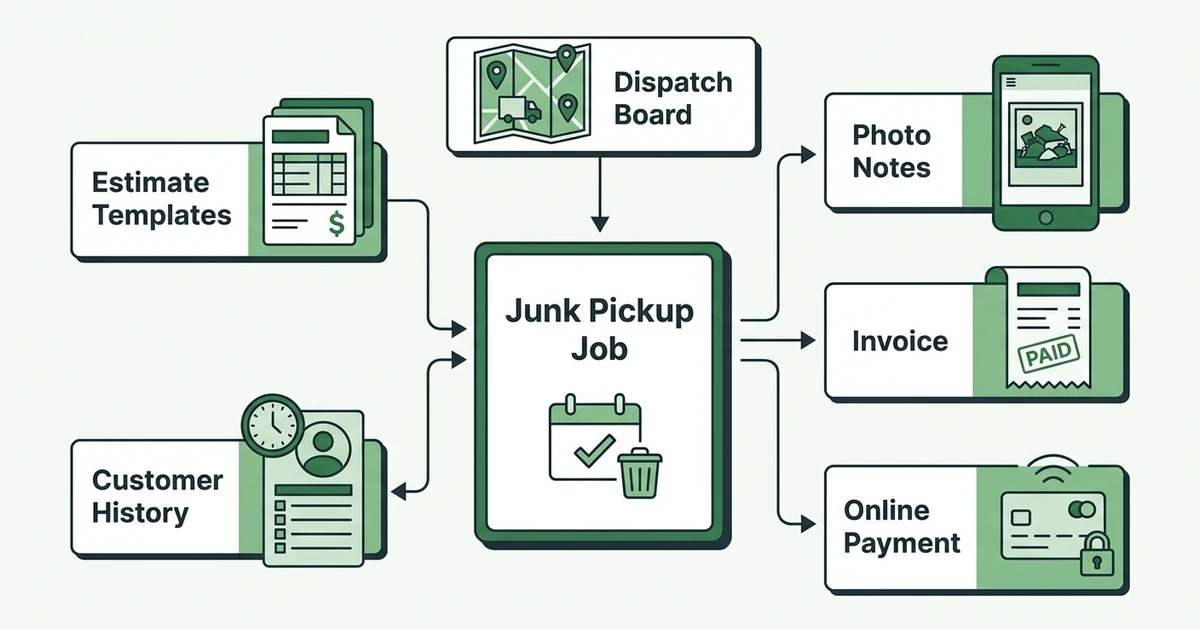
Look for these core features:
- Estimate templates for common load sizes and item types
- Photo and note storage
- Scheduling by crew, truck, and time window
- Dispatch details visible on mobile
- Customer communication by text or email
- Job status tracking
- Invoice creation from approved quotes
- Online payments and reminders
- Reporting for revenue, unpaid invoices, and job performance
The missing piece in many tools is job context. A basic calendar can tell the crew where to go. It usually cannot show the customer photos, access notes, disposal instructions, quote details, and payment status in a clean workflow.
For junk removal, job context matters because the work changes on-site. The crew may find extra items, blocked parking, heavier material, or access that was not mentioned. Software should let the team record those changes before the invoice is sent.
8 best junk removal software options for small service teams
Here is a practical shortlist. The goal is not to say every tool is bad except one. The goal is to match each system to the type of junk removal operation it fits best.
| Software | Best fit | Watch closely |
|---|---|---|
| Fieldified | Small and growing crews that want quote-to-payment control | Best when you want one system across operations |
| Jobber | Teams that want a polished field service app | Per-user pricing can add up as the team grows |
| Housecall Pro | Home service teams that value simple dispatch and payments | Less trade-specific for junk removal workflows |
| ServiceTitan | Large operations with complex reporting needs | Often too complex for small junk removal teams |
| FieldPulse | Small teams that want basic job management | May be lighter on advanced automation |
| Workiz | Call-heavy service teams that need dispatch and phones | Can feel broad for owner-operated crews |
| ServiceFusion | Teams that want field service basics with flat pricing | Interface and workflow fit should be tested carefully |
| ServiceM8 | Very small mobile teams that need job cards | May be limiting as operations get more complex |
1. Fieldified
Fieldified is built for field service businesses that need the whole job lifecycle in one place. For junk removal crews, that means estimates, scheduling, dispatch, job tracking, invoices, online payments, customer records, and automated reminders.
The strongest fit is a crew that has outgrown spreadsheets but does not want enterprise software. You can use junk removal software for growing crews, assign jobs, store customer notes, send invoices, and track payment status without building a stack of separate tools.
Fieldified also fits teams watching software cost as they hire. Flat plan pricing is easier to plan than a bill that jumps every time a dispatcher, owner, or crew member needs access.
2. Jobber
Jobber is a well-known field service platform with strong quoting, scheduling, client communication, and invoicing features. Many small contractors look at it early because the brand is familiar and the interface is approachable.
For junk removal, the main question is cost fit as your crew grows. If you are comparing Fieldified and Jobber, review the Fieldified vs Jobber comparison and look closely at pricing model, included users, and which features sit behind higher tiers.
3. Housecall Pro
Housecall Pro is popular with home service businesses that need scheduling, dispatch, estimates, invoices, and customer communication. It can work for junk removal teams that want a general home service system.
The tradeoff is fit. Junk removal needs clear job photos, load notes, access details, and quick invoice flow after pickup. Test whether the daily workflow feels natural for your crew rather than only comparing feature lists.
4. ServiceTitan
ServiceTitan is built for larger service operations that need deep reporting, advanced controls, and complex workflows. It is powerful, but most small junk removal teams do not need that level of system weight.
If your business has several locations, dedicated admin staff, and a complex sales operation, it may be worth a look. If you have two trucks and one dispatcher, it is likely more than you need.
5. FieldPulse
FieldPulse is a field service management option for small teams that need job management, scheduling, estimates, and invoicing. It can be a practical option if your workflow is simple.
For junk removal, evaluate whether it gives your crews enough job context on mobile. Photos, notes, approvals, and payment status should be easy to find while the crew is standing in a driveway.
6. Workiz
Workiz is often considered by call-heavy service teams. It can be useful for businesses that want phone, booking, dispatch, and customer communication tools in one system.
Junk removal teams should test how well the workflow handles quote photos, truck capacity, disposal notes, and on-site changes. The faster your jobs turn over, the more those details matter.
7. ServiceFusion
ServiceFusion offers field service tools with flat-rate style positioning. It can appeal to businesses that want scheduling, dispatch, and invoicing without a per-user model.
The key question is ease of daily use. Junk removal crews need to move fast from quote to pickup to payment, so owners should test the mobile experience and invoice workflow before committing.
8. ServiceM8
ServiceM8 can fit very small mobile service teams that want job cards, scheduling, and basic client communication. For a solo operator or lean crew, that simplicity may be attractive.
As the junk removal business grows, check whether the system still supports deeper reporting, multiple crews, quote follow-up, and payment tracking. The tool that works for one truck may not be enough for three.
How to compare junk removal estimating, dispatch, and invoicing tools
Do not compare software by feature count alone. A long feature list can still slow your office down if the workflow is clumsy.
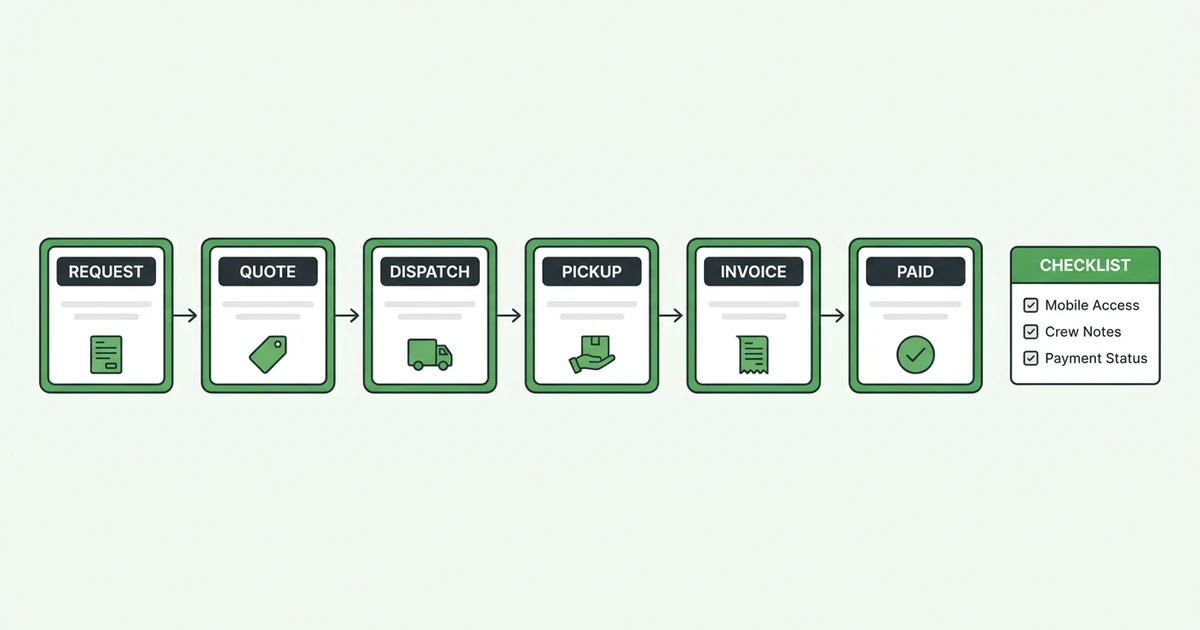
Use this evaluation checklist:
- Can the office create a quote from photos and notes?
- Can an approved quote become a scheduled job?
- Can the crew see access notes and customer history on mobile?
- Can the dispatcher view crew capacity by day?
- Can the invoice be sent right after pickup?
- Can payment reminders run without manual chasing?
- Can the owner see which jobs are profitable?
- Can the system grow without punishing every added user?
The best way to test a tool is to run one real job through it. Start with a customer request, add photos, create the quote, schedule the pickup, assign the crew, mark the job complete, send the invoice, and record payment.
If the workflow feels slow during the trial, it will feel worse when five customers call before lunch.
See how Fieldified handles quotes, dispatch, invoices, and payments for junk removal jobs without making your crew jump between tools. Book a Fieldified demo to walk through the workflow.
Best junk removal software for small crews: what to prioritize
Small crews need speed, not complexity. The best junk removal software for a two-truck operation should help the owner answer faster, quote cleaner, dispatch with confidence, and collect payment sooner.
Prioritize these areas first:
- Quote consistency
- Mobile job details
- Simple scheduling
- Fast invoicing
- Payment collection
- Customer history
- Reporting by job and crew
Avoid buying software for features you might need someday if the core job workflow is weak today. A fancy dashboard does not help if the crew still has to text the office for the customer’s gate code.
For many small teams, scheduling and dispatch tools, job tracking for field crews, and online payments and invoice reminders will produce more value than complex enterprise reporting.
Is Fieldified right for my junk removal business?
Fieldified is a strong fit if your junk removal team wants one connected workflow from customer request to payment. It is especially useful when the office is tired of rebuilding the same job details in separate calendars, spreadsheets, quote tools, and invoice software.
It is likely a good fit if:
- You run one or more junk removal crews
- You quote jobs from calls, forms, photos, or texts
- Your crew needs mobile access to job notes
- You want faster invoices after pickup
- You want customer history in one place
- You dislike per-user pricing as the team grows
It may be more than you need if you only do a few pickups a month and do not plan to grow. In that case, a simple calendar and invoice tool may work for now.
But once missed calls, lost notes, and late invoices start costing money, a connected system becomes the cleaner move.
Junk removal software implementation checklist
Switching tools is easier when you start with the daily workflow. Do not begin by importing every old contact and customizing every setting. Begin with the jobs you actually run this week.
Use this rollout plan:
- Choose your common job types.
- Build quote templates for those job types.
- Add your minimum price and access rules.
- Set up crew schedules and service areas.
- Add invoice and payment settings.
- Train the crew on mobile job notes.
- Test one job from quote to payment.
- Review what slowed the team down.
Keep the first week simple. Your goal is not perfection. Your goal is to stop losing details between the call, the quote, the truck, and the invoice.
Pair this post with Fieldified’s guide to the field service mobile app if you want to think through what your crew should see from the field.
Frequently Asked Questions
What is the best junk removal software for small crews?
The best junk removal software for small crews connects estimates, scheduling, dispatch, invoicing, payments, and customer history. Fieldified is a strong fit when you want one system for the full job lifecycle.
What should junk removal software include?
It should include quote templates, scheduling, dispatch notes, customer communication, invoices, payments, mobile access, and reporting. Junk removal teams should also look for photo and job-note workflows.
Can junk removal software help with dump fee tracking?
Yes. The right system lets your team add job notes, expenses, and disposal details before the invoice goes out. That helps owners understand which job types are reducing margin.
Is junk removal dispatch software different from a calendar?
Yes. A calendar shows time and place, but dispatch software should show job details, crew assignment, customer notes, and status. Junk removal crews need that context because jobs change on-site.
How do I choose between Fieldified and Jobber?
Compare the workflow and pricing model. Jobber is well known, while Fieldified focuses on connected job lifecycle management with flat plan pricing that can be easier for growing crews to plan around.
Conclusion
Junk removal software should make the work easier from first call to final payment. If it only stores appointments, it is not enough.
The best choice for your crew is the one that keeps quotes, schedules, job notes, invoices, payments, and customer history connected. That is how you stop retyping details and start seeing what each job is really worth.
If you want a practical look at how Fieldified supports junk removal quoting, dispatch, invoicing, and payments, book a Fieldified demo and walk through a real pickup workflow.