EN
EN DE
DE ES
ES FR
FR NL
NL PT
PT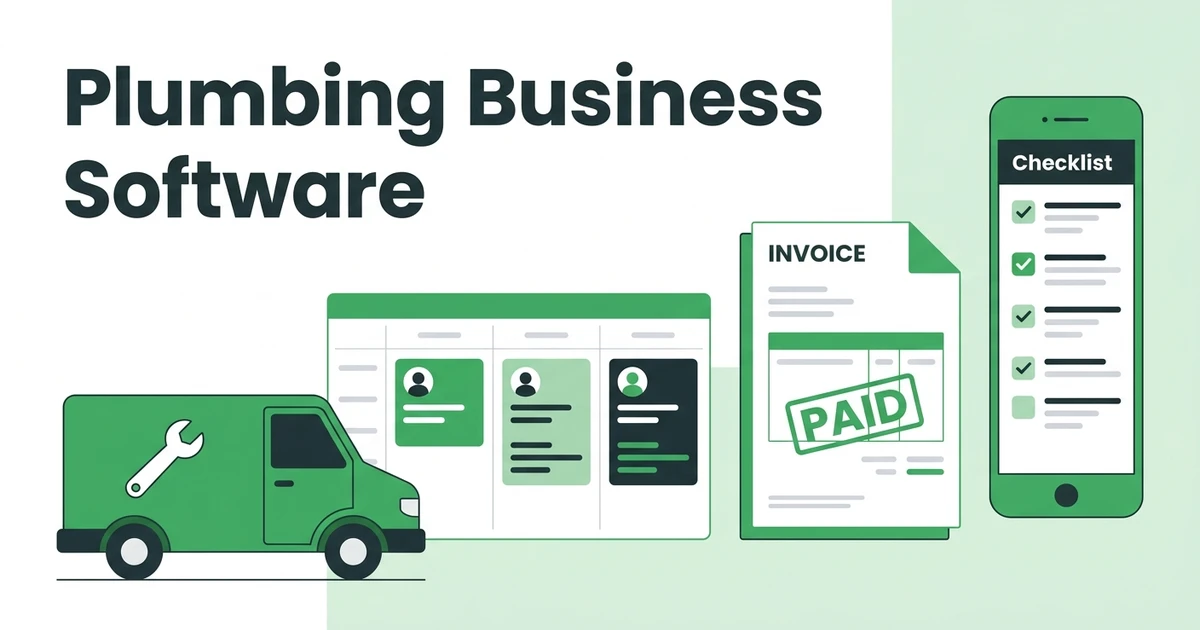





Quick Answer: What is plumbing business software? Plumbing business software is a platform that handles job scheduling, technician dispatch, client records, quotes, invoices, and payments in one place. It replaces the spreadsheets, phone calls, and sticky notes that most plumbing shops rely on to manage daily operations.
Running a plumbing business on a shared calendar works fine when you have two techs and a handful of regulars. Add a third technician, a second service van, and a mix of emergency calls and recurring jobs, and the cracks show up fast.
That’s where plumbing business software changes the equation. Instead of rebuilding the day’s schedule every time an emergency call comes in, your dispatcher sees every tech’s availability in real time. Quotes go out the same day. Invoices are sent the moment a job is marked complete. Payments come in before the tech drives away.
This guide covers how plumbing business software works, which features matter most for a plumbing shop, and how Fieldified handles the full job lifecycle from the first call to the final payment.
Managing a plumbing business?
Fieldified helps plumbing companies organize customers, schedule jobs, send quotes, create invoices, and collect payments from one platform.
Why Plumbing Businesses Outgrow Manual Scheduling Fast
A plumbing business moves fast. A burst pipe doesn’t wait for you to finish your morning coffee, and neither do the four other jobs already on the calendar. Manual systems, whether a shared Google Calendar, a whiteboard in the shop, or a group text with your techs, tend to break under that pressure.
The US plumbing industry employs over 504,500 workers and is growing at 4% annually, according to the Bureau of Labor Statistics. With more than 132,000 plumbing businesses operating across the country, per Revenue Memo’s 2026 plumbing industry report, the plumbing shops that respond fastest, quote cleanest, and invoice soonest tend to keep the repeat work.
The daily friction points on a manually run plumbing shop are predictable:
- Techs calling the office to get job addresses, access codes, or client notes
- Emergency call-ins derailing the full day’s schedule and leaving other clients waiting
- Invoices piling up until end-of-week because there’s no system to send them at job completion
- Payments chased by phone two or three weeks after the work is done
None of these signal a bad business. They signal a business that grew past what a notebook and a spreadsheet can handle.
The issue isn’t hustle. It’s infrastructure. And plumbing business software is the infrastructure that lets a plumbing shop operate like a tighter, faster business without adding office staff to keep up.
What Plumbing Business Software Actually Does
Plumbing business software connects every part of the job lifecycle into one system so nothing falls through the cracks between the dispatch call and the final payment.
Here’s how it maps to a real plumber’s workday:
- A new job request comes in by phone, web form, or online booking
- Dispatcher opens the scheduling board and assigns the right tech based on location and availability
- Tech receives full job details on their phone: address, access notes, scope, and prior client history
- Tech completes the job, uploads photos and notes, and collects a signature on-site
- Invoice is generated automatically and sent to the client by text or email
- Client pays online, payment is recorded, job is closed
The whole loop that normally involves three phone calls and a stack of paper happens in one place, without re-entering data between systems or asking a tech what they did on a job last Thursday.
For a deeper look at how a client database supports this workflow, see how plumbers use a client database to stay organized and avoid repeating the same questions on every return visit.
The Features That Matter Most for Plumbing Businesses
Not every field service platform is built for the demands of a plumbing shop. Here’s what to look for when evaluating plumbing business software:
Scheduling and Dispatch That Handles Emergency Call-Ins
Plumbing dispatchers work with a constant mix of scheduled maintenance and unplanned emergencies. The software needs to show every technician’s live status and location so you can slot an emergency job in without disrupting four other clients.
Scheduling and dispatch built for service businesses gives your dispatcher a live board, not a static calendar. When a water heater fails at 7am, you assign a tech in two minutes, not 20.
Same-Day Quoting From the Job Site
Plumbing customers compare options. If your quote takes two days to arrive, they’ve already called the next number. Software that lets your tech build a professional quote on-site and send it by text before they leave the driveway closes more jobs without extra follow-up effort.
Invoicing at Job Completion, Not End-of-Week
Waiting until Friday to batch invoices means some clients are 10 days past job completion before they see a bill. Plumbing business software sends the invoice the moment a tech marks the job complete, from their phone, before they pull out of the parking lot.
Get paid faster on every plumbing job by tying invoice generation directly to job completion. Clients pay online from the link in the text message. No check-chasing, no paper invoices lost in the mail.
Mobile App Built for Field Technicians
Techs need job details in their pocket. A solid mobile app gives them the job address, client notes, any special access instructions, and a task checklist. After the job, they upload photos, collect a signature, and close the job out, all from their phone.
Client History and Property Notes
Plumbing is a repeat-service trade. When a client calls about a recurring issue, you want to see the prior visit, what parts were used, and whether there’s an open warranty. A built-in client record stores every job, note, and photo so any technician on your team can pick up where the last one left off.
AI Receptionist for After-Hours Calls
Plumbing emergencies happen at night and on weekends. An AI receptionist captures those calls, qualifies the lead, and logs the job details so your dispatcher sees everything first thing in the morning. No missed leads, no revenue lost to voicemail.
How Fieldified Works for Plumbing Businesses
Fieldified is plumbing business software built for field service contractors who need the full job lifecycle in one place: from the first inbound call to the final payment collected.
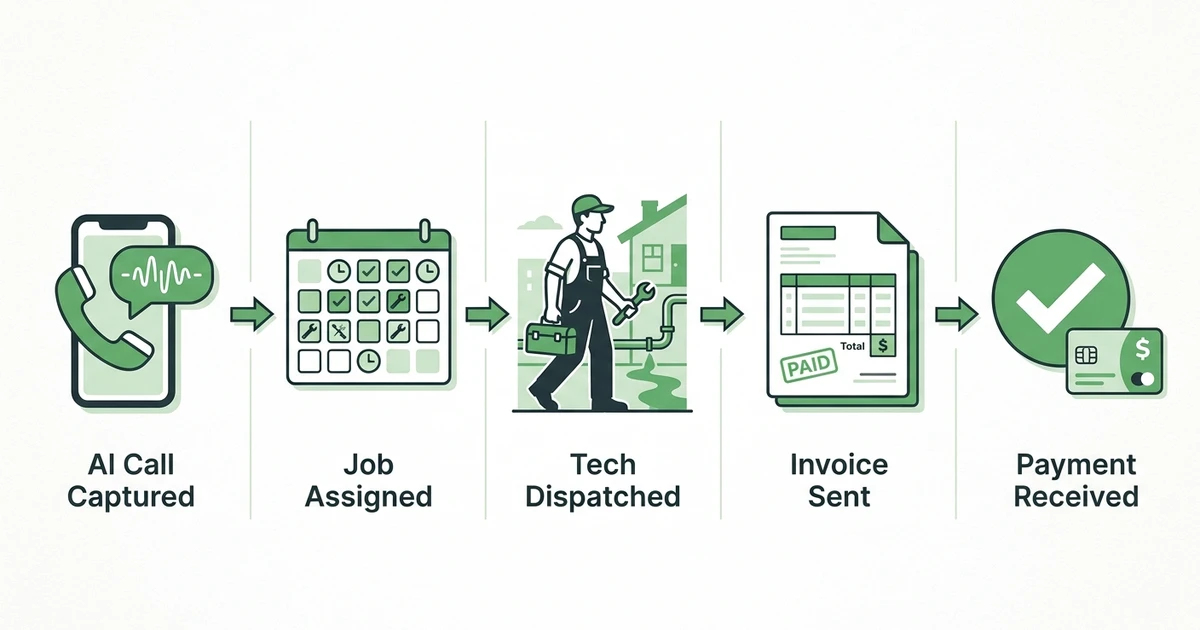
Here’s what a Monday morning looks like on Fieldified for a plumbing shop with six technicians:
7:30am. The AI Receptionist captured two after-hours calls over the weekend: one slab leak assessment and one water heater replacement. Both are already logged in the dashboard with the client’s name, address, and a description of the issue.
8:00am. The dispatcher opens the scheduling board, sees both new jobs alongside the day’s existing workload, and assigns each to the right tech based on location. Both techs receive job details on their phones immediately.
10:30am. The slab leak tech completes the site assessment, builds a quote on-site, and sends it by text before leaving the driveway. The homeowner approves it within the hour.
3:00pm. The water heater replacement is complete. The tech marks it done in the app. The invoice goes out automatically. The client pays from the payment link in the text message.
End of day. Both jobs are closed, invoiced, and paid. No paper, no phone tag, no Friday billing pile.
Without software, that same Monday involves four or five office calls, two handwritten quotes, and two payment follow-up calls sometime the following week. The work is the same. The admin burden isn’t.
For more on how plumbing businesses use CRM alongside scheduling, see how a plumbing CRM builds stronger client relationships over time.
See how Fieldified handles plumbing scheduling, dispatch, and same-day payments. Request a free demo and we’ll walk through it with your specific team size and job mix.
Stop losing plumbing jobs in calls, texts, and spreadsheets.
Use Fieldified to manage emergency jobs, customer history, estimates, invoices, and follow-ups in one place.
Is Fieldified Right for Your Plumbing Business?
”We’re too small to need software”
If you have more than one technician and more than five active clients, you’re large enough to benefit. The gains from plumbing business software come not from scale but from removing the daily friction: manual scheduling, late invoices, and missed follow-ups. Fieldified has no minimum team size and no setup fees. Start a free trial and see what it handles.
”We already use QuickBooks”
QuickBooks handles accounting. Fieldified handles field operations: scheduling, dispatch, job tracking, client-facing quotes, and invoicing. They serve different functions and work alongside each other. Most plumbing businesses using both reduce duplicate data entry and spend less time reconciling jobs against payments.
”Our techs won’t use an app”
Fieldified’s mobile app is designed for field use. It shows techs what they need: today’s jobs, the address, the job notes, and a checklist. That’s it. Most technicians are up and running in under 30 minutes with no formal training.
”We’re currently paying per user on another platform”
If you’re paying a per-user fee on your current software, Fieldified’s flat-plan pricing typically costs less as your team grows. See a full breakdown at Fieldified pricing.
Want a better CRM for your plumbing business?
See how Fieldified helps plumbers manage customers, jobs, invoices, and payments.
Frequently Asked Questions
What is plumbing business software?
Plumbing business software is a platform that handles job scheduling, technician dispatch, client records, quoting, invoicing, and payments in one place. It’s designed for plumbing contractors who need to manage field crews, track job status, and collect payment without manual follow-up.
What’s the difference between plumbing scheduling software and plumbing business software?
Plumbing scheduling software handles one function: booking and assigning jobs. Plumbing business software covers the full job lifecycle from initial quote to final payment, including dispatch, job tracking, client communication, invoicing, and reporting.
Can plumbing business software help with after-hours emergency calls?
Yes. Software with an AI receptionist captures calls and books jobs after hours without needing office staff on call. The call details appear in your dashboard by morning, ready to assign to a technician.
How much does plumbing business software cost?
Pricing varies by platform and plan. Fieldified offers flat-plan pricing that covers scheduling, dispatch, invoicing, CRM, and AI receptionist features without per-user fees. You can start a free trial and explore the platform before committing.
Does plumbing business software work on mobile for technicians?
Yes. Modern plumbing software includes a mobile app that gives technicians job details, checklists, photo upload capability, and signature capture from their phone. No paperwork, no calling the office for job notes.
How long does it take to set up plumbing business software?
Most platforms are ready to use within a day. Fieldified’s onboarding is designed to get plumbing businesses running within hours. The mobile app is simple enough for field technicians to use right away.
Conclusion
Plumbing businesses run on speed and accuracy. The faster you dispatch, quote, invoice, and collect payment, the more jobs you can handle without adding admin overhead. Running those operations on spreadsheets and phone calls is a choice that costs you time, jobs, and cash flow on every single workday.
Plumbing business software gives you the infrastructure to run a tighter operation: real-time dispatch, same-day invoicing, a complete client record for every property, and payment collected before the tech pulls out of the driveway.
Start your free trial and see how Fieldified handles scheduling, dispatch, and payments for plumbing businesses. No credit card required, no setup fees.