 EN
 DE
 ES
 FR
 NL
 PT


Quick Answer: Field service software for utilities helps coordinate mobile crews, work orders, schedules, field records, customer communication, costs, and billing across service locations. The right system should fit the team’s operating model, connect office and field updates, and make security, mobile access, reporting, and integration requirements clear before purchase.
Utility contractors and industrial service teams rarely lose control of work because nobody has a calendar. The harder problem is keeping the office, crews, customers, and financial records aligned when several service locations are active at once.
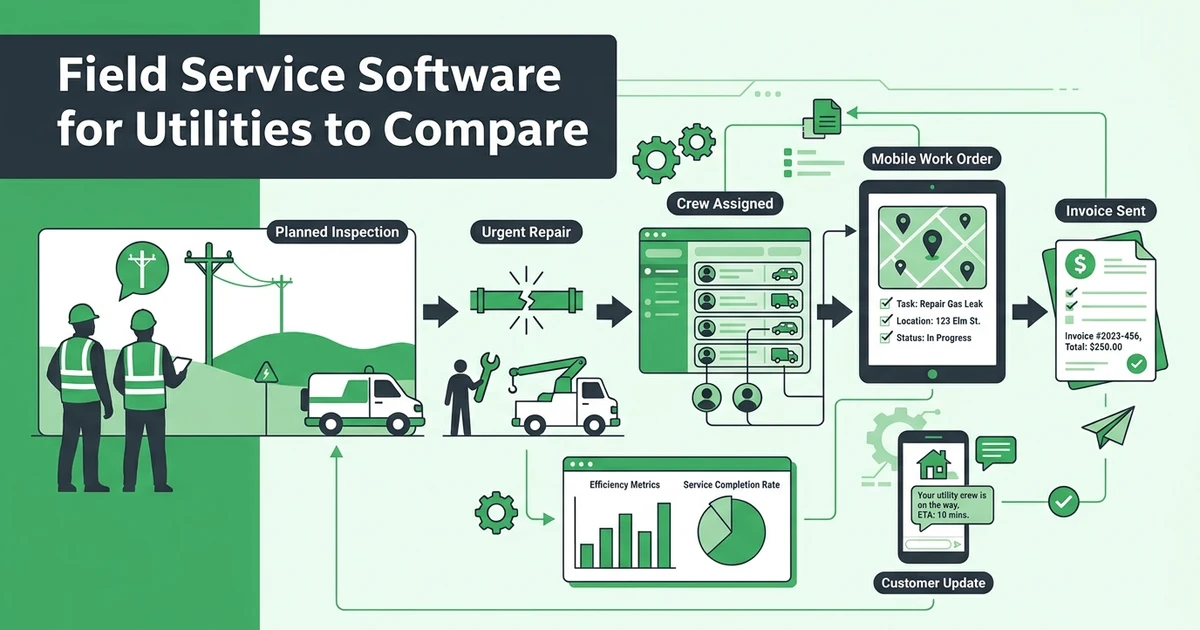
A planned inspection can be interrupted by an urgent repair. A technician may discover that a follow-up visit is required. A customer may need a status update before the crew can close the work order. Field service software for utilities should make those handoffs visible without turning every update into a phone call or a spreadsheet change.
The U.S. Department of Energy reports 825,000 employees in electric power transmission, distribution, and storage in 2025. The 2026 United States Energy & Employment Report also reports changes across traditional transmission and distribution, smart grid, microgrid, and other grid-modernization subsectors. The number is sector context, not proof that one software platform fits every utility operation.
How does field service software for utilities solve disconnected work orders?
Spreadsheets can list jobs, but they do not automatically preserve the full story of a field visit. A dispatcher may update a time slot while the technician is working from an old work-order note. The customer may receive a status message that never makes it into the service record. The office may know the job is complete but still lack the time, expenses, or documentation needed for billing.
The gaps become more expensive when work crosses teams. A planned inspection, an emergency repair, and a follow-up visit may involve different technicians, different site contacts, and different approval steps. The software should make each handoff clear while keeping related work attached to the correct customer, location, and job.
This guide is aimed at utility contractors and industrial service teams performing customer-site work. A regulated utility may also need specialized systems for outage management, GIS, SCADA, asset management, or control-room operations. Those requirements should be evaluated separately rather than assumed to be covered by general field-service software.
What this utility field service software comparison measures
Use a live test instead of a feature-counting exercise. Give each vendor the same scenario: a planned inspection becomes an urgent repair, a customer needs an update, and the completed work must reach reporting and billing.
| Evaluation area | What to test | Evidence to request |
|---|---|---|
| Dispatch and assignment | Can the office assign and change work clearly? | Live schedule, assignment rules, notifications |
| Mobile work orders | Can crews find the latest job details? | Mobile record, forms, photos, notes, completion status |
| Customer communication | Can updates stay attached to the job? | Messages, appointment updates, contact history |
| Cost and time capture | Can managers see the work effort and expenses? | Time records, expenses, job-level view |
| Billing and payments | Can completed work move into collection? | Invoice creation, payment status, reminders |
| Reporting | Can the manager identify delays and margin gaps? | Job, team, expense, and payment reports |
| Security and integrations | Can procurement review the platform? | Access controls, vendor documentation, API details |
| Implementation | Can the team adopt it without disrupting work? | Migration plan, training, support, rollout steps |
Requirement 1: Can dispatchers assign the right crew and keep work status current?
Dispatchers need a current view of assignments, availability, locations, and job status. The value is not only placing a job on a calendar. It is knowing whether the assigned crew has the right information, whether the appointment changed, and whether the customer received the latest update.
Test a planned inspection and an urgent repair on the same day. Ask the vendor to move the repair into the schedule, notify the assigned technician, update the customer, and show what the original dispatcher can still see afterward.
Look for clear status states. The office should be able to distinguish scheduled, en route, in progress, blocked, completed, and ready to invoice without relying on personal notes.
Requirement 2: Can technicians complete work orders with a reliable field record?
A field record should make the next decision easier. It may include job instructions, customer details, photos, forms, checklists, notes, signatures, and completion information. The team should be able to find the latest record from the field and send updates back to the office.
Ask the vendor to show a technician opening a work order, adding a photo, recording a note, completing a checklist, and marking the task ready for review. Then ask where the office sees each update and how a manager identifies incomplete documentation.
Offline access, specialized asset records, and regulated-utility documentation are separate requirements. Do not assume they exist because a platform has a mobile app. Ask for the exact behavior and documentation that your service model requires.
Requirement 3: Can the office see labor, time, expenses, and job progress together?
Utility contractors need an operational view and a financial view of the same work. A manager may need to know whether a crew is delayed, whether the job has used more labor than planned, and whether an expense belongs to the correct location or customer.
Fieldified connects job tracking with time and expense records, job-level financial visibility, and reporting. Its reporting and analytics tools help managers review appointments, progress, payments, expenses, and profitability in the same operating context.
During a demo, create a work order with planned labor and an expected expense. Add a field update and a second visit. Ask the vendor to show the effect on the job view and the manager dashboard.
Requirement 4: Can customer communication stay attached to the service record?
Customers should not have to repeat the same information every time they contact the office. A useful platform keeps the service address, contact history, appointment updates, job notes, and payment conversations connected to the customer and work order.
Test an access question, a schedule change, and a completion update. Ask whether the office can see the conversation later and whether the next technician can find the information without searching through separate email or messaging tools.
Fieldified supports customer records, two-way communication, appointment information, quote approvals, payment access, and job history through connected workflows. That gives utility contractors a clearer way to keep field updates and customer expectations aligned.
Requirement 5: Can completed work move cleanly into invoices and payments?
The job is not financially complete when the crew leaves the site. The office may still need to review time, expenses, approved additions, customer details, and payment terms before sending the invoice.
Test the full closeout sequence. Mark the work complete, review the record, create an invoice, send a payment link, and check how reminders and payment status appear to the office. If your team bills by phase or visit, test those cases separately.
Fieldified’s invoicing and payment workflow helps service teams generate professional invoices, send reminders, accept online payments, and track job financial performance. The benefit for a utility contractor is a more direct path from documented work to visible billing follow-up.
Requirement 6: Does reporting help managers find delays and margin leaks?
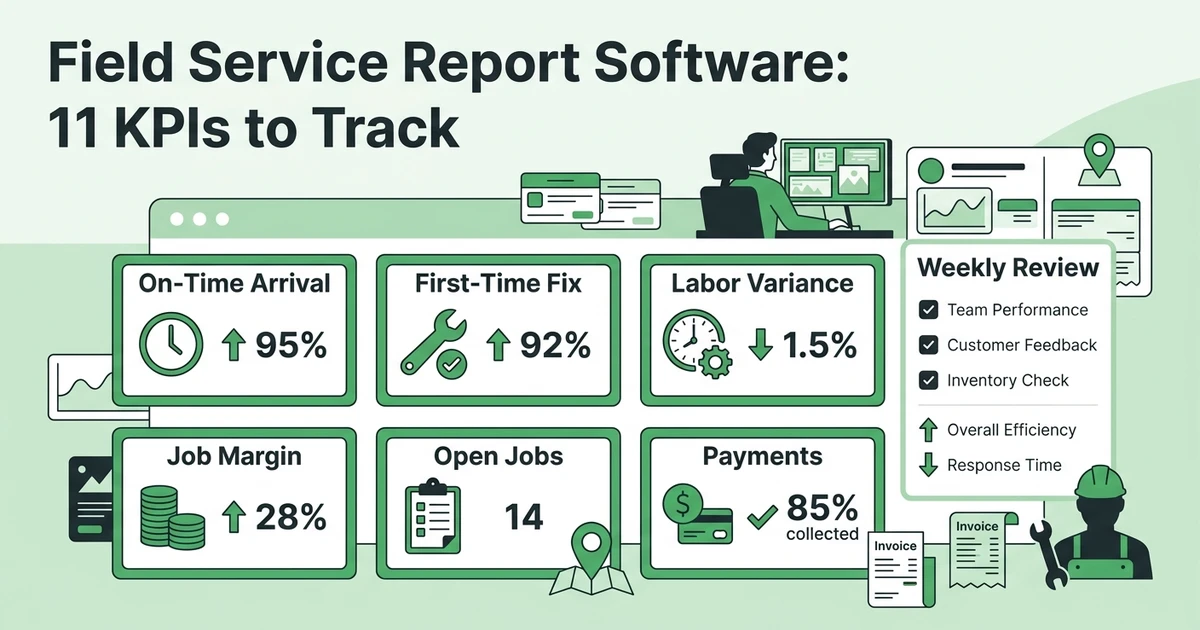
Reports should answer operating questions, not merely display totals. Which jobs are waiting for a technician update? Which work orders are complete but not invoiced? Which service locations create repeated follow-up work? Which crews have time or expense records that need review?
Ask for a report built from the same scenario used in the demo. A manager should be able to filter by status, team, customer, location, payment state, or date when those fields are supported. The vendor should explain what is included in each plan and what requires configuration.
Reporting also helps leadership decide whether the platform is improving the actual workday. Review adoption signals such as completed mobile updates, open jobs, late invoices, and unresolved customer requests instead of relying only on revenue totals.
Requirement 7: Can the platform meet your security and integration review?
Software selection for utility contractors should include a security and integration conversation early. Ask how user access is managed, how data is handled, what vendor documentation is available, and which integrations or API options are supported.
The 2024 NIST Cybersecurity Framework 2.0 provides a sector-neutral taxonomy of cybersecurity outcomes for organizations of different sizes and maturity levels. NIST describes CSF 2.0 as a way to understand, assess, prioritize, and communicate cybersecurity efforts. Use it as a question framework, not as evidence that a particular vendor is compliant.
Ask for clear answers about:
- User roles and access permissions.
- Data export and migration.
- Integration options and API documentation.
- Vendor security materials and incident processes.
- Audit trails or activity history where your operation requires them.
Do not accept a general security statement as a substitute for the documentation your procurement or customer contracts require.
Requirement 8: Can the team adopt it without disrupting active work?
Implementation is part of the product decision. Utility contractors need to move customer records, locations, open work, technician details, service templates, and billing workflows without losing the information crews use every day.
Ask how the vendor handles data import, permissions, templates, training, support, and rollout. The first workflow should be simple enough for the office to configure and for technicians to use on a real job.
Fieldified is built for mobile teams and includes mobile access for technicians and office staff. Its mobile app keeps job information, team coordination, and field updates available from the device the crew uses during the workday.
How Fieldified gives utility contractors one all-in-one service workflow
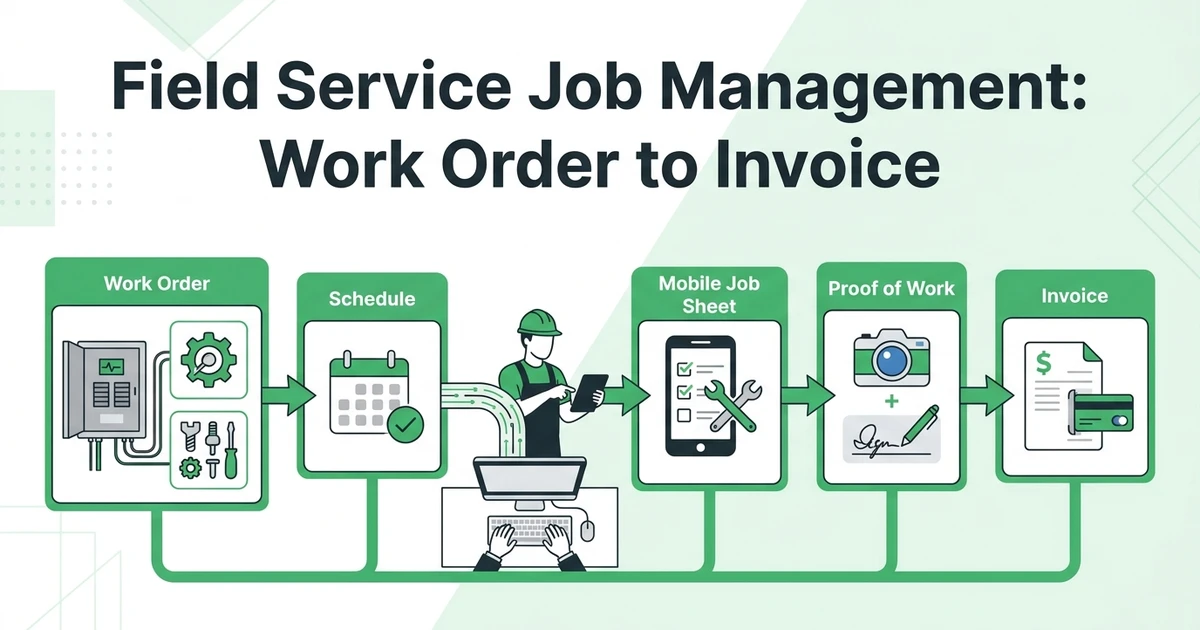
Fieldified gives utility contractors and industrial service teams one connected system for customer-site service. It connects quoting, job scheduling, dispatch, mobile job details, time and expenses, customer communication, invoicing, payments, and reporting in one workflow.
That gives the office a consistent path from a customer request to a scheduled visit, a documented completion, and a payment follow-up. Owners can also review job management workflows and explore Fieldified pricing for their team.
Fieldified is purpose-built for the customer-site service workflows that keep contractor operations moving: scheduling, dispatch, mobile work records, customer updates, invoicing, payments, and reporting.
What to ask during a utility field service software demo
Give the vendor one connected test instead of asking for separate feature tours:
- Create a planned inspection at a customer location.
- Add the site contact, job instructions, and expected work.
- Assign the right crew and send the appointment information.
- Add an urgent repair that changes the day’s plan.
- Have the technician record notes, photos, time, and expenses.
- Send a customer update from the job record.
- Mark the work complete and create the invoice.
- Send a payment request and show the manager the follow-up status.
- Open a report showing completed, delayed, and unpaid work.
Use the same script with every vendor. The comparison will reveal whether the platform connects the operating story or simply offers separate tools that still require manual handoffs.
See the workflow in action: Book a Fieldified demo to see how scheduling, mobile job records, time and expenses, reporting, invoicing, and payments connect for field teams.
Why utility service teams choose Fieldified
Fieldified gives utility contractors one place to coordinate customer-site work and keep office and field updates aligned. Teams manage quotes, schedules, job details, customer communication, invoices, payments, and operational reporting without switching between disconnected tools.
It scales with growing contractor teams, giving technicians and office staff mobile access to the same live job information. The office keeps work visible while the field team records the details needed for customer updates, job review, and billing.
Explore Fieldified pricing, then bring one planned-service scenario and one urgent-repair scenario to a demo. You will see the all-in-one workflow connect scheduling, field records, customer updates, billing, and reporting.
Frequently Asked Questions
What is field service software for utilities?
Field service software for utilities helps coordinate mobile crews, work orders, schedules, field records, customer communication, costs, and billing across service locations. The right system depends on whether the team handles customer-site service work or needs specialized utility infrastructure systems.
What should utility contractors look for in field service software?
Utility contractors should compare dispatch, mobile work orders, status updates, customer communication, time and expense tracking, reporting, invoicing, payments, integrations, security documentation, and implementation support. Test those requirements with a planned job and an urgent repair.
Can field service software for utilities manage work orders and mobile crews?
Many field-service platforms connect work orders, schedules, technician assignments, job notes, photos, and completion updates. Ask the vendor to demonstrate the exact workflow your crews use, including schedule changes and customer-site documentation.
Does utility field service software include reporting and billing?
Some platforms connect job progress, time, expenses, invoices, payments, and operational reports. Confirm which reporting and billing workflows are included in the plan and whether they support your accounting and customer requirements.
Is Fieldified right for a utility contractor?
Fieldified gives utility contractors and industrial service teams one all-in-one workflow for quoting, scheduling, mobile job tracking, customer communication, invoicing, payments, and reporting. It keeps customer-site work connected from the first request through payment follow-up.
Conclusion: choose the workflow your crews can actually run
The right field service software for utilities should make the work easier to coordinate and easier to explain. Dispatchers need current status, technicians need useful job records, customers need clear updates, and managers need a reliable path from completed work to reporting and payment.
Use one planned inspection and one urgent repair to evaluate every vendor. If the platform keeps the office, field, customer, and financial handoffs connected, it has earned a place in the final shortlist.
Ready to test the workflow with your team? Book a Fieldified demo and see how your field operation can connect schedules, job updates, invoices, payments, and reporting in one place.