EN
EN DE
DE ES
ES FR
FR NL
NL PT
PT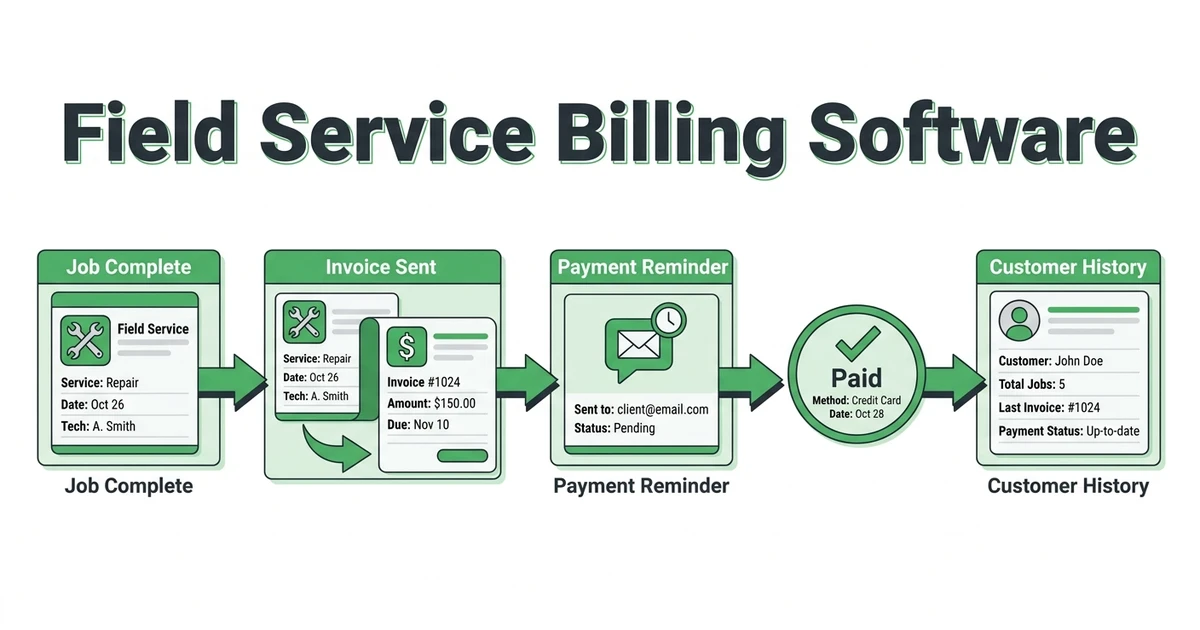





Quick Answer:
Field service billing software helps contractors create invoices from completed jobs, collect online payments, and track what is paid, unpaid, and overdue. The best setup keeps billing connected to job notes, customer history, and payment reminders, so the office is not rebuilding every invoice by hand.
Billing software matters because billing usually breaks after the hard work is already done. A plumber finishes the repair, an electrician closes the service call, or a cleaning crew completes a recurring visit, but the invoice still has to be built, checked, sent, followed up, and marked paid.
That gap is where cash gets stuck.
The Federal Reserve found that 75% of employer firms reported rising costs of goods, services, and/or wages as a financial challenge, while 56% cited paying operating expenses and 51% cited uneven cash flows in its 2025 Small Business Credit Survey. For contractors, billing speed is not just admin hygiene. It is how the business keeps up with payroll, fuel, materials, and callbacks.
Why Field Service Billing Breaks After the Job Is Done
Field service billing breaks when the invoice is treated like a separate office task instead of the next step in the job. The technician knows what happened on site. The office has the customer record. The quote may live somewhere else. Payment status is tracked in another tool.
That split creates delays.
For a garage door company, the technician may replace rollers, add a new spring, and collect a signature in the field. If those details come back as a text message, the office still has to translate the work into an invoice later. If the dispatcher is busy, that invoice may wait until the end of the day.
The same thing happens in cleaning, HVAC, plumbing, and electrical work. Crews finish the job, but the money side depends on someone reconstructing what happened.
Fieldified is built to keep that handoff tighter. Job details, customer history, invoices, and payments should move together, not get stitched together after the fact.
What Field Service Billing Software Should Handle From Work Order to Payment
A billing system should start before the invoice is created. It should pull from the job record, not ask the office to retype the same customer name, service address, line items, and notes.
At minimum, it should help with:
- Completed job details
- Approved quote or estimate information
- Labor, material, and service line items
- Customer billing history
- Invoice delivery
- Online payment collection
- Unpaid invoice reminders
- Paid, unpaid, and overdue status
The Federal Reserve says U.S. noncash payments rose to 236.6 billion in 2024, and card payments made up 79% of noncash payments by number in its 2025 payments study top-line data. Customers are used to paying digitally. Contractors need billing workflows that match that habit.
That does not mean every contractor needs complicated accounting software. It means the job-to-payment flow should be simple enough that the office can invoice quickly and the customer can pay without extra back-and-forth.
When Is Simple Invoice Software Not Enough for Service Contractors?
Simple invoice software can work when the job is simple. If you are a solo handyman sending a few invoices a month, a basic invoice generator may be enough.
It becomes limiting when the invoice needs field context.
Service contractors usually need more than a document. A plumbing invoice may need the original call notes, approved quote, photos, parts used, technician comments, tax, payment status, and customer history. A janitorial invoice may need recurring service dates, site notes, and multiple locations.
Here is the practical difference:
| Billing need | Basic invoice tool | Job-linked billing system |
|---|---|---|
| Create an invoice | Usually yes | Yes, from job details |
| Track job status | Usually no | Yes |
| Connect customer history | Limited | Yes |
| Send reminders | Sometimes | Yes |
| Tie invoice to field notes | Rarely | Yes |
| Support office and technicians | Limited | Yes |
If your office is copying data from one tool into another, the billing system is not really saving time. It is only making the final document look cleaner.
How Automated Reminders Help Contractors Stop Chasing Overdue Invoices
Payment follow-up is one of those tasks that feels small until it becomes constant. A roofing repair invoice sits unpaid. A cleaning customer forgets to pay after the monthly visit. An electrical service call gets completed, but the reminder depends on someone checking a spreadsheet.
Automated reminders help by making follow-up part of the workflow.
That does not mean blasting customers with generic messages. The reminder should be tied to a real invoice, customer record, payment link, and due status. The office should be able to see what has been sent and what still needs attention.
Fieldified’s invoicing workflow helps service teams send invoices faster after completed jobs. Its payment reminder tools help reduce the manual chase after the invoice goes out.
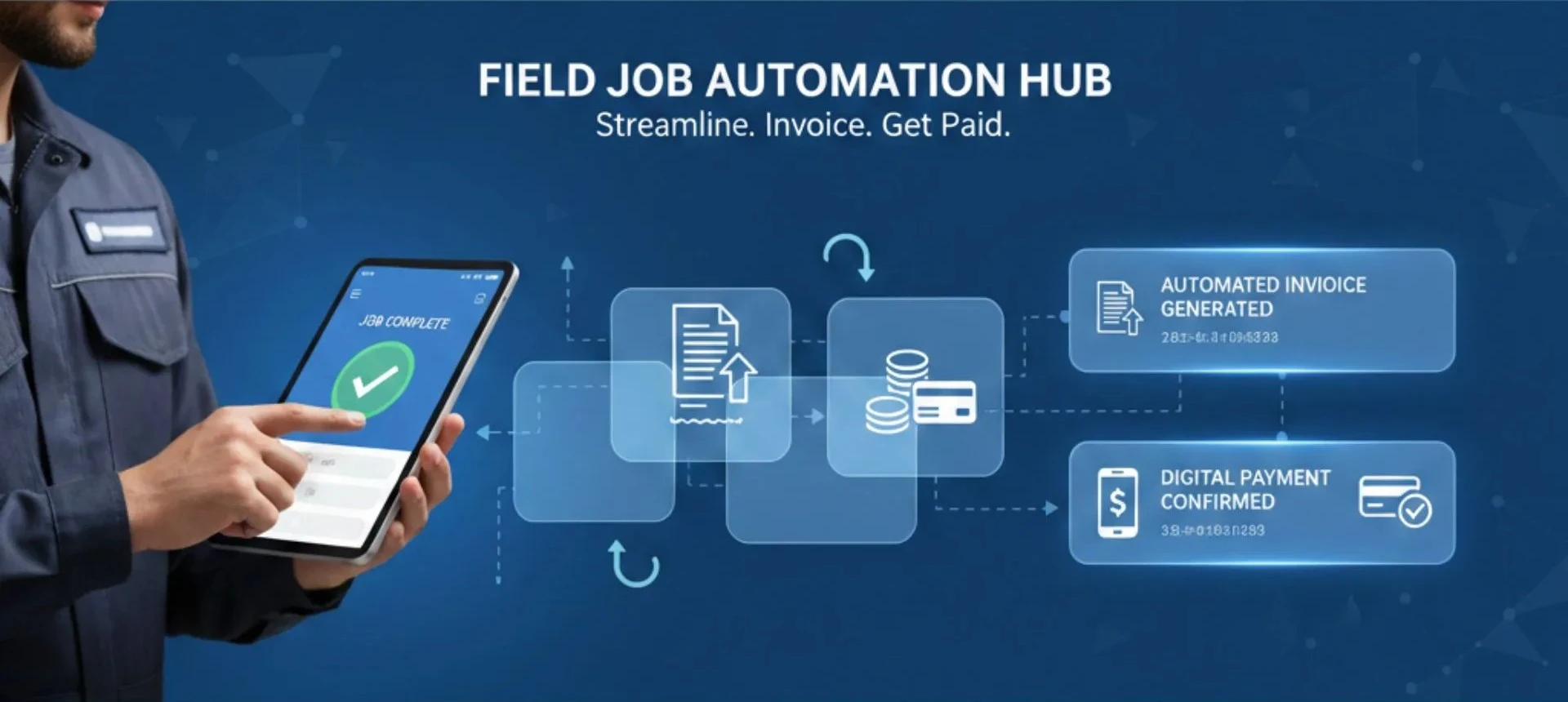
If your team finishes work quickly but waits days to send the bill, Fieldified can help tighten that handoff. See how completed jobs become invoices with reminders and payment tracking inside Fieldified’s send invoices faster workflow.
What Billing Data Should Stay Connected to Customer and Job History?
Billing data is more useful when it stays connected to the rest of the customer record. A contractor should be able to open a customer and see what was quoted, what was done, what was invoiced, what was paid, and what still needs follow-up.
That matters when the customer calls again.
If an HVAC customer asks why a repair cost more than expected, the office needs job notes and quote history. If a plumbing customer says they already paid, the office needs payment status. If a cleaning customer asks about a missed visit, billing should not be separate from the job calendar.
Useful billing data includes:
- Original request or work order
- Approved quote
- Job completion status
- Photos, notes, or signatures
- Invoice number and line items
- Payment method and status
- Reminder history
- Customer communication
This is where invoicing and payments software should support the field workflow, not sit off to the side like a back-office document tool.
How to Compare Billing Tools Without Paying for Features You Won’t Use
Compare billing tools by the work your team actually does. A five-person plumbing company does not need the same finance stack as a large commercial contractor, but it still needs clean invoices, payment links, reminders, and customer history.
Start with the daily workflow.
Ask these questions before choosing:
- Can the invoice pull from a completed job?
- Can customers pay online?
- Can the system send payment reminders?
- Can the office see overdue invoices quickly?
- Can technicians add the notes billing needs?
- Can quotes, jobs, invoices, and payments stay connected?
- Does pricing make sense as the team grows?
Federal Reserve data shows that 60% of employer firms applied for financing in the 12 months leading up to the 2026 survey, with meeting operating expenses as the most common reason in its 2026 Small Business Credit Survey. Faster billing will not solve every cash flow problem, but slow billing makes pressure worse.
For small service teams, the best billing software is not the tool with the longest feature list. It is the one your team will use every day, right after the job is done.
How Fieldified Connects Completed Jobs, Invoices, and Payments
Fieldified connects billing to the service workflow. A job can move from customer request to quote, schedule, dispatch, completion, invoice, and payment without the office rebuilding the same record in separate tools.
That is useful for trades where job volume moves fast.
A plumber can finish a repair and trigger the billing handoff from the job record. A cleaning business can keep recurring service and invoice history attached to the customer. An electrical contractor can keep service notes, follow-up work, and invoice status easier to find.
For teams still using disconnected tools, a free invoice generator for contractors can help with one-off documents. But if invoices are regularly delayed because job information is scattered, the stronger fix is a connected billing workflow.
Frequently Asked Questions
What is billing software for field service teams?
A job-linked billing system helps contractors turn completed jobs into invoices, collect payments, and track unpaid balances. It connects billing to job details, customer records, and reminders.
How are field service billing tools different from invoice software?
Invoice software usually helps create and send invoices. Billing tools built for field teams connect the invoice to the job, technician notes, customer history, payment status, and follow-up workflow.
Can billing software send payment reminders?
Yes. A good billing workflow can send reminders for unpaid invoices so the office does not have to chase every customer manually. This is useful for plumbers, cleaners, electricians, and HVAC teams with many completed jobs moving through the week.
What should small contractors look for in billing software?
Small contractors should look for job-linked invoices, online payments, reminder automation, customer history, mobile access, and simple reporting. The billing workflow should fit how jobs are completed in the field.
Does Fieldified support invoicing and payments?
Yes. Fieldified helps service teams send invoices after completed work, accept online payments, and follow up on unpaid invoices. Billing stays connected to the job record and customer history.
Conclusion: Faster Billing Starts Before the Invoice Is Sent
Billing gets faster when the invoice is not treated as a separate task. The cleaner your job record is, the easier it is to invoice the customer, collect payment, and follow up without digging through notes.
The right billing tool should help your team move from completed work to payment with less retyping and fewer missed reminders.
Book a demo and see how Fieldified connects quotes, completed jobs, invoices, online payments, and customer history in one workflow.