EN
EN DE
DE ES
ES FR
FR NL
NL PT
PT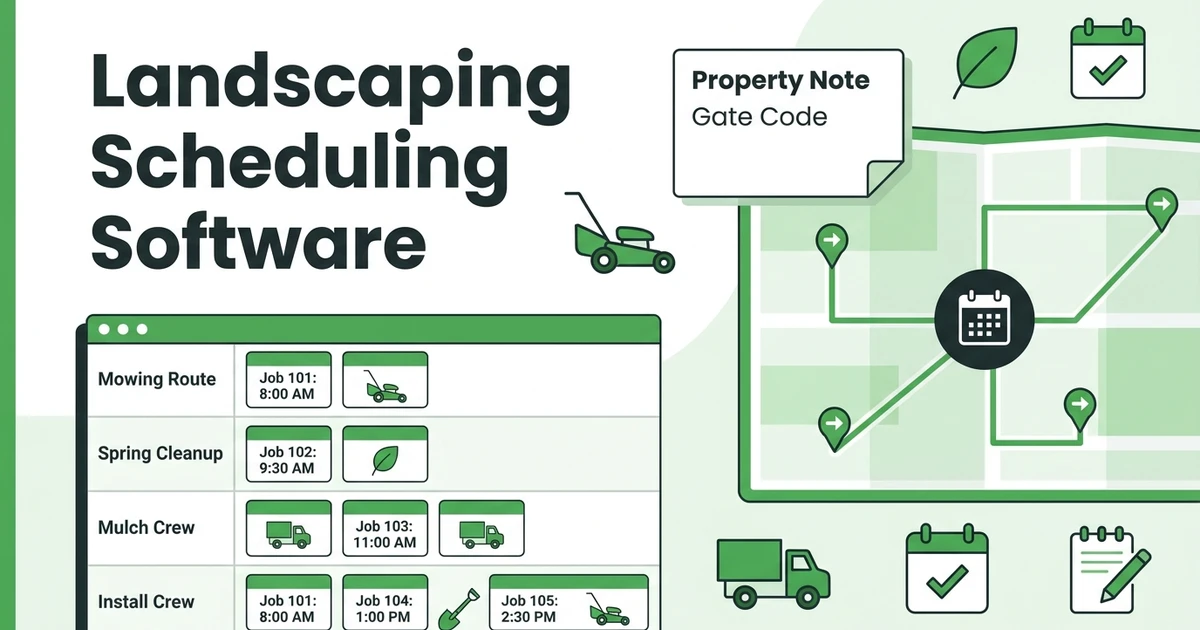





Quick Answer: Landscaping Scheduling Software
Landscaping scheduling software helps crews plan daily routes, assign jobs by availability, manage recurring maintenance visits, and keep property notes attached to every job. For growing landscaping businesses, the right scheduling workflow replaces spreadsheet updates, phone check-ins, and missed route changes with one live schedule.
Fieldified helps landscaping companies quote, schedule, dispatch, invoice, and collect payment from one place. But the scheduling problem usually shows up first.
One crew is easy to manage from a calendar. Four crews are different. Add weekly mowing routes, spring cleanups, mulch jobs, irrigation repair, rain delays, and missing gate codes, and the old spreadsheet starts costing real hours.
The Bureau of Labor Statistics says grounds maintenance workers held about 1.3 million jobs in 2024, with about 171,600 openings projected each year from 2024 to 2034 according to BLS employment projections. That is a lot of crews to coordinate, and the companies that schedule cleanly have an operating advantage.
Why Landscaping Schedules Break Once You Add More Crews
A landscaping schedule breaks when the owner becomes the routing system. Every gate code, job note, crew callout, property request, and rain delay has to pass through one person.
That works for a while. Then a customer asks to move a weekly mow, a crew lead texts that a mower is down, and a cleanup job runs two hours long. Suddenly the office is rebuilding the day by phone.
The pressure is not just volume. The landscape services industry had a reported market size of $188.8 billion in 2025 and represented 692,777 service businesses according to NALP industry statistics. In a crowded market, showing up when promised is part of the product.
Seasonality makes it harder. Spring and fall bring compressed demand, while summer routes need tight recurring maintenance. BLS notes that grounds maintenance workers are often busier in spring, summer, and fall in its occupational profile, which is exactly when manual scheduling mistakes hurt most.
What Landscaping Scheduling Software Should Handle
A scheduling tool for landscapers should do more than put appointments on a calendar. It should help you assign the right crew, in the right order, with the right notes, without asking the office to rebuild the day from scratch.
For a growing landscaping company, the must-have workflow includes:
- Crew availability by day and job type
- Recurring mowing, maintenance, and cleanup schedules
- Property notes, gate codes, photos, and service history
- Route-aware scheduling for nearby jobs
- Mobile updates when the day changes
- Job completion status tied to invoicing
The key is context. A mowing route, a sod install, and a storm cleanup should not look the same on the schedule. Each job needs different crew time, equipment, notes, and follow-up.
That is why scheduling should connect to landscaping business software. If the schedule lives in one place and customer notes live somewhere else, your crew still has to chase details.
How Landscaping Crew Scheduling Works in the Real World
Picture a four-crew landscaping company on a Thursday morning. Crew A has weekly mowing stops. Crew B is handling mulch and bed edging. Crew C is doing a cleanup. Crew D is assigned to an install that needs a trailer and specific equipment.
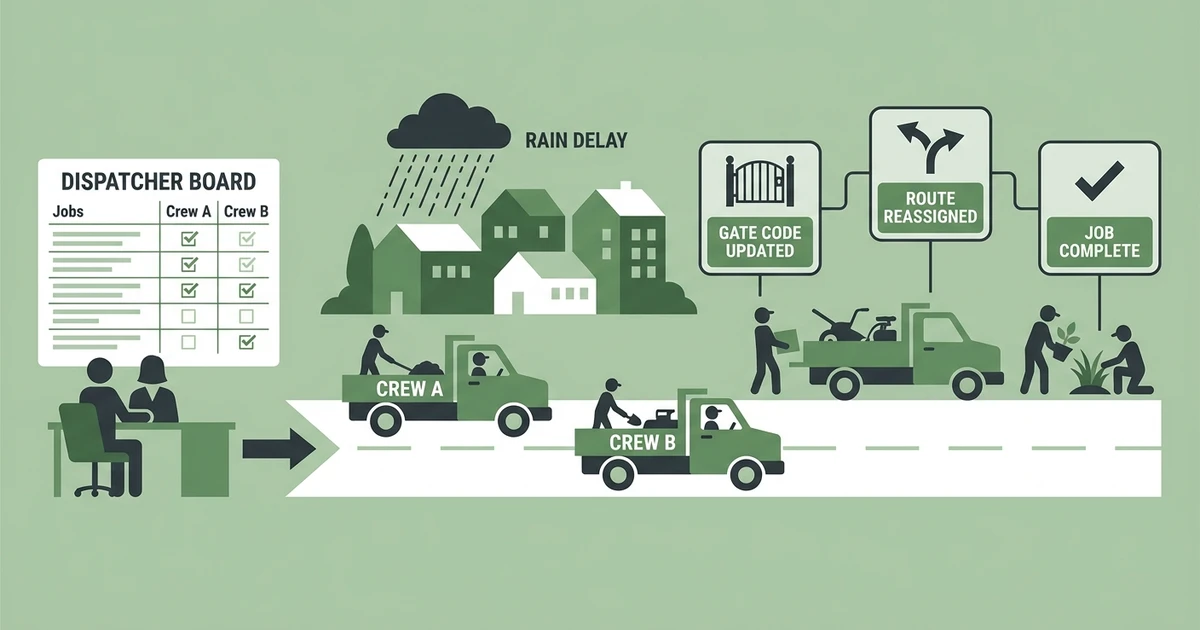
At 7:20 a.m., rain hits one neighborhood harder than expected. At 8:10 a.m., a client texts that the backyard gate code changed. At 9:00 a.m., one crew lead says a job is running long because the property has more debris than quoted.
Without a shared scheduling system, the owner becomes a dispatcher, note taker, and traffic controller at the same time. Calls stack up. The spreadsheet becomes stale. Crews work from old instructions.
With a live schedule, the office can move the cleanup later, reassign nearby maintenance stops, update the gate code in the job record, and send the crew a revised route. The crew sees the change from the field instead of waiting for another call.
Book a demo and see how Fieldified keeps landscaping crews, route notes, and recurring jobs in one live schedule.
How to Plan Recurring Landscaping Jobs Without Manual Rework
Recurring maintenance is where landscaping companies can make the schedule predictable. It is also where manual systems create hidden work.
If you rebuild weekly mowing routes by copying last week’s spreadsheet, every small change becomes a chance for error. A skipped property, a delayed visit, or an old note can lead to a complaint that costs more time than the job itself.
A better recurring workflow looks like this:
- Create the customer and property record once.
- Attach service frequency, crew preference, notes, and access details.
- Generate recurring visits for the season.
- Group stops by location and crew capacity.
- Adjust the schedule when weather or staffing changes.
- Mark work complete from the field.
- Trigger invoice follow-up after completion.
This also helps with revenue planning. If you sell recurring maintenance packages, use the recurring maintenance revenue calculator to model how many weekly or monthly accounts your crews can support.
What to Look for in Landscaping Route Scheduling Tools
Not every scheduling tool fits landscaping work. A generic calendar may hold appointments, but it will not know that one route needs a two-person mowing crew and another needs a truck, trailer, and cleanup equipment.
Use this checklist when you compare options:
| Scheduling Need | Why It Matters for Landscaping | What to Check |
|---|---|---|
| Recurring jobs | Maintenance routes repeat all season | Can visits repeat without manual copying? |
| Crew assignment | Skills and equipment vary by crew | Can you assign by crew, job type, and availability? |
| Mobile updates | Field crews need current instructions | Can crews see schedule changes from a phone? |
| Property notes | Gate codes and service preferences matter | Do notes stay attached to each customer and job? |
| Job completion | Billing depends on completed work | Can completion connect to invoices and follow-up? |
BLS Occupational Requirements Survey data shows work schedules varied for 50.4% of building and grounds cleaning and maintenance workers in 2025 in its ORS profile. A rigid schedule tool will not match that reality.
Look for software that helps you schedule and dispatch landscaping crews, not just store appointments. The difference shows up when the day changes.
How Fieldified Helps Landscaping Teams Stay on Schedule
Fieldified gives landscaping companies one place to manage the job from quote to payment. For scheduling, that means the office can see the day, adjust assignments, and keep job details attached to the work.
Crews can use the mobile app to check job notes, update status, and keep the office informed. That cuts down on “Where are you now?” calls during busy route days.
Fieldified also helps teams keep field crews organized with employee management and GPS visibility. For landscaping owners, that means less guessing when a client asks for an ETA or a crew needs to be rerouted.
When the job is done, invoicing and payment follow-up can move faster. The schedule should not be a dead end. It should connect to the rest of the work.
Is Fieldified Right for My Landscaping Business?
Fieldified is a strong fit if your landscaping company has moved beyond one owner and one helper. If you are coordinating multiple crews, recurring routes, and a mix of maintenance and project work, a shared schedule will likely pay for itself in fewer missed details.
It is also a fit if you are leaving spreadsheets but do not want enterprise software. Fieldified is built for field service teams that need quoting, scheduling, dispatching, invoicing, and payments without a long implementation project.
Pricing matters when crews grow. Fieldified uses flat plan pricing, with included users by plan and additional users available when needed. You can review the current plans on the pricing page.
If you are still planning the early steps, this guide on starting a landscaping business may be the better next read. If your biggest pain is day-to-day crew coordination, scheduling is the first workflow to fix.
Frequently Asked Questions
What does a landscaping scheduler do?
A landscaping scheduler helps owners and office managers plan crews, routes, recurring visits, and job details in one place. It keeps the schedule current when weather, staffing, or customer needs change.
How is landscaping crew scheduling different from a regular calendar?
A regular calendar stores time slots. Landscaping crew scheduling also has to account for crew size, equipment, property notes, route order, recurring maintenance, and job completion.
Can a landscaping crew scheduling tool manage recurring jobs?
Yes. Recurring jobs are one of the main reasons to use it. Weekly mowing, seasonal cleanups, and monthly maintenance can be created once and adjusted when route density or customer needs change.
What should I track on every landscaping job?
Track the property address, access notes, service scope, crew assignment, photos, time on site, completion status, and invoice status. Those details help the crew do the work and help the office bill accurately.
Does Fieldified work for small landscaping crews?
Yes. Fieldified fits small and growing landscaping teams that need one shared workflow for scheduling, dispatch, customer notes, invoices, and payments. It is especially useful once the owner is no longer personally handling every job.
Conclusion: Keep Crews Moving Without the Spreadsheet Scramble
Landscaping schedules get messy because the work changes constantly. Weather shifts. Customers text. Crews run long. Equipment breaks. Recurring routes still need to happen.
The answer is not a prettier spreadsheet. It is a schedule that connects crews, routes, job notes, customer history, and payment follow-up.
Book a Fieldified demo to replace spreadsheet scheduling with dispatch, recurring jobs, mobile updates, and payment follow-up in one place.