EN
EN DE
DE ES
ES FR
FR NL
NL PT
PT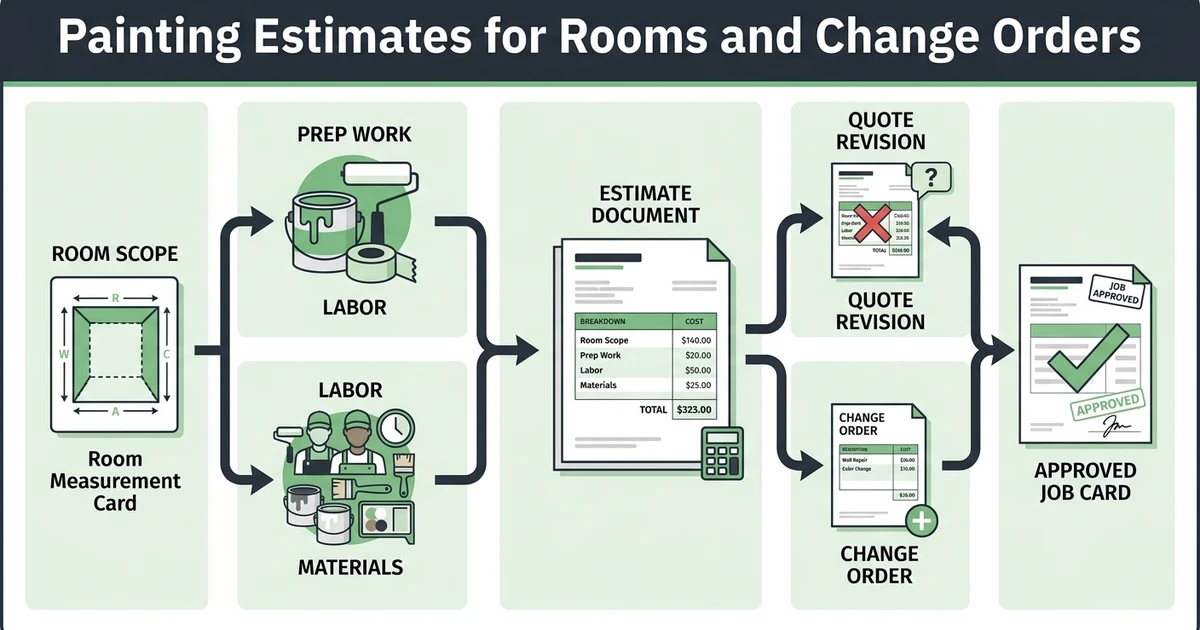





Quick Answer:
Painting estimate software should capture room details, surface prep, coatings, labor, materials, quote revisions, and change orders, then carry the approved quote into scheduling and invoicing. Fieldified helps painting contractors connect estimate approval with the rest of the job workflow.
Painting estimate software matters because small mistakes in scope can eat the profit before the first drop cloth is placed. A missing ceiling, extra trim, rough wall prep, or vague coating allowance can turn a clean-looking quote into a messy job.
The market is large and competitive. IBISWorld lists the US house painting and decorating contractors market at $28.4 billion in 2026, with 217,000 businesses in its industry analysis.
That means painters need estimates that are clear enough to win work and detailed enough to protect margin.
Why do painting estimates lose profit before the job even starts?
Painting estimates lose profit when the scope is too loose. A customer thinks the ceiling was included. The painter assumed minor prep, but the walls need patching. The quote says “living room,” but nobody listed the trim, doors, or accent wall.
Those details are easy to miss during a walkthrough, especially when the contractor is trying to price the job quickly and keep the customer engaged. If the estimate is built from memory later, the risk grows.
Labor pressure makes that accuracy even more important. The Bureau of Labor Statistics reports a May 2024 median annual wage of $48,660 for painters, construction and maintenance, with about 28,100 openings projected each year from 2024 to 2034 in its occupational outlook.
When skilled labor is expensive and crews are busy, underquoted prep work or unclear change orders can hit profit fast.
What should painting estimate software capture during the first walkthrough?
The first walkthrough should create the estimate foundation. The contractor needs enough detail to price the work, explain the quote, and schedule the right crew after approval.
At minimum, the software should capture rooms, surfaces, coatings, prep needs, material assumptions, photos, access notes, and customer preferences. It should also give the contractor a way to separate included work from optional add-ons.
Fieldified helps contractors keep quote details organized before the job becomes scheduled work. That matters because the estimate is not finished when the PDF is sent. It is finished when the customer understands the scope and approves the work.
For painters, the best estimating workflow is simple enough to use on-site but detailed enough to protect the business later.
8 estimate details painters should capture before sending a quote
Use this as a walkthrough checklist before the quote goes out.
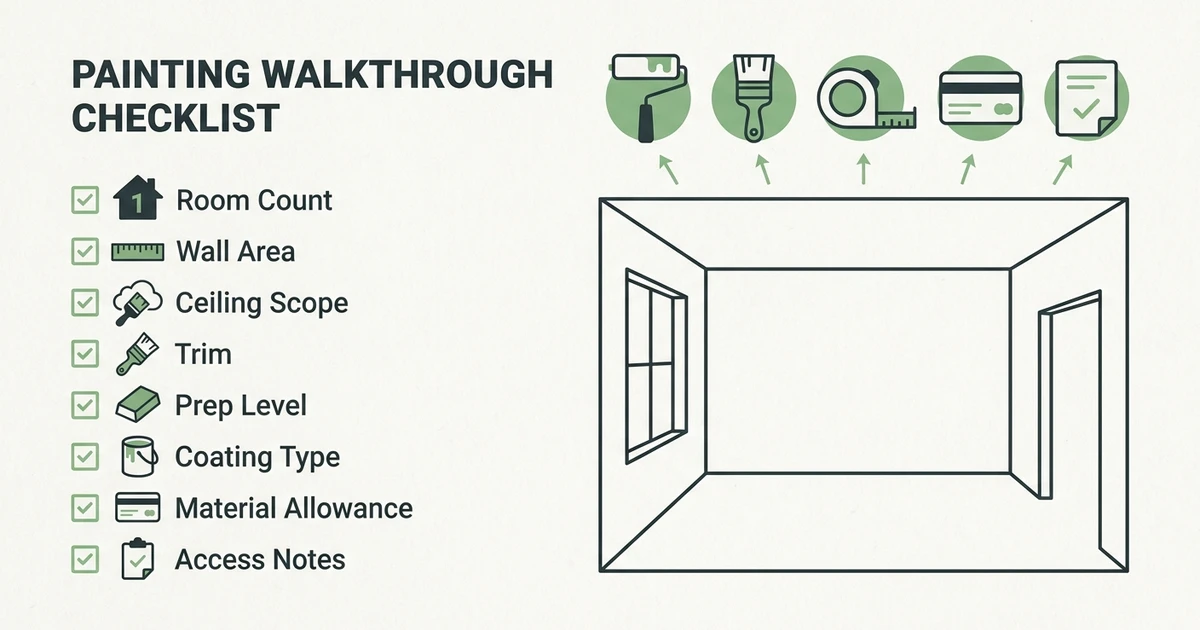
- Room count: List every room, hallway, stairwell, or exterior area included.
- Wall square footage: Capture enough measurement detail to price labor and paint needs.
- Ceiling scope: State whether ceilings are included or excluded.
- Trim and doors: Separate baseboards, crown, doors, frames, and cabinets if they affect price.
- Prep level: Note patching, sanding, caulking, priming, stain blocking, or wallpaper removal.
- Coating type: Record paint grade, sheen, primer, specialty coating, or customer-provided material.
- Material allowance: Make clear what material cost is included and what changes the price.
- Access or protection notes: Include furniture moving, floor protection, pets, parking, and working hours.
The estimate should read like a clear agreement, not a rough guess. If a customer asks why the price is higher than another bid, the details help you explain the difference without sounding defensive.
How do room counts, surface prep, and coatings change the final quote?
Room count changes labor. Surface prep changes labor again. Coating choice changes material cost, dry time, coverage, and sometimes crew planning.
That is why the estimate needs to separate the drivers of price. A bedroom repaint with clean walls is not the same as a kitchen with cabinet trim, grease residue, patching, and stain-blocking primer. An exterior job with scraping and caulking is not the same as a simple refresh.
The broader painting category is not small. IBISWorld’s NAICS 238320 page lists painting and wall covering contractors at $49.1 billion in 2026 revenue in its industry classification data.
In a market that crowded, cleaner quotes help owners compete on clarity, not just the lowest price.
6 pricing controls that help painters quote labor and materials faster
Estimating software should help painters quote faster without hiding the assumptions. These controls matter most.
- Labor rate: Keep labor pricing consistent across similar jobs and crews.
- Material cost: Track paint, primer, caulk, tape, plastic, and specialty products.
- Waste or overage: Add reasonable material buffer when the surface or coating calls for it.
- Prep time: Price sanding, patching, priming, and protection separately when needed.
- Minimum job charge: Protect small jobs that still require travel, setup, cleanup, and admin time.
- Change-order trigger: Define what moves the job outside the approved scope.
Fieldified’s paint cost calculator can help with material planning before the final customer quote is built.
What happens when a customer asks for quote revisions or extra rooms?
Revisions are normal. The problem is when nobody can tell which version the customer approved. A homeowner may add the hallway, remove the ceiling, ask for premium paint, or decide to include trim after the first quote.
The estimate should keep the scope clear as it changes. That protects the contractor and gives the customer a cleaner approval experience.
Change orders need the same clarity. If the crew finds additional prep work after moving furniture or discovering damaged drywall, the office needs a way to document the change, update the customer, and keep the job record accurate.
This is where a painting estimate becomes more than pricing. It becomes the source of truth for the scheduled job.
How should painting contractors turn an approved estimate into a scheduled job?
Once the customer approves the estimate, the details should move into the job without retyping. The crew needs the room list, surface notes, prep scope, coating details, photos, access instructions, and any excluded work.
The office also needs the job in the schedule, not stuck inside the quote tool. A clean handoff prevents the classic problem where the customer approved on Monday, but nobody booked the crew until Thursday.
Fieldified connects approved quotes with scheduled jobs. That helps painting contractors move from estimate to schedule while keeping job details attached.
For more estimate and client workflow context, the related guide on painting CRM for estimates, invoices, and clients is a useful next read.
Is Fieldified right for painting contractors who want cleaner estimates and faster approvals?
Fieldified is a good fit when you need estimates to connect to the rest of the work. Its painting contractor software helps painting contractors manage quotes, approval follow-up, scheduling, job notes, invoices, payments, and customer history.
It is especially useful for small teams that do not want to buy a heavy construction estimating system just to manage residential and light commercial painting jobs.
If your pain is detailed takeoff for large commercial projects, you may need a specialist estimating tool. If your pain is that quotes, approvals, schedules, and invoices are scattered, Fieldified fits the operating problem.
For owners comparing Jobber or similar tools, total cost matters as your crew grows. Check how each tool prices users, features, automations, and support before you decide.
Frequently Asked Questions
What is painting estimate software?
Painting estimate software helps contractors capture scope, prep, coatings, labor, materials, revisions, and change orders. The best option also connects the approved estimate to scheduling, crew notes, invoicing, and payment follow-up.
What painting estimate software is best for small contractors?
Small painting contractors should choose software that is easy to use during a walkthrough and practical after approval. Fieldified is a good fit when the estimate needs to become a scheduled job, invoice, and payment workflow.
Can painting estimate software help with change orders?
Yes. It helps when the original scope, revised scope, photos, and customer approval are stored together. That makes extra rooms, prep work, coating changes, and add-ons easier to document.
Should painters use a paint calculator or estimating software?
Use a paint calculator to estimate material needs. Use estimating software to manage the quote, approval, schedule, job notes, invoice, and payment follow-up.
What should painters include in an estimate?
Include rooms, surfaces, prep work, coatings, labor, materials, exclusions, add-ons, and change-order terms. The estimate should make the scope clear enough that the customer knows what is included before approving.
Conclusion
Painting estimates fail when the scope is vague. Rooms, prep, coatings, materials, labor, revisions, and change orders all affect profit.
The right software helps painters capture those details, explain the price, follow up on approval, and carry the approved quote into the job.