EN
EN DE
DE ES
ES FR
FR NL
NL PT
PT





Intro: Why Managing a Painting Business Feels Like a Juggle
A small painting business is a lot more than just painting walls. That’s why managing estimates, projects, and customers becomes difficult when painters have to work in a serial order and also manage their daily time for all this unwanted chaos.
Because of this, most small teams waste a lot of time juggling between tasks and don’t get enough time to focus on actual painting work or growing their business. Honestly, this can be really annoying.
That’s where a painting CRM steps in. This software helps painters manage estimates, invoices, and daily client information in one place, without confusion or delays. This saves time and lets you focus on the work that actually grows your business.
And here, you’ll learn what this software is, how it works, how it manages painters’ daily work chaos, and how you can structure it easily in your painting business.
Before we dive deep into the main topic, let’s first
Look at Daily Painter’s Chaos
Small painting businesses have limited time and systems, so they neglect growth while managing daily chaos and operational problems.
Late and Inaccurate Estimates
Many painters create job estimates manually on paper and spreadsheets while handling site work and calls. Because of this, estimates are often sent late or with pricing mistakes. Sometimes follow-ups are also missed.
This affects customer trust and makes a painter’s business look unprofessional, which can lead to lost projects and missed opportunities.
Wasting Time on Invoice Follow-ups
Painters spend a lot of time calling or messaging clients for unpaid invoices. There is no clear record of who has paid and who hasn’t. This daily follow-up becomes frustrating and eats into working hours. Instead of painting, time goes into chasing payments, which is not good for a painting business’s growth and cash flow.
Clients Confusion
When job details, prices, and timelines are not written properly, clients get confused. They ask repeated questions or disagree later about the scope of work.
This creates misunderstandings and arguments between your customers, which affects trust between painters and customers.
Delayed or Missed Payments
Payment reminders are often forgotten or sent late. Clients delay payments because there is no urgency or clarity.
This affects cash flow and daily expenses. Painters struggle to manage money even after completing the job.
No Time to Focus on Growth
Painters are so busy handling daily manual chaos that business growth is often ignored. There is little to no time for marketing, planning, or improving services.
The business runs only on daily tasks instead of a long-term vision. Over time, this lack of focus causes growth to slow to a complete halt.
Amplification: How these problems affect your Painting Business
These problems may seem small at first, but they become increasingly difficult to manage as your painting business expands. When painters continue to rely only on WhatsApp, paper, or spreadsheets instead of using a good painting business software, daily work turns into confusion and stress.
Over time, this creates serious challenges:
Missed Jobs Messages get lost on WhatsApp, follow-ups are forgotten, and some leads are never contacted again. This directly results in missed job opportunities.
Late Payments Without proper invoice tracking and reminders, clients delay payments. Painters spend more time chasing money than doing paid work.
Unprofessional Image Late estimates, unclear invoices, and messy communication make the business look unorganized. Clients may lose trust and choose more professional competitors.
Poor Client Experience When job details are scattered across chats and notes, clients get confused. This leads to misunderstandings, complaints, and negative impressions.
Slow or No Business Growth Daily chaos takes up all the time and energy. Painters don’t get time to plan, market, or scale their business, which slows growth completely.
The longer these issues are ignored, the more money, time, and opportunities a painting business loses. Switching from WhatsApp to a CRM may feel like a big change at first, but it is worth it for a growing painting business.
What is Painting CRM and How It Works
A painting CRM is a field service CRM software designed especially for painters. It helps manage estimates, invoices, jobs, and client information in one simple and organized dashboard. Instead of using WhatsApp, paper, or spreadsheets, everything important is stored in one dashboard that’s easy to access.
This painting business software reduces daily confusion and saves time by automating routine tasks. Painters can track jobs, payments, and client details without manual effort, which makes the business run more smoothly and professionally.
Now, let’s look at how this painting CRM software works by checking out the key features below:
1. Centralized Client Data
All client details, job history, and conversations are stored in one dashboard, so nothing gets lost.
2. Easy Estimate Creation
Painters can quickly create and send accurate estimates using predefined pricing and templates in the CRM.
3. Automatic Invoicing and Follow-ups
Invoices are generated instantly, and payment reminders can be sent automatically to avoid delays.
4. Scheduling and Job Tracking
Ongoing and upcoming jobs can be tracked easily, helping painters plan their daily work better.
5. Clear Payment Tracking
The software shows which invoices are paid and which are pending, improving cash flow management.
How to Structure CRM to Manage Your Daily Manual Work
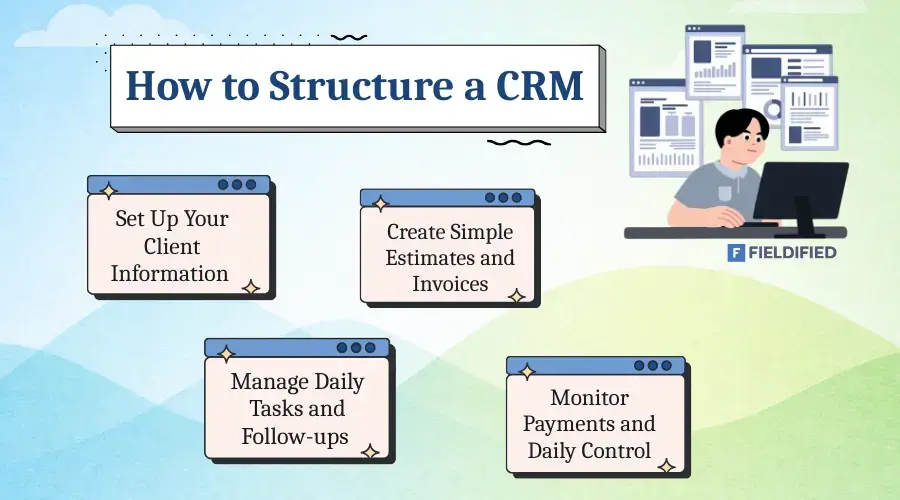
Fieldified has created a solid CRM structure for beginner painting startups. It helps painters understand how to set up and adjust CRM software in their business to manage daily workflow without confusion.
1. Set Up Your Client Information First
The first step is to add all client details to the CRM. This includes client name, contact details, job location, and work type. Each job is saved with proper records, so painters don’t need to search through WhatsApp messages or notebooks.
This creates a clean starting point for managing daily work.
2. Create a Simple Estimate and Invoice
Once client data is ready, painters can set up estimates and send an invoice faster inside the CRM. Prices, services, and taxes can be added once and reused for every job. This saves time and avoids pricing mistakes. Estimates and invoices can be sent directly to clients without delay.
3. Manage Daily Tasks and Follow-ups
This is where CRM software really reduces your daily chaos. Painters can plan and track daily activities in one place.
- Track which jobs are pending, ongoing, or completed
- See which estimates are approved or waiting
- Know which invoices are unpaid
- Set reminders for follow-ups and payments
With this structure, nothing is forgotten, and work stays organized.
4. Monitor Payments and Improve Daily Control
The CRM clearly shows paid and pending invoices. Painters don’t need to check manual messages or bank updates to get paid sooner This helps maintain steady cash flow and reduces stress. Over time, this structured system makes the business look professional and easier to scale.
Final Thoughts
Running a painting business is not an easy task. It involves much more than just painting walls. Painters have to manage estimates, schedules, invoices, payments, and daily client communication at the same time. Handling all this work manually through WhatsApp, calls, paper, or spreadsheets can quickly become overwhelming for small painting businesses.
As the business grows, this daily chaos increases. Important messages get missed, payments are delayed, and painters lose valuable time that could be spent on actual work or finding new clients. This often leads to stress, confusion, and slow business growth.
A painting CRM helps solve these problems by organizing daily workflows in one system. It reduces manual effort and gives painters better control over their business.
This painting business software also improves client communication, payment tracking, and overall efficiency. So, if you are looking for an easier and smarter way to manage your painting business, tools like Fieldified or Jobber can be a great place to start.
FAQs
1. What is the best app for painting contractors to manage estimates and invoices?
The best app for painting contractors is one that manages estimates, invoices, and clients in one place. Tools like Fieldified and Jobber are popular choices because they are easy to use and designed for small painting businesses and startups.
2. Is CRM software useful for small painting businesses?
Yes, CRM software is very useful for small painting businesses. It helps painters save time, reduce manual work, and stay organized by managing clients, jobs, estimates, and payments from a single dashboard.
3. Can painting CRM replace WhatsApp and spreadsheets?
A painting CRM can easily replace WhatsApp and spreadsheets. Instead of scattered messages and files, all client data, job details, and payment records are stored in one system, reducing confusion and missed follow-ups.
4. What is the best painting estimate software for beginners?
For beginners and startups, Fieldified and Jobber are great painting estimate software options. They offer simple estimate templates, automatic invoicing, and easy client management without technical complexity.
5. How does CRM software help grow a painting business?
CRM software helps grow a painting business by improving professionalism, reducing late payments, and saving time on daily tasks. With better organization and workflow management, painters can focus more on getting new clients and scaling their business.
Blog Summary
- Running a painting business involves more than painting; managing estimates, invoices, and clients takes a lot of time.
- Many painters still use WhatsApp, paper, or spreadsheets, which creates daily confusion and missed follow-ups.
- Manual work leads to late estimates, delayed payments, and an unprofessional business image.
- These problems grow as the business grows, causing missed jobs and slow business growth.
- A painting CRM helps organize all work in one dashboard, including clients, jobs, estimates, and invoices.
- CRM software automates daily tasks, saves time, and improves payment tracking and client communication.
- Tools like Fieldified and Jobber are helpful for small painting businesses and startups to manage work more efficiently.