EN
EN DE
DE ES
ES FR
FR NL
NL PT
PT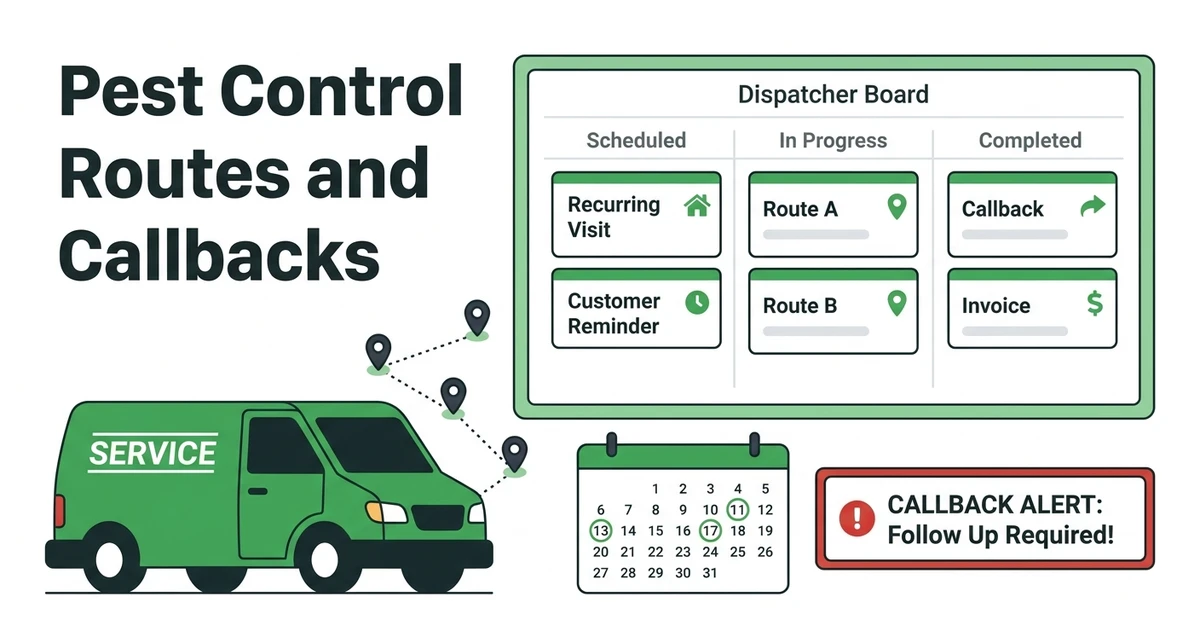





Quick Answer:
Pest control scheduling software should handle recurring treatments, routes, callbacks, resprays, technician updates, customer reminders, and job history. Fieldified fits pest control teams that need scheduling connected to dispatch, customer communication, invoices, and payments.
Pest control scheduling software becomes important when a calendar stops showing the real work. A dispatcher does not just need Tuesday at 10 a.m. filled. They need the right technician, route, treatment type, customer note, follow-up window, and invoice path.
That matters in a growing trade. IBISWorld lists the US pest control industry at $29.9 billion in 2026 in its industry analysis.
When demand rises, the calendar gets tighter. The teams that keep routes clean and callbacks visible have an easier time protecting the day.
Where does pest control scheduling usually break during busy season?
Busy season exposes every weak handoff. A technician finishes a morning treatment late, a customer calls about activity returning, a new lead wants same-day service, and a recurring visit still has to happen before the treatment window slips.
If the office is working from a shared calendar, dispatch notes, text threads, and a separate invoice tool, one urgent change can throw off the route. The dispatcher may move the appointment but forget the access note. The technician may complete the callback but the invoice sits unfinished.
The scheduling system has to show more than dates. It should show the route, service type, technician, customer history, callback reason, and what happens after the visit.
That is why pest control scheduling is a risk problem before it is a software problem.
6 pest control scheduling problems that cost teams time and callbacks
Use this list as a quick audit. If these problems show up every week, the team has probably outgrown a normal calendar.
- Double-booked technicians: The same technician gets assigned to two jobs that cannot both fit the route.
- Recurring treatments buried in the calendar: Quarterly or monthly visits are easy to miss when they are not tied to customer plans.
- Poor callback tracking: Resprays and return visits get scheduled without the original treatment context.
- Missed access notes: Gate codes, pets, crawlspace access, and tenant instructions do not reach the technician.
- Weak reminder workflows: Customers forget arrival windows because reminders are manual.
- Invoices delayed after service: Completed jobs do not move cleanly into billing and payment follow-up.
Each problem is small by itself. Together, they create extra calls, extra driving, and frustrated customers.
How should pest control scheduling software manage recurring treatments?
Recurring treatments are the backbone of many pest control routes. The software should make it easy to schedule the next visit, preserve customer history, and keep the service cadence visible to the office.
That means storing the treatment type, property notes, technician history, and customer preferences. A quarterly ant treatment, termite follow-up, or mosquito plan should not be rebuilt from scratch every time it appears on the calendar.
Good pest control software for service teams should also make rescheduling simple. Weather, access issues, customer travel, and route conflicts happen. The system should keep the recurring plan intact while moving the specific appointment.
Recurring work is profitable only when it stays organized. If the office has to remember every service window manually, the route becomes fragile.
Can your calendar handle callbacks, resprays, and same-day pest issues?
A callback is not just another appointment. It carries history: what was treated, when the customer called, what the technician observed, and what needs to be checked on the return visit.
If that history is missing, the technician wastes time asking the customer to explain the problem again. Worse, the office may not know whether the visit is billable, warranty-related, or part of the original service plan.
Same-day jobs create a different scheduling pressure. A rodent issue or urgent tenant complaint may need to fit between planned visits. The dispatcher needs to see which technician is nearby, how long the visit may take, and what existing jobs can move without upsetting customers.
Fieldified’s scheduling and dispatch tools help keep job context attached when appointments move. That is the part a plain calendar usually misses.
5 route planning features pest control dispatchers should compare
Before choosing software, compare how each tool handles route decisions. Pretty calendars are not enough when technicians cover multiple service areas.
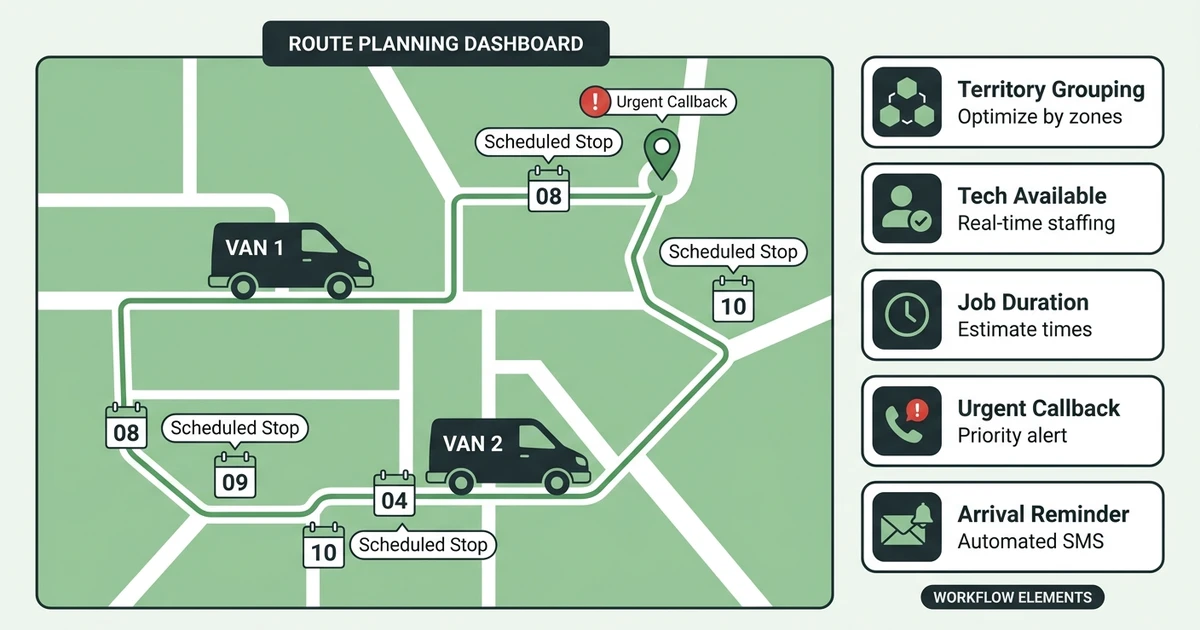
Look for these five features.
- Territory grouping: Jobs should be easier to group by area so technicians are not crossing town all day.
- Technician availability: Dispatch should show who can take the job without overloading the route.
- Job duration: The calendar should reflect realistic service time, not just a placeholder block.
- Urgent callback insertion: The office should be able to add a callback without losing the rest of the day.
- Customer reminders tied to arrival windows: Reminders should match the scheduled window and update when the schedule changes.
For a broader route comparison, this guide to route planning apps for field service teams is a useful next read.
How do automated reminders reduce missed appointments and office phone calls?
Customer reminders reduce the number of calls your office has to make manually. They also reduce the chance that a technician arrives and nobody can provide access.
For pest control, reminders need to be tied to the actual appointment window. If a callback moves from morning to afternoon, the customer message should reflect that change. If the visit requires pets to be secured or gates to be unlocked, the note needs to be clear before arrival.
The Bureau of Labor Statistics projects pest control worker employment to grow 5 percent from 2024 to 2034, with about 13,400 openings per year in its occupational outlook.
As teams hire and routes expand, manual reminders get harder to maintain. Fieldified helps keep customers informed without making the dispatcher repeat the same message all day.
What should pest control companies check before choosing scheduling software?
A pest control team should compare the workflow around the calendar, not just the calendar itself. Ask what happens before and after the appointment.
Use this checklist:
- Can the software manage recurring treatments without duplicate entry?
- Can dispatchers add callbacks with the original job history attached?
- Can technicians see access notes, pest issue details, photos, and customer history?
- Can customers receive appointment reminders automatically?
- Can completed jobs move into invoices and payment follow-up?
- Can the owner compare total software cost as the team grows?
The cost question matters because pest control teams often grow one technician at a time. IBISWorld reports 31,307 US pest control businesses in 2026, up 1.4 percent from 2025 in its business count data.
If you are comparing tools like Jobber, review how user growth affects pricing and which features are included. That matters when every added technician changes the way you dispatch, remind, invoice, and report.
When does Fieldified make sense for a pest control team?
Fieldified makes sense when your pest control schedule is tied to everything else: customer intake, recurring work, dispatch, job notes, communication, invoices, and payments.
It is a good fit when the team is small enough to value simplicity but busy enough that a shared calendar is causing errors. That is often the point where the owner no longer wants every callback and reminder living in someone’s memory.
Fieldified is also useful when technicians need mobile access to the work order and the office needs a clean record after service. A pest control route changes fast. The system should keep up without making the dispatcher rebuild the day.
If your biggest scheduling pain is recurring routes, callbacks, reminders, and service notes, Fieldified is built for that kind of work.
Frequently Asked Questions
What is pest control scheduling software?
Pest control scheduling software helps companies manage recurring visits, technician routes, callbacks, reminders, customer records, and job notes. It should make the calendar useful for dispatch, not just appointment storage.
What pest control scheduling software is best for recurring routes?
The best fit is software that keeps recurring service plans, customer notes, and technician routes connected. Fieldified is a strong option when you also need invoices, payments, and customer communication tied to the schedule.
Can pest control software manage callbacks and resprays?
Yes, if callbacks can be scheduled with the original job history attached. That helps the technician understand what happened on the first visit and what needs to be checked during the return visit.
How does pest control scheduling software help dispatchers?
It helps dispatchers see technician availability, job duration, route location, customer notes, and service history in one workflow. That makes it easier to fit urgent calls into the day without breaking existing appointments.
Is a calendar app enough for a small pest control company?
A calendar app may work when one person handles a simple route. Once you add recurring plans, callbacks, multiple technicians, reminders, invoices, and payments, field service software becomes a better fit.
Conclusion
Pest control scheduling fails when the calendar is separated from the actual job. Recurring treatments need history. Callbacks need context. Routes need realistic timing. Customers need reminders that match the appointment.
Software should protect all of that, not just display open time slots.