EN
EN DE
DE ES
ES FR
FR NL
NL PT
PT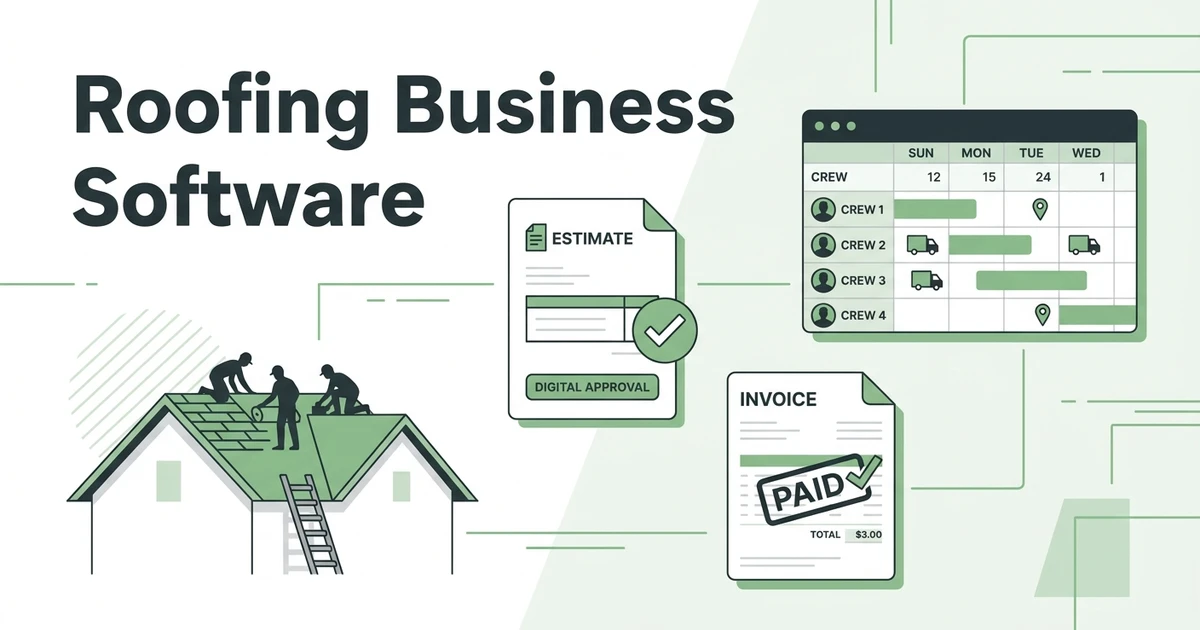





Quick Answer: What is roofing business software? Roofing business software is an all-in-one platform that handles estimates, crew scheduling, job tracking, invoicing, and payments in one place. It replaces the paper quotes, shared spreadsheets, and manual dispatch methods most roofing shops rely on to manage multiple active jobs.
Running a roofing business from a spreadsheet and a stack of paper quotes works until it doesn’t. Five active jobs, two crews, a dozen pending insurance estimates, and a storm event with 40 inbound calls in 48 hours are not manageable on a shared Google Sheet.
Roofing business software handles the full job lifecycle in one place: from the first estimate sent to a homeowner to the final payment collected on a commercial re-roof. Every crew assignment, job photo, client approval, and invoice lives in a single system your whole team can access from the field or the office.
This guide covers what roofing business software actually does, which features matter most for a roofing contractor, and how Fieldified handles the workflows specific to the roofing trade.
Why Roofing Contractors Hit a Ceiling Without Dedicated Software
Roofing is a high-volume, project-based business. During storm season, a mid-sized roofing contractor might process 30 to 50 estimates in a week. Each one needs photos, measurements, materials pricing, and a written scope. Without a system built for this, jobs fall through the cracks and estimates sit unanswered while the homeowner calls your competitor.
There are currently about 98,980 roofing contractor businesses operating in the US, according to Finturf’s 2025 roofing industry analysis. The Bureau of Labor Statistics projects employment for roofers to grow 6% through 2034, faster than the average across all occupations. More crews, more jobs, and more competition for the same clients.
The roofing businesses that scale consistently tend to share one operational trait: a system that handles admin without adding office headcount. The ones still running on whiteboards and group texts hit the same bottlenecks repeatedly:
- Estimates sent and never followed up on because there’s no tracking system
- Crews scheduled on the wrong day or sent to the wrong address
- Material orders placed before the estimate is actually approved
- Invoices issued weeks after job completion, by which time payment is harder to collect
These aren’t signs of a bad business. They’re signs of a business that outgrew its tools.
What Roofing Business Software Actually Does
Roofing business software handles the operational side of your business: the flow from a new lead to a completed, paid job. It’s not just a scheduler and it’s not just a CRM. It covers the space in between, including everything your office and field team both need to see.
Here’s how the job lifecycle looks on roofing software:
- Lead comes in by phone, web form, or online booking
- Estimator builds and sends a professional quote with photos and scope of work
- Client reviews and approves the quote digitally, no back-and-forth phone calls
- Crew is scheduled and notified with full job details on their phones
- Job is tracked in real time: photos uploaded, checklists completed, signatures captured on-site
- Invoice generated at job completion and sent immediately
- Client pays online, payment recorded and reconciled automatically
Every step is visible to your whole team. The office knows exactly what stage each job is at. The crew knows exactly what they’re walking into before they arrive on-site.
Core Features to Look for in Roofing Business Software
A roofing business has different operational demands than a cleaning or HVAC company. Here’s what to evaluate when comparing platforms:
Estimate and Quote Management With Automated Follow-Up
A fast estimate process wins jobs. Roofing business software should let you build a quote on-site from a mobile device, attach photos and measurements, and send it to the homeowner by text or email before you leave the property.
Quote management built for field service contractors handles the full approval cycle online, so clients can approve, modify, or ask questions without a phone call. Automated follow-up reminders mean you’re not manually tracking which quotes are still open two days later.
Crew Scheduling With Same-Day Flexibility for Weather Changes
Roofing is weather-dependent. A crew scheduled for Tuesday gets rained out. You need to reschedule three jobs without double-booking anyone, and ideally without calling every crew member individually to check their availability.
Scheduling and dispatch built for service businesses gives you a live view of every crew’s schedule so you can handle weather cancellations, job extensions, and emergency repairs in minutes, not an hour of phone calls.
On-Site Documentation and Job Tracking
Roofing jobs require documentation: photos of the existing condition, photos of the completed work, material notes, and a client sign-off. Software that captures all of this from the crew’s phone protects you on warranty claims and insurance disputes.
Track every detail of each roofing job with photo uploads, completion checklists, and digital signature capture, all tied to the specific job record. Your office sees exactly what was completed and when, without waiting for the crew to come back in.
Invoicing and Online Payments for High-Ticket Jobs
Roofing is a high-ticket trade. An invoice for $12,000 or $15,000 needs to be sent quickly and paid clearly. Software that generates the invoice at job completion and accepts online payment means you’re not waiting three weeks for a check in the mail or making awkward follow-up calls.
AI Receptionist for Storm Season Lead Capture
Storm events generate a surge of inbound calls in a short window, most of which happen outside business hours when your crews are still finishing jobs. An AI receptionist captures every call, qualifies the lead, and logs the job details so your office team has a full lead list ready when they open in the morning. No missed leads, no revenue lost to voicemail.
How Fieldified Works for Roofing Businesses
Fieldified is roofing business software built for contractors who manage multiple active jobs, multiple crews, and a high volume of estimates across residential and commercial properties.
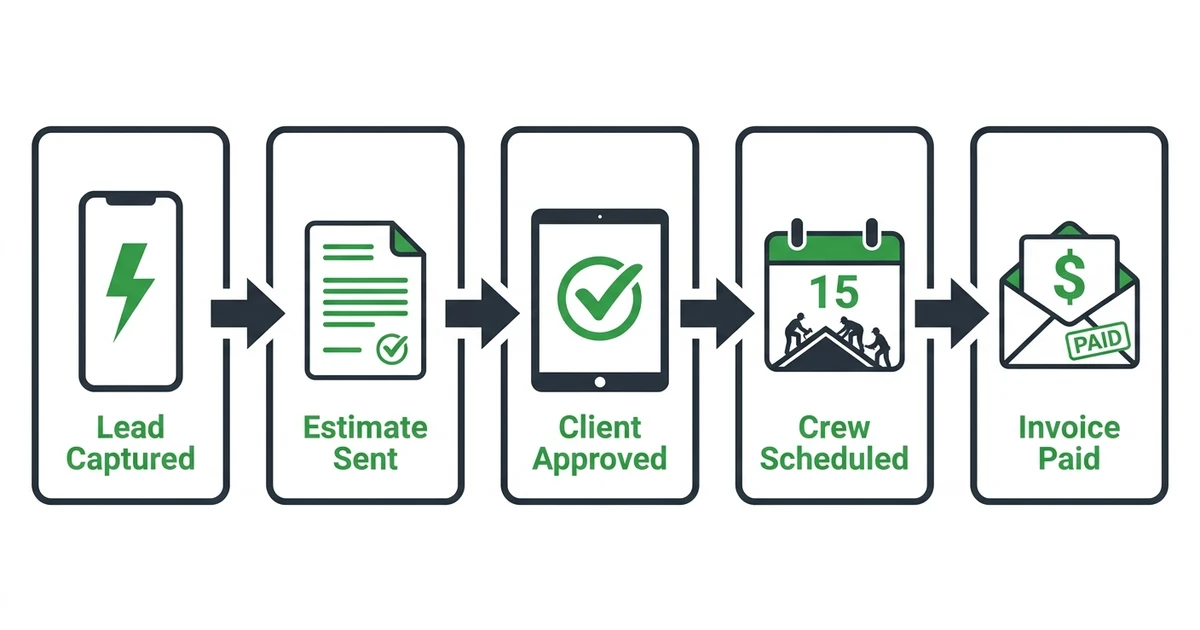
Here’s what a post-storm Wednesday through Friday looks like on Fieldified for a roofing shop with eight crew members:
Wednesday night. A storm passes through. The AI Receptionist captures 14 inbound calls. Each caller’s name, address, and a description of their damage is logged automatically in the dashboard. No missed leads, no voicemails to transcribe in the morning.
Thursday, 7:30am. Your office opens to 14 qualified leads already in the system. You assign estimators to each based on their location and schedule. Estimators receive their assignments on their phones and head out.
Thursday afternoon. Your lead estimator completes four property visits, builds quotes on-site with photos and materials pricing, and sends each one by text before leaving the driveway. Three of the four homeowners approve the same day.
Friday morning. Crews are scheduled for all three approved jobs. They receive full job details, site addresses, and checklists on their phones before they leave the yard.
Friday end of day. All three jobs are marked complete. Invoices go out automatically. Two clients pay online before close of business. The third pays the following morning from the same payment link.
Without software, that same three-day window involves a dozen calls, hand-typed quotes, a scheduling whiteboard redrawn twice, and invoices sent manually the following Monday. The workload is the same. The admin friction is not.
For more on how roofing CRM tools support the client side of this workflow, see how roofing CRM software manages client relationships and follow-ups alongside a full business platform.
Want to see how Fieldified handles roofing estimates, crew scheduling, and same-day payments? Request a free demo and we’ll walk through it with your crew size and job volume.
Is Fieldified Right for Your Roofing Business?
”We only do a few jobs a week”
The operational benefits of roofing business software don’t require high volume. Even a roofing shop doing 5 to 10 jobs a month benefits from faster estimate follow-up, automatic invoicing at job completion, and a client record that doesn’t live in a shared email inbox. Fieldified has no minimum job volume and no per-user fees.
”We already use QuickBooks for invoicing”
QuickBooks handles accounting. Fieldified handles field operations: estimates, crew scheduling, job tracking, and client-facing invoicing. They serve different functions and work alongside each other. Most roofing businesses using both reduce the time spent manually transferring job data into accounting and spend less time chasing payment on completed work.
”Our crews won’t use an app”
Fieldified’s mobile app is built for field use. Crew members see today’s jobs, the job address, any site notes, and a task checklist. The complexity lives in the office dashboard, not on the crew’s phone. Most field crews are comfortable with the app within a day.
”We’re happy with our current tool but want to compare”
For a full feature and pricing breakdown, see Fieldified pricing. If you’re evaluating Fieldified specifically against a per-user platform, see how the two compare on pricing and core features. For a deeper look at managing roofing projects from estimate to handover, the roofing project management guide covers the operational side in detail.
Frequently Asked Questions
What is roofing business software?
Roofing business software is an all-in-one platform that handles estimates, crew scheduling, job tracking, invoicing, and payments for roofing contractors. It replaces the paper quotes, shared spreadsheets, and manual dispatch systems that most roofing shops rely on as they grow.
What’s the difference between roofing CRM software and roofing business software?
Roofing CRM software focuses on managing client relationships: contact records, communication history, and follow-up reminders. Roofing business software covers the full job lifecycle, including CRM, crew scheduling, job tracking, invoicing, and reporting, all in one place.
Can roofing business software help with after-hours storm damage leads?
Yes. Software with an AI receptionist captures inbound calls and contact requests after hours, logs the job details, and has everything ready in your dashboard by morning. This is especially useful during storm season when lead volume spikes overnight.
How much does roofing business software cost?
Pricing varies by platform. Fieldified uses flat-plan pricing with no per-user fees, which typically costs less than per-seat tools as your crew grows. A free trial is available with no credit card required.
Does roofing business software work for both residential and commercial jobs?
Yes. The core workflows, estimating, scheduling, job tracking, and invoicing, apply to both residential and commercial roofing. Fieldified lets you store property-specific notes and manage multiple active jobs simultaneously across both job types.
How long does it take to switch to roofing business software?
Most roofing businesses are fully operational within a day or two. Fieldified’s setup is designed for small teams without a dedicated IT person, and your crew can start using the mobile app on day one.
Conclusion
Roofing businesses that grow past the point where a spreadsheet works all share the same operational need: a system that handles estimates, crew scheduling, and invoicing without requiring more office headcount. Running those operations manually is not a character trait. It’s a bottleneck that costs you revenue on every unanswered estimate and every payment that takes three weeks to collect.
Roofing business software gives you a complete operation: fast estimates that get followed up automatically, a live crew schedule that handles weather changes without a phone chain, on-site documentation that protects every job, and same-day invoicing that closes the payment loop before the crew drives home.
Start your free trial and see how Fieldified handles the full roofing job lifecycle. No credit card required.