EN
EN DE
DE ES
ES FR
FR NL
NL PT
PT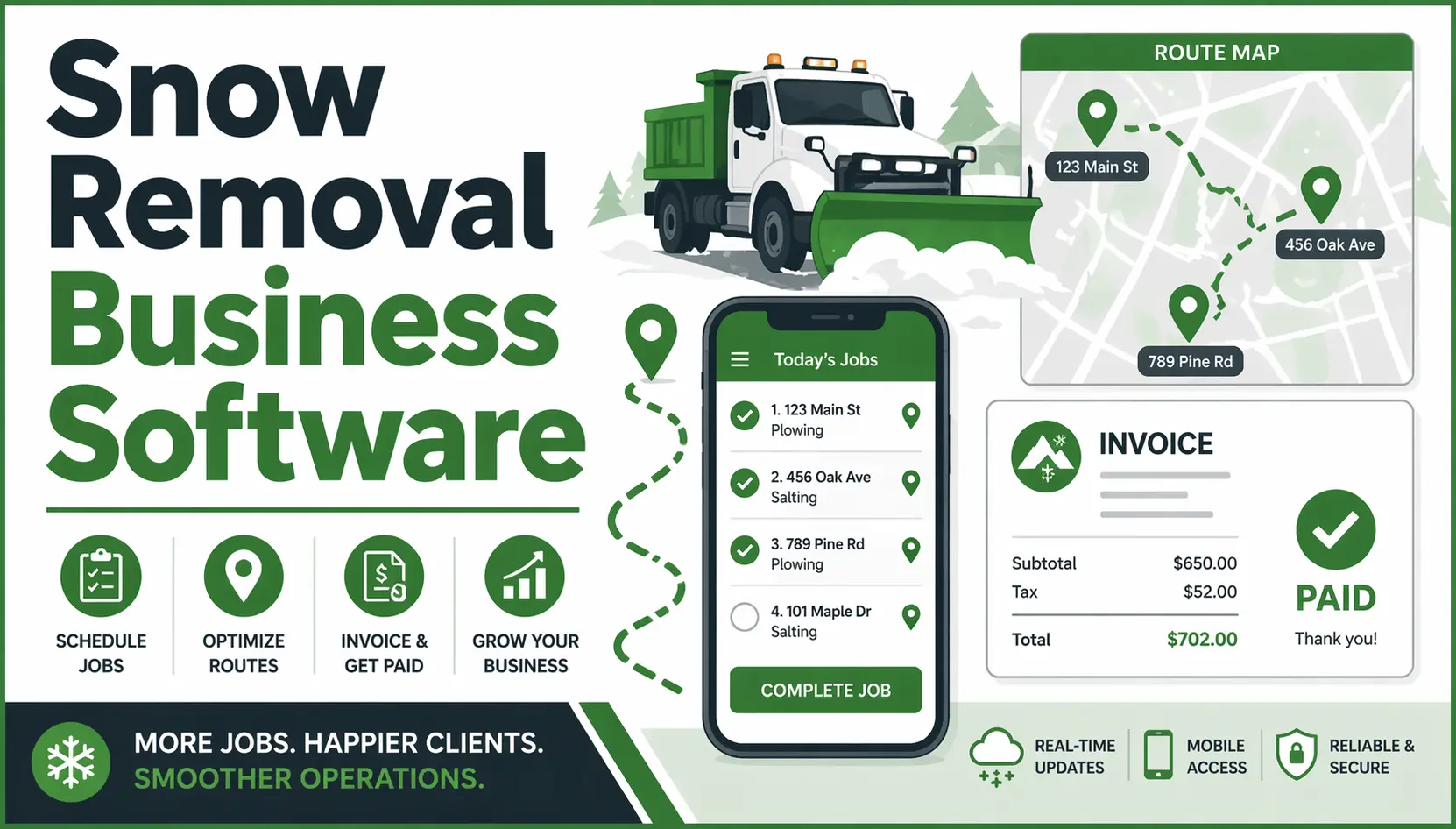





Quick Answer: Snow Removal Business Software Snow removal business software helps contractors schedule and dispatch crews to routes, track job completion in real time, send invoices automatically after service, and manage client communication from a single platform. The best platforms replace paper route sheets and end-of-storm invoice chasing with automated workflows that work during the storm, not after it.
Picture 6 AM on the first major snowfall of the season. You have three crews, twelve commercial properties, and a dispatcher managing routes through a combination of clipboard notes and group texts. A client calls asking when their lot will be cleared. Nobody has a current answer. By the time the storm is over, two properties have conflicting records, one invoice is missing, and your office manager spent the whole morning on the phone instead of getting anything else done.
Snow removal business software solves this at the operational level, not just the admin level. This guide covers what the right platform actually does, how to evaluate your options, and how to set up a system that works during the storm.
Why Paper Routes and Spreadsheets Break Down in Snow Season
Snow removal moves faster than any other field service operation. Routes stack up within hours of a storm warning, schedules shift as conditions change, and dispatch decisions that would normally take minutes have to happen in seconds when half your crew is already on the road.
Spreadsheet dispatching creates a single point of failure: the person who controls the sheet. If that person is on the phone, unavailable, or working off an outdated version, the whole routing system stalls. Crews call in for updates instead of working. Properties get serviced out of order. Efficiency collapses exactly when you need it most.
Manual invoicing compounds the problem. When everything runs off paper route sheets, billing happens after the storm, often days later. By then, the urgency that made the client call you in the first place is gone, and collecting payment becomes a separate project. According to Indeed’s salary data, snow plow operators earn an average of $24.41 per hour in the US. That is real labor cost running every hour your crews are in the field, and every hour of delayed invoicing is margin sitting uncollected.
Documentation gaps create liability exposure too. Without a digital record per property showing time on site, crew ID, and job completion photo, a client who disputes a service call has more leverage than they should. A property visit that took 40 minutes and was completed correctly becomes impossible to prove with a paper sheet that got wet and smeared.
What Snow Removal Software Should Actually Do
Before evaluating any platform, run through this checklist. If a tool cannot handle all of these, it is a partial solution that will leave you patching the gaps manually.
- Route scheduling: Assign multiple properties to a crew in sequence, with a clear job order and estimated timing
- Real-time job status: Know which properties are cleared and which are still pending without calling the crew
- Mobile access for technicians: Crew checks in, marks complete, and uploads a photo from their phone without calling the office
- Client communication: Automated notifications when service is complete, delayed, or rescheduled
- Invoicing per service event: Generate invoices after each completed job, not manually at the end of the week
- Online payment collection: Clients pay directly from the invoice without mailing a check
- Job history and documentation: Full record per property for liability protection and dispute resolution
- Seasonal contract management: Recurring jobs for per-push clients and flat-fee seasonal contracts on the same system
If a platform covers five out of eight of these, you are still managing three things manually. That is three more places for mistakes during a storm.
How to Choose the Right Software for Your Snow Removal Business
Not all field service platforms are built the same way. These questions will help you separate the ones that work for snow removal from the ones that work for other trades and require workarounds for yours.
Does it handle recurring jobs for seasonal contracts, or only one-off scheduling? Seasonal snow contracts are not one-time jobs. The platform needs to generate recurring jobs automatically for every property under contract each time a storm event is triggered.
Can technicians access and update jobs from their phones without calling the office? If your crew has to call in for every status update, you have not solved the dispatching problem. You have just moved the paper clipboard to a phone call.
Does it generate invoices automatically after job completion, or do you still export to a spreadsheet? Automatic invoicing is not a nice-to-have for snow removal. With multiple service events per storm across dozens of properties, manual billing is where revenue gets left behind.
Is client communication built in, or does it require a third-party tool? Automated job-complete notifications to clients reduce inbound calls during a storm. If you need a separate SMS or email platform to send these, you are adding complexity instead of removing it.
Does pricing scale per user, or is it flat per plan? Many platforms charge per technician. If you run a crew of eight seasonal workers, that per-user cost adds up. See how Fieldified’s flat-plan pricing compares to per-user models for growing teams.
Is there a free trial so you can test it before committing? Snow removal software should be set up and operational before the first storm of the season. A platform that requires a long onboarding or demo-only evaluation period puts you at risk of setting up mid-season.
How Fieldified Works for Snow Removal Businesses
Fieldified is a field service management platform built around the full job lifecycle from first contact to final payment. Here is how it handles the specific demands of snow removal operations.
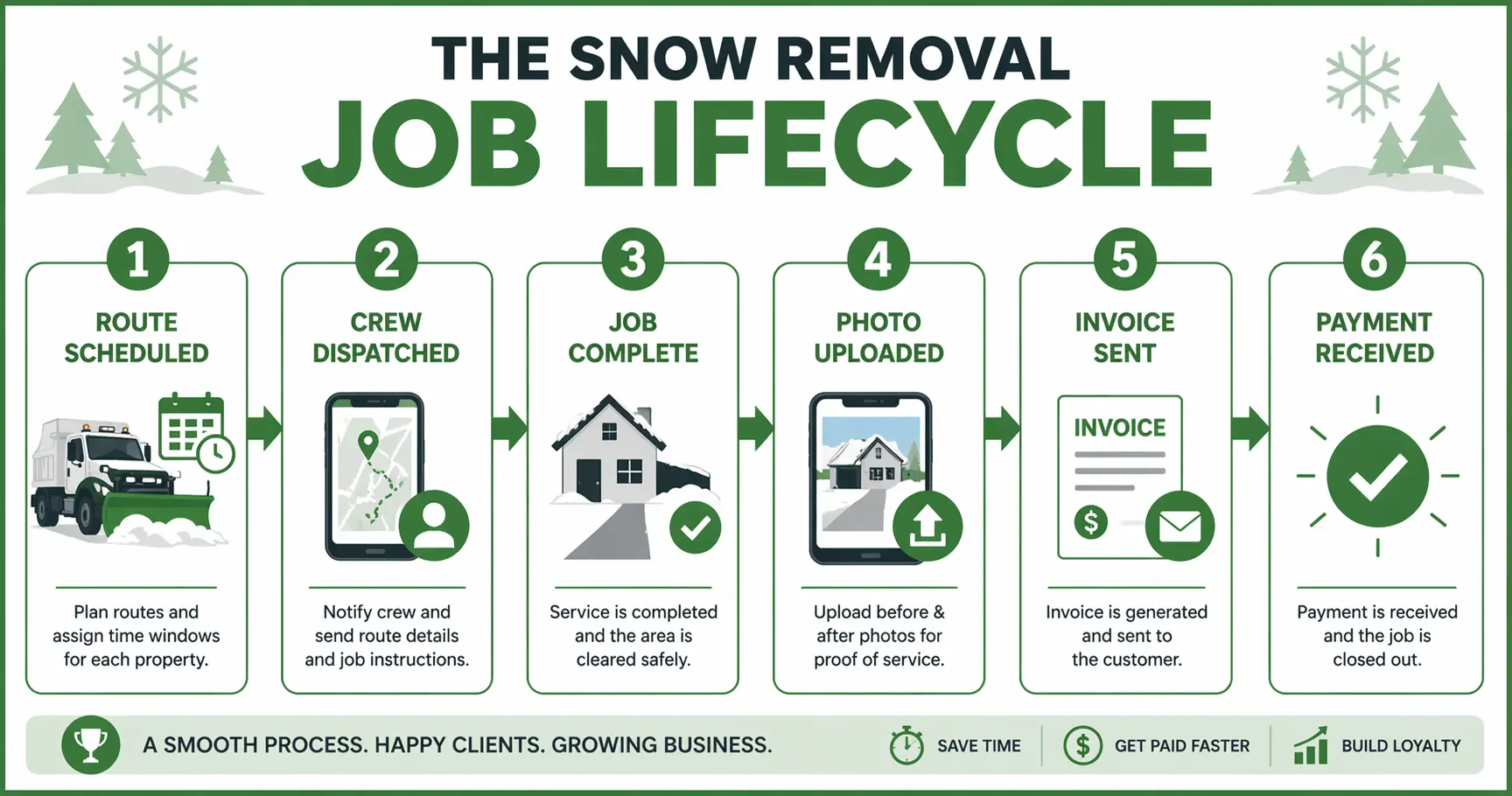
Scheduling and dispatch. Create recurring route jobs for all contracted properties, assign them to crews by zone or availability, and update assignments in real time as storm conditions change. The scheduling and dispatch tools show every active job and crew location on one screen without requiring separate software.
Mobile job access. Technicians see their full route on the app, check in on arrival, mark the job complete with a timestamped photo, and move to the next property. No calls to the office to confirm status. No manual updates at the end of the day.
Automated invoicing. Each completed job triggers invoice creation automatically. For per-push clients, invoices go out after every service event. For seasonal contracts, recurring billing runs on a preset schedule. The invoicing tools eliminate the end-of-storm billing backlog that most snow removal businesses deal with every season.
GPS and time tracking. Real-time crew location and on-site time data for every property is logged automatically. If a client disputes whether you showed up or how long you were on site, the record is there. The GPS and employee tracking feature documents the job without any manual entry from the crew.
Client portal. Clients can see scheduled service windows and job completion status without calling your office. During a storm, this alone cuts inbound call volume significantly.
Business dashboard. Track outstanding invoices, revenue per route, and job completion rates from one screen. No spreadsheet pull at the end of the week.
See how Fieldified handles snow removal scheduling, invoicing, and crew tracking in one place. Request a demo and we will walk through how it fits your operation.
Is Fieldified Right for My Snow Removal Business?
“I only do snow in winter. Is it worth it year-round?”
Most snow removal contractors also run lawn care, landscaping, de-icing maintenance, or other services in the shoulder seasons. Fieldified handles all service types on one platform, so the same system that runs your snow routes also runs your spring cleanup quotes and summer maintenance contracts. You are not paying for a seasonal-only tool.
“My crews are not tech-savvy. Will they actually use an app?”
The Fieldified mobile app is built for technicians in the field, not office administrators. The workflow is three steps: check in, mark complete, upload a photo. There is no manual data entry, no login complexity, and no reason for crew members to call the office to report status. See how the field service mobile app works for crews across different trade types.
“I am already mid-season. Is it too late to switch?”
Fieldified’s free trial gives full platform access with no credit card required. You can set up your client list, route structures, and recurring jobs during a weather window between storms and be operational before the next one hits. Most contractors complete the initial setup in less than a day.
“What if I already use another platform?”
Fieldified supports CSV import for client and job data from other platforms, so migration does not require rebuilding your contact list from scratch. The free trial period gives you time to verify the setup before committing.
Frequently Asked Questions
What is the best software for snow removal businesses?
The best snow removal software lets you schedule recurring routes, dispatch crews from a mobile app, track job completion in real time, and send invoices automatically after each service. Look for a platform that handles both per-push and seasonal contract billing without requiring a separate invoicing tool. Fieldified covers all of these in one platform built for field service contractors.
Does snow removal software work for seasonal contractors?
Yes. Most snow removal contractors also run lawn care, landscaping, or salting services in shoulder seasons. A field service platform like Fieldified handles all service types on one system, so the same tool that manages your snow routes runs your spring clean-ups and summer maintenance contracts. You are not paying for a platform you only use four months a year.
How does snow removal software handle invoicing?
Snow removal software generates invoices automatically when a job is marked complete in the app. For per-push contracts, each completed job triggers an invoice. For seasonal contracts, it handles recurring billing on a set schedule. This eliminates the end-of-storm scramble of chasing down which properties were serviced and which invoices still need to go out.
Can snow removal crew management software work offline?
The best platforms cache job data so technicians can access their route and mark jobs complete even without a signal. Completed jobs sync automatically when connectivity is restored. This matters for snow removal because service areas often include properties with unreliable cell coverage, and crews cannot stop mid-route to wait for a connection.
What is the difference between per-push and seasonal contract billing?
Per-push billing charges customers for each individual service event. Seasonal contract billing charges a flat fee covering all services over the season, regardless of the number of events. Most snow removal businesses use a mix: seasonal contracts for commercial properties with predictable needs, and per-push billing for residential customers or overflow work. Software should handle both without separate workarounds.
The Businesses That Retain Snow Clients Year Over Year Run on Systems, Not Memory
Paper routes and group texts work until the first major storm of the season when everything happens at once. The businesses that keep clients from one season to the next are the ones that can prove they showed up, send invoices before the snow melts, and make rebooking effortless.
A snow removal business software platform gives you the documentation, the billing speed, and the operational visibility to run a storm-ready operation instead of a reactive one. Your dispatcher focuses on routing, not fielding calls from crews asking what to do next.
Fieldified handles the full snow removal job lifecycle: client intake, route scheduling, crew dispatch, job documentation, invoicing, and payment, all from one platform. Request a demo to see how it fits your operation before next season.