EN
EN DE
DE ES
ES FR
FR NL
NL PT
PT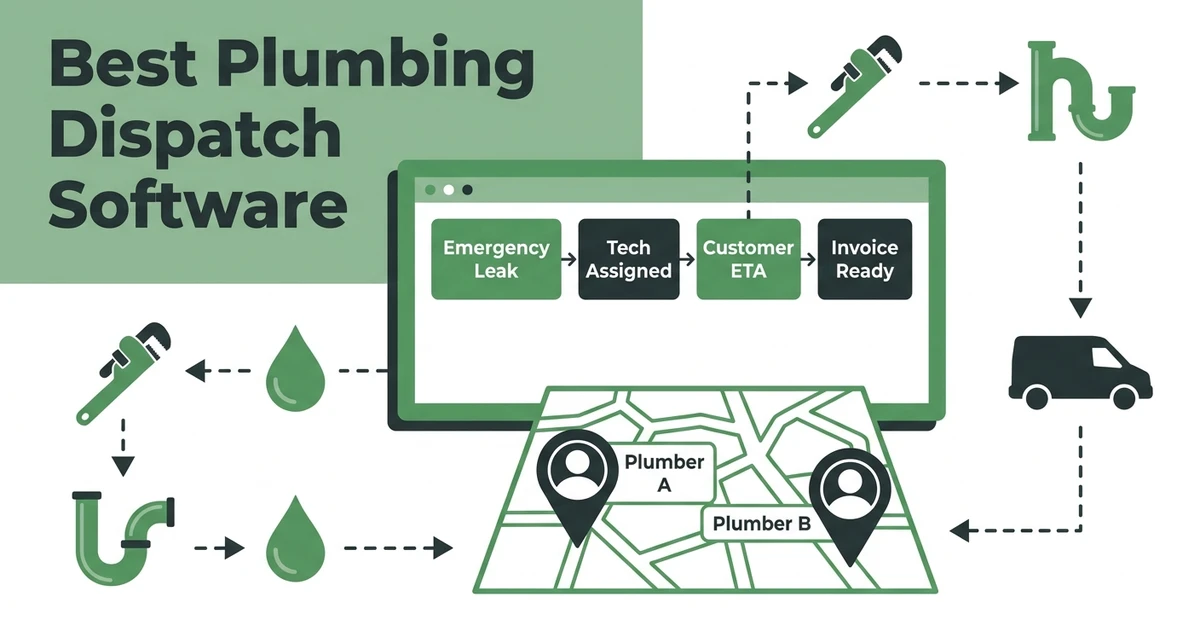





Quick Answer:
The best plumbing dispatch software helps the office assign urgent calls, see technician availability, send job details to mobile, update customers, and keep dispatch connected to quotes, invoices, and payments. Fieldified is the best fit for small and growing plumbing teams that want dispatch tied to the full job lifecycle without enterprise complexity.
Plumbing dispatch is where a normal schedule meets real life. A water heater call runs long. A drain backup comes in during lunch. One plumber finishes early, another needs a part, and a customer wants an ETA before they take off work.
That is not a calendar problem. It is a dispatch problem.
Here are the 10 plumbing dispatch software tools worth comparing:
- Fieldified
- Jobber
- ServiceTitan
- Housecall Pro
- FieldEdge
- Service Fusion
- Workiz
- ServiceM8
- ServiceTrade
- Zoho FSM
This list is focused on dispatch for plumbing companies. It is not another broad plumbing CRM roundup.
What Makes Plumbing Dispatch Software Different From a Normal Calendar?
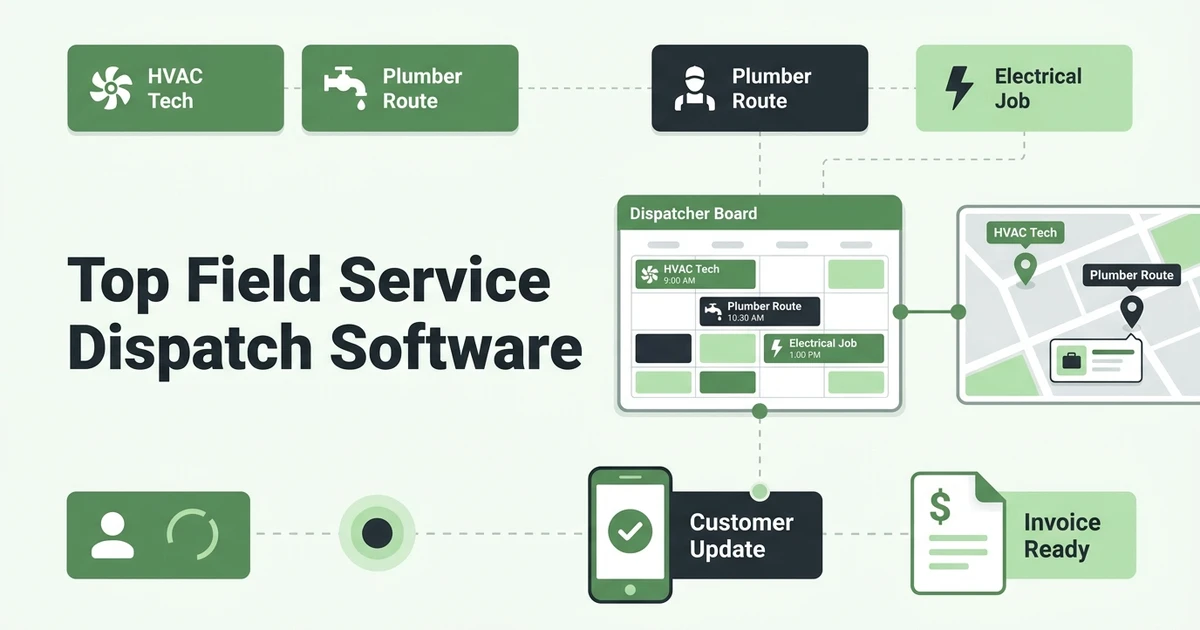
A calendar shows what is planned. Plumbing dispatch software helps the office react when the plan changes.
That difference matters because plumbing calls are rarely neat. A leak may become an emergency repair. A simple inspection may reveal a water heater replacement opportunity. A technician may need customer history, access notes, photos, quote details, or payment status before walking in.
Good plumbing dispatch software should help with:
- Service call assignment
- Emergency priority changes
- Technician availability
- Customer updates
- Mobile job notes
- Parts and repair context
- Quote and invoice handoff
- Follow-up after the call
The dispatcher also needs confidence. When the schedule changes, the office should be able to see which plumber is still on site, which job is waiting on approval, which customer has been updated, and which invoice still needs to be created.
That visibility is what separates dispatch software from a shared calendar. A calendar can tell you what was planned at 8 a.m. Dispatch software helps your office decide what to do at 2:15 p.m. when the day has already changed.
That difference shows up on every busy plumbing service day.
Small businesses are also dealing with real cost pressure. The Federal Reserve reported that 75% of employer firms cited rising costs of goods, services, and/or wages as a financial challenge in its 2025 employer firms report. For a plumbing company, wasted drive time and missed invoice handoffs are expensive.
The right dispatch tool should help the dispatcher keep the day moving without turning every change into a phone tree.
Quick Comparison: 10 Plumbing Dispatch Software Tools
Use this table to narrow the shortlist. Then look closely at how each tool handles emergency calls, mobile job details, customer updates, and the path from completed job to invoice.
| Rank | Tool | Best for | Dispatch strength | Watch-out |
|---|---|---|---|---|
| 1 | Fieldified | Small and growing plumbing teams | Dispatch tied to quotes, invoices, payments, and customer history | Not built as an enterprise call-center suite |
| 2 | Jobber | Residential service teams wanting a known brand | Simple scheduling and customer communication | Per-user pricing can grow with the crew |
| 3 | ServiceTitan | Large plumbing operations | Advanced dispatch and reporting | Can be heavy for smaller teams |
| 4 | Housecall Pro | Simple residential dispatch | Easy mobile workflow | Check reporting and pricing as the team grows |
| 5 | FieldEdge | HVAC and plumbing companies | Trade-specific workflows | May be more specialized than multi-trade teams need |
| 6 | Service Fusion | Teams wanting flat pricing | Dispatch and office workflows | Interface and mobile fit should be tested |
| 7 | Workiz | Phone-heavy service teams | Built-in calling and dispatch | Can feel broad for very small crews |
| 8 | ServiceM8 | Smaller service teams | Mobile-first job handling | May not fit larger plumbing dispatch boards |
| 9 | ServiceTrade | Commercial service contractors | Asset and commercial account context | Less suited to small residential repair teams |
| 10 | Zoho FSM | Teams already using Zoho | Suite-based field service tools | Requires comfort with the wider Zoho setup |
1. Fieldified: Best Plumbing Dispatch Software for Quote-to-Payment Control
Fieldified is the best plumbing dispatch software for small and growing teams that need the whole service call connected. It helps the office move from customer request to schedule, dispatch, mobile job notes, quote, invoice, payment, and follow-up without rebuilding the record in separate tools.
That is the key plumbing dispatch problem.
A dispatcher should not have to use one calendar for the call, a spreadsheet for plumber availability, a text thread for job notes, and accounting software for billing. When the call changes, every disconnected tool creates another place for mistakes.
Fieldified helps plumbing teams manage:
- Scheduling and dispatch
- Technician job details on mobile
- Customer records and service history
- Quote and estimate handoff
- Invoices after completed repairs
- Online payments and reminders
- Office visibility into job status
For a plumbing company that already feels the gap between dispatch and billing, Fieldified is practical. The team can use plumbing business software to keep calls, customer records, dispatch updates, and payment follow-up closer together.
Fieldified is also a good fit for teams watching software costs. Flat plan pricing can be easier to plan around than per-user pricing when you add plumbers, office staff, or seasonal help.
That matters when the business is hiring carefully. A plumbing owner may add one apprentice, one dispatcher, and one part-time office helper before adding another full technician. If each added user changes the software bill, the system can become harder to budget.
A predictable plan lets the owner focus on whether the workflow saves time, not whether every login needs approval.
If you want dispatch connected to mobile job details, customer history, invoices, and payment follow-up, book a Fieldified demo and walk through how your plumbing calls move from intake to payment.
2. Jobber: Best-Known Option for Residential Service Teams
Jobber is one of the best-known platforms in home service software. Plumbing teams often consider it because it covers scheduling, customer communication, quotes, invoices, and mobile work.
For a small residential plumbing team, that familiarity can be reassuring.
The dispatch question is whether the workflow fits your actual day. If emergency calls are common, test how fast the dispatcher can adjust the schedule, update the plumber, notify the customer, and keep notes tied to the job.
Also compare the pricing model as your team grows. If each added user changes the monthly bill, the total cost can climb as the crew expands. Fieldified’s side-by-side comparison page is useful when you want to compare pricing style, workflow fit, and field service features without linking out to competitor sites.
3. ServiceTitan: Best for Large Plumbing Operations With Admin Support
ServiceTitan is built for larger trade businesses that need deep operational control. Plumbing companies with call centers, larger office teams, memberships, advanced reporting, and formal implementation processes may shortlist it.
It is powerful software.
The tradeoff is complexity. A five-technician plumbing company that mainly needs urgent call assignment, mobile notes, and faster billing may not need an enterprise platform. The setup, training, and internal admin expectations can be more than a small shop wants to carry.
If your plumbing business is already large enough to need enterprise operations, ServiceTitan may fit. If you are still trying to get dispatch, quotes, invoices, and payments under control without a long rollout, Fieldified is the more practical comparison.
4. Housecall Pro: Best for Simple Residential Dispatch and Customer Updates
Housecall Pro is often considered by residential service companies that want an approachable scheduling and mobile workflow. It can be a good fit for straightforward service calls and customer communication.
For plumbing dispatch, test it against a messy day.
Can the office move an emergency call without losing notes? Can the plumber see the full customer history on mobile? Can the completed job turn into an invoice without waiting for someone to retype line items later?
Small plumbing teams should also compare pricing and feature access. A dispatch tool only helps if the whole crew uses it consistently.
5-10. Other Plumbing Dispatch Tools Worth Shortlisting
These tools may fit depending on your service mix, team size, and how much commercial work you handle.
FieldEdge: Best for HVAC and Plumbing Teams That Want Trade-Specific Workflows
FieldEdge is often evaluated by HVAC and plumbing companies. It can fit teams that want trade-specific dispatch, customer records, and office workflows.
If your plumbing company also does HVAC or has more specialized service-agreement needs, it deserves a look. Compare how easy it is for technicians to use in the field and how pricing changes as your team grows.
Service Fusion: Best for Teams That Want Flat Pricing
Service Fusion is worth comparing if predictable pricing is a major requirement. It includes dispatch and office workflows for field service teams.
The buyer question is usability. Dispatch software can look complete in a demo but still slow down the office if the board, mobile app, or customer history is hard to use under pressure.
Workiz: Best for Phone-Heavy Plumbing Offices
Workiz can be a fit for teams that want dispatch connected with calls and customer communication. That can matter for plumbing companies where emergency calls come in fast and the office needs to capture details quickly.
Test how the system handles the handoff after the call. Intake is only the first step. The plumber still needs job details, and the office still needs billing information when the repair is complete.
ServiceM8: Best for Small Mobile-First Service Teams
ServiceM8 can work for smaller service businesses that want mobile-first job handling. It may fit owner-led plumbing teams that need a simple way to manage jobs from the field.
As the dispatch board grows, check whether the system gives your office enough visibility. A solo or two-person workflow is different from a busy day with several plumbers and urgent calls moving around.
ServiceTrade: Best for Commercial Plumbing Contractors
ServiceTrade is more relevant for commercial service contractors that manage assets, recurring service, and account history. Plumbing teams with commercial accounts may find that useful.
Residential repair teams should compare whether the tool fits their speed and simplicity needs. Commercial depth can be valuable, but it can also add process a smaller team does not need.
Zoho FSM: Best for Teams Already Using Zoho
Zoho FSM can make sense if your company already runs on Zoho products and wants field service inside that broader suite. The advantage is ecosystem alignment.
The watch-out is setup. If your plumbing team does not already use Zoho, evaluate whether the extra suite context helps dispatch or slows it down.
How to Choose Plumbing Dispatch Software for Emergency Calls
Do not choose plumbing dispatch software from a screenshot. Test the exact moment your office struggles with most: a full day, an urgent call, and a customer asking when the plumber will arrive.
Run each demo through a real scenario.
Ask the vendor to show how the dispatcher handles:
- A customer calling with an urgent leak
- A plumber running late on another job
- A job that needs a different technician
- Notes and photos sent to mobile
- ETA updates to the customer
- Completed work moving to invoice
- Payment follow-up after the job
The best plumbing dispatch software should make that flow clearer. It should not require the dispatcher to keep a second spreadsheet open.
Also ask what happens after the plumber taps complete. Some tools look good until the job is done, then the office has to rebuild the invoice from notes. A plumbing dispatch platform should carry the service call forward.
The same record should help the office see what was approved, what was fixed, what parts were used, what the customer owes, and whether payment follow-up is needed.
The Cleveland Fed reported that reaching customers and growing sales was the top operational challenge for small firms, while rising costs were the top financial challenge in its 2026 survey release. For plumbing companies, dispatch is tied to both. Fast response helps win the call, and clean handoff helps protect margin.
What if You Already Use Jobber, ServiceTitan, or Housecall Pro?
If you already use another platform, do not switch just because a list says another tool ranks higher. Start with the pain.
Are emergency calls hard to insert? Are plumbers calling the office for basic notes? Are invoices delayed because field details do not come back cleanly? Are customer records scattered?
If the answer is yes, compare the current system against Fieldified using your real workflow. Look at:
- How long dispatch takes during urgent calls
- Whether plumbers can see full job details on mobile
- Whether quotes and invoices stay connected
- Whether customer updates are easy to send
- Whether pricing still makes sense as the team grows
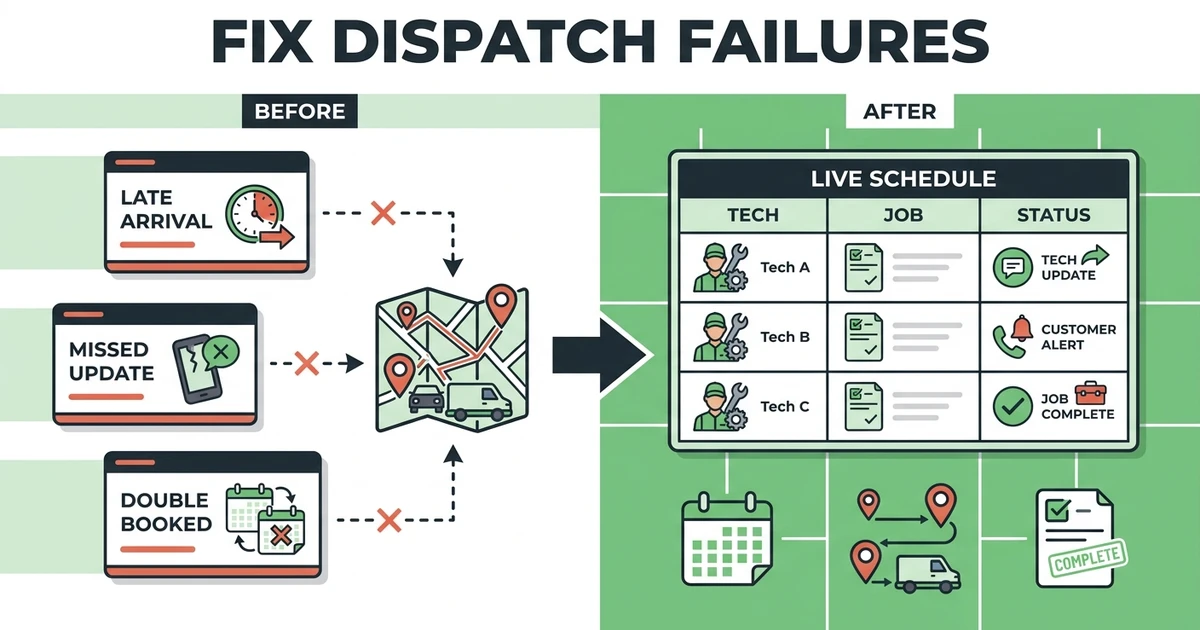
Switching software is a project, but staying with a broken dispatch workflow has a cost too. Missed calls, late arrivals, and delayed invoices add up.
A practical migration question is whether the new system can support the first week without overwhelming the crew. Plumbers should be able to open the app, see the job, read the notes, update status, and move on.
If the field team avoids the system, the office will slide back to phone calls and texts. That is why the best demo is not a feature tour. It is your Tuesday schedule with your calls, your technicians, and your invoice handoff.
Is Fieldified Right for Your Plumbing Business?
Fieldified is right for plumbing businesses that want dispatch connected to the whole job lifecycle. It is especially useful for small and growing teams that have moved beyond a basic calendar but do not want enterprise software.
The best fit is a plumbing company that needs:
- A clear dispatch board
- Mobile job details for plumbers
- Customer history before each call
- Quote and invoice handoff
- Payment reminders
- Predictable pricing
Fieldified may not be the best fit if you only need a shared calendar or if you run a very large enterprise call-center operation with dedicated software admins. But for plumbing teams that need practical dispatch control, schedule and dispatch tools, mobile access, and billing follow-through, it is built for the way the day actually moves.
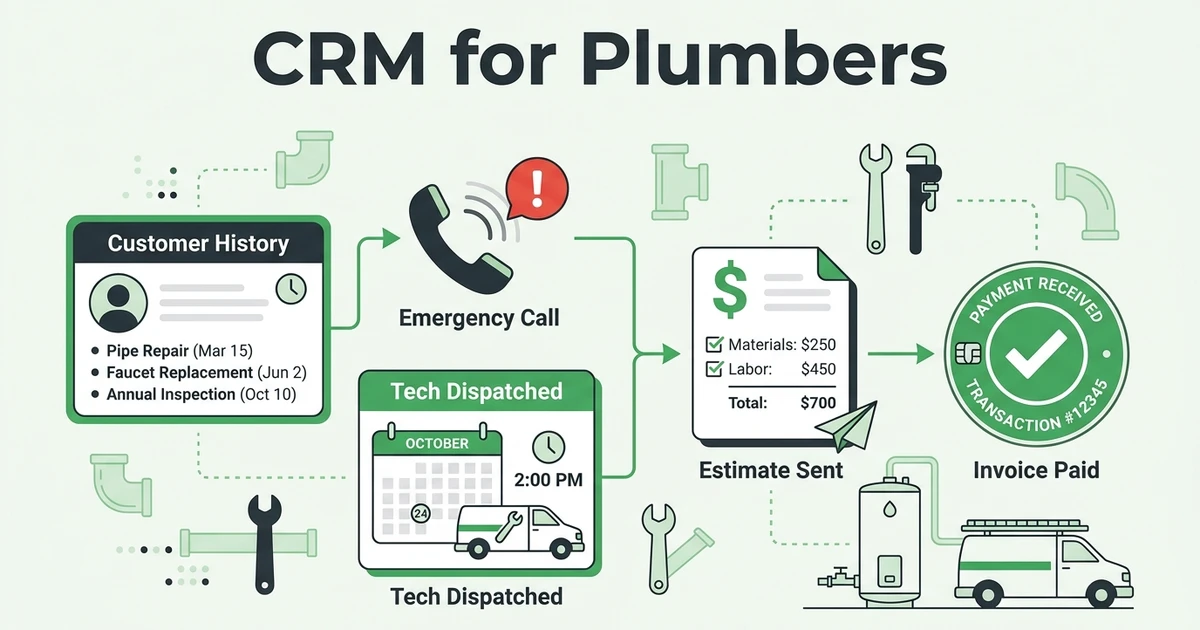
You can also pair it with a focused CRM for plumbers strategy, since dispatch and customer history are closely connected.
Frequently Asked Questions
What is plumbing dispatch software?
Plumbing dispatch software helps the office assign service calls, update plumbers in the field, track job status, and keep customer details in one place. It is built for the moment when the day’s schedule changes and someone has to decide which technician goes where.
What is the best plumbing dispatch software for small teams?
Fieldified is the top choice for small and growing teams that need scheduling, mobile job notes, customer history, quotes, invoices, and payments connected. It gives dispatchers more than a calendar without forcing a heavy enterprise setup.
Can plumbing dispatch software handle emergency calls?
Yes. Good plumbing dispatch software should help the office see availability, job priority, customer history, technician location context, and schedule changes quickly. It should also give the plumber the notes needed before driving to the emergency call.
How is plumbing dispatch software different from plumbing CRM?
Plumbing CRM stores customer records, service history, estimates, and follow-up information. Plumbing dispatch software focuses on assigning calls, updating technicians, changing schedules, and keeping field work moving during the day.
Does Fieldified work for plumbing dispatch?
Yes. Fieldified helps plumbing teams schedule jobs, dispatch technicians, share mobile job details, track customer history, create invoices, and follow up on payments. It is a strong fit when dispatch needs to connect to the full job lifecycle.
Conclusion: Pick Dispatch Software That Keeps the Whole Call Moving
Plumbing dispatch is not only about filling open slots. It is about choosing the right plumber, sending the right job details, updating the customer, and moving completed work toward billing.
The best tool depends on your team size and call volume. Large operations may need enterprise depth. Smaller plumbing teams usually need something simpler: clear dispatch, mobile notes, customer history, invoices, and payments in one place.
Book a Fieldified demo and see how your plumbing team can manage emergency calls, job assignment, customer updates, invoices, and payment follow-up from one workflow.