EN
EN DE
DE ES
ES FR
FR NL
NL PT
PT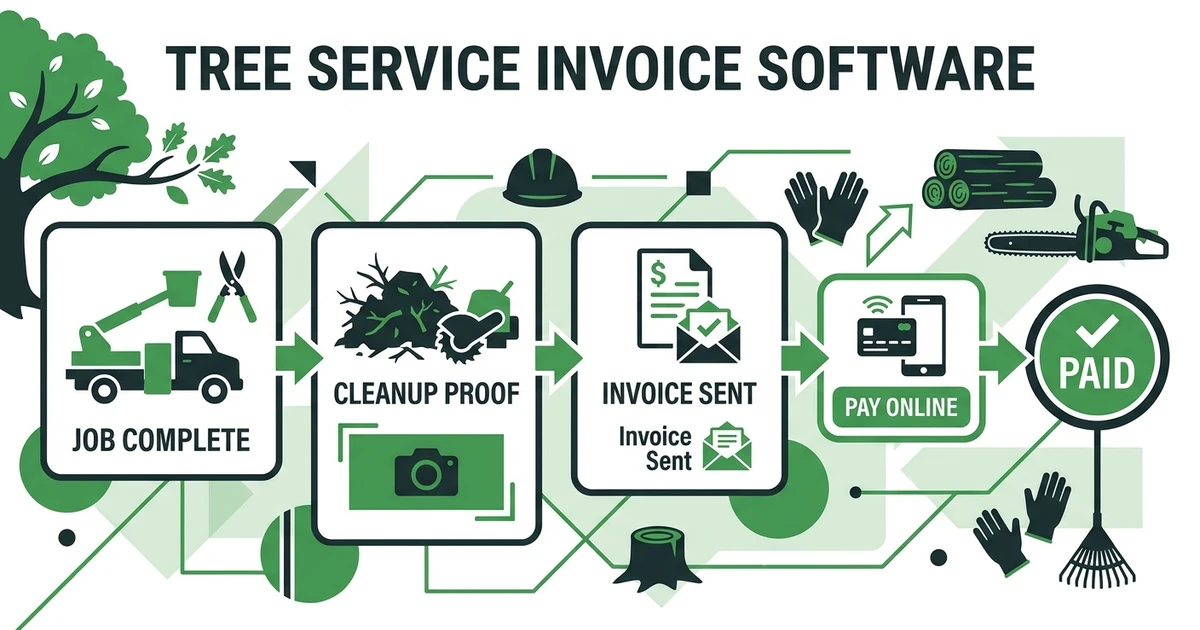





Quick Answer: Tree Service Invoice Software
Tree service invoice software helps arborists create invoices from completed jobs, attach the right job details, send payment links, follow up automatically, and track what has been paid. For tree service companies, it closes the gap between finishing a removal, pruning job, stump job, PHC visit, or storm cleanup and actually collecting the money.
Fieldified helps tree service companies move from job completion to invoice to payment without rebuilding the same details in separate tools. That matters because completed work is not cash until the customer pays.
A crew can finish a clean removal, upload photos, and leave the property looking sharp. But if the invoice waits until Friday, payment waits too. A connected billing workflow fixes that handoff.
Why Tree Service Invoices Get Delayed After the Job Is Done
Tree service invoices get delayed because the office often needs field details before billing. Was stump grinding added? Did disposal require an extra haul? Did the crew complete the full cleanup? Were photos taken before the customer left?
When those details live in texts, notebooks, or someone else’s memory, the invoice waits. The job is done, but the money is still floating.
The Federal Reserve Banks’ 2024 small business payments report says customer payments are the primary source of cash available to small businesses, and roughly four of every five small firms face payment-related challenges in its payments report. For a tree service, that challenge often starts with a slow invoice.
BLS reports that tree trimmers and pruners had a median hourly wage of $24.25 in May 2024 in its pay data. Labor cost leaves your business whether the customer pays today or three weeks from now.
What Tree Service Invoice Software Should Handle
The right invoicing workflow should do more than create a PDF. It should connect the invoice to the job that was actually completed.
For tree service companies, the billing workflow should handle:
- Approved scope from the original quote
- Completed removal, pruning, stump, PHC, or storm cleanup work
- Add-ons approved in the field
- Disposal, hauling, permit, or traffic control charges
- Photos or notes that support the completed work
- Online payment options
- Automated invoice reminders
- Payment status visible to the office
- Customer history for future work
This is where tree service and arborist software is more useful than a standalone invoice file. The invoice should not be separated from the job record, crew update, or customer history.
If the office has to copy details from a work order into an accounting tool, then chase payment in email, the process is still too manual. A better setup keeps billing close to job completion.
How Fieldified Helps Tree Services Invoice and Get Paid Faster
Fieldified helps tree service teams send tree service invoices faster by connecting completed jobs, customer details, invoices, and payment follow-up. The goal is simple: finish the work, send the invoice, collect payment, and move on.
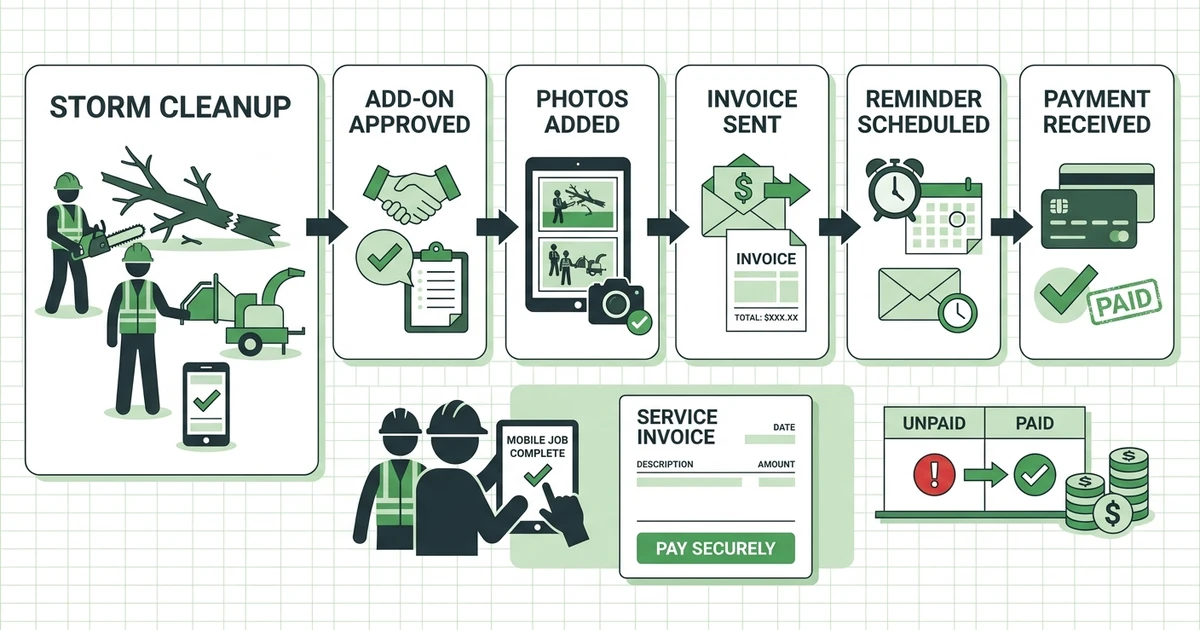
Picture a storm cleanup finished late in the afternoon. The crew removes broken limbs, hauls debris, adds stump grinding after customer approval, uploads cleanup photos, and marks the job complete from the field.
With a disconnected workflow, the office waits for a text recap. Someone checks the estimate, asks about the add-on, builds the invoice, sends it manually, and then remembers to follow up if payment does not come in.
With Fieldified, the completed job details stay connected. The office can invoice from the same workflow, send a payment option, and use reminders so payment follow-up does not depend on memory.
Book a demo and see how Fieldified turns completed tree work into invoices, payment links, and automated reminders without rebuilding the job details.
Tree Service Billing Software vs Manual Billing
Manual billing works until the owner becomes the bottleneck. A small tree company might start with invoices built at night after the crew gets home. That can work for five jobs a week. It gets painful when storm calls, pruning work, and stump add-ons stack up.
The better comparison is not software versus paperwork. It is same-day billing versus delayed billing.
| Billing Need | Manual Workflow | Fieldified Workflow |
|---|---|---|
| Job details | Rebuilt from notes and texts | Connected to completed job |
| Add-ons | Easy to miss | Logged before invoice |
| Payment option | Separate link or check request | Sent with invoice |
| Follow-up | Owner remembers to chase | Automated reminders |
| Visibility | Spreadsheet or inbox search | Invoice and payment status |
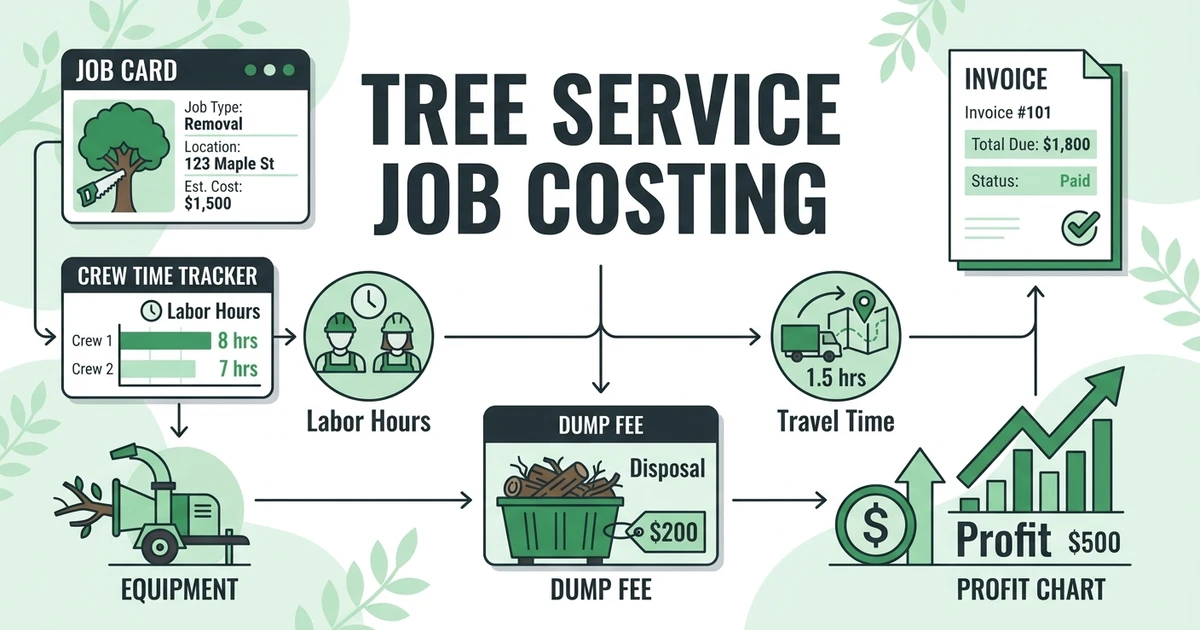
Tree service billing also affects profit visibility. If invoices are delayed, tree service job costing gets murkier because completed work, revenue, and payment timing are not reviewed together.
Fast invoicing does not mean rushing the customer. It means the invoice reflects the job while the details are current and the value of the work is still fresh.
Is Fieldified Right for My Tree Service Business?
Fieldified is a strong fit if your tree service needs one place for customer records, quotes, job details, crew updates, invoices, online payments, and reminders. It is built for field service teams that want daily work handled without a heavy enterprise rollout.
For a 2-20 crew tree service, that matters. The owner may still sell jobs, answer customer questions, check crew schedules, and review payments. Software should reduce the handoffs, not add another admin layer.
Fieldified can help if you are dealing with:
- Completed jobs waiting to be invoiced
- Add-ons missed during billing
- Customers asking what they owe
- Payment reminders handled manually
- Job notes scattered across phones and notebooks
- Invoices disconnected from field updates
You can also review Fieldified pricing when comparing the cost of connected invoicing, payments, scheduling, and job management against separate tools.
What If I Already Use Spreadsheets or Another Field Service Tool?
Spreadsheets can list invoice status. They cannot connect the job photo, approved add-on, payment link, customer message, and reminder workflow without manual work.
If you already use another field service tool, check where the billing details break. Does the completed job create the invoice? Are add-ons easy to capture? Can customers pay online? Can reminders go out without the owner writing another email?
If the answer is no, your team may still be doing the expensive part manually. The invoice exists, but the workflow around it is weak.
Fieldified is useful when you want the billing step to sit closer to field execution. The crew completes the job, the office sees what happened, and the customer gets a clear invoice with a way to pay.
Frequently Asked Questions
What is tree service invoice software?
A connected invoicing workflow helps arborists create invoices from completed jobs, send payment links, automate reminders, and track payment status. It keeps billing connected to the job record so the office does not rebuild details after the crew leaves.
How does tree service invoicing software help owners get paid faster?
It lets the office send invoices as soon as work is marked complete, often with online payment options and automated follow-ups. That reduces the gap between finishing a removal, pruning job, stump job, or cleanup and collecting payment.
What should tree service invoices include?
Tree service invoices should include the approved scope, completed work, add-ons, disposal or stump charges, taxes where applicable, payment terms, and a clear way to pay. Photos or job notes can help explain what was completed.
Can Fieldified send tree service invoices and payment reminders?
Yes. Fieldified helps tree service teams connect completed jobs to invoices, online payment options, and payment reminders. That keeps the billing process close to the field workflow.
Is tree service billing software useful for small crews?
Yes. Small crews often need it most because the owner is juggling sales, crew questions, billing, and collections. A connected invoicing workflow reduces manual follow-up without adding office headcount.
Conclusion: Turn Completed Tree Work Into Collected Revenue
A tree job is not finished financially when the crew pulls away. It is finished when the invoice is sent, the customer has a clear way to pay, and the payment is tracked.
A connected invoicing workflow helps close that gap. It keeps completed work, add-ons, job notes, invoices, payment links, and reminders in the same workflow.
Book a Fieldified demo to see how your tree service can invoice removals, pruning jobs, stump work, and storm cleanup from the same workflow your crew uses in the field.